

Below are all of the latest feature updates coming to Microsoft 365.
Automated Security Assessments and Policy Management
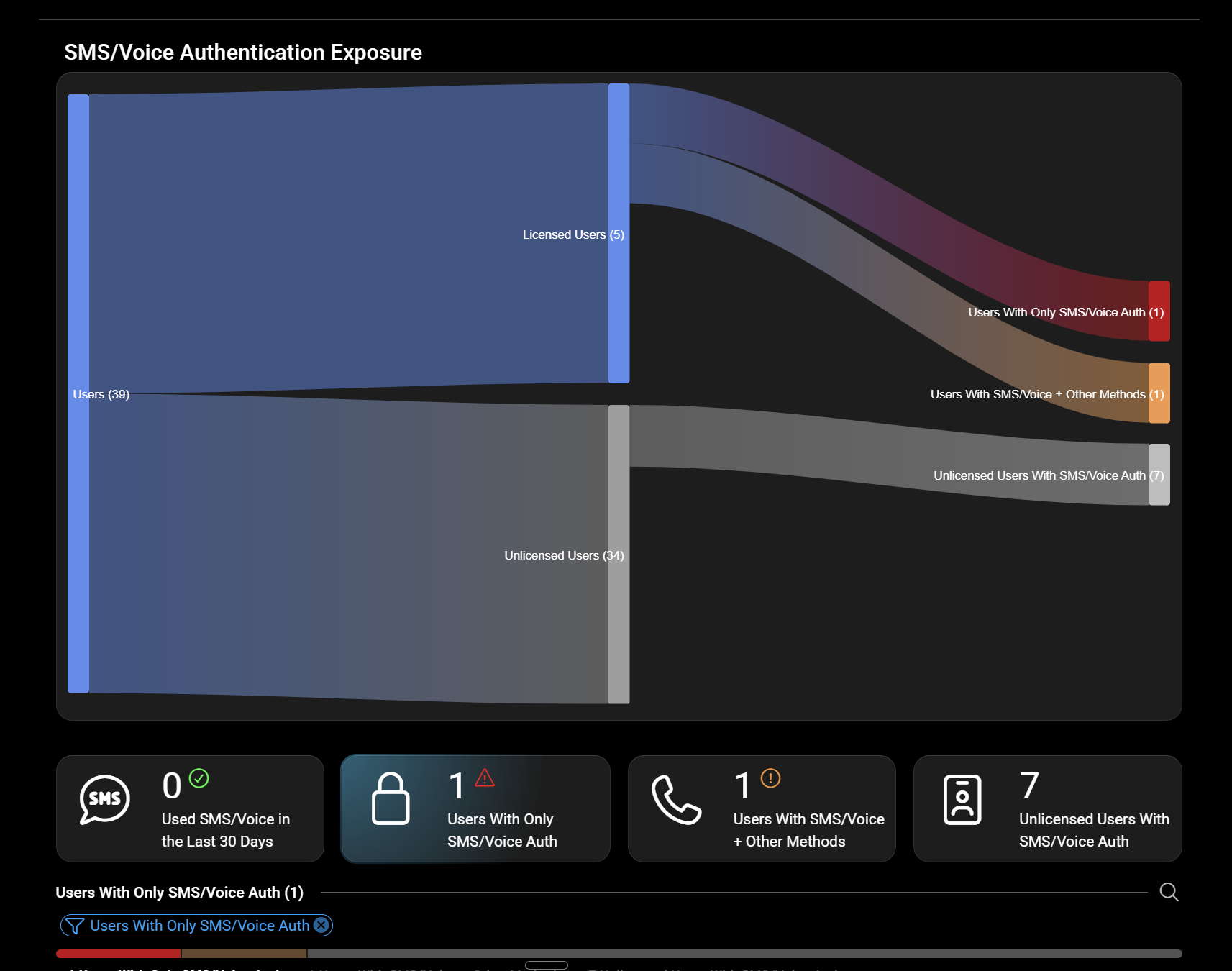
CloudCapsule is a tool I built purpose built for MSPs looking to scale their security practice on Microsoft 365. Scans of tenants take on average 60 seconds where we collect over 250 data points. We now provide remediation and policy management capabilities, allowing you to deploy fixes right from within our portal.

Microsoft Teams
1. Configure mandatory participant consent before joining meetings
How this will affect your organization
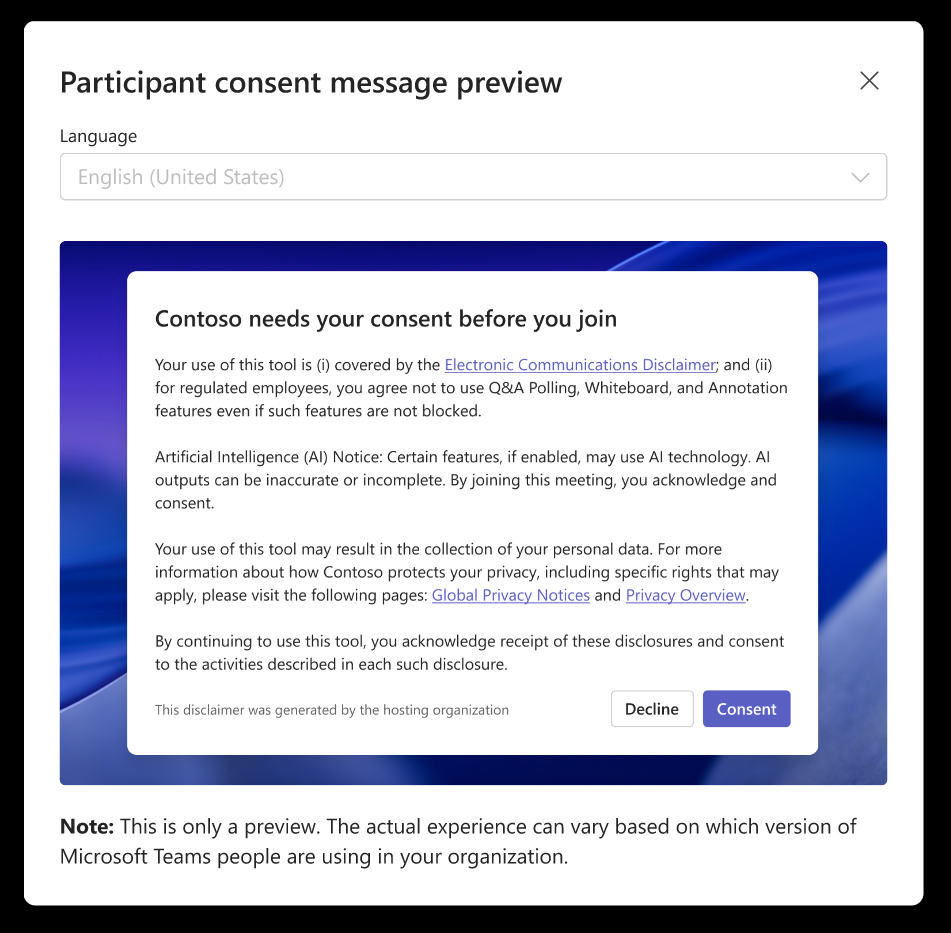
This feature helps organizations meet compliance and regulatory requirements by ensuring attendees acknowledge custom terms or disclaimers before joining meetings, such as recording notices or responsible AI usage guidelines.
Admins can configure a mandatory pre-meeting consent experience in Teams admin center:

When will this happen:
mid-October 2026 and expected to complete by mid-November 2026
2. Enhanced live captions settings and right-side panel view
How this will affect your organization
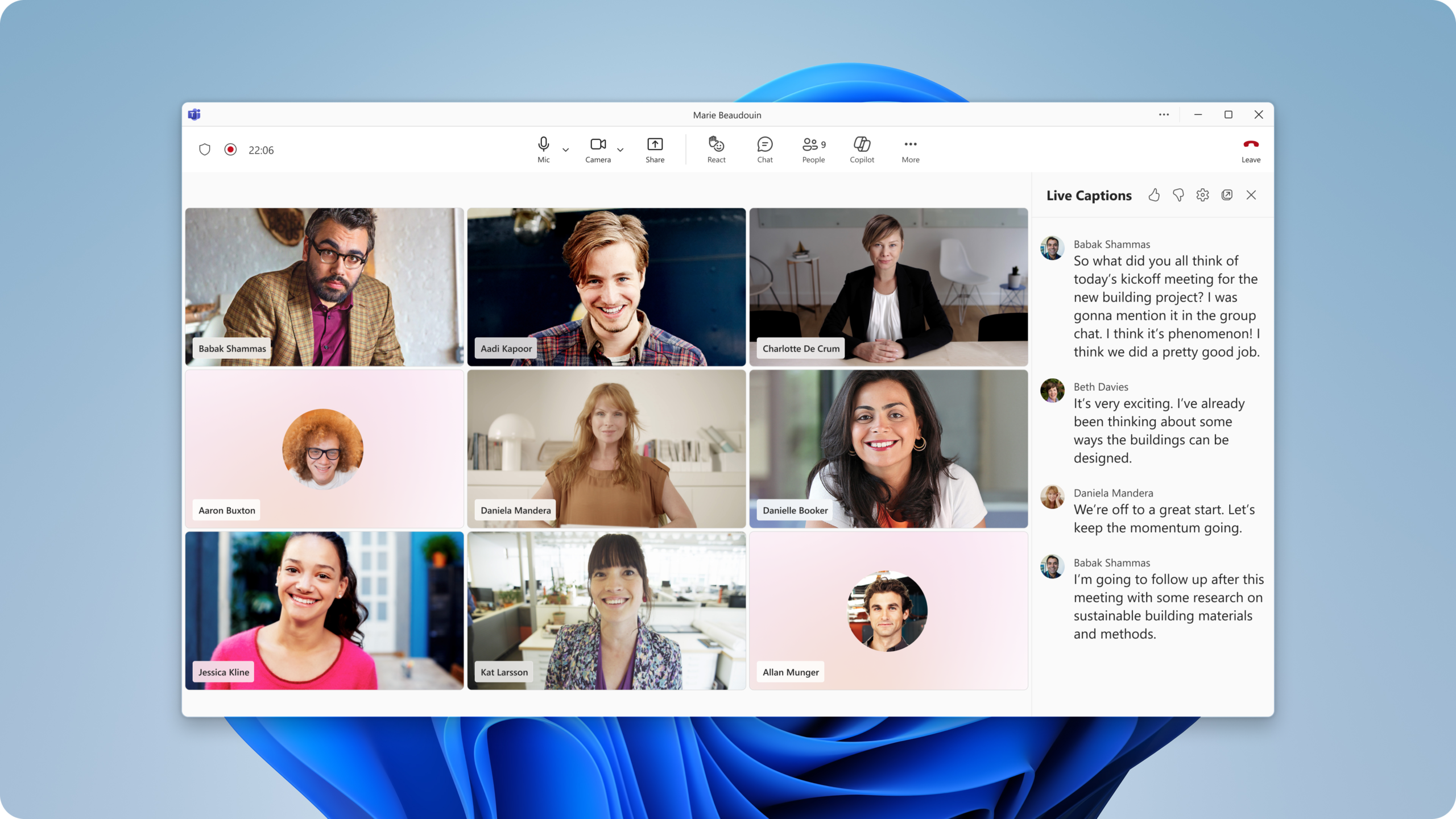
This update introduces a new right-side panel layout for live captions and consolidates caption settings into a single menu.
When will this happen:
mid-September 2026 and expected to complete by mid-September 2026
3. Report security concerns in Teams meetings
How this will affect your organization
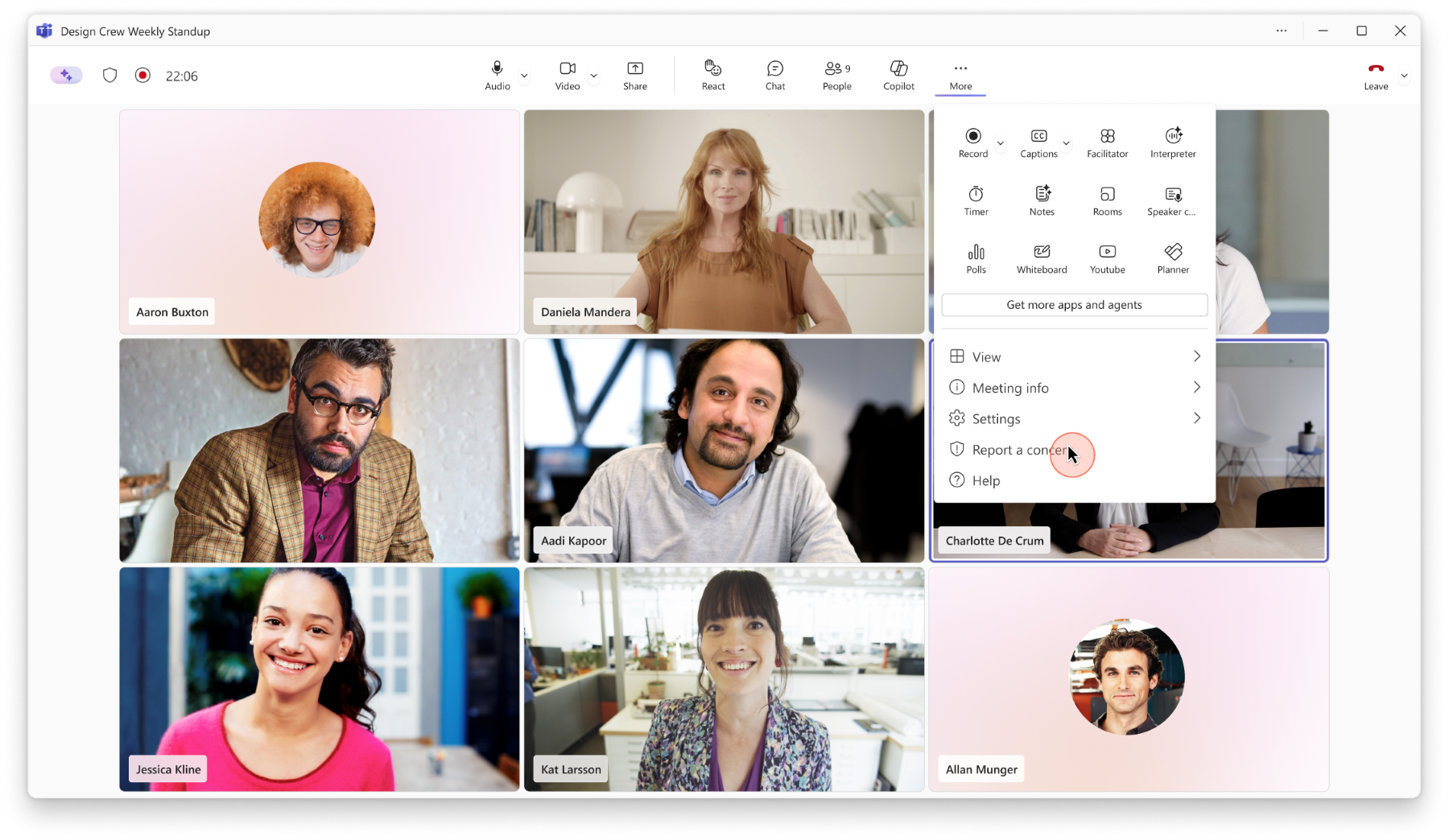
Introducing a new Report a meeting capability that allows meeting participants to report suspicious, malicious, or potentially fraudulent activity directly from Teams meetings. Information about user-submitted reports will also be available in the Teams admin center under Protection reports > User-reported security submissions.
When will this happen:
early October 2026
4. Teams Admin Center – Single pane for monitoring
How this will affect your organization
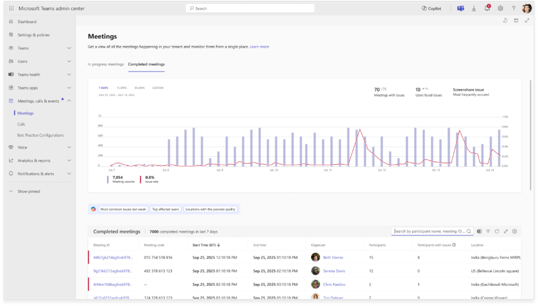
Microsoft Teams admin center will launch a single pane for monitoring and troubleshooting meetings and calls organization-wide. Admins can view in-progress and completed meetings, identify issues, use detailed diagnostics, apply filters, export data, and leverage Microsoft 365 Copilot for analysis.
After rollout, administrators will see a new Meetings experience in the Teams admin center under Meetings & Calls.
- Navigate to Teams admin center > Meetings & Calls > Meetings or Calls to access the updated troubleshooting experience.
When will this happen:
late September 2026 and is expected to complete by mid October 2026.
5. Microsoft Teams live chat retirement
How this will affect your organization
Starting in August 2026, new customers will no longer be able to set up Microsoft Teams live chat. Starting in October 2026, Microsoft Teams live chat will no longer be supported and will stop relaying customer chat messages from websites to Teams.
6. Microsoft Teams and Google Calendar sync retirement
How this will affect your organization
Microsoft is retiring calendar syncing between Microsoft Teams and Google Workspace. After this retirement, organizations will no longer be able to synchronize calendars between the two services using the calendar sync capability available through the Admin app in Teams.
When will this happen:
October 2026

Microsoft Outlook
1. Filter Messages by Events
How this will affect your organization
Outlook will add an “Events” filter to help users quickly find calendar invitations and event-related messages
When will this happen:
late August 2026 and is expected to complete by late September 2026.
2. Drag and drop calendar events to reschedule meetings
How this will affect your organization
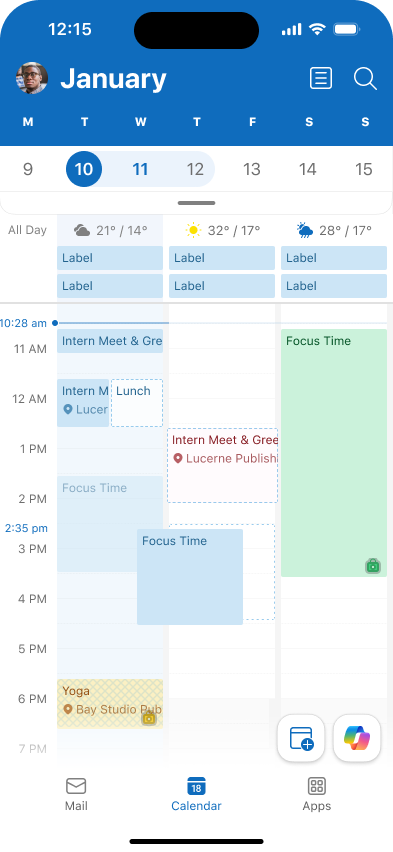
Microsoft Outlook is introducing drag-and-drop support for calendar events, allowing users to reschedule events by moving them directly to a different time slot on their calendar.
When will this happen:
mid-August 2026 and expect to complete by late August 2026
3. Cross-tenant Free/Busy, MailTips, and Calendar Sharing are moving to Cross-Tenant Access Policy
How this will affect your organization
Exchange Web Services (EWS) in Exchange Online will retire starting October 1, 2026, with full retirement by April 1, 2027. Several cross-tenant collaboration features – Free/Busy, MailTips, and Calendar Sharing – currently use Exchange Web Services under the hood. As EWS is retired in Exchange Online, the mechanism that carries those cross-tenant requests has to move somewhere else.
That “somewhere else” is Microsoft 365 Cross-Tenant Access Policy. It replaces the EWS-based approach
Full Announcement: https://techcommunity.microsoft.com/blog/exchange/cross-tenant-freebusy-mailtips-and-calendar-sharing-are-moving-to-cross-tenant-a/4545169
4. Understanding the new 100 GB mailbox entitlement for Microsoft 365 Business suites
How this will affect your organization
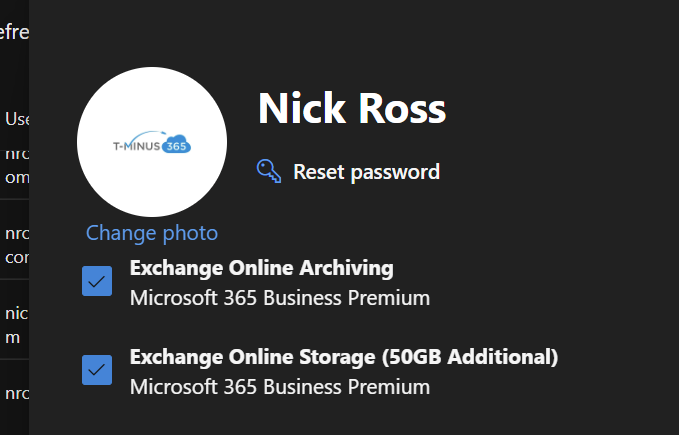
Microsoft 365 Business Basic, Business Standard, and Business Premium now include an additional 50 GB of primary email storage for eligible users
When will this happen:
rolling out June – September 2026

Microsoft 365 Apps
1. The Next Generation of File & Folder Sharing
How this will affect your organization
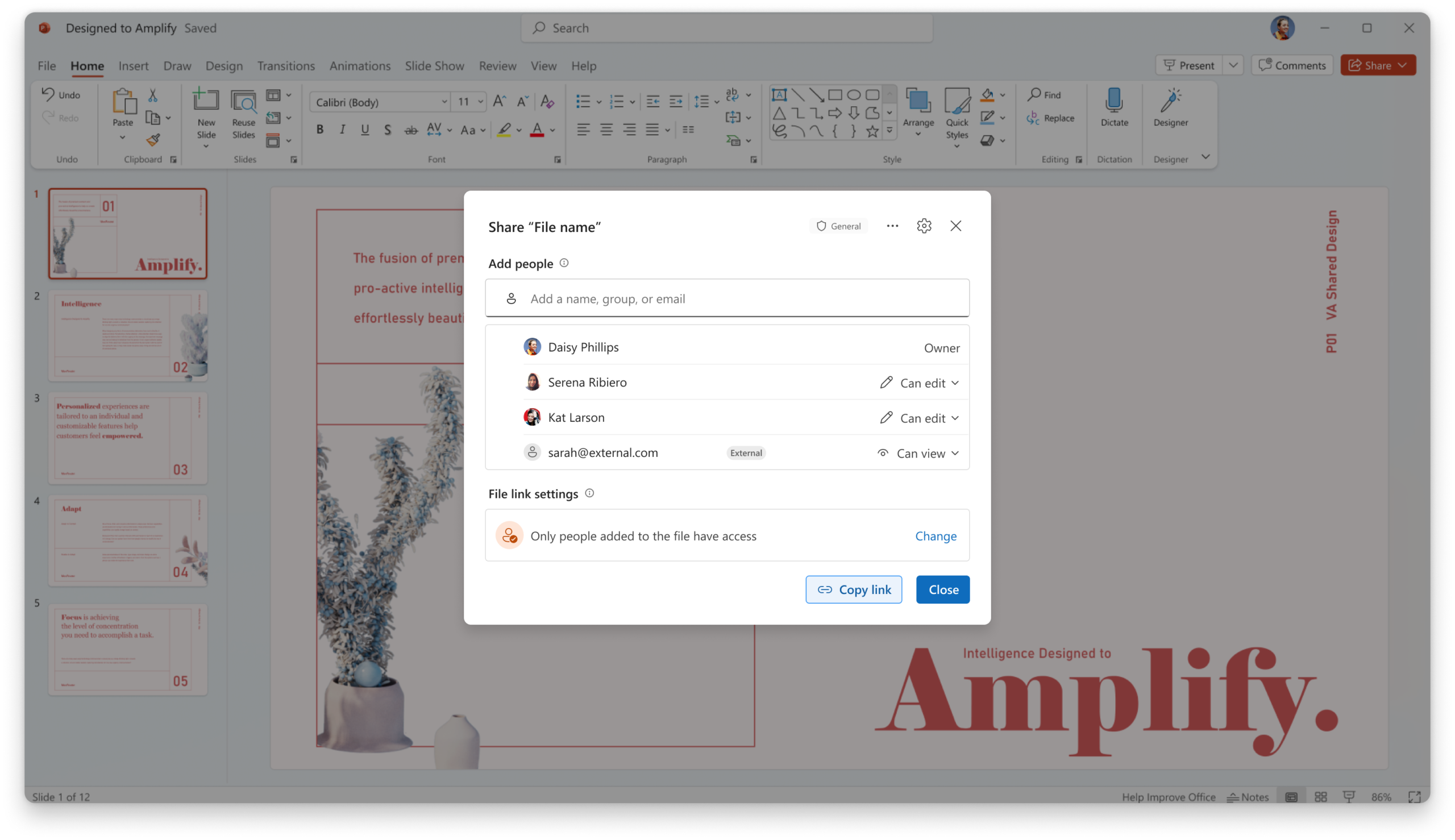
We’re introducing the third-generation Microsoft 365 sharing experience to make collaboration simpler, smarter, and more secure by default. At the center of this update is a new hero link—a single sharing link that controls access to a file or folder.
Users will see one consistent sharing experience whether they copy a link, share through email, or use the browser URL. The hero link consolidates sharing controls into a single link that can be updated after it has been shared, reducing the need to create and resend new links when access requirements change.
By default, the hero link is set to Only people added to the file, meaning the link itself does not grant access to anyone.
Full Announcement: https://techcommunity.microsoft.com/blog/onedriveblog/simple-smart-and-secure-the-next-step-in-sharing-files-in-microsoft-365/4411655
When will this happen:
mid-September 2026 (previously late August) through late October 2026
2. OneDrive macOS Native Sync Engine
How this will affect your organization
Microsoft is introducing a new Native Sync Engine for OneDrive on macOS, improving sync speed, reliability, and resource efficiency
Full Announcement: https://techcommunity.microsoft.com/blog/onedriveblog/making-mac-onedrive-faster-and-more-reliable/4516506
When will this happen:
early September 2026 (previously late August) and is expected to complete by late November 2026.
3. Microsoft SharePoint: New report on Everyone except external users
How this will affect your organization
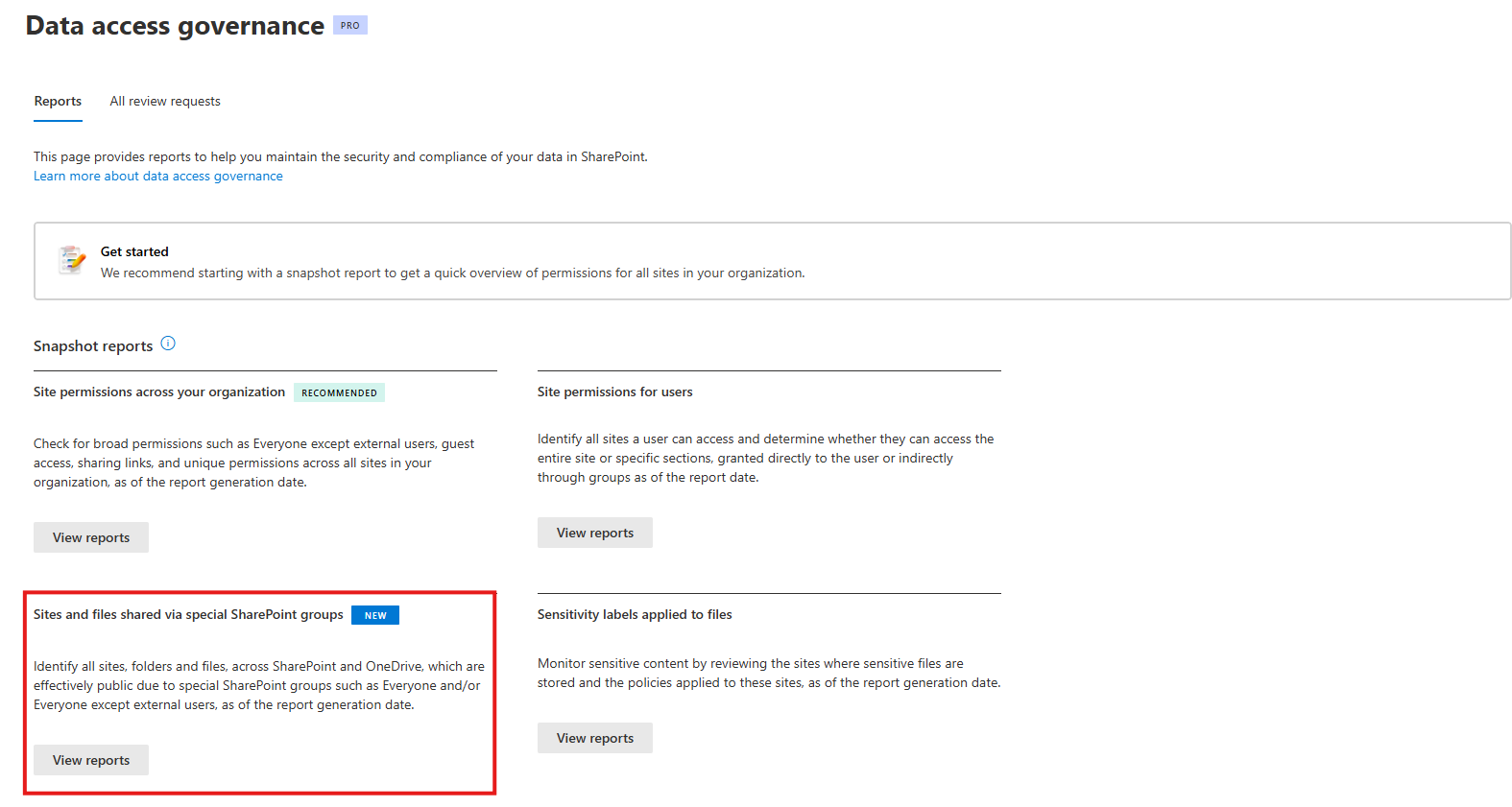
We’re introducing a new report in the SharePoint admin center that provides detailed, item-level visibility into permissions granted through the Everyone and Everyone except external users special SharePoint groups. With this enhancement, administrators can identify the specific files and items exposed through those permissions across SharePoint and OneDrive.
When will this happen:
early August 2026 and expected to complete in mid-August 2026

Microsoft Intune
1. Remote Help on Windows: Unattended Support with Remote Sign-In Is Here
How this will affect your organization
New capability that lets helpdesk staff remotely access physical Windows devices by signing in with credentials they have access to, without requiring the user to grant access or even be logged in.
When this will happen
GA
2. Registry Inventory in Microsoft Intune: Verifying What’s on Your Devices
How this will affect your organization
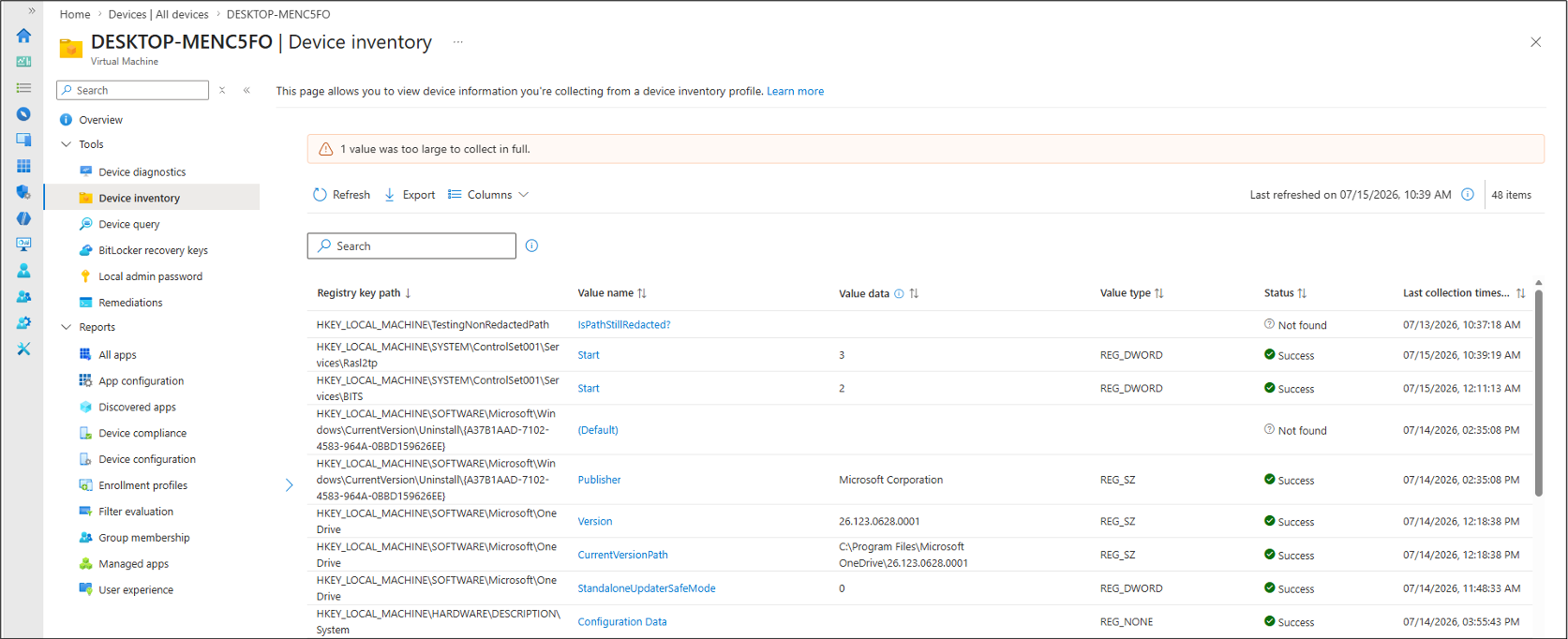
With Microsoft Intune’s July (2607) release, device inventory will include Windows registry data, helping IT admins verify a device’s actual configuration, not just the policy assigned.
When this will happen
GA
3. Update app protection policies with legacy targeting setting to assignment filters
How this will affect your organization
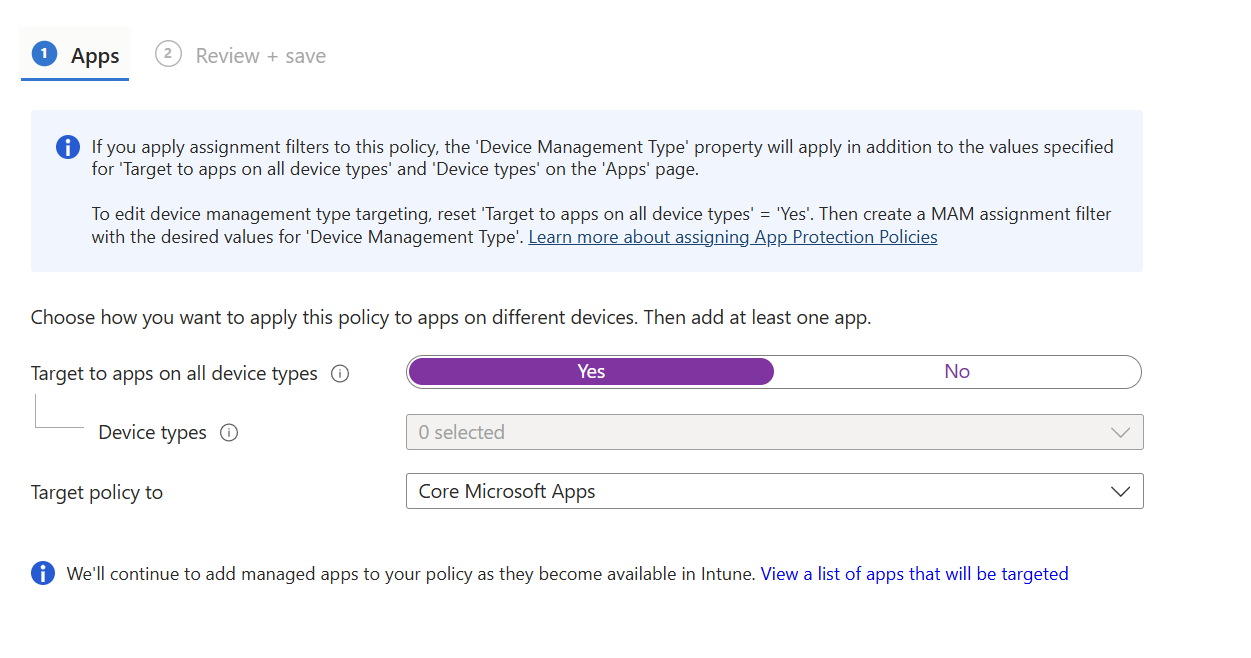
Starting January 11, 2027, or soon after, we are ending support for the legacy Intune app protection policy (APP) “Target to apps on all device types” setting and policies should be updated to use assignment filters. Using the legacy targeting settings can take precedence over assignment filters, resulting in policy targeting behavior that may not align with admin expectations.
Important: To prevent gaps in policy enforcement, do not remove or disable the legacy targeting configuration until the new assignment filter has been assigned to the policy.
Creating Filters: https://learn.microsoft.com/en-us/intune/fundamentals/filters/overview

Microsoft Entra
1. Users can register a passkey or passwordless sign-in as their first multifactor authentication method
How this will affect your organization
Users will soon be able to register a passkey as their first multifactor authentication method. Previously, people had to set up an alternate MFA method like SMS or Voice before they could add a passkey (FIDO2), Windows Hello for Business, macOS Platform SSO. That extra step pushed users toward weaker methods and slowed the move to phishing-resistant sign-in. Now password-only users can go straight to a passkey, making it easier to adopt strong authentication from day one. As part of this work, we will also be enabling Authenticator App passwordless sign-in to be a user’s first registered MFA method.
When will this happen:
- Phase 1: Support for synced passkeys, Microsoft Entra passkeys on Windows, and FIDO2 security keys.
- General Availability (Worldwide, GCC): We will begin rolling out in mid-October 2026 and expect to complete by mid-November 2026.
- Phase 2: Support for Windows Hello for Business, macOS Platform SSO, Authenticator App passkey, and Authenticator App passwordless sign-in.
- General Availability (Worldwide, GCC): We will begin rolling out in early January 2026 and expect to complete by late February 2027.
2. Windows Hello for Business and macOS Platform SSO as standalone MFA factors
How this will affect your organization
Today, WHfB and macOS PSSO can satisfy MFA requirements during primary sign-in, but users may still be required to register and use an additional passkey or authentication method for certain step-up authentication prompts, Authentication Strength policies, and sign-in frequency checks.
After this rollout, users who authenticate with WHfB or macOS PSSO will be able to satisfy supported MFA requirements without registering an additional passkey.
When will this happen:
early October 2026 and expected to complete in late November 2026
3. Passkey support for B2B users
How this will affect your organization
Microsoft Entra ID will support passkey registration and sign-in for B2B users, including internal guest users and external users. Eligible B2B users will be able to register and use passkeys issued by the resource tenant to satisfy that tenant’s multifactor authentication (MFA) requirements.
When will this happen:
early October 2026 and expected to complete by late February 2027

Microsoft Copilot
1. Draft Outlook emails directly in Copilot Chat on mobile
How this will affect your organization
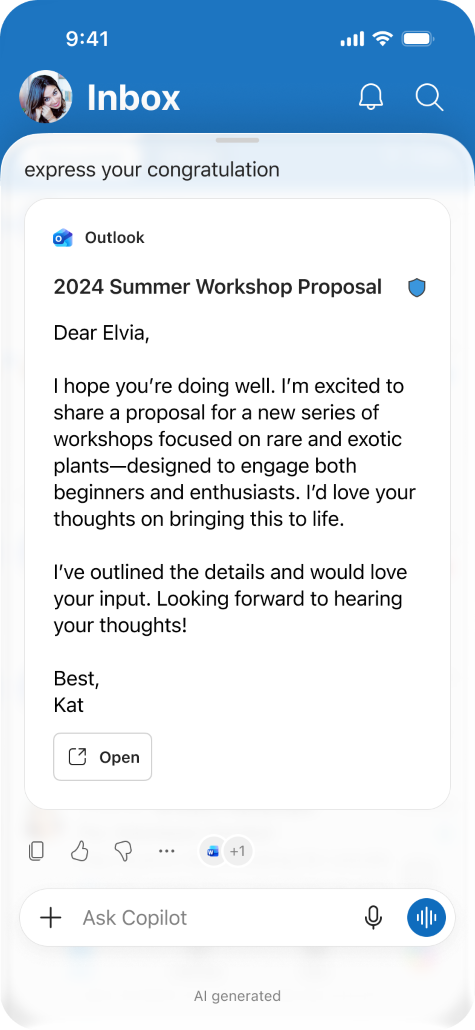
When Copilot detects an email-writing intent, it will display an embedded Outlook draft within Copilot Chat. Users can review drafted content and open the draft directly in Outlook Mobile to edit and send. This update streamlines a common workflow within the Copilot Chat experience.
When this will happen
mid-August 2026 and expected to complete by mid-September 2026
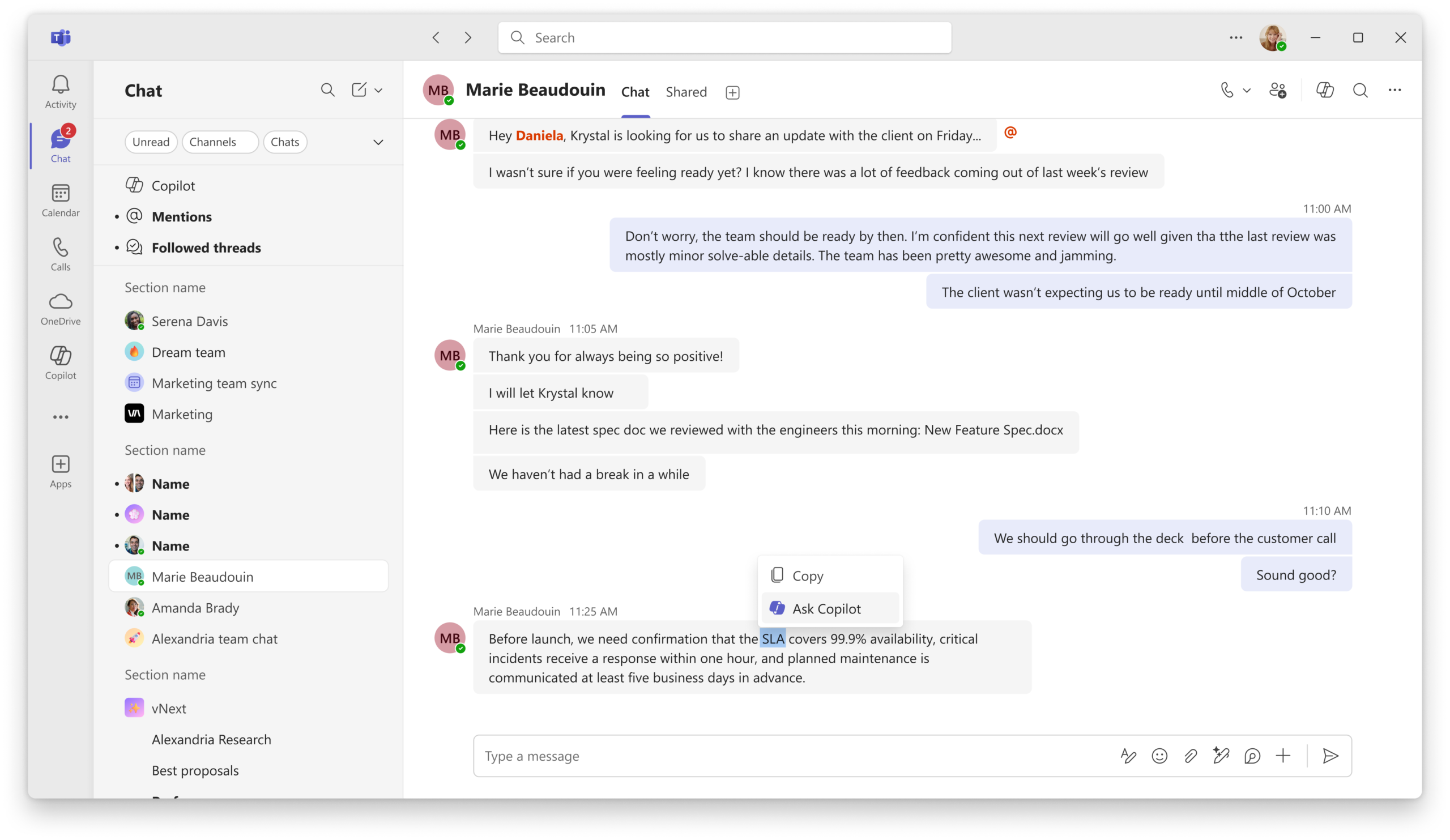
2. Ask Copilot in Teams
How this will affect your organization
From a specific message or selected text, users can open the existing Copilot pane with the relevant content automatically included as context, reducing the need to copy, paste, or manually provide conversation details.
When this will happen
late August 2026 and is expected to complete by late September 2026.
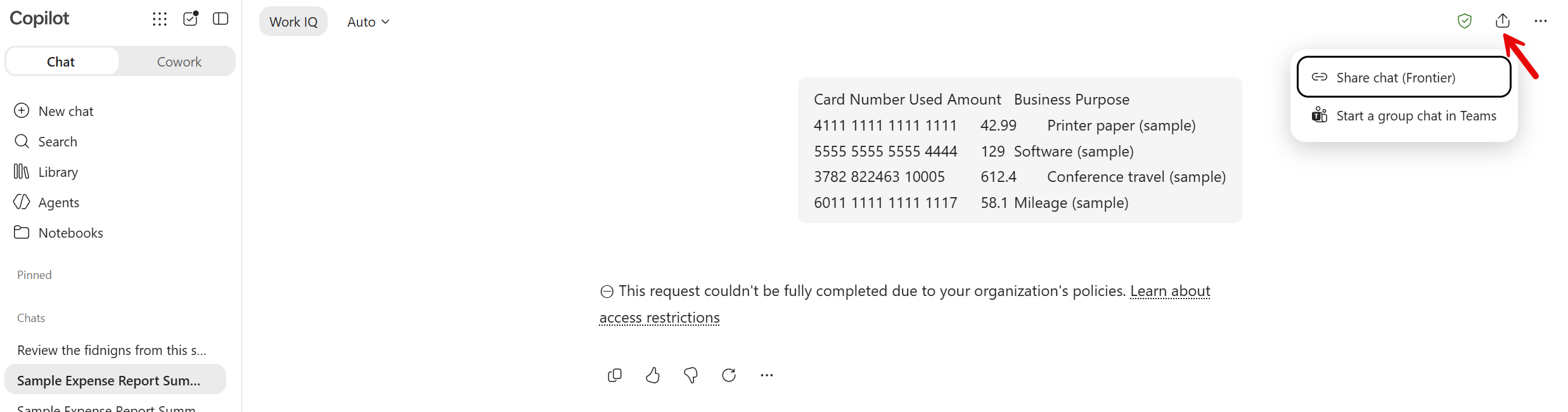
3. Session and Response Sharing in M365 Copilot
How this will affect your organization
This feature allows users to share either an entire Copilot chat session or an individual Copilot response by creating a link that can be shared with others in the same organization.
When will this happen?
late August 2026 and is expected to complete by early September 2026
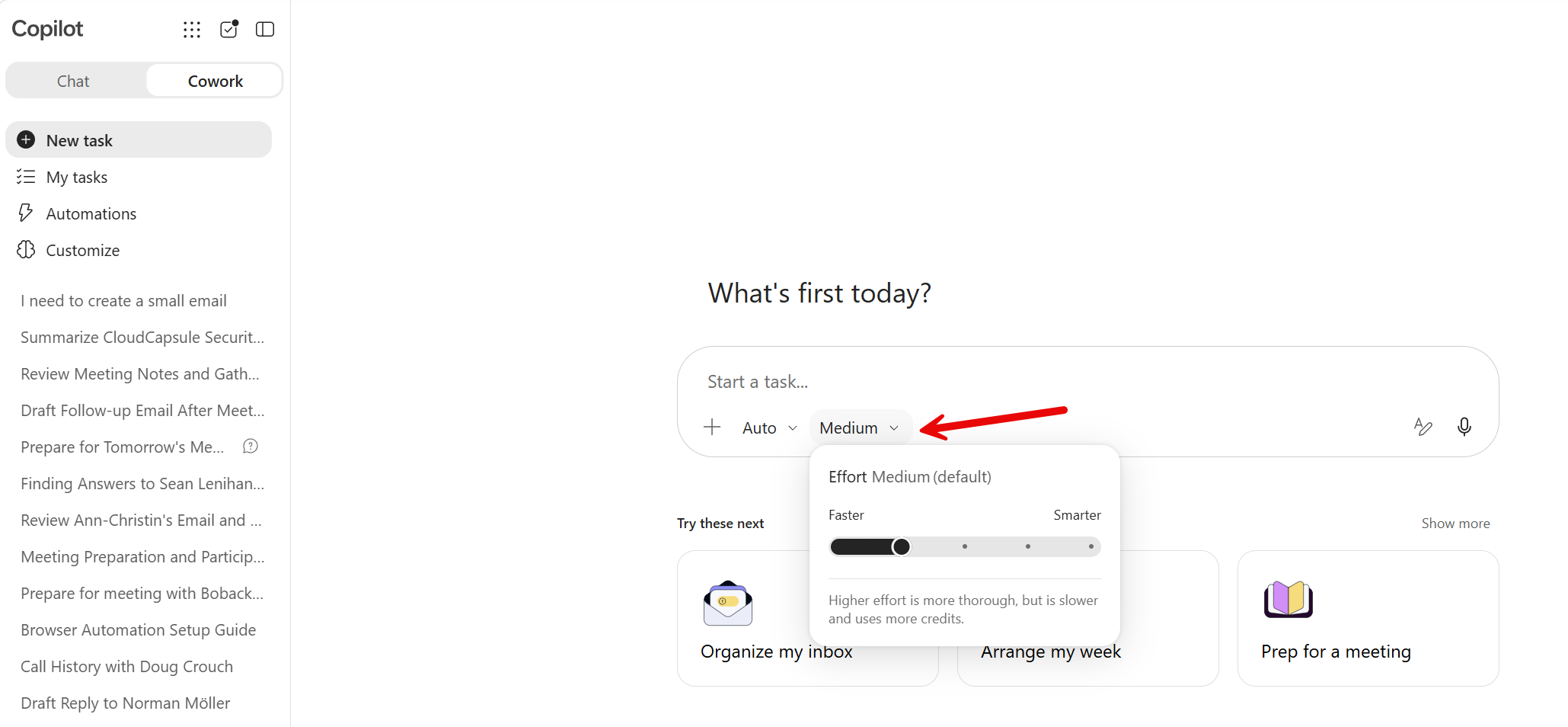
4. Effort control for models in Cowork
How this will affect your organization
Microsoft Copilot Cowork now lets users select effort levels (Light, Medium, High) in the model picker to control response quality, speed, and usage.
When will this happen?
late August 2026 and is expected to complete by late August 2026.
5. Copilot Studio – Billing for GitHub Copilot harness built agents begins September 1, 2026
How this will affect your organization
Beginning September 1, 2026, the grace period for existing agents and workflows built using the GitHub Copilot harness in Copilot Studio will end. These agents and workflows will begin consuming Copilot Credits under the usage-based billing model.
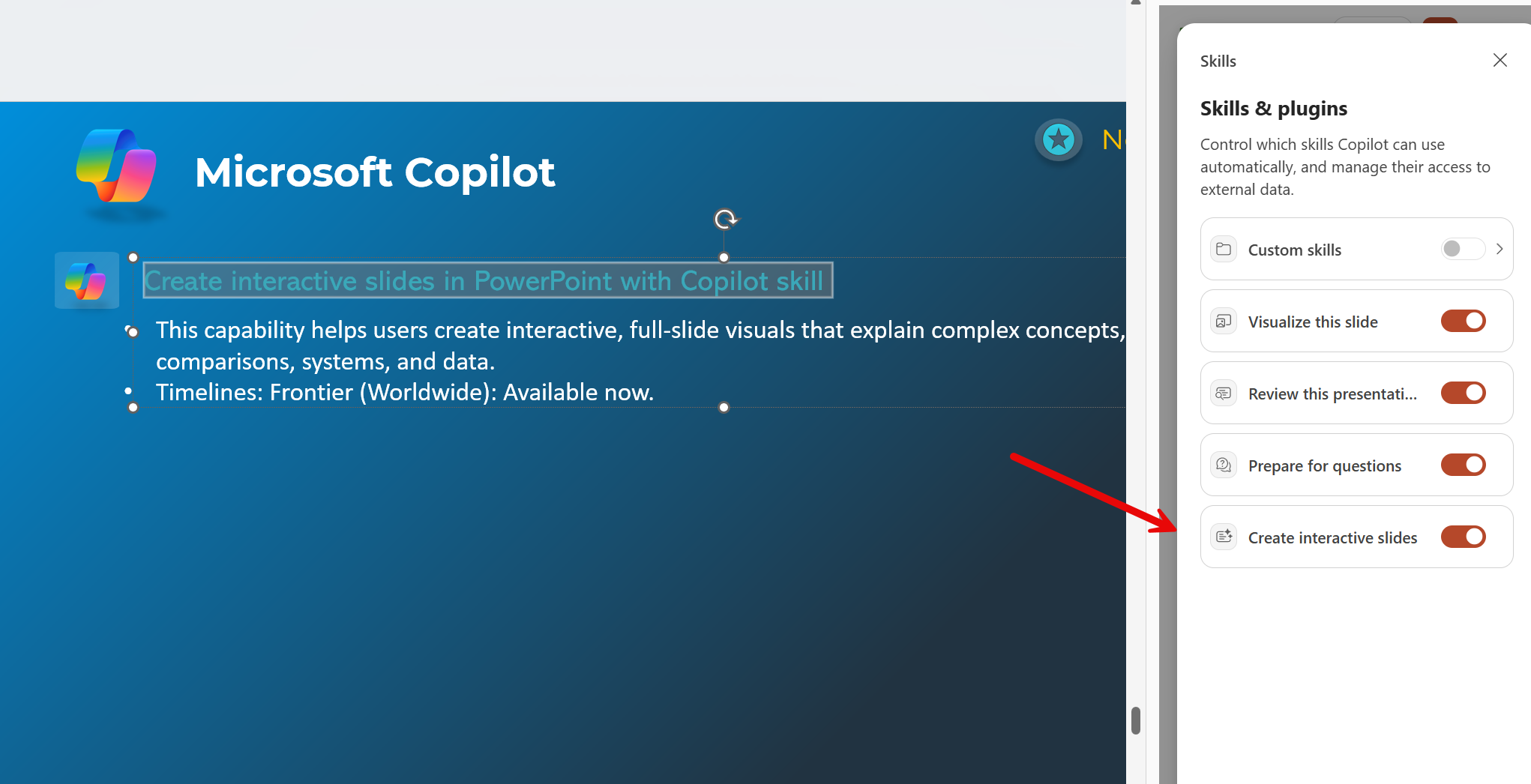
6. Create interactive slides in PowerPoint with Copilot skill
How this will affect your organization
This capability helps users create interactive, full-slide visuals that explain complex concepts, timelines, comparisons, systems, and data.
When will this happen?
Frontier (Worldwide): Available now.
7. Microsoft 365 Copilot app update: Simpler Copilot access
How this will affect your organization
Like other Microsoft 365 apps, Copilot is moving to a single app experience across personal and work accounts. As part of this update, users will see clearer visual indicators in the app to help distinguish which account they are logged into, the app will adopt a simpler name and icon, and the web app URL will align more closely to Copilot. Security, compliance, privacy, and enterprise controls remain unchanged.

When will this happen?
Starting mid-September 2026, worldwide rollout begins for Windows and Mac apps.
8. Personalized Copilot Suggestions Coming to Frontier
How this will affect your organization
As part of Copilot WorkIQ personalization capabilities, eligible users participating in the Frontier program may see contextual suggestions in Copilot Chat that highlight prompts and scenarios related to their work activities and patterns.
When will this happen?
mid-August 2026
9. Self-serve Copilot Connectors
How this will affect your organization
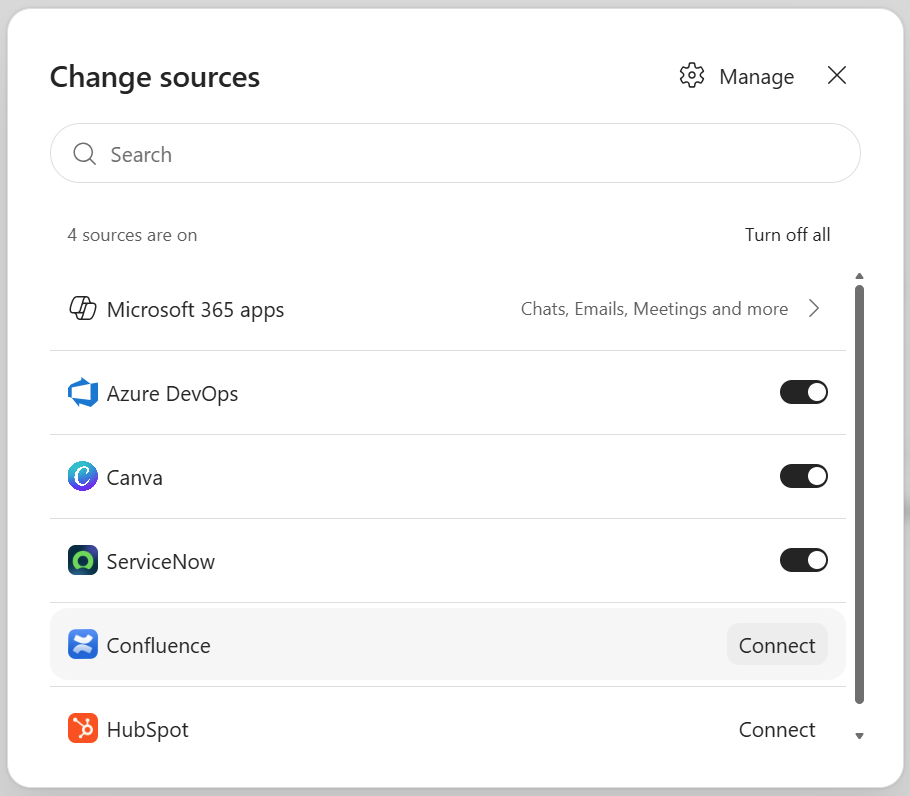
Microsoft 365 Copilot now offers self-serve connectors, allowing users to securely sync external data like Jira and Confluence with their credentials. Administrators control connector availability and rollout. This feature enhances information discovery in Copilot Chat and Microsoft Search
When will this happen?
mid-September 2026 and is expected to complete by mid-October 2026.
10. Simplified Copilot experience in Microsoft Outlook and Teams
How this will affect your organization
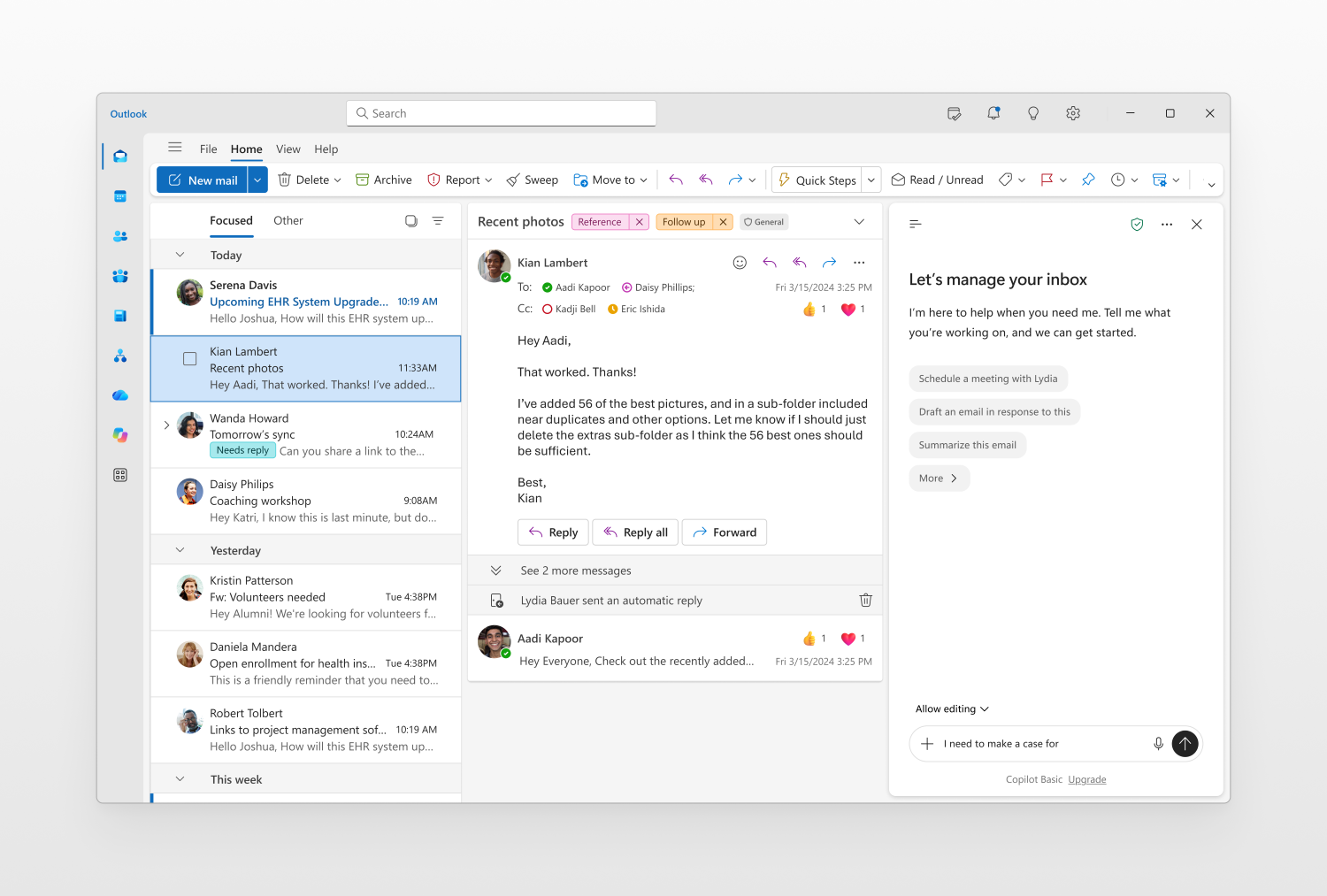
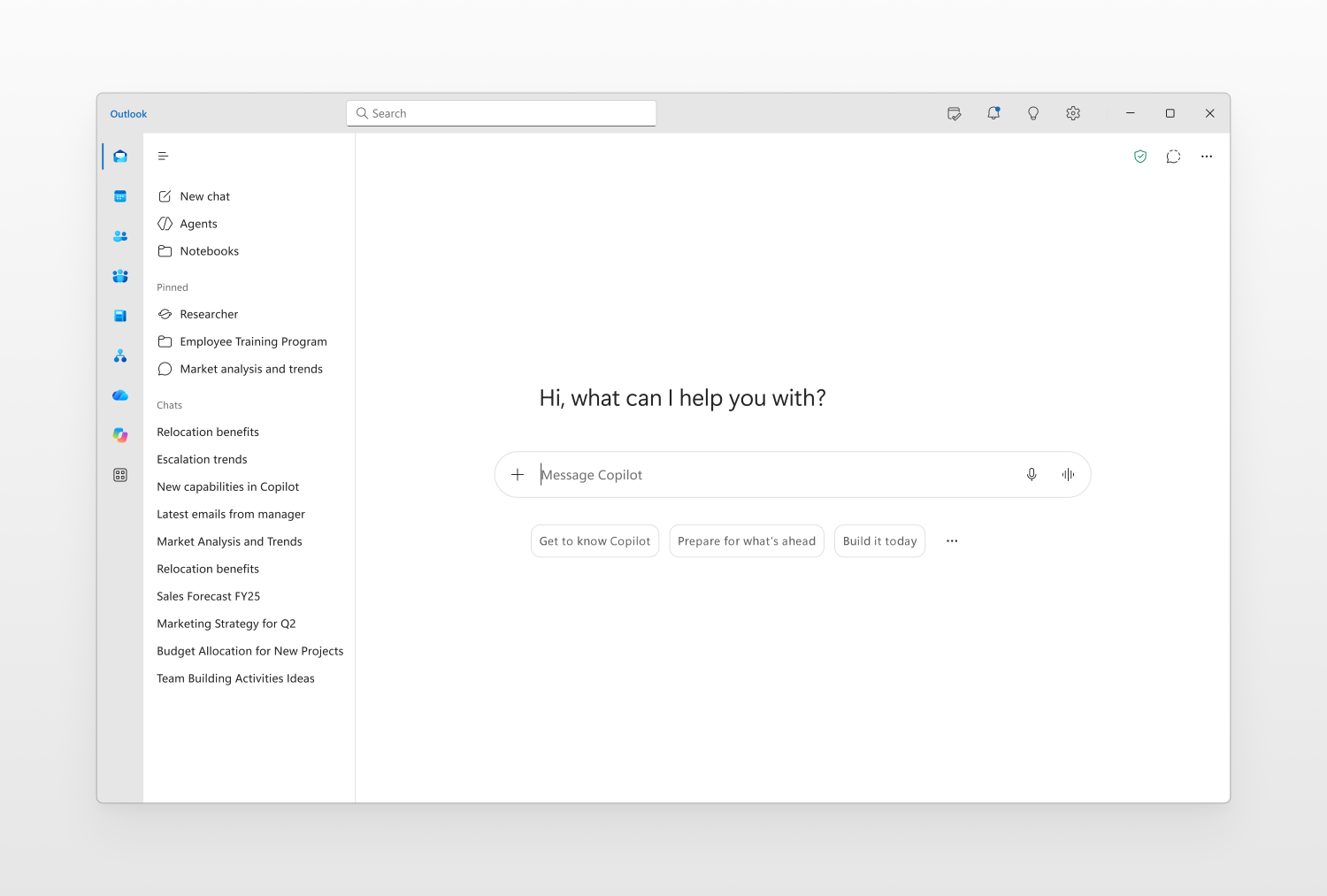
Users will see a refreshed Copilot experience in Microsoft Outlook and Teams that aligns with the updated, chat-centered experience available in the Copilot app
When will this happen?
September 2026.

Microsoft Admin
1. Microsoft Defender XDR: Unified identity timeline on the Identity page
How this will affect your organization
The updated timeline normalizes activity from integrated Microsoft security products, including Microsoft Entra sign-ins, Microsoft Graph audit events, SaaS cloud activity, and device logons. Additional investigation context, filtering capabilities, and event details will help analysts more quickly understand identity-related activity and security risks.
When will this happen:
mid-September 2026 and is expected to complete by mid-October 2026.
2. Manage agents across multiple tenants from the Microsoft 365 admin center
How this will affect your organization
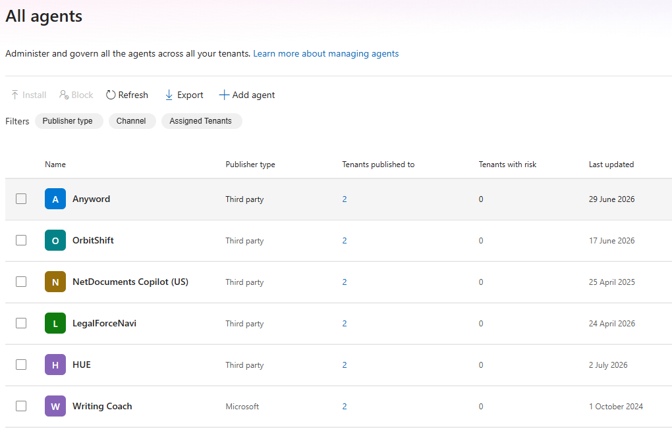
Partners and enterprise administrators can view and manage agents across their managed tenants from the Microsoft 365 admin center.
When will this happen:
Public Preview early August 2026 and expect to complete by mid-August 2026.
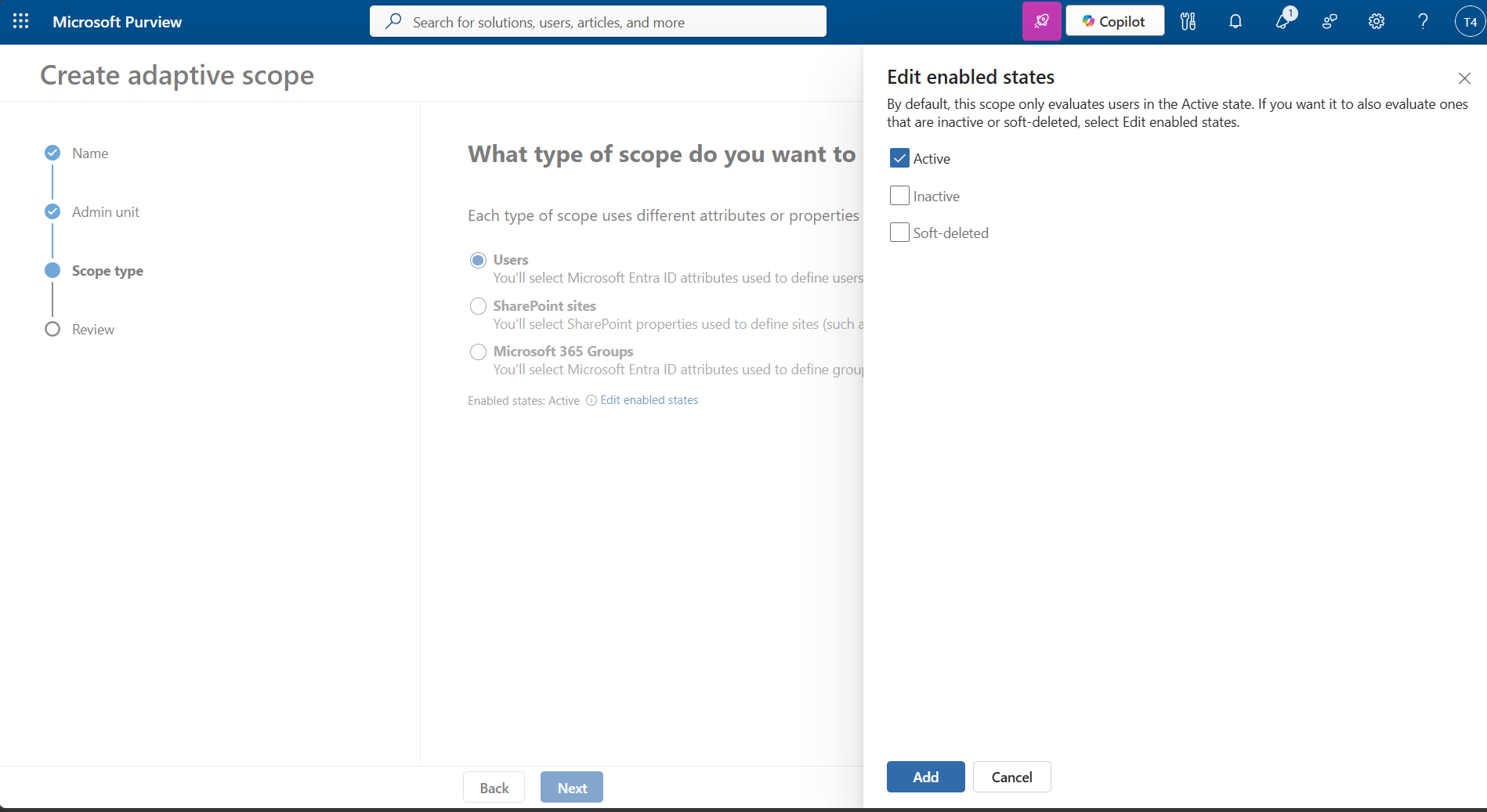
3. Microsoft Purview: Adaptive scopes add lifecycle status evaluation controls for recipients and site owners
How this will affect your organization
Microsoft Purview introduces lifecycle status controls for adaptive scopes, evaluating only active recipients and site owners by default. Administrators can include inactive or soft-deleted users as needed
When will this happen:
mid-October 2026 and expected to complete in mid-November 2026
4. 50% off Microsoft Purview Suite for Business Premium
How this will affect your organization
The offer: 50% off enhanced data protection on the Microsoft Purview Suite for Business Premium.
Who qualifies: Customers who license Business Premium together with Microsoft 365 Copilot Business or Microsoft 365 Copilot.
Why it matters: As customers adopt Microsoft 365 Copilot, data security, protection, and governance become increasingly important. Use this offer to position Microsoft Purview as a key component of a secure and compliant Microsoft 365 Copilot deployment.
Available through: December 31, 2026 (limited-time offer).
Full Announcement: https://learn.microsoft.com/en-us/partner-center/announcements/2026-august#50-off-microsoft-purview-suite-for-business-premiumextended