

Below are all of the latest feature updates coming to Microsoft 365.
Automated Security Assessments and Policy Management
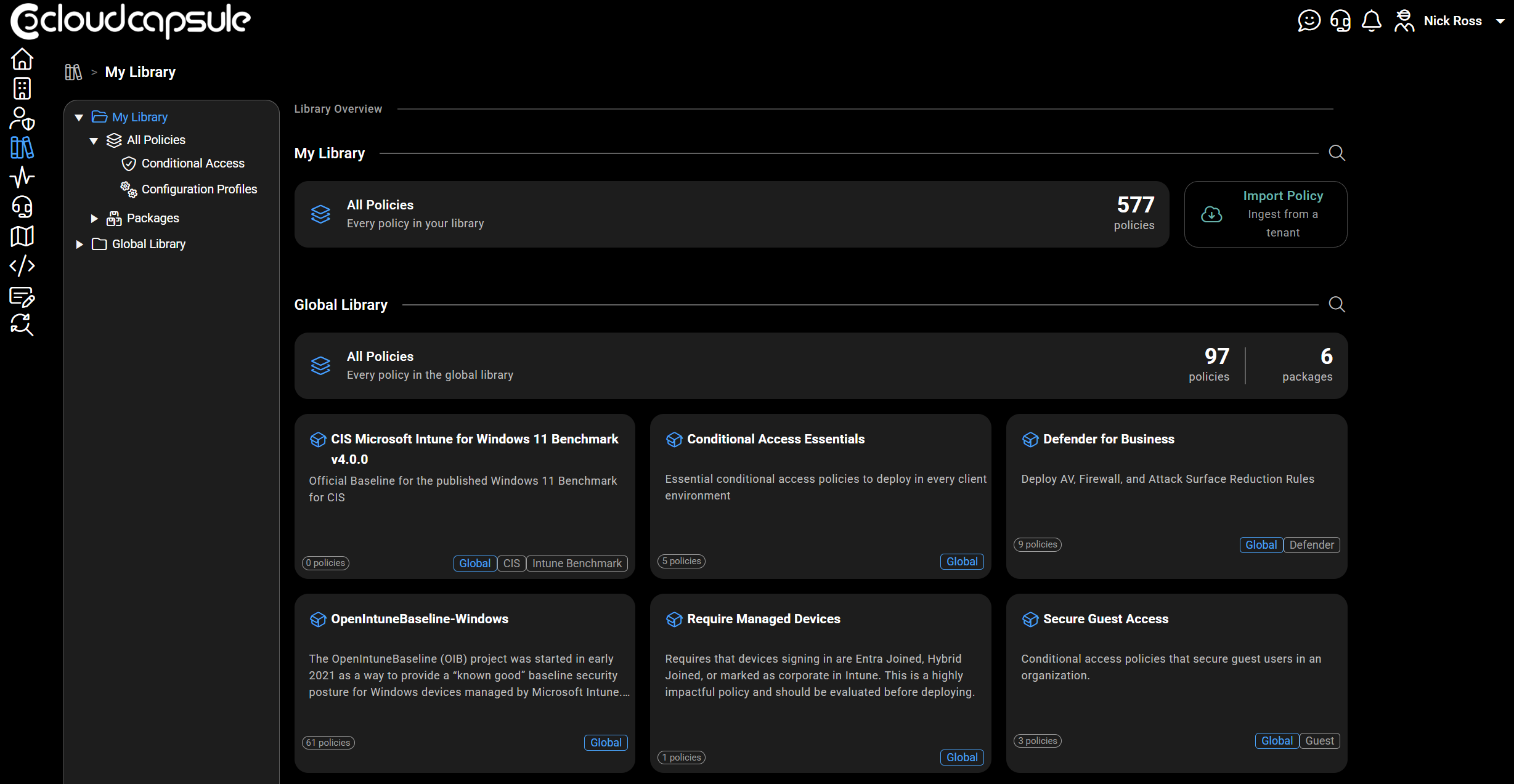
CloudCapsule is a tool I built purpose built for MSPs looking to scale their security practice on Microsoft 365. Scans of tenants take on average 60 seconds where we collect over 200 data points. We now provide remediation and policy management capabilities, allowing you to deploy fixes right from within our portal.

Microsoft Teams
1. Use multiple phone lines on Teams mobile
How this will affect your organization
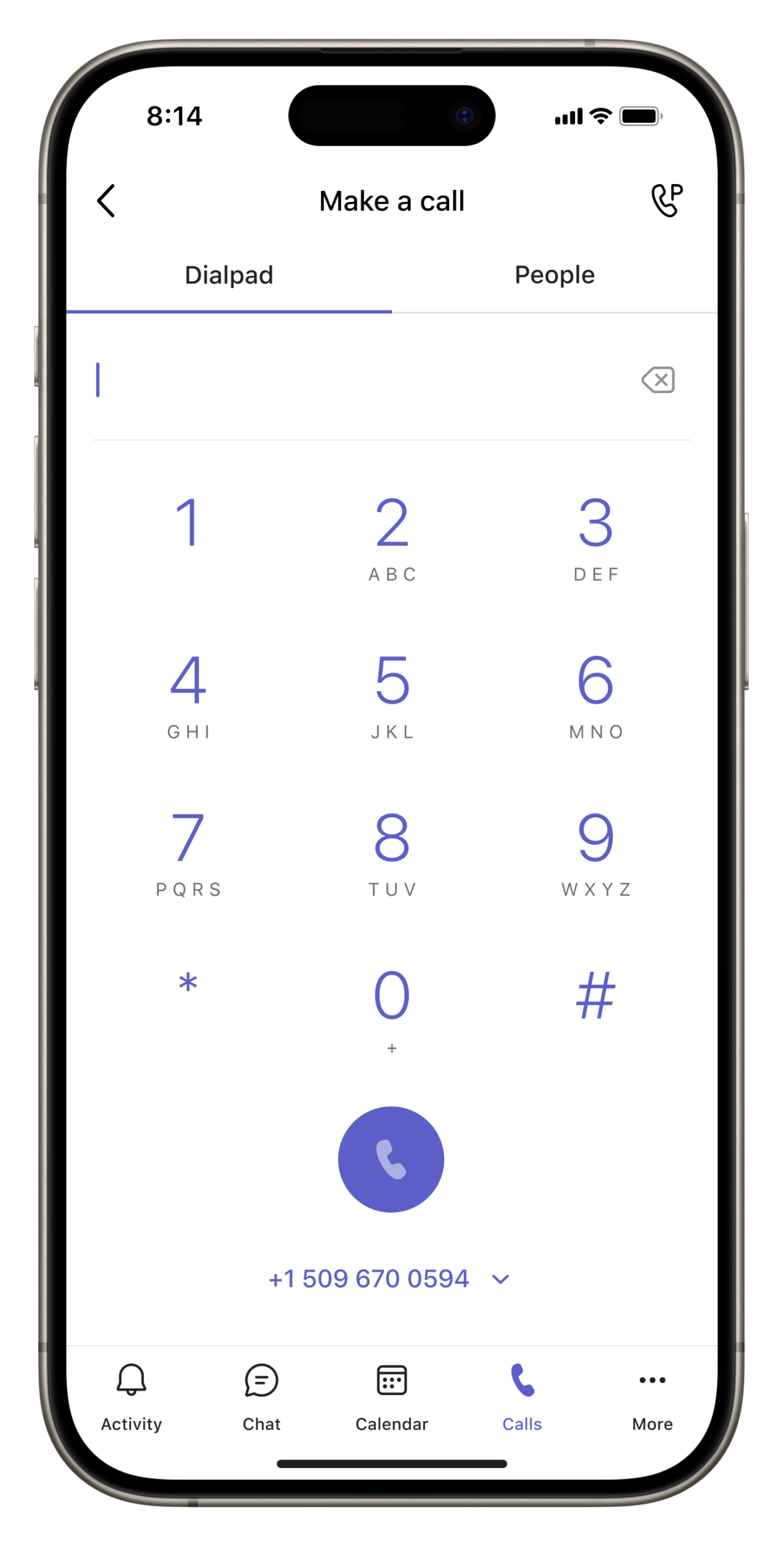
We are expanding Microsoft Teams Phone capabilities to mobile devices by enabling users to manage and use multiple assigned phone numbers directly within the Teams mobile app. Users will see and manage their assigned phone lines in the Calls app on Teams mobile, allowing them to choose the appropriate number when placing or returning calls. This update provides a more consistent calling experience across devices and helps users who manage multiple roles or regions stay productive without switching devices or workflows.
When will this happen:
mid‑June 2026 and is expected to complete by late June 2026.
2.Guest invitation emails will be sent from the inviter’s email address
How this will affect your organization
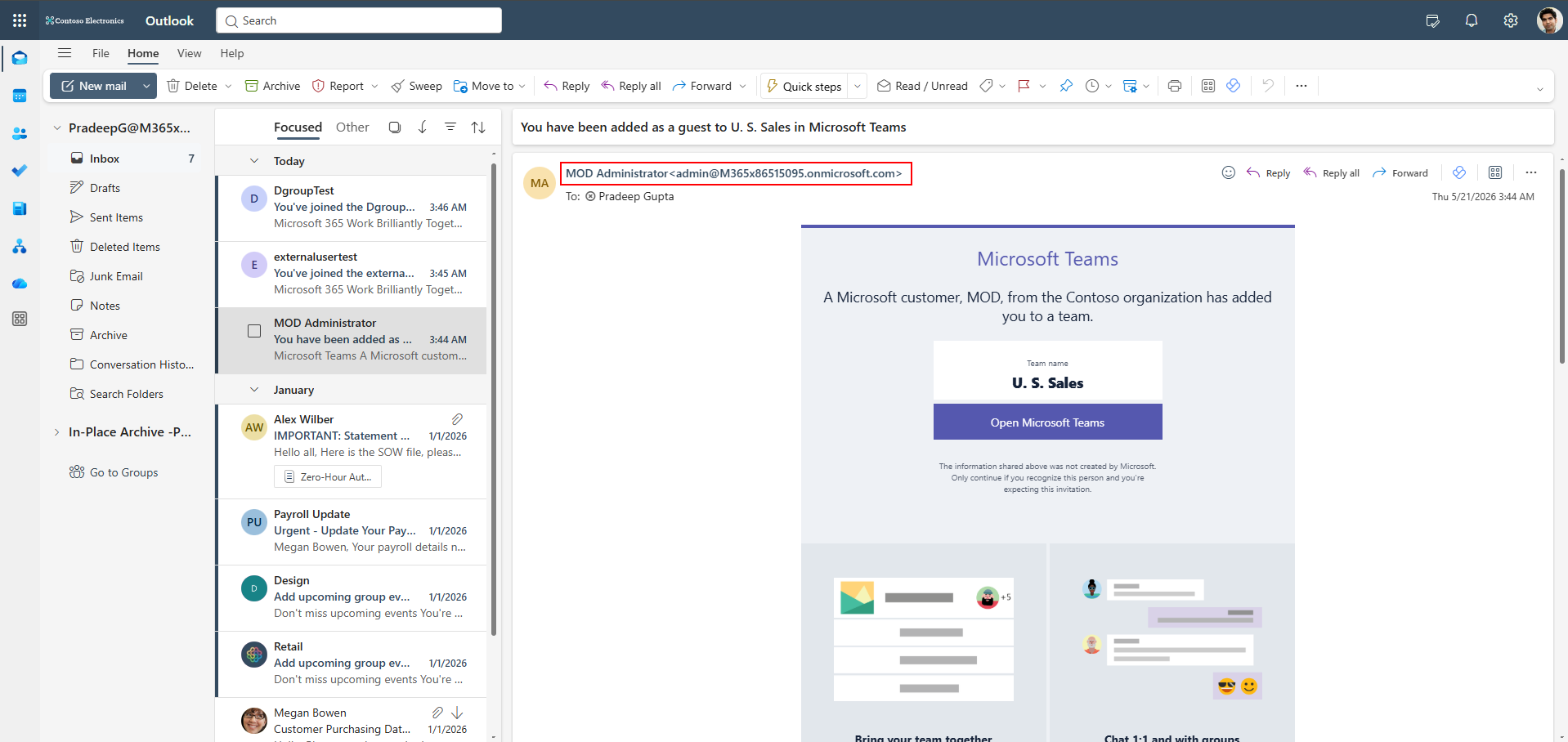
Microsoft Teams guest invitation emails will soon be sent from the inviter’s email address instead of a no-reply address, improving clarity and enabling direct replies.
When will this happen:
late June 2026 and expect to complete by late July 2026.
3. Shared and delegate mailbox scheduling for events
How this will affect your organization
We’re introducing shared and delegate mailbox scheduling for events, which allows executive assistants and delegates to organize events on behalf of leaders using shared or delegated mailboxes. This ensures invitations and updates are sent from recognized organizational mailboxes, improving trust, consistency, and overall event coordination.
When will this happen:
early July 2026 and expect to complete by late July 2026.
4. Connect Teams meeting to existing Planner Plans
How this will affect your organization
Currently, Teams meetings automatically create separate Planner plans for meeting-related tasks, which can result in tasks for the same initiative being spread across multiple plans. This update enables users to link meetings to an existing plan so tasks can be tracked in a single location, improving organization and continuity across ongoing work.
When will this happen:
late July 2026 and expect to complete by late August 2026.
5. Automatic recording and transcription for Teams Call Queues
How this will affect your organization
We’re introducing automatic recording and transcription for Microsoft Teams Call Queues. This feature enables administrators to automatically record and transcribe calls handled by call queue representatives without manual action, supporting quality assurance and training scenarios.
Teams Premium license is required for accessing recordings.
When will this happen:
early August 2026 and expect to complete by mid-August 2026.

Microsoft Outlook
1. Grouped notifications in Outlook
How this will affect your organization
To help reduce notification fatigue and improve focus, Outlook will automatically group email notifications that arrive within a few seconds into a single alert.
When will this happen:
late June 2026 and is expected to complete by late-July2026

Microsoft 365 Apps
1. OneDrive: New Shortcuts folder option when adding shortcuts
How this will affect your organization
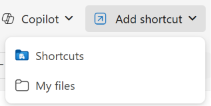
We’re improving how shortcuts are organized in OneDrive by giving users the option to save new shortcuts to a dedicated Shortcuts folder instead of the OneDrive root. This change helps reduce clutter and makes frequently used content easier to find.
When will this happen:
mid-July 2026 and expect to complete by late July 2026
2. OneDrive transitions to the cloud.microsoft domain
How this will affect your organization
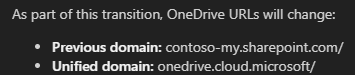
OneDrive is transitioning to the cloud.microsoft domain. Users will start seeing new URLs shown in the examples below as a part of their OneDrive experiences. Existing links continue to work — both domains will operate side by side indefinitely.
When will this happen:
early July 2026 and expect to complete by late June 2027.
3. Pay-as-you-go consumption-based meter for your extra SharePoint storage needs
How this will affect your organization
To help organizations manage SharePoint storage more flexibly and avoid over-provisioning, Microsoft is introducing a pay-as-you-go, consumption-based billing model for SharePoint storage overages. This option allows you to pay only for the additional storage you actually use, rather than pre-purchasing extra capacity.
Full Article: https://learn.microsoft.com/en-us/microsoft-365/commerce/add-storage-space?view=o365-worldwide
When will this happen:
September 2026 and to complete rolling by end of October 2026.
4. Microsoft 365 Archive: File-level archiving General Availability
How this will affect your organization
We’re announcing the General Availability of file-level archiving in Microsoft 365 Archive. This new capability enables organizations to archive individual SharePoint files into a cold storage tier while keeping them discoverable.
When will this happen:
early July 2026 and is expected to complete by late July 2026.

Microsoft Edge
1. Extensions monitoring in the Edge management service
How this will affect your organization
We’re introducing Extensions monitoring in the Microsoft Edge management service to give administrators greater visibility and control over browser extensions used across their organization.
More info: https://learn.microsoft.com/en-us/deployedge/microsoft-edge-extensions-monitoring
When this will happen
mid-June 2026 and expect to complete by mid-June 2026.

Microsoft Entra
1. Conditional Access policies now apply to Windows Hello for Business and macOS Platform SSO registration
How this will affect your organization
If your organization has Conditional Access policies scoped to Register security information, those policies will now apply when users set up Windows Hello for Business (WHfB) or register macOS Platform SSO credentials.
Today, these registration flows enforce MFA, but do not evaluate your registration-targeting Conditional Access policies — meaning requirements like authentication strength, trusted locations, or other CA conditions aren’t enforced when users enroll WHfB or macOS Platform SSO credentials. This change closes that gap.
When will this happen:
July 13, 2026: Rollout complete for all tenants.
2. Microsoft Entra ID SSPR will require registered authentication methods starting September 7, 2026
How this will affect your organization
Currently, SSPR may allow users to verify their identity using contact information stored in directory attributes such as mobile phone, business phone, and alternate email, even if those values were never explicitly registered as authentication methods.
To strengthen identity security, SSPR will require explicitly registered authentication methods for verification. This change is part of Microsoft’s Secure Future Initiative and ensures password reset verification is based on trusted, user-validated methods rather than directory-sourced attributes.
When will this happen:
- July 6, 2026: SSPR registration campaign begins prompting users and administrators to register authentication methods.
- September 7, 2026: Enforcement begins. SSPR will no longer accept directory-sourced contact information for verification.
3. Safely remove and restore devices with Device Soft Delete
How this will affect your organization
Device soft delete is a recoverability feature in Microsoft Entra ID that moves deleted device objects to a suspended state instead of permanently removing them. When a device is soft deleted, the Azure Device Registration Service (ADRS) de-registers the device and moves the device object into a separate soft-deleted container in the directory. The device is removed from active device lists but remains recoverable for up to 30 days
When will this happen:
Preview

Microsoft Copilot
1. Support for real-time screen sharing in Copilot voice sessions
How this will affect your organization
Microsoft 365 Copilot licensed users will soon be able to share their desktop screen or mobile camera and ask Copilot questions about what they’re seeing. Copilot analyzes the visual content in real time and provides insights, explanations, or guidance grounded in both the on-screen content and the user’s work data
When this will happen
late June 2026 and it will be generally available by late July 2026.
2. Create branded presentations using Copilot in PowerPoint
How this will affect your organization
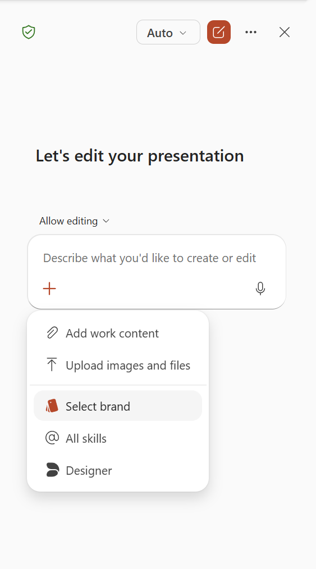
Microsoft is introducing the ability for users to create on-brand presentations directly within Copilot in PowerPoint by selecting a brand kit during content generation
When this will happen
mid-June 2026 and completes by late June 2026
3. Publish organization prompts to Copilot Chat
How this will affect your organization
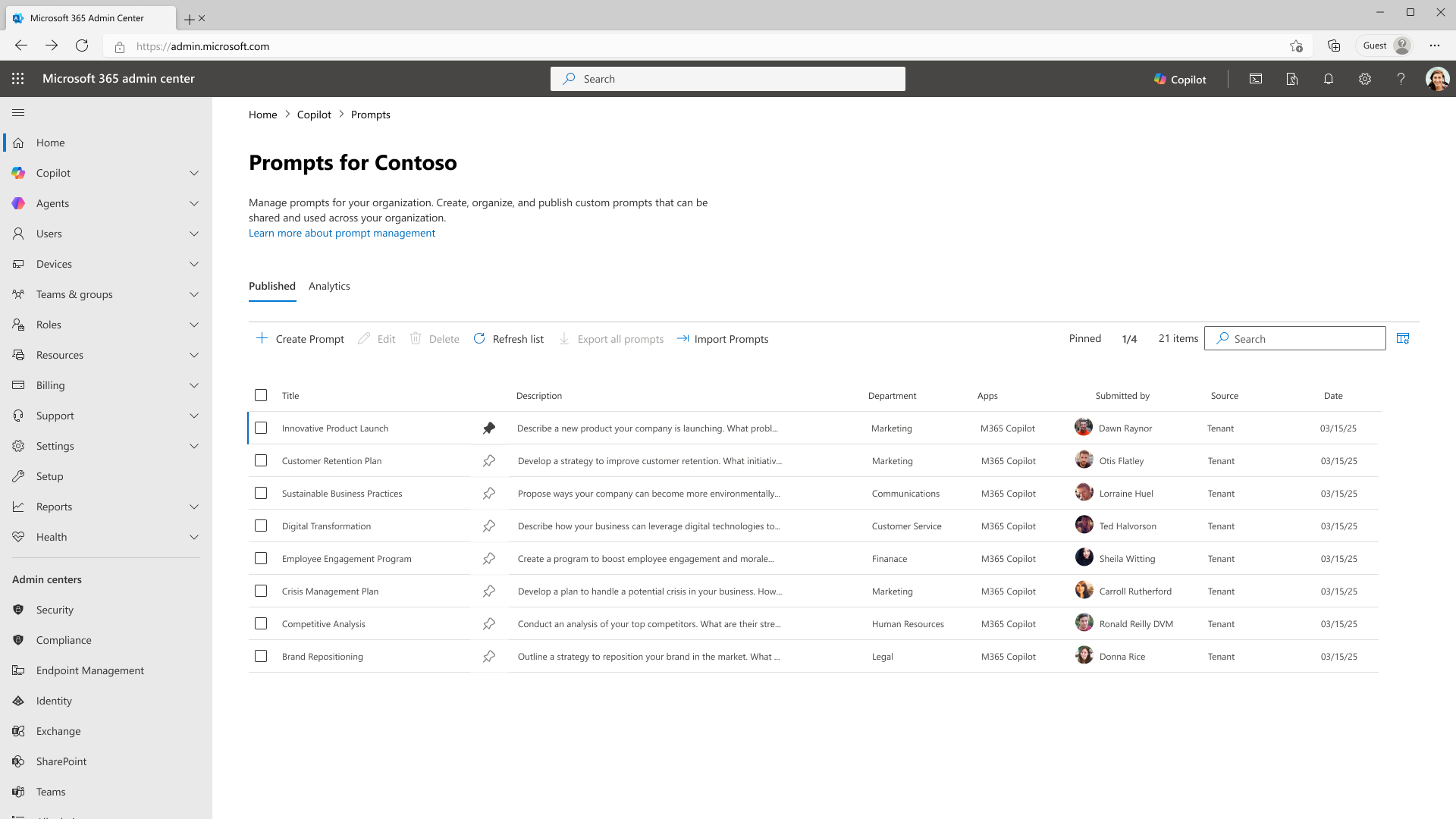
Organizations can now centrally create and publish curated prompts for Microsoft 365 Copilot Chat. Rather than relying on each employee to discover effective ways of working with Copilot, administrators can shape the experience by publishing prompts that reflect organizational priorities, terminology, and approved workflows.
When will this happen?
early July 2026 and expect to complete by late July 2026.
4. Copilot Cowork GA + Usage-based Billing
How this will affect your organization
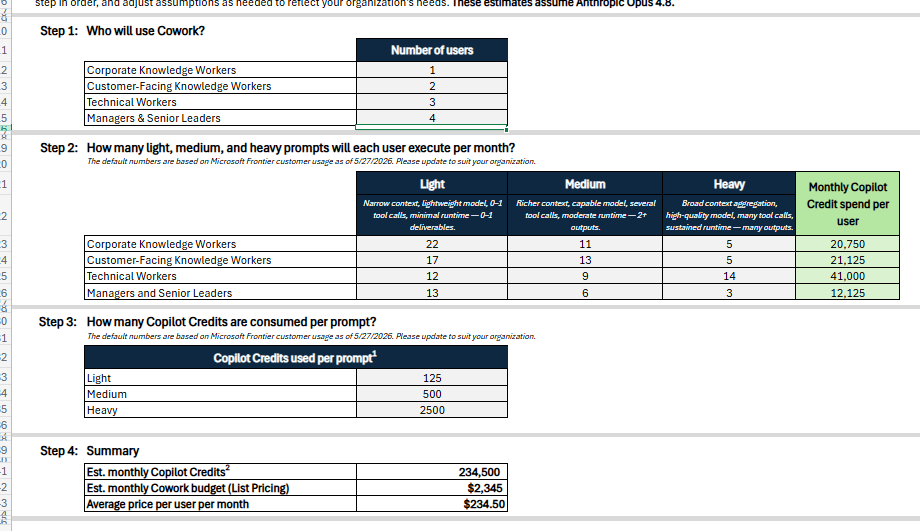
Starting June 16, 2026, Microsoft 365 Copilot Cowork will move to general availability (GA) worldwide (Tier 1 languages), while Frontier remains the early access channel for new capabilities. Usage Based billing enforced July 1, 2026.
Full Announcement: Copilot Cowork is now generally available | Microsoft 365 Blog
5. General availability of the Work IQ API with Copilot Credits billing
How this will affect your organization
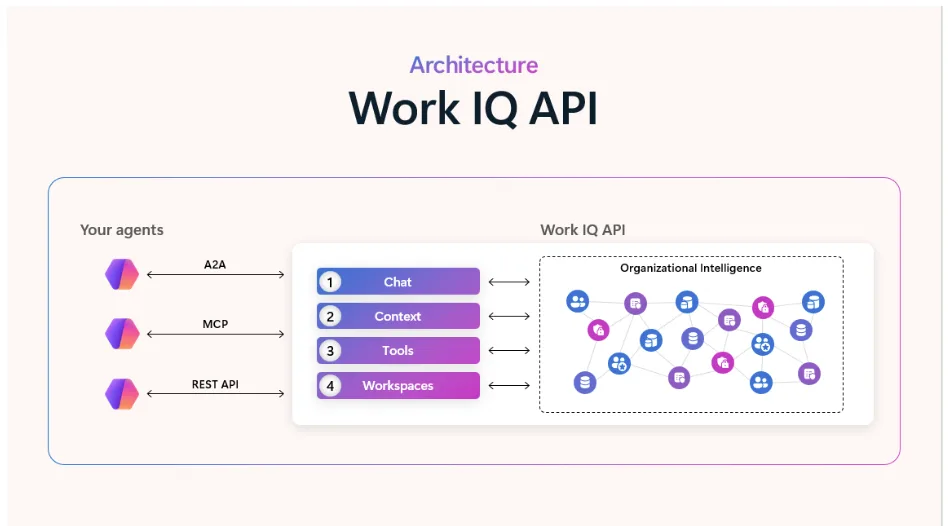
Work IQ API is reaching general availability (GA) on June 16, delivering production-ready, enterprise-grade intelligence built for agentic workloads. It provides the data, context, and tools agents need to operate with greater awareness and effectiveness across applications and workflows.
Full Article: https://devblogs.microsoft.com/microsoft365dev/work-iq-production-ready-intelligence-for-every-agent/
6. Introducing Microsoft Scout, an always-on personal agent
How this will affect your organization
We are introducing a new category of agents called Autopilots—always-on agents that work autonomously, with their own identity, and act on your behalf within the permissions and policies you set. Microsoft Scout is our first Autopilot. Integrated across the Microsoft 365 apps your users rely on every day and powered by Work IQ, Microsoft Scout stays connected to user priorities, monitors what matters, and moves work forward across Teams, Outlook, OneDrive, and SharePoint—while respecting the security, identity, and governance guardrails defined by your organization.
Built on OpenClaw open-source technology and enterprise-grade controls, Microsoft Scout is available today through Frontier as an early desktop experience on Windows and macOS—the same experience Microsoft employees have been using—giving enrolled customers a chance to explore how Autopilots fit into their workflows.
Full Guide: https://learn.microsoft.com/en-us/microsoft-scout/get-started
When will this happen?
Preview today. No GA determined yet.
7. Copilot Notebooks available in Microsoft 365 Copilot Chat for Basic users
How this will affect your organization
Copilot Notebooks will be available in Microsoft 365 Copilot Chat for users with Copilot Chat (Basic) and M365 Copilot (Basic) experiences. This update expands Copilot Notebooks beyond users with a Microsoft 365 Copilot add-on license to include additional Copilot Chat users.
When will this happen?
Rollout will begin in mid-June 2026.
8. Microsoft 365 Copilot in Word: Improved support for complex edits
How this will affect your organization
Microsoft 365 Copilot in Word now includes additional capabilities that are native to Word and support complex document edits. These capabilities allow users to work with tracked changes, comments, document structure, and page elements while respecting existing formatting and preserving collaboration history.
When will this happen?
early June 2026 and expect to complete by early July 2026.
9. Microsoft 365 Copilot: Outlook emails in Copilot Notebooks
How this will affect your organization
Outlook emails can now be added as references in Microsoft 365 Copilot Notebooks, allowing Copilot to use email content alongside files for more relevant outputs.
When will this happen?
early July 2026 through late July 2026.
10. Microsoft Excel: Explicit grounding integration in Excel Agent
How this will affect your organization
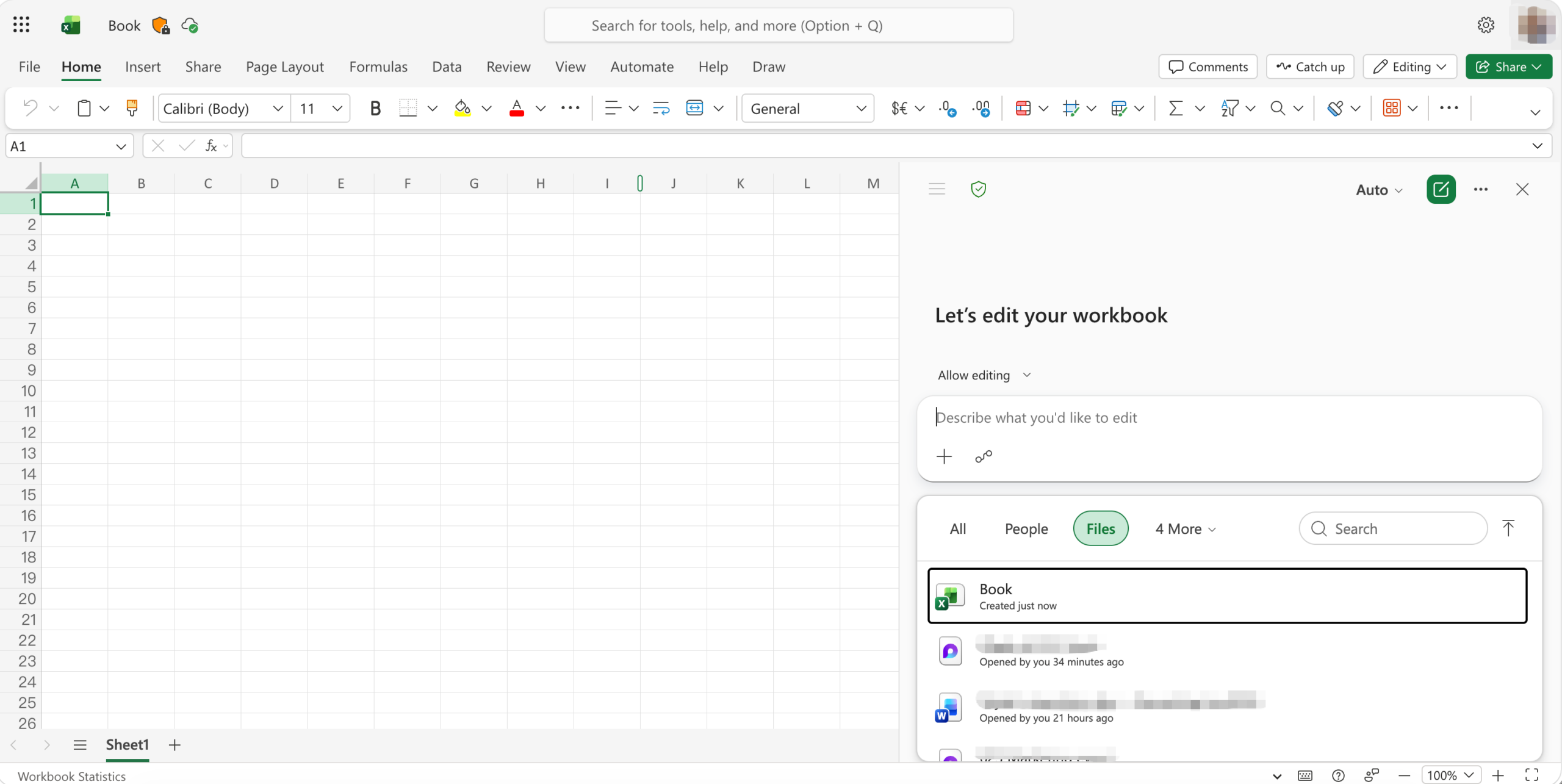
Microsoft is introducing explicit grounding integration in Excel Agent, allowing users to upload and process files directly to ground AI responses in their data. This improves productivity by enabling more accurate analysis of large datasets, combining information across multiple files, and supporting a broader range of file types within Excel
When will this happen?
late April 2026 through late June 2026.

Microsoft Admin
1. Microsoft Defender for Cloud Apps: App governance expands to all Entra service principals
How this will affect your organization
We are expanding app governance in Microsoft Defender for Cloud Apps to include all Microsoft Entra service principals, not just those with API permissions. This enhancement improves visibility into non-human identities and strengthens your organization’s security posture. We are also starting to provide visibility into Entra Roles assigned to the service principals. Additionally, we are incorporating Entra role assignments into privilege classification, giving administrators a more accurate view of application risk and strengthening security, governance, and compliance.
When will this happen:
late June 2026 and expect to complete by early July 2026.
2. Microsoft Defender for Endpoint security updates move to Microsoft Update on Windows
How this will affect your organization
Instead of being bundled with the monthly Windows security update, Microsoft Defender endpoint detection and response (EDR) updates will now be delivered through Microsoft Update, consistent with how other Microsoft Defender components are serviced.
This change allows EDR security improvements to be delivered independently of monthly operating system updates.
When will this happen:
We expect the rollout for Windows 10 and 11 to be completed by fall 2026
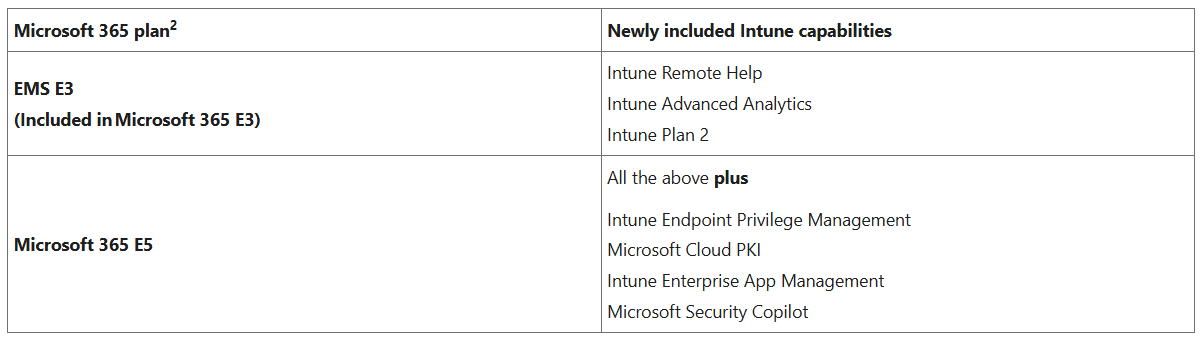
3. Advanced Intune capabilities coming to Microsoft 365 E3 and E5
How this will affect your organization
Back on December 4th, we shared that advanced capabilities from the Microsoft Intune Suite were coming to Microsoft 365 E3 and Microsoft 365 E5. These packaging changes become effective on July 1st, with existing eligible customers expected to receive the capabilities in their tenants by August
4. New Microsoft 365 Business with Copilot SKUs available July 1
How this will affect your organization
Starting July 1, 2026, Microsoft 365 Business Standard with Copilot and Microsoft 365 Business Premium with Copilot become permanent SKUs, giving you a predictable, always-on way to accelerate Frontier Transformation for small and medium-sized business (SMB) customers.
Promotional offers for Microsoft 365 Business Standard with Copilot and Microsoft 365 Business Premium with Copilot are transitioning into permanent subscriptions, with updated list pricing of 23.50 USD and 32 USD per user per month, respectively.
Full Announcement: https://learn.microsoft.com/en-us/partner-center/announcements/2026-june#new-microsoft-365-business-with-copilot-skus-available-july-1
5. New licensing prerequisite for Agent 365
How this will affect your organization
Effective June 1, Microsoft is introducing Microsoft 365 E5 as a new license prerequisite for new Microsoft Agent 365 purchases. This update is intended to help customers have the foundational security, identity, compliance, and management capabilities required to support core Agent 365 functionality.
Full Announcement: https://learn.microsoft.com/en-us/partner-center/announcements/2026-june#new-licensing-prerequisite-for-agent-365