

Below are all of the latest feature updates coming to Microsoft 365.
Automated Security Assessments and Policy Management
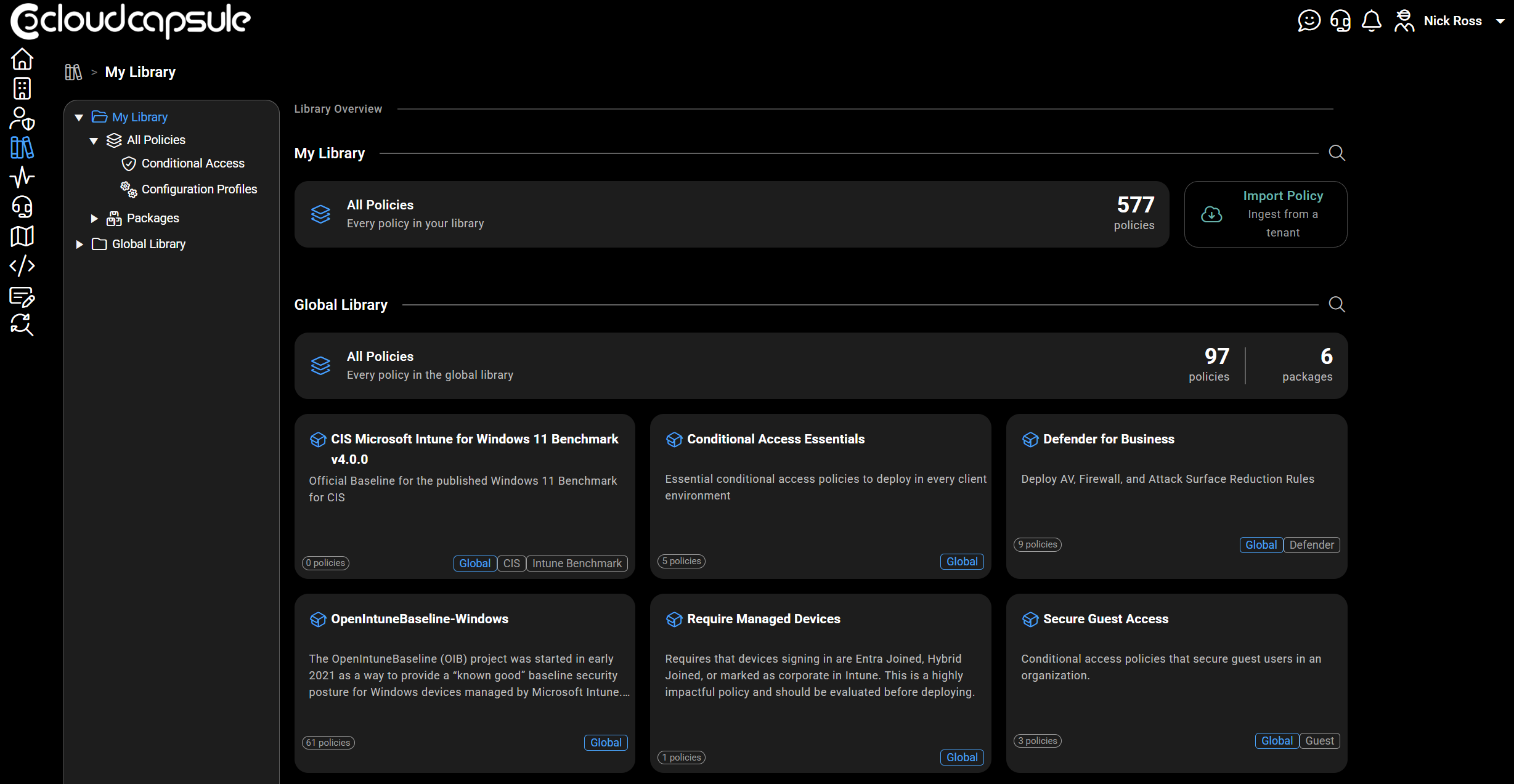
CloudCapsule is a tool I built purpose built for MSPs looking to scale their security practice on Microsoft 365. Scans of tenants take on average 60 seconds where we collect over 200 data points. We now provide remediation and policy management capabilities, allowing you to deploy fixes right from within our portal.

Microsoft Teams
1. Test microphone and speaker before joining a meeting
How this will affect your organization
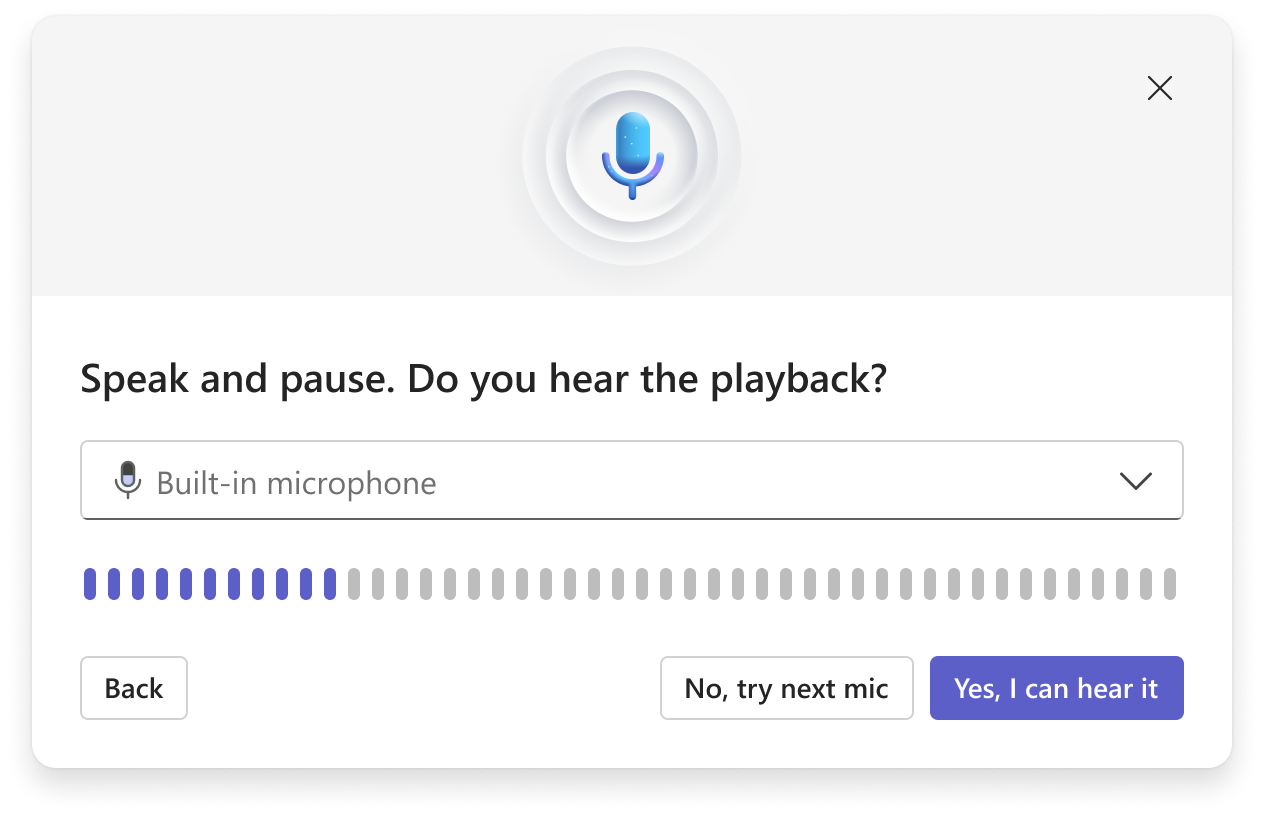
Microsoft Teams will introduce the ability for users to test their microphone and speaker before joining a meeting.
When will this happen:
mid-May 2026 and is expected to complete by late May 2026.
2. Auto-detect spoken language in multilingual meetings
How this will affect your organization
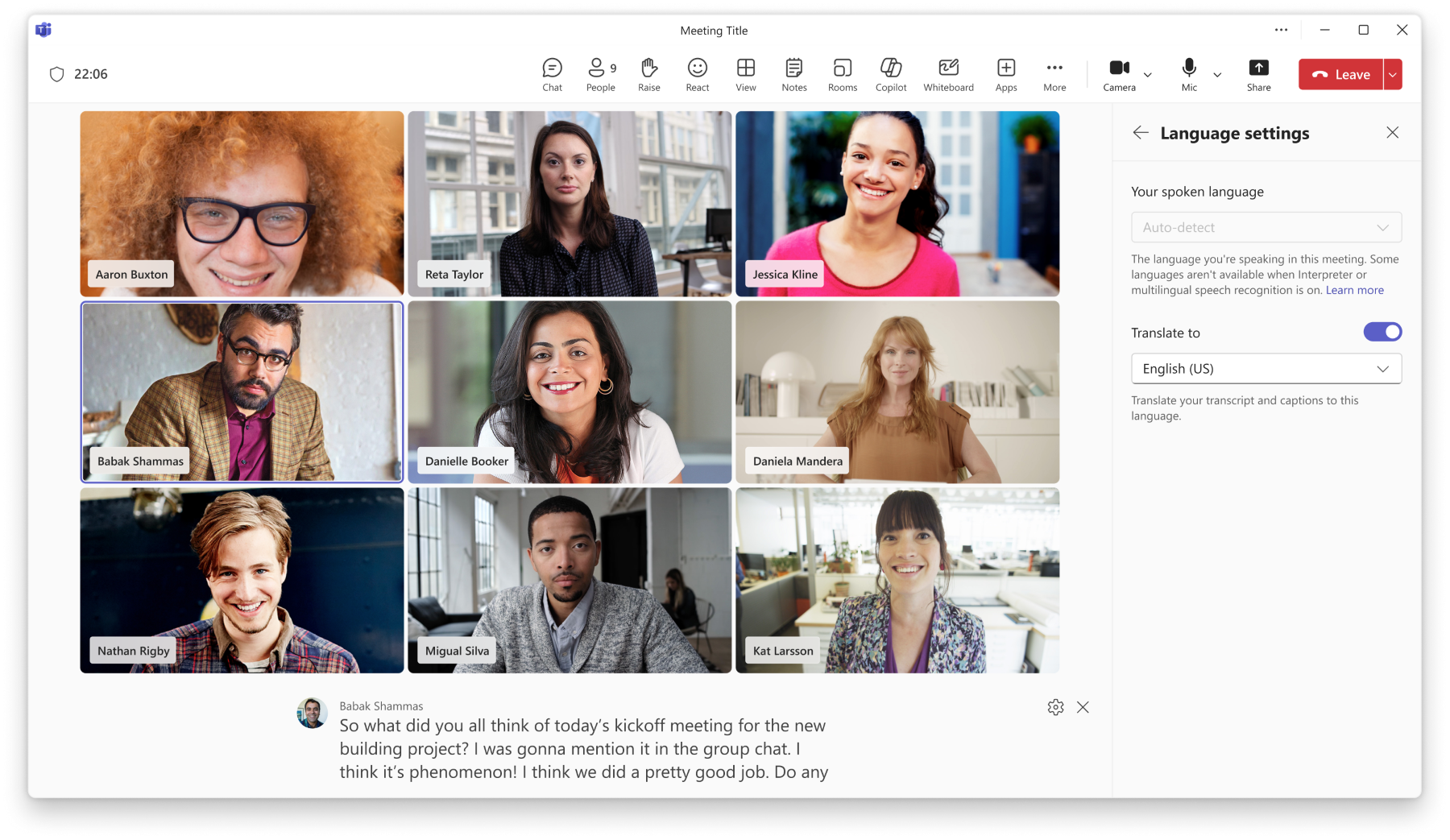
Microsoft Teams will auto-detect spoken languages in multilingual meetings, updating captions and transcripts in real time, removing manual language selection.
When will this happen:
mid-April 2026 and expect to complete in mid-April 2026.
3. Honor Windows “Do not disturb” setting
How this will affect your organization
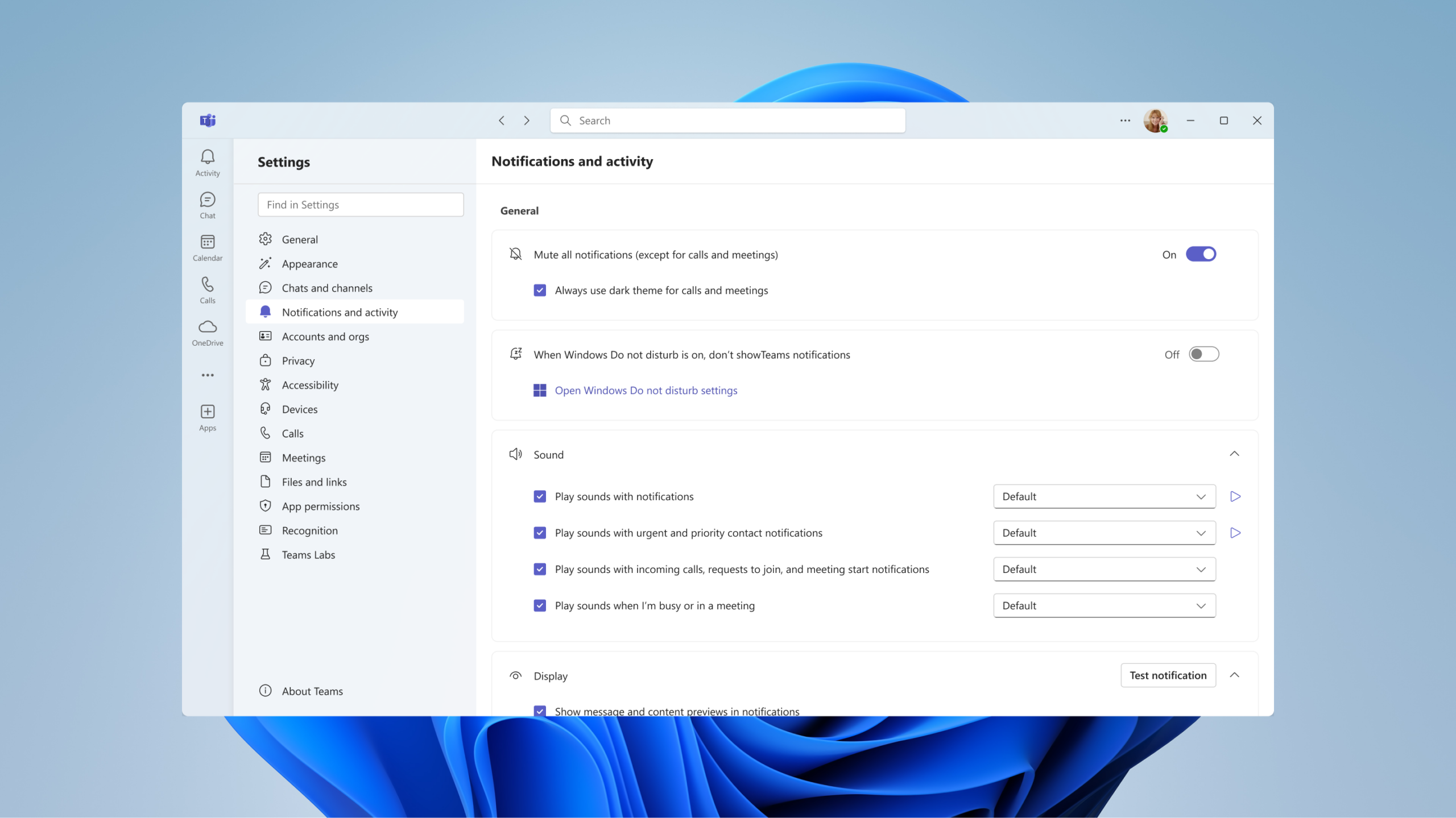
Microsoft Teams on Windows will now honor the Windows “Do not disturb” (DND) system setting on devices running Windows 11 or later. When this setting is enabled at the OS level, Teams toast notifications will be automatically suppressed to reduce interruptions and align with users’ focus preferences.
When will this happen:
mid‑May 2026 and expected to complete by late May 2026.
4. New chat sections for muted and meeting chats
How this will affect your organization
Microsoft Teams is introducing two new system chat sections called Muted chats and Meeting chats. These sections allow users to organize their chat and channels list by grouping muted conversations and meeting chats into dedicated sections that users can turn on or off.
When will this happen:
early May 2026 and is expected to complete by mid-May 2026.
5. Quick access to read items while using unread only mode
How this will affect your organization
Microsoft Teams will introduce an eye icon in unread only mode to quickly access read chats and channels without changing filters.
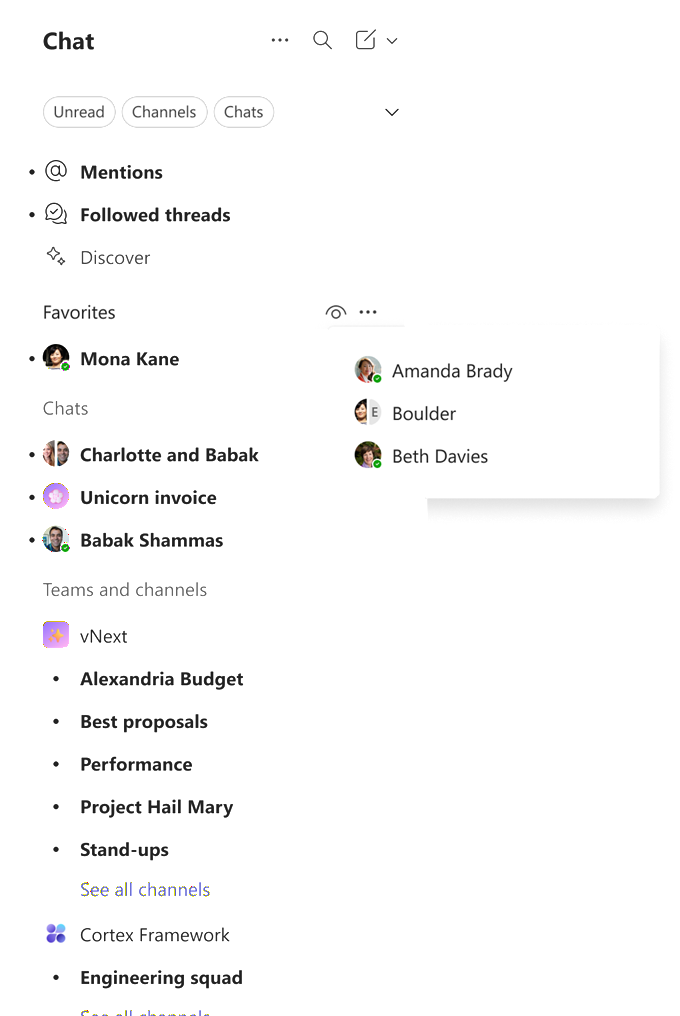
When will this happen:
early May 2026 and is expected to complete by mid-May 2026.
6. Queues app on Microsoft Teams mobile
How this will affect your organization
The Queues app on Microsoft Teams mobile (iOS and Android) allows calling representatives and supervisor leads to manage call queues and handle customer calls while away from their desks.
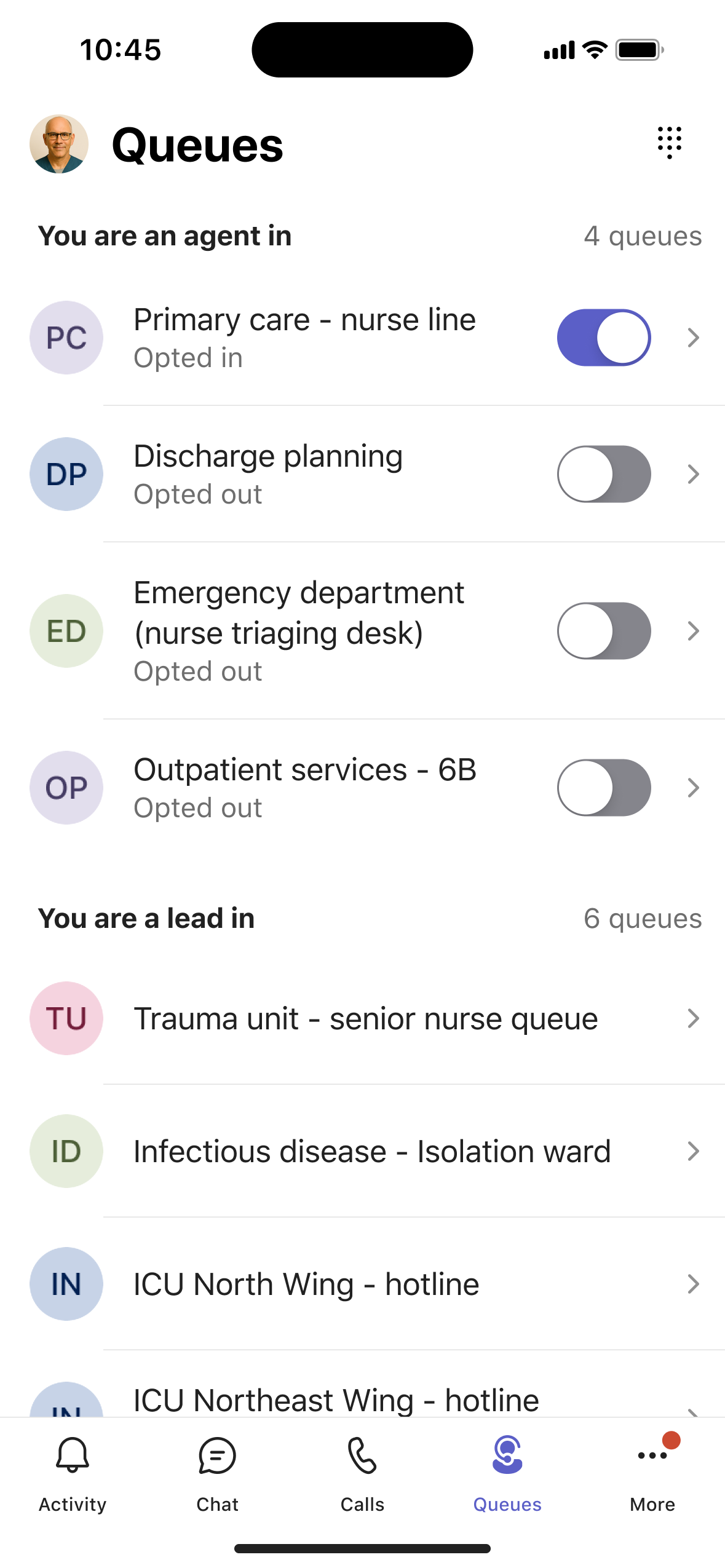
When will this happen:
mid-May 2026 and expect to complete rollout by late May 2026.
7. New experience when users minimize the meeting window
How this will affect your organization
Microsoft Teams will introduce a new minimized meeting experience, allowing users to raise hands and send reactions without reopening the full window.
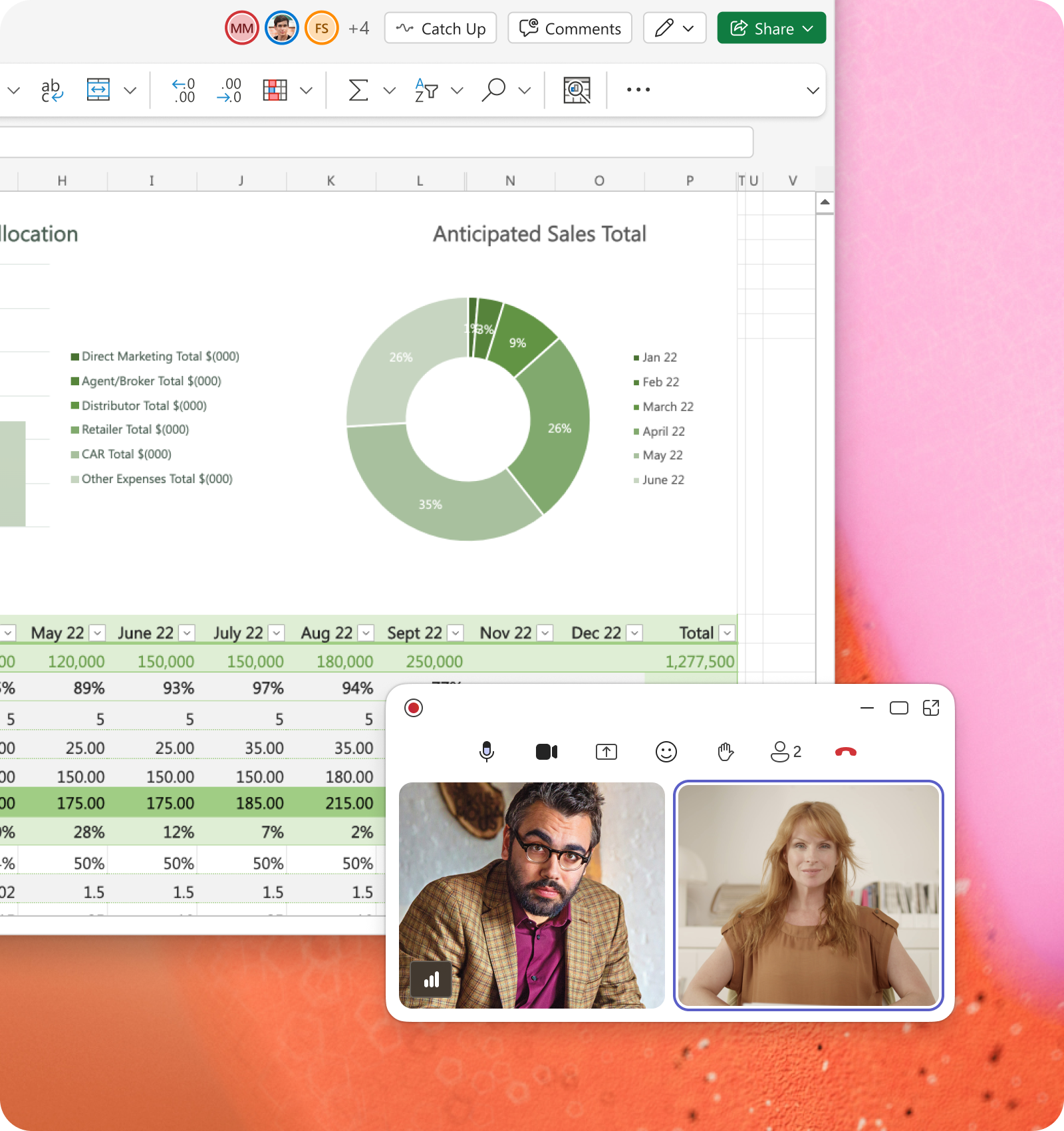
When will this happen:
mid-May 2026 (previously late April) and is expected to complete by late May 2026 (previously early May).
8. Meeting organizers can automatically start transcription without recording
How this will affect your organization
Meeting organizers can now select Transcribe only as an automatic meeting option in Microsoft Teams. This setting starts transcription automatically when the meeting begins—without creating a recording—providing more granular control in meetings where recording is restricted due to compliance or privacy policies while still supporting accessibility, Microsoft Copilot, and Intelligent Recap.
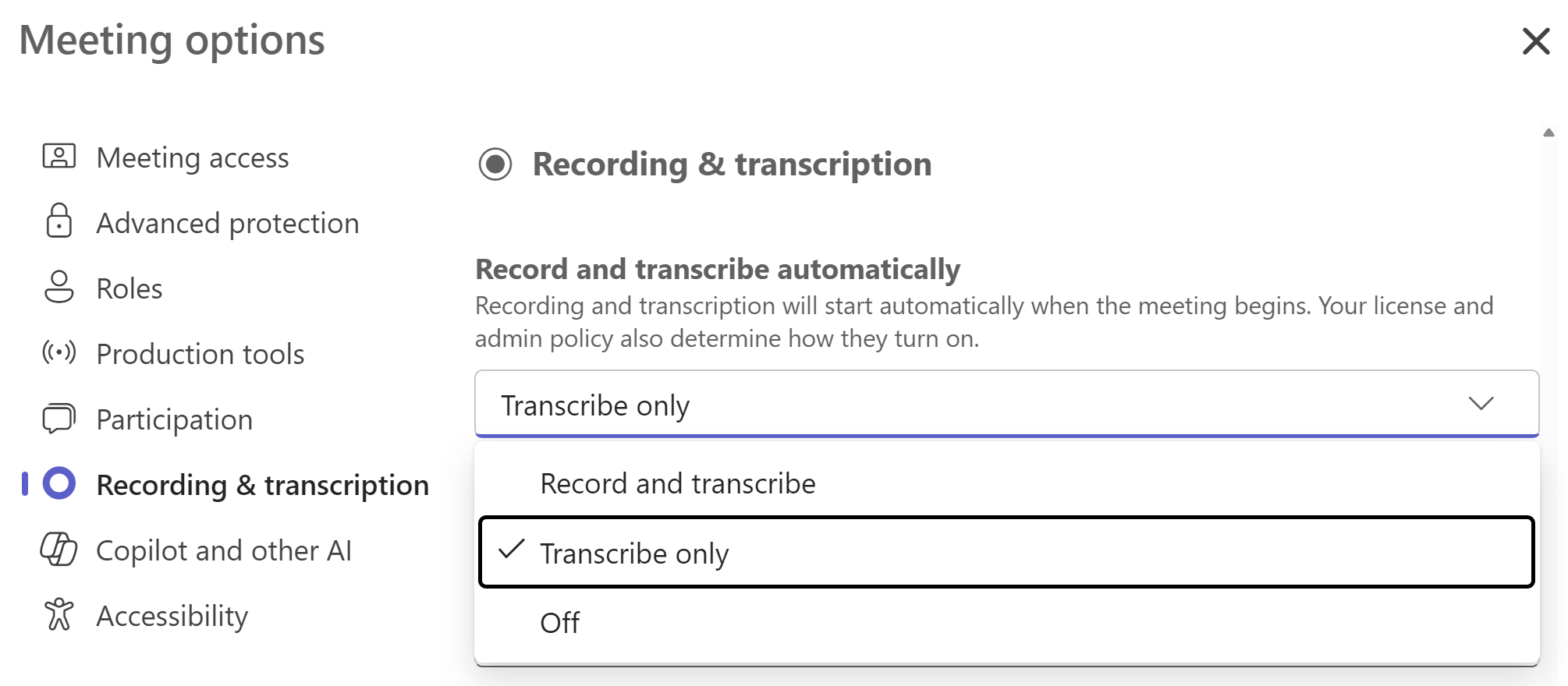
When will this happen:
early May 2026 and expect to complete by mid-May 2026.
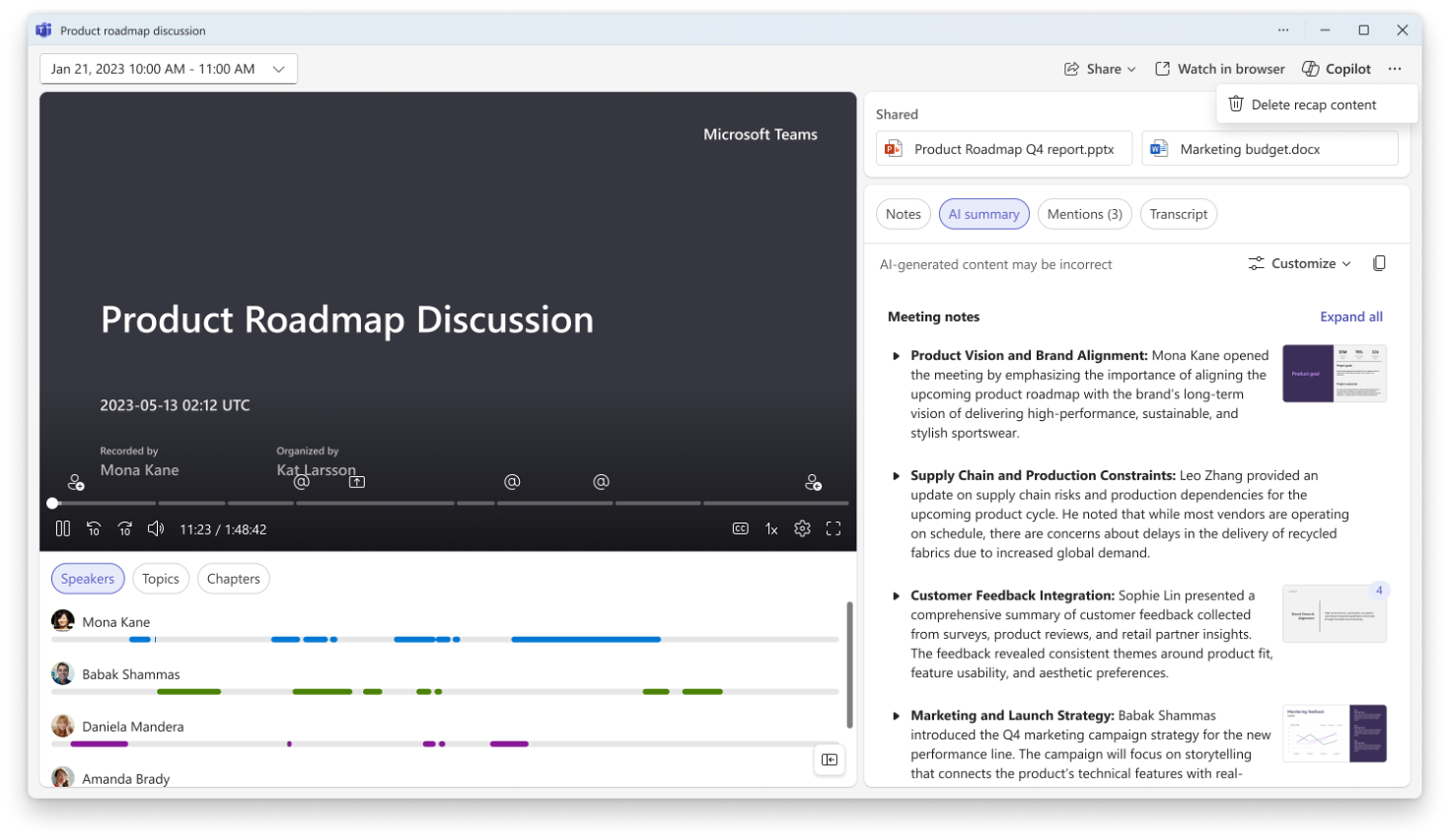
9. Delete meeting generated content in recap
How this will affect your organization
Microsoft Teams meeting organizers can delete meeting-generated content—recordings, transcripts, AI summaries, and notes—from the meeting recap
When will this happen:
late May 2026 and expect to complete by early June 2026.
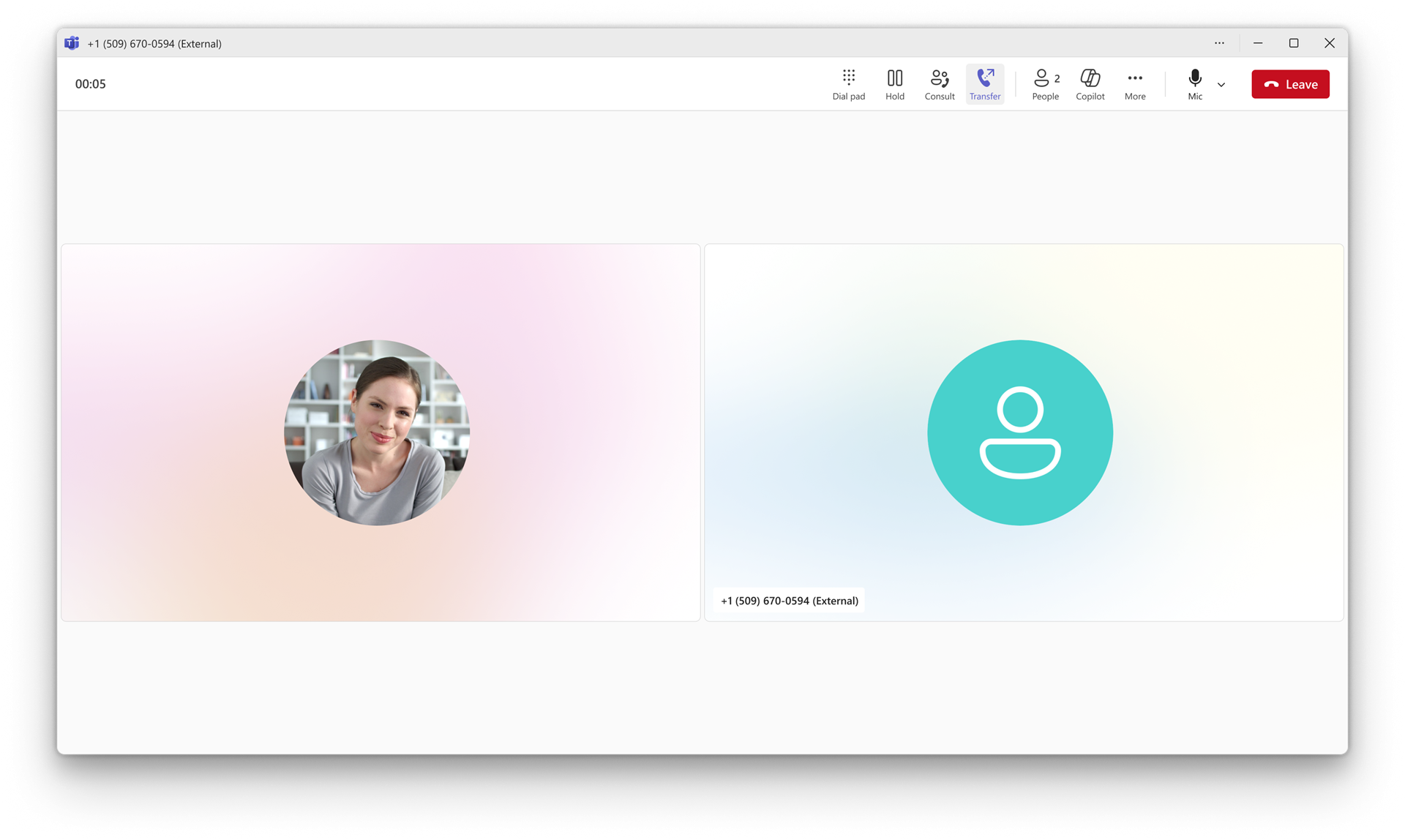
10. Teams Phone call transfer improvements
How this will affect your organization
Microsoft Teams is enhancing desktop call transfers by separating Transfer and Consult transfer into single-click buttons, adding suggested transfer targets, and changing the default to blind transfer
When will this happen:
late June 2026 and expect to complete by late June 2026.
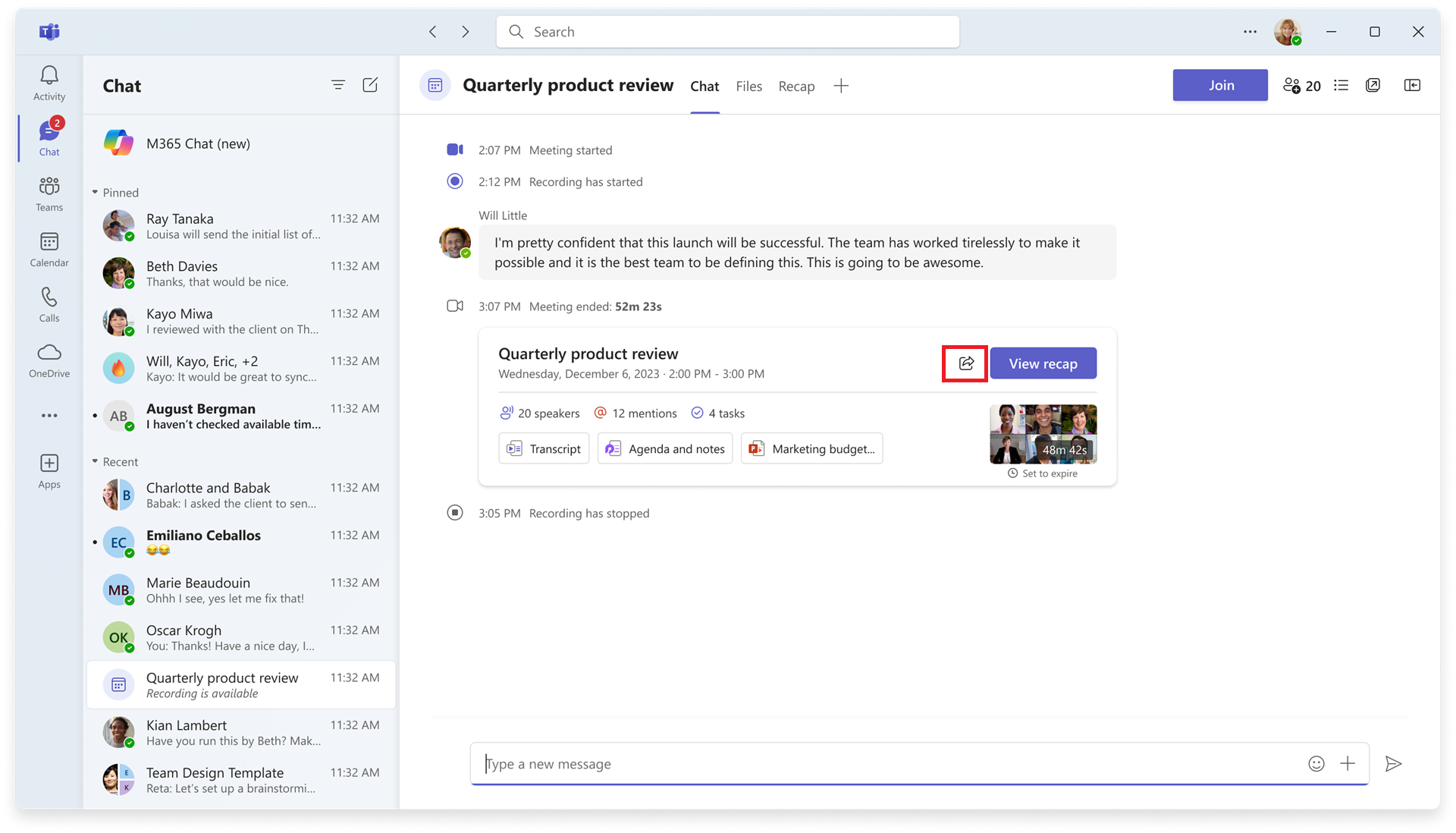
11. Sharing recap access
How this will affect your organization
**REQUIRES COPILOT LICENSE**
Microsoft Teams will enable meeting organizers to grant access to recordings, transcripts, AI summaries, and notes when sharing recap links.
When will this happen:
early June 2026 and expect to complete by late June 2026.

Microsoft Outlook
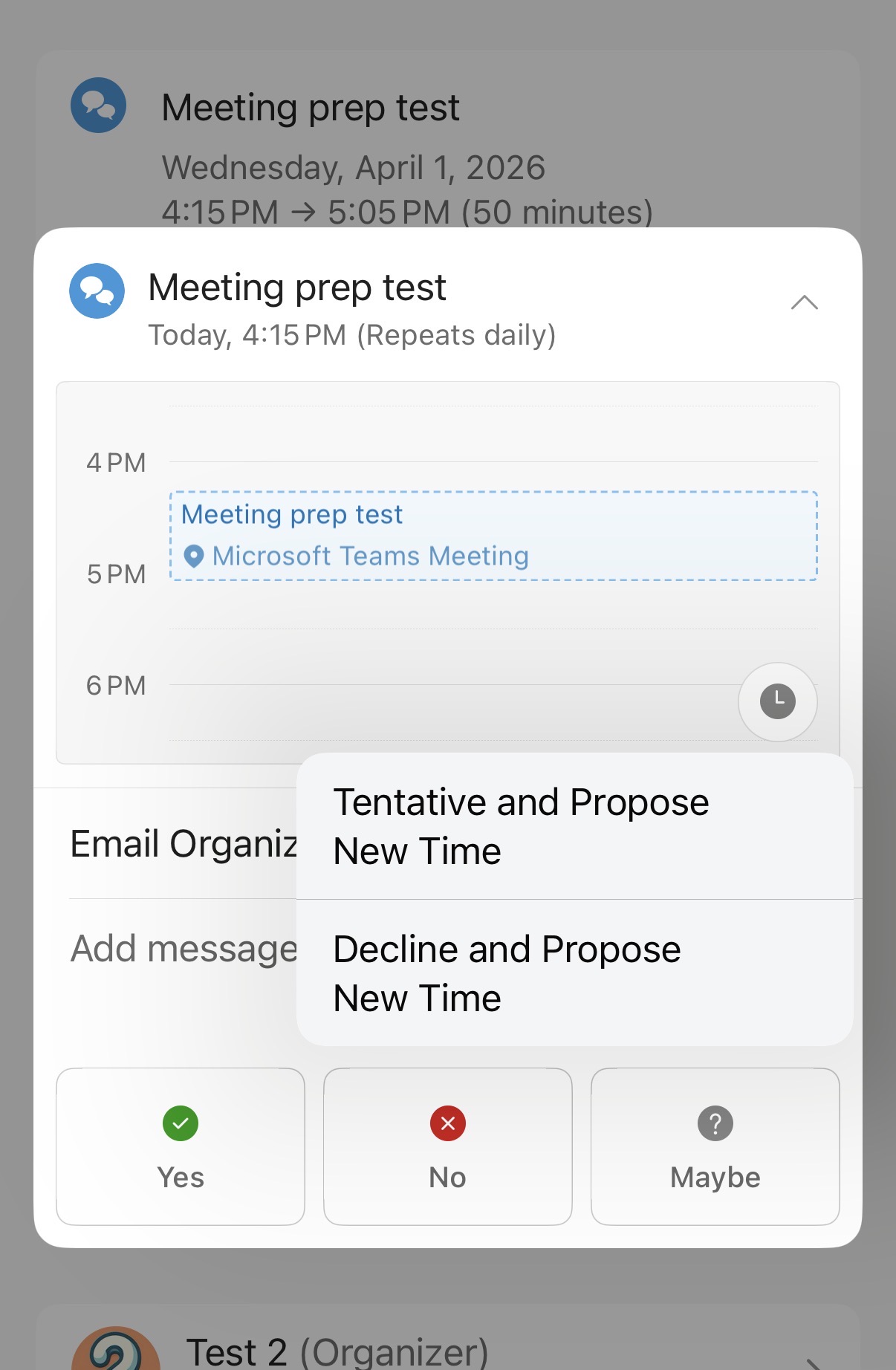
1. New meeting response option: decline and propose a new time in Outlook Mobile
How this will affect your organization
Outlook Mobile will add a “Decline and Propose a New Time” option for meeting responses, allowing users to decline while suggesting an alternative time.
When will this happen:
mid-April 2026 and is expected to complete by mid-May 2026

Microsoft 365 Apps
1. OneDrive: Files deleted from the cloud will no longer appear in the local Recycle Bin or Trash
How this will affect your organization
Files deleted from OneDrive cloud won’t appear in local Recycle Bin or Trash but can be recovered from the OneDrive or SharePoint web recycle bin. Local deletes remain unchanged.
When will this happen:
early May 2026 and expect to complete by late May 2026.
2. Microsoft 365 Apps SAEC and MEC will unify
How this will affect your organization
Microsoft will unify the Semi-Annual Enterprise Channel (SAEC) and Monthly Enterprise Channel (MEC) for Microsoft 365 Apps into a single enterprise update channel, simplifying update management without changing existing policies or user workflows.
When will this happen:
These changes will go into effect on July 14, 2026, with the Patch Tuesday update release.
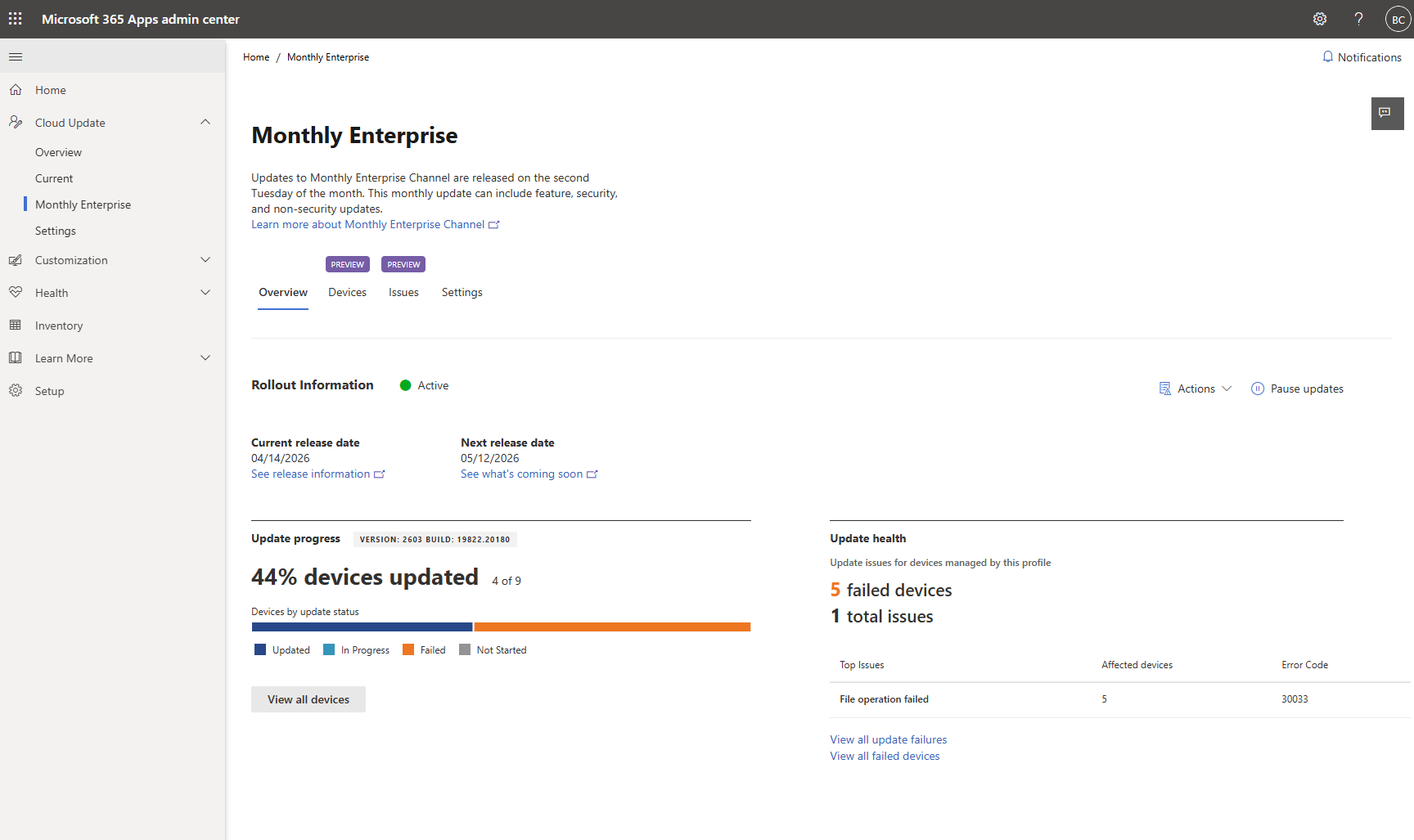
3. Microsoft 365 Apps: Cloud Update adds update health reporting
How this will affect your organization
Microsoft 365 Apps Cloud Update will add update health reporting, providing admins with detailed, aggregated diagnostics and error messages for update failures across managed devices.
When will this happen:
late May 2026 and is expected to complete by late-May 2026.

Microsoft Intune
1. Intune introduces support for Multiple Managed Accounts in supported MAM-enabled apps
How this will affect your organization
Intune will roll out Multiple Managed Accounts (MMA) in supported MAM-enabled apps like Teams and Outlook for iOS from June to July 2026. Users can sign in with multiple managed accounts, with app protection policies applied per account.
When will this happen:
early-June 2026 and expect to complete the rollout by early-July 2026.
2. New IT admin policy: Remove Microsoft Copilot app
How this will affect your organization
The new RemoveMicrosoftCopilotApp policy setting allows you to uninstall Copilot from devices in your organization in a non-disruptive way.
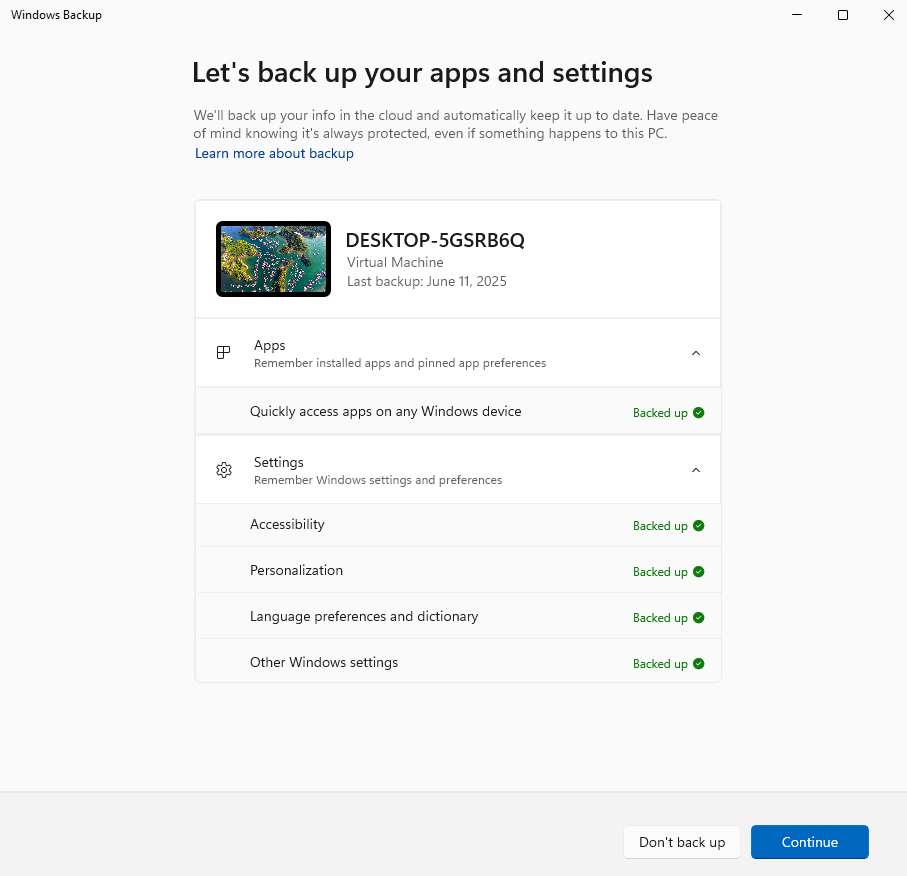
3. ESR management is moving to Windows Backup for Organizations
How this will affect your organization
Starting May 2026, Enterprise State Roaming (ESR) management will transition to Windows Backup for Organizations. Windows Backup for Organizations is the enterprise‑grade solution for backing up and restoring Windows user settings and Microsoft Store app list.
4. Broader Windows Autopatch availability to Microsoft 365 Government Community Cloud (GCC)
How this will affect your organization
Next month, Windows Autopatch will become more broadly available in Government Community Cloud (GCC). Previously, Windows Autopatch was not automatically available for Microsoft 365 G3 and G5 SKUs in GCC.
When will this happen:
Expected date of launch: May 13, 2026

Microsoft Purview
1. Microsoft Purview for agents: AI observability and insider risk management now generally available
How this will affect your organization
Microsoft Purview for agents enables Microsoft 365 E7 or Agent 365 admins to monitor AI agent activity, assess risks, enforce governance, and manage insider risks with privacy controls, supporting compliance and security.
When will this happen:
early May 2026 and is expected to complete by late May 2026.

Microsoft Copilot
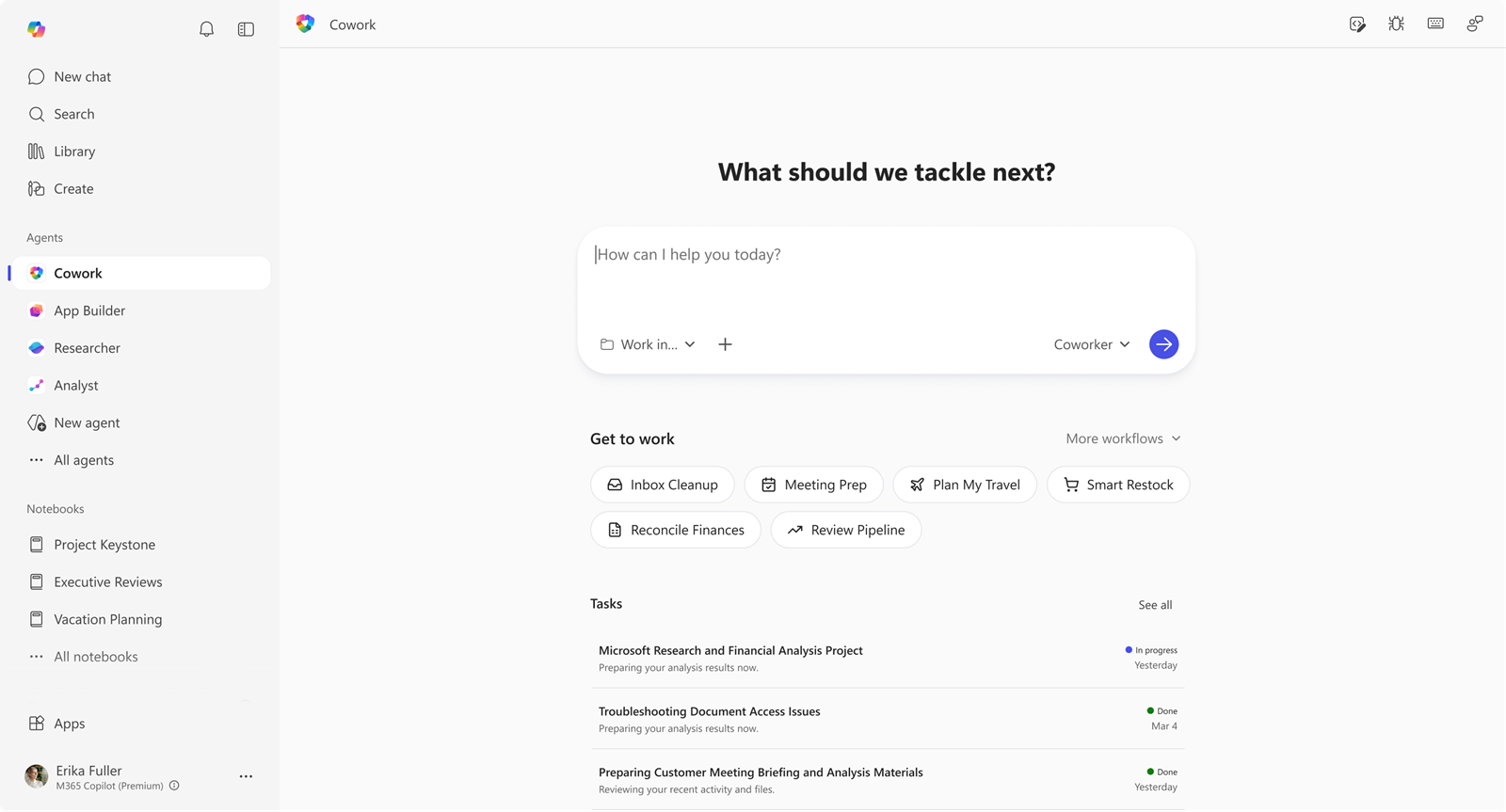
1. Copilot Cowork now available in Frontier
How this will affect your organization
Copilot Cowork is now available in Frontier for Microsoft 365 Copilot (Premium) users, enabling multi-step task orchestration across apps with user approval and progress tracking.
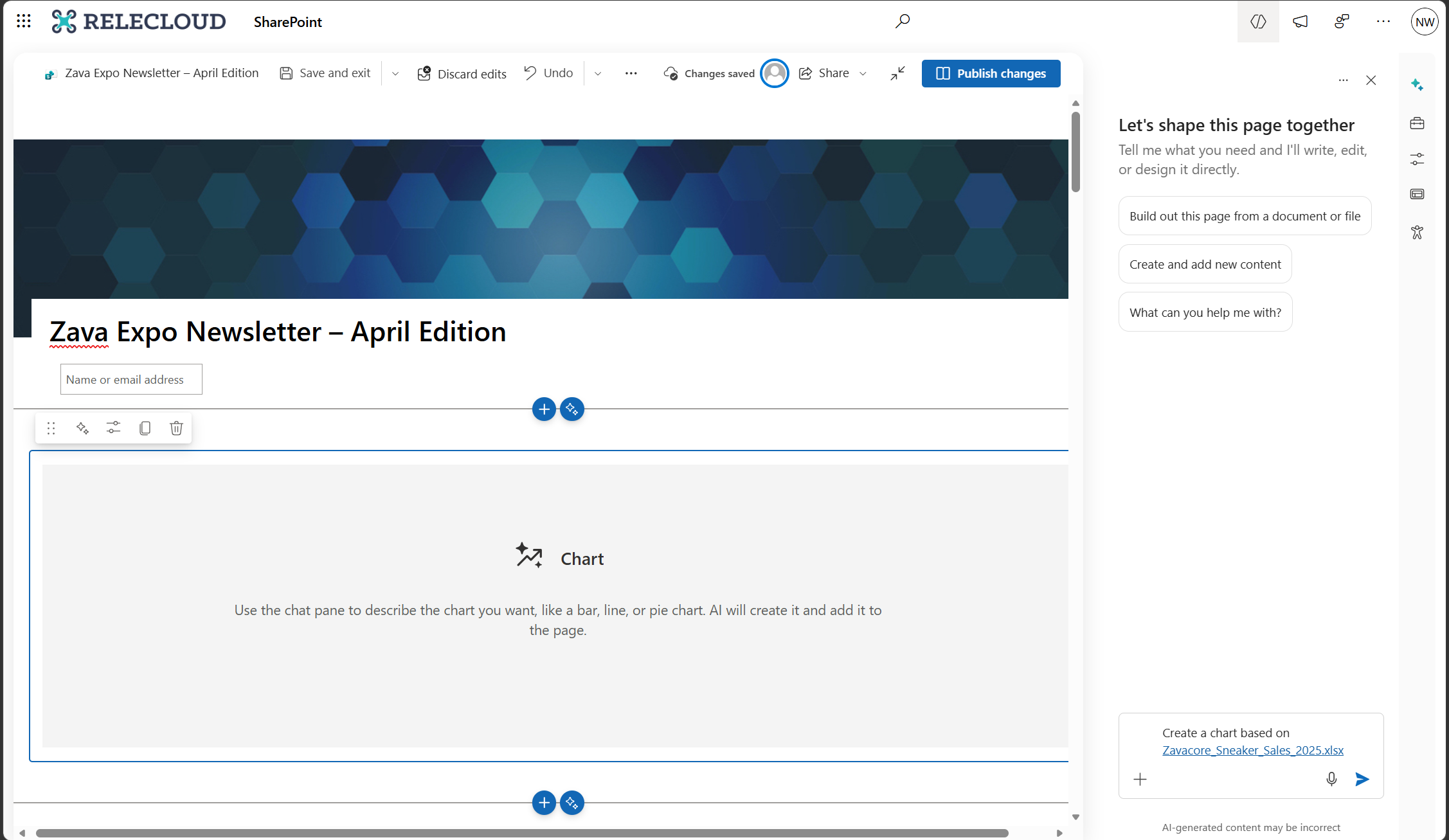
2. Create charts on pages with AI in SharePoint
How this will affect your organization
SharePoint introduces an AI-assisted Charts web part for page authors to create interactive charts using plain-language prompts.
When this will happen
mid-May 2026 and is expected to complete by late May 2026.
3. Modernized Change Management for Microsoft 365
How this will affect your organization
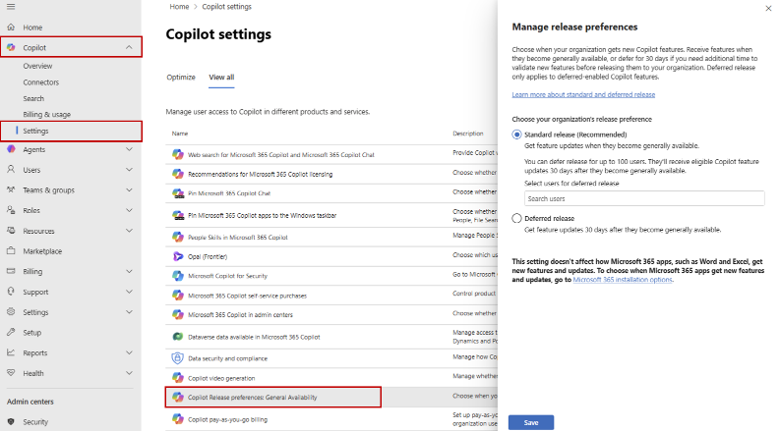
We are introducing a modernized change management model for Microsoft 365 to help IT teams manage the pace of innovation and realize value faster. Based on customer feedback, this new approach provides greater clarity, consistency, and control through flexible release audiences, more actionable Message center posts, and AI enabled access to trusted release information.
Depending on your configuration and readiness model, you now have the option to choose your release audience preference for your organization:
- Stage feature rollout using release audiences:
- Frontier program for early experimentation and feedback.
- Standard release (default) for immediate access at general availability.
- Deferred release (for eligible major features) to delay rollout by 30 days for additional security or compliance review.
When will this happen?
mid-April 2026 and expect to complete by late April 2026.
4. Anthropic models available when editing Word documents
How this will affect your organization
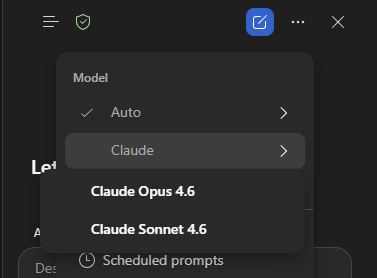
Microsoft 365 Copilot will add Anthropic AI models as an option for Word document editing, available worldwide. Enabled by default outside the EU, EFTA, and UK, and disabled by default within these regions, admins can control this setting while existing security and compliance standards remain.
When will this happen:
Rollout will complete by late May 2026.
5. Introducing Calendar Agent capabilities in Microsoft 365 Copilot
How this will affect your organization
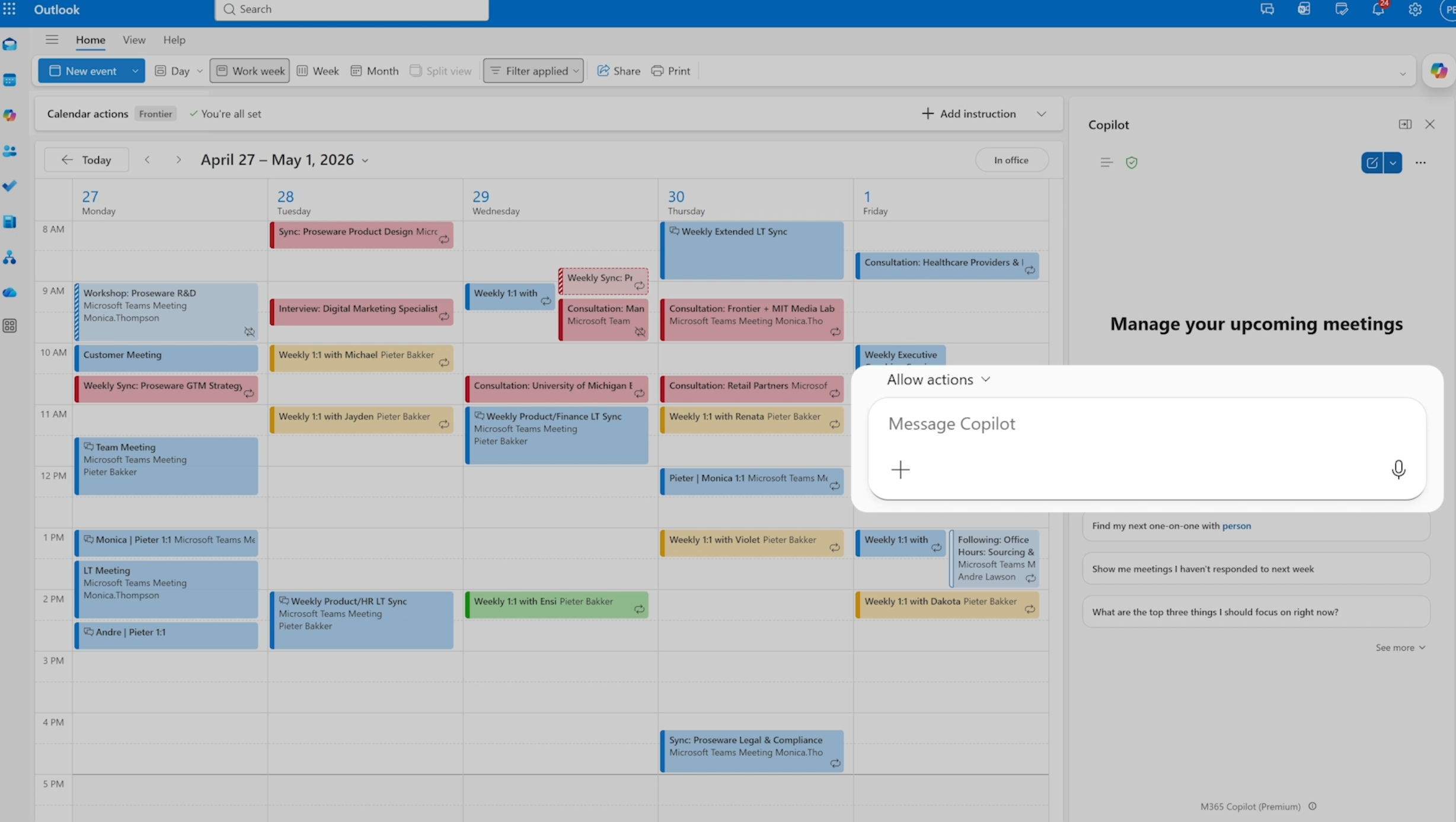
We’re introducing Calendar Agent capabilities in Microsoft 365 Copilot to help users reduce meeting overload and automate routine calendar decisions. With natural-language instructions, users can allow Copilot to automatically accept, follow, decline, or remove canceled meetings based on rules they define
When will this happen:
Rollout end: Early May 2026
6. Legal Agent for Word
How this will affect your organization
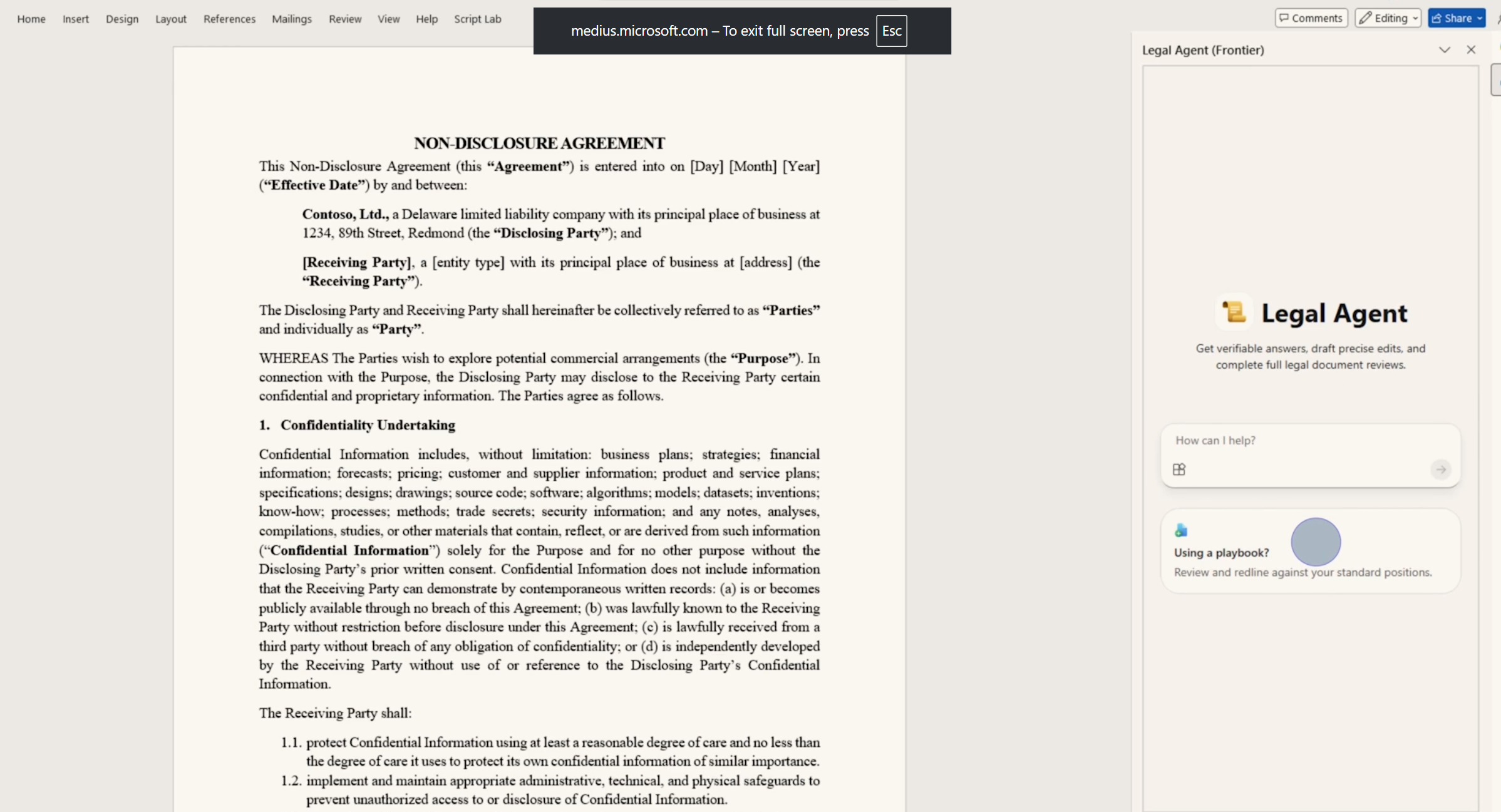
Microsoft 365 introduces Legal Agent for Word, a Copilot feature for US legal professionals in the Frontier Public Preview (April 2026). It helps review contracts, identify risks, compare clauses to playbooks, and generate tracked-change edits within Word
7. Comprehensive Copilot metrics in Copilot Analytics
How this will affect your organization
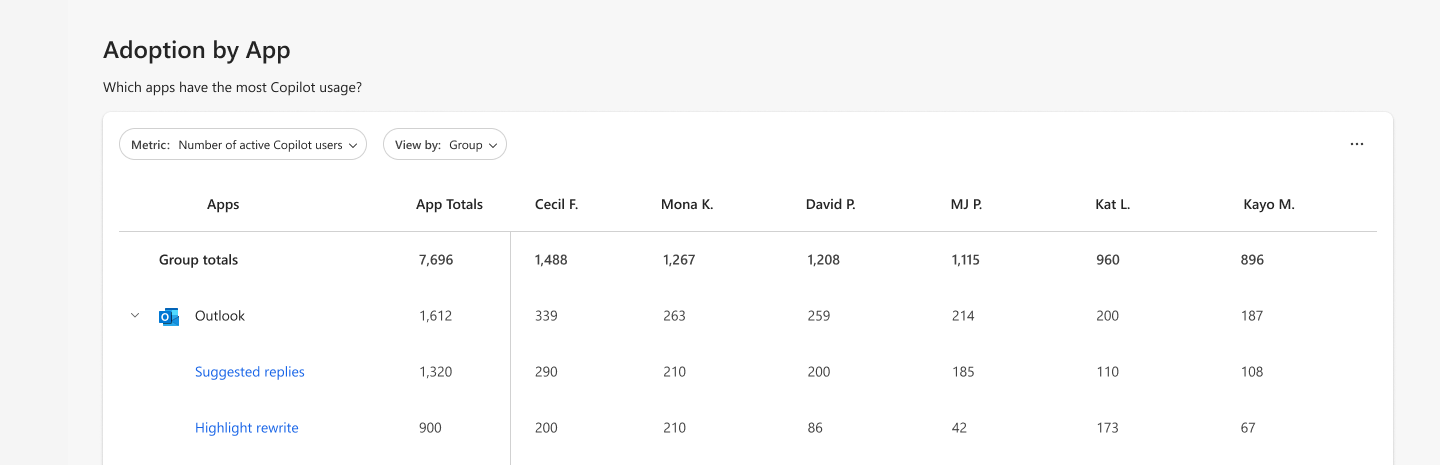
We are adding new Copilot metrics across Microsoft 365 apps to help you better understand how users engage with Copilot. These metrics include actions taken in the Microsoft 365 Copilot app, Microsoft Edge, and OneNote, and intent-based usage across Outlook, Word, Excel, and PowerPoint.
When will this happen:
late April 2026 and expect to complete in late May 2026.

Microsoft Admin
1. Windows 365 Business – 20% price decrease coming May 1, 2026
How this will affect your organization
Microsoft is reducing Windows 365 Business list prices by 20% starting May 1, 2026, to make Cloud PCs more cost-effective for small and medium businesses.
Full Announcement: https://learn.microsoft.com/en-us/partner-center/announcements/2026-april#windows-365-business—20-price-decrease-coming-may-1-2026