
Below are all of the latest feature updates coming to Microsoft 365
Automated Security Assessments mapped to the CIS Controls
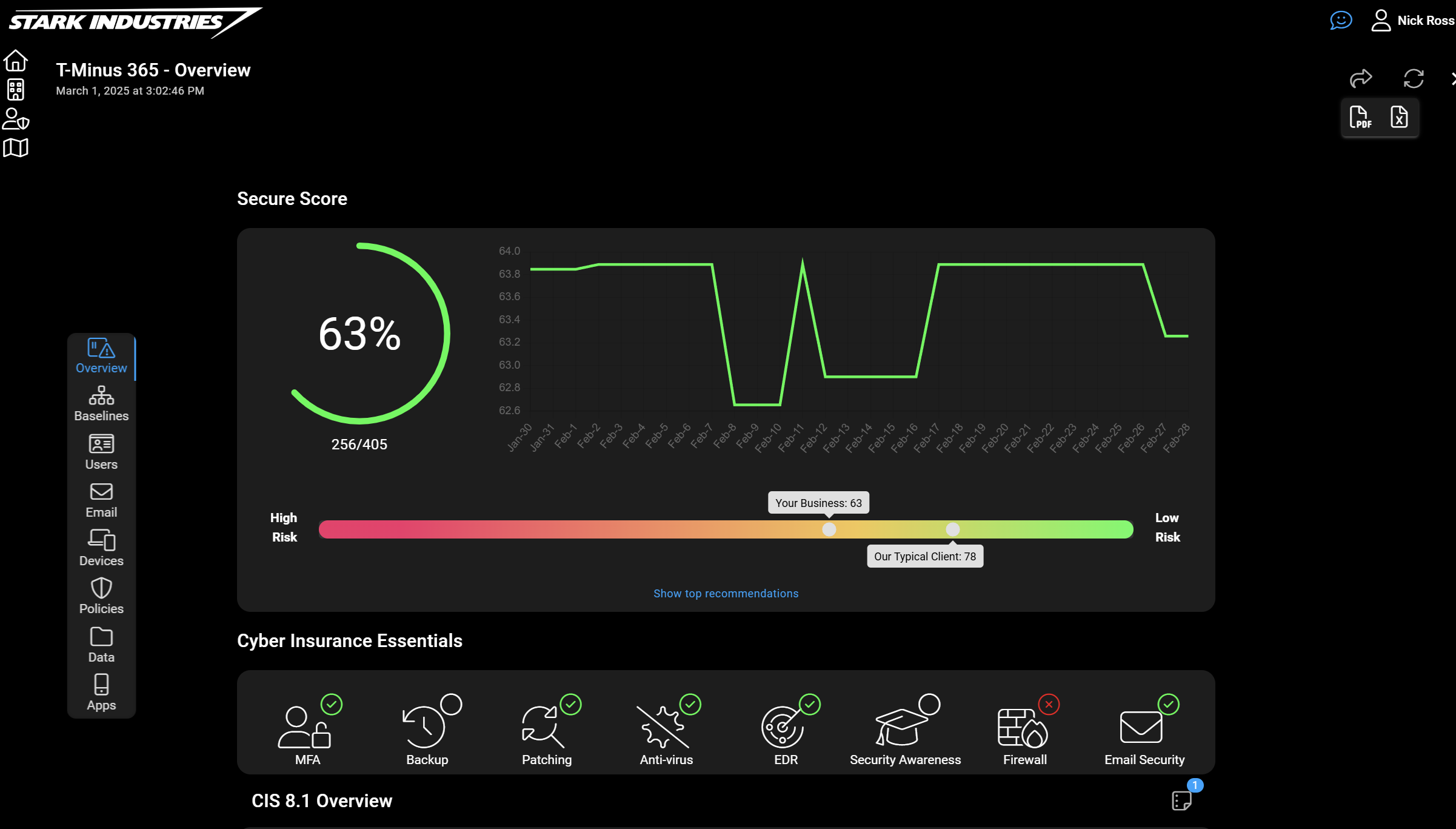
CloudCapsule is a tool I’ve been working on over the past year that automates your M365 security assessments against the CIS Controls. I started CloudCapsule because I saw the need to streamline the assessments of Microsoft 365 tenants to a trusted standard like the CIS Controls.

Microsoft Teams
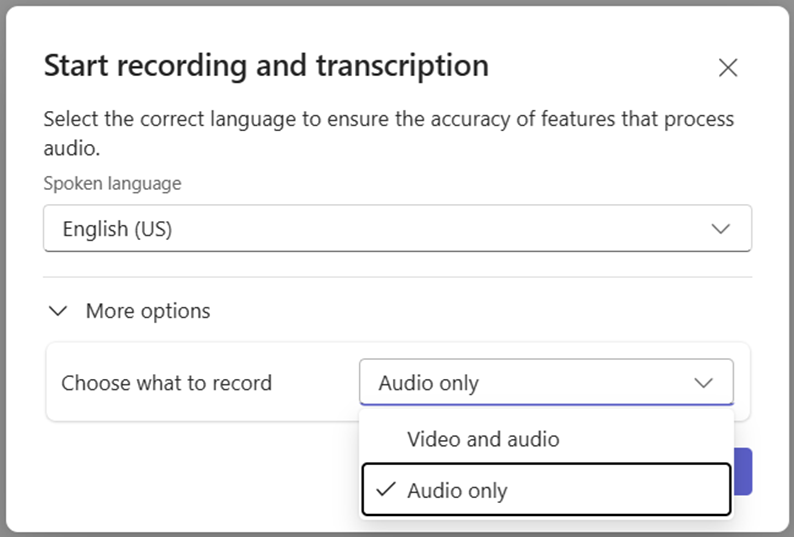
1. Audio-only recording now available in Microsoft Teams
How this will affect your organization
With this new functionality, users can now keep their cameras on during meetings while opting to record only the audio, offering a more comfortable and convenient recording experience.
When will this happen:
early October 2025 and is expected to complete by late November 2025.
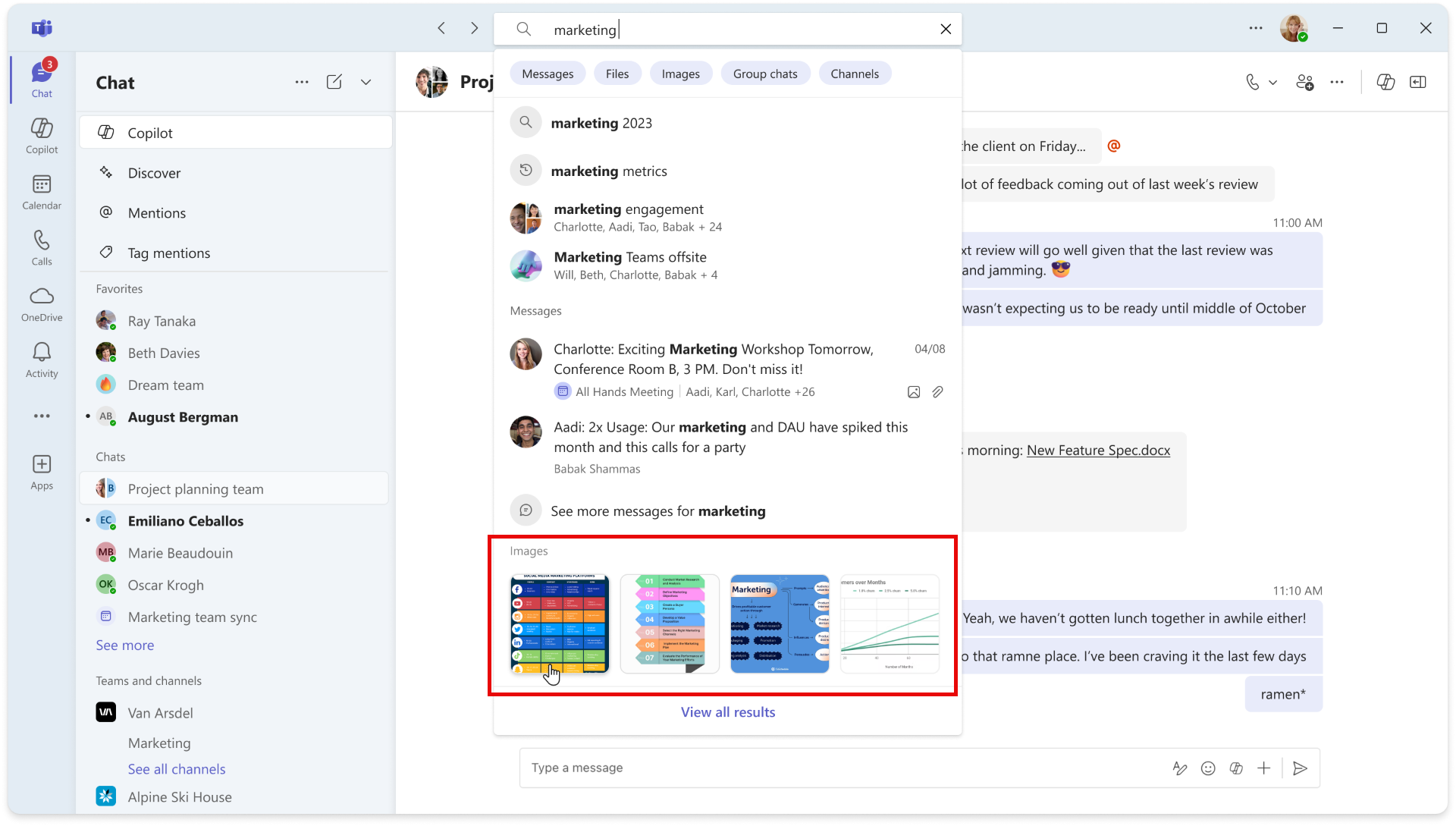
2. Introducing Image Search in Microsoft Teams
How this will affect your organization
You can now search for images in Microsoft Teams — whether it’s a screenshot, whiteboard photo, or any other visual shared in chats or channels. Images can be found by person name or message content in Autosuggest, while the Search Results Page also shows the chat or channel where the image was shared for added context.
When will this happen:
mid-November 2025 and completes by early December 2025.
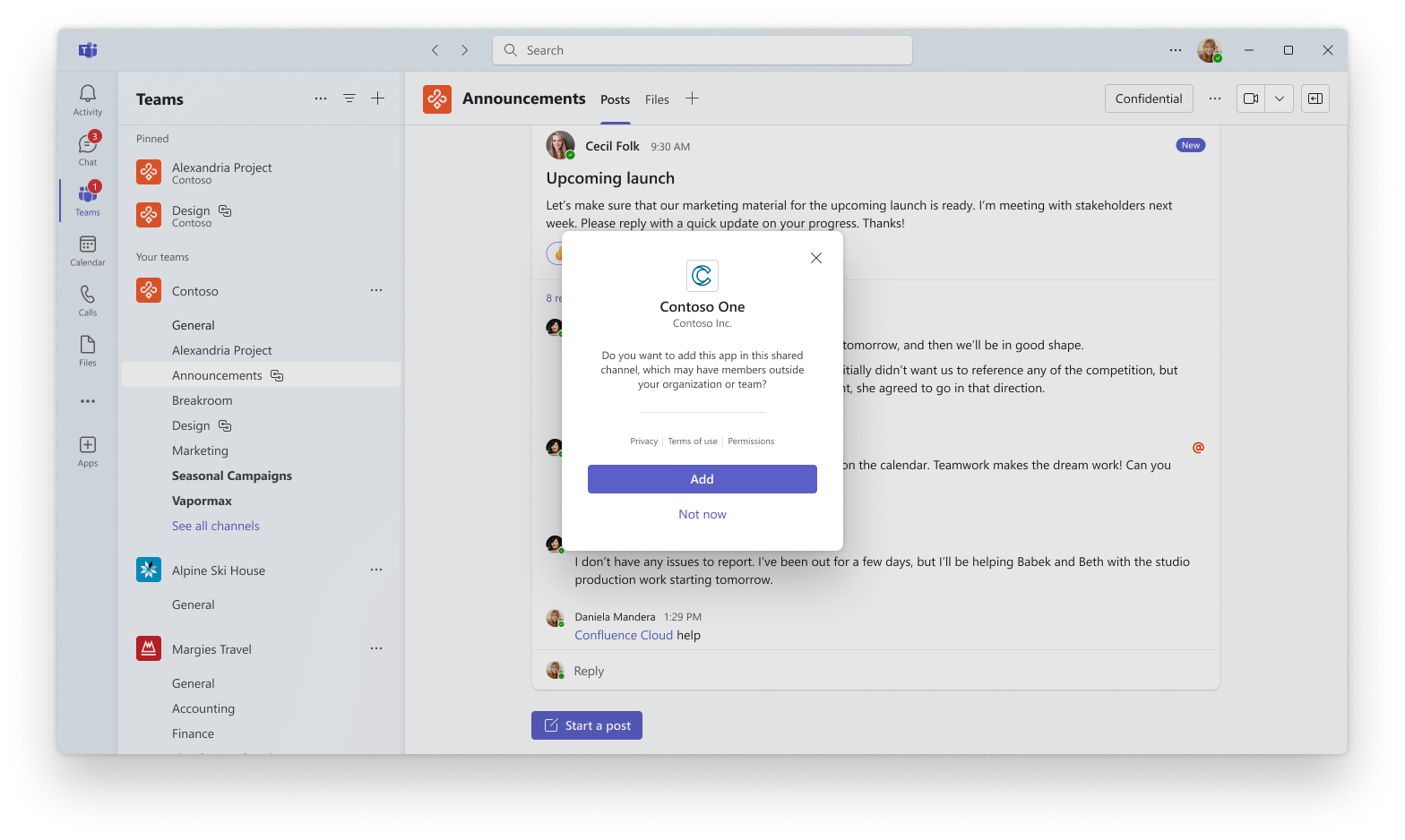
3. Apps now supported in Shared Channels
How this will affect your organization
This update enables richer collaboration scenarios across teams and organizations by allowing users to add and use apps—including bots, tabs, and message extensions—directly within Shared Channels.
When will this happen:
early November 2025 and is expected to complete in late November 2025.
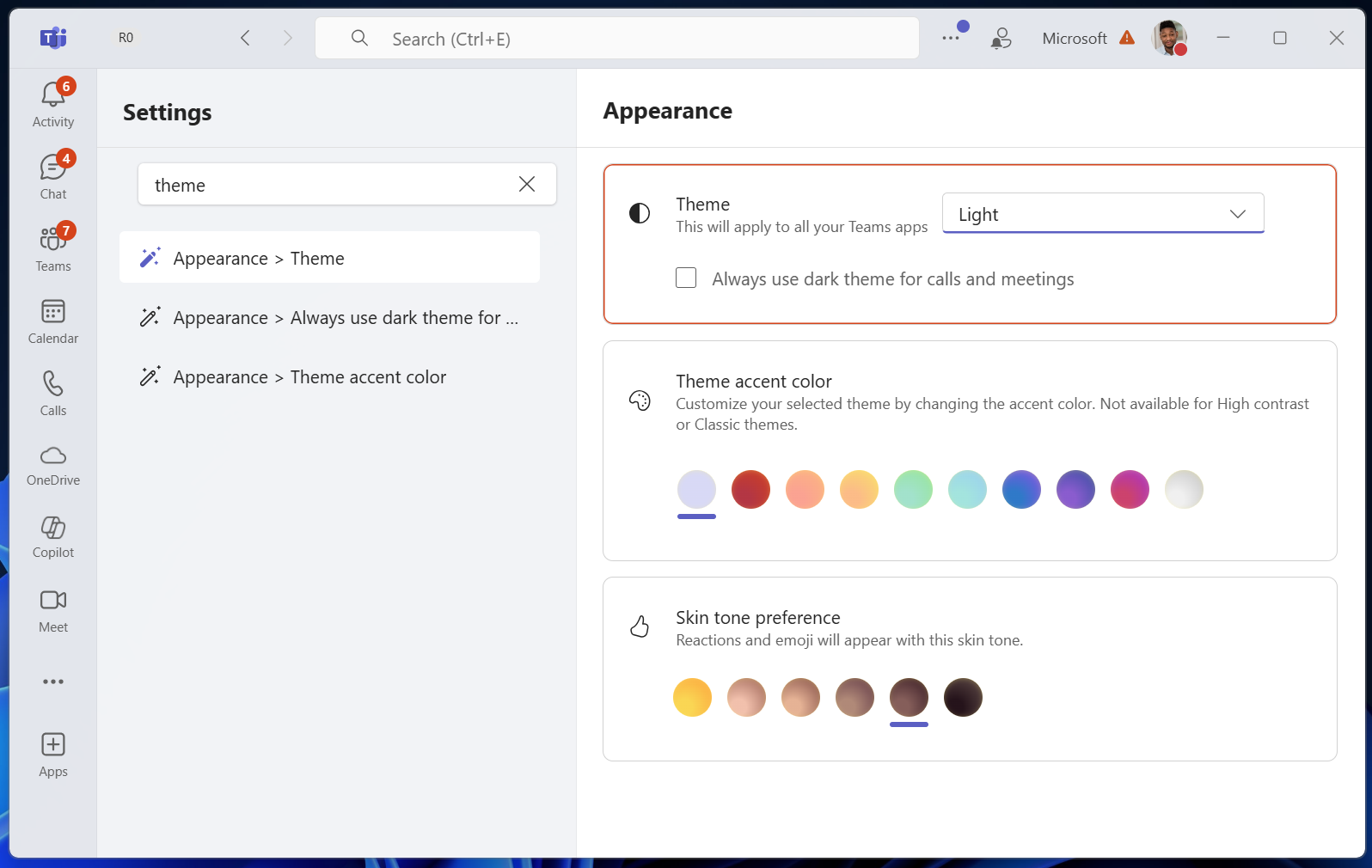
4. Search in Settings
How this will affect your organization
Microsoft Teams is introducing Search in Settings, a new capability that allows users to quickly locate specific settings using a search bar. This update improves discoverability and reduces friction by eliminating the need to manually browse through categories. The change is based on customer feedback requesting faster access to configuration options.
When will this happen:
early November 2025 and expect to complete by early November 2025.
5. Microsoft Teams town halls: Full HD (1080p) video resolution coming to Teams Premium
How this will affect your organization
We’re enabling 1080p resolution (1920 x 1080 pixels) for Microsoft Teams town halls, delivering a significant upgrade in video quality for your online events. This enhancement allows for sharper, more professional-looking broadcasts—making speaker video and shared content more visually engaging and easier to follow. The feature is available to Teams Premium customers and can be enabled by IT admins via policy.
When will this happen:
mid-December 2025; expected completion by late December 2025.

Microsoft 365 Apps
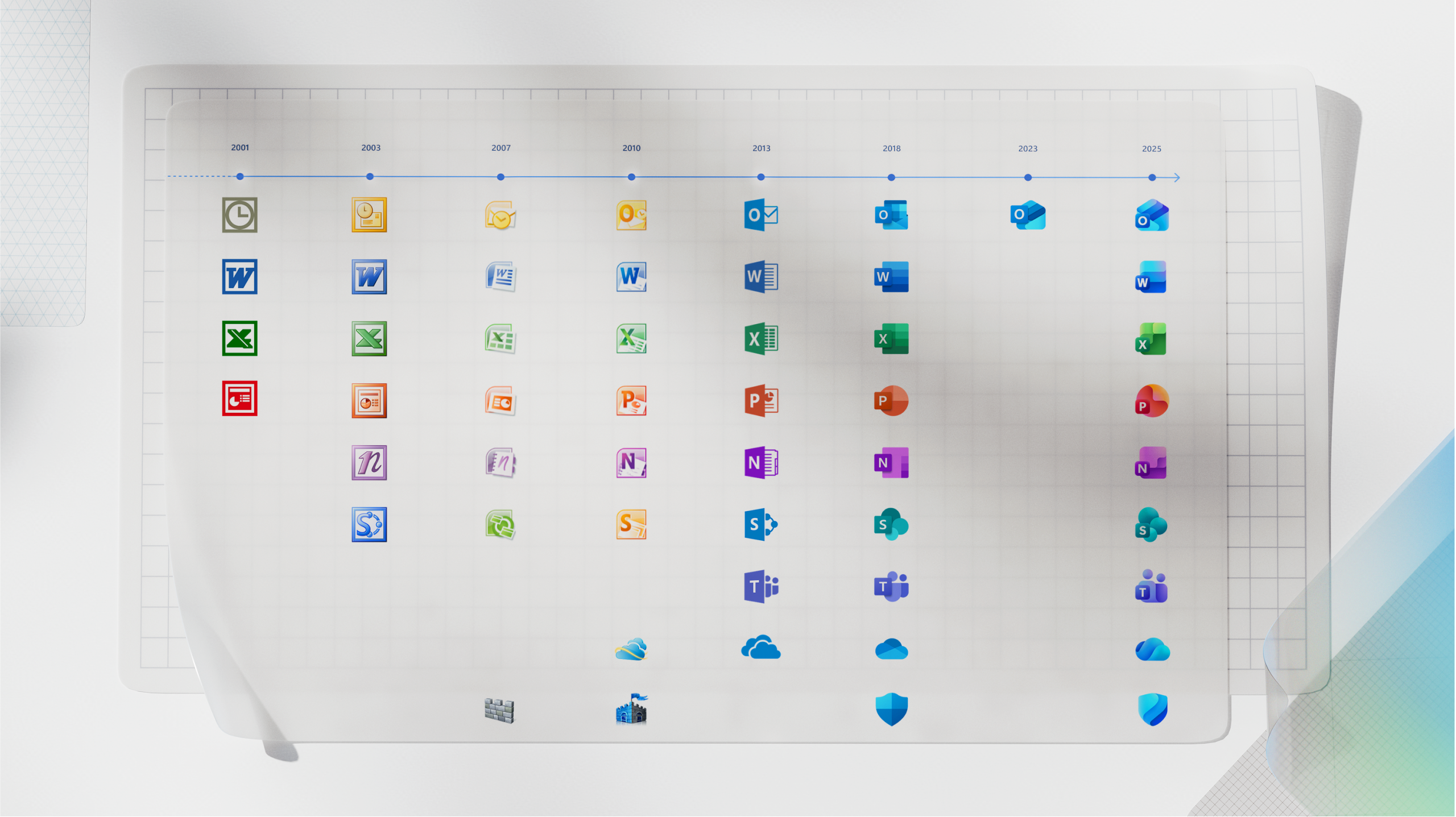
1. Visual refresh of app icons
How this will affect your organization
Microsoft 365 is updating app icons for Word, Excel, PowerPoint, and others with a unified, symbol-led design reflecting Copilot integration.
When will this happen:
early October 2025 and will roll out in phases across web, desktop, and mobile platforms.

Microsoft SharePoint and OneDrive
1. General availability of tenant rename with no scale limitations
How this will affect your organization
Organizations undergoing rebranding, mergers, acquisitions, divestitures, or tenant consolidations often need their SharePoint domain name in URLs to reflect their new identity. The SharePoint Online Tenant Rename feature enables this change. We are announcing general availability of advanced tenant rename with no site count limitation. With this update, the feature is now accessible to all customers, regardless of the total number of sites in the tenant.
https://learn.microsoft.com/en-us/sharepoint/change-your-sharepoint-domain-name
When will this happen
early October and is expected to complete by mid-October 2025.
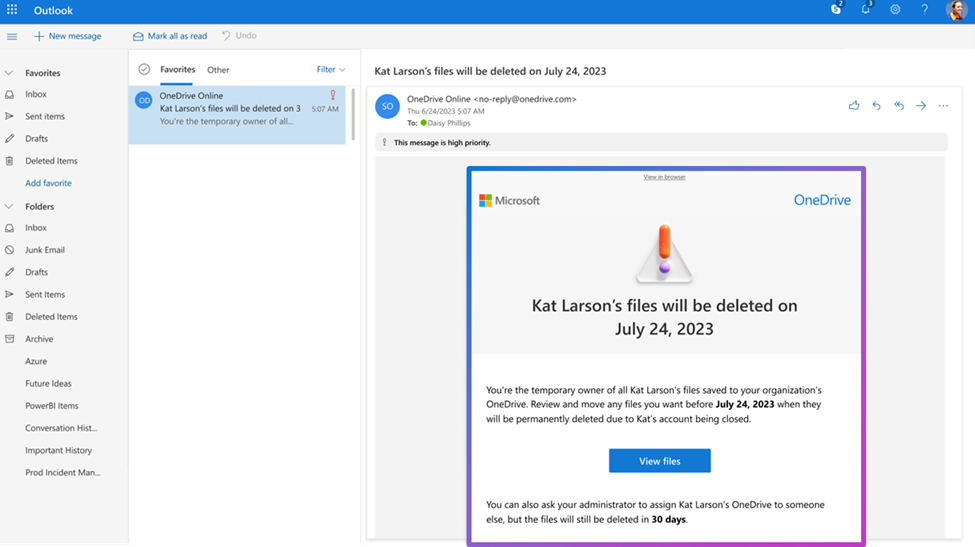
2. OneDrive: Simplified file transfer for departing employees
How this will affect your organization
Managing OneDrive content for departing employees is now more efficient. Key improvements include:
- Redesigned notifications: Account cleanup emails are now more prominent, reducing the chance of being overlooked.
- Improved filtering: New filters help managers quickly locate shared or important files.
- Bulk file transfer with preserved sharing: The “Move and keep sharing” feature allows multiple files to be transferred while retaining existing sharing permissions.
- Consolidated alerts: When six or more files are moved, collaborators receive a single streamlined notification.
When will this happen:
mid-October and expect to complete by early November 2025.

Microsoft Intune
1. Policy-based removal of pre-installed Microsoft Store apps
How this will affect your organization
Starting this month, you can remove select in-box apps using straightforward policy on Windows 11 Enterprise or Windows 11 Education, version 25H2. The new policy, called Remove default Microsoft Store packages from the system, is disabled by default.
- In Microsoft Intune admin center, go to Devices > Manage devices > Configuration > Create > New policy to create a settings catalog policy.
- Use the following settings:
- Category: Administrative Templates\Windows Components\App Package Deployment
- Setting name: Remove default Microsoft Store packages from the system
- Value: Enabled
- Set the toggle to True for each app to remove it.
- Assign the policy to the desired group, or groups, of devices. Note: Intune won’t apply this policy to unsupported devices and will instead show a status of “Not applicable” for those devices.

Microsoft Entra
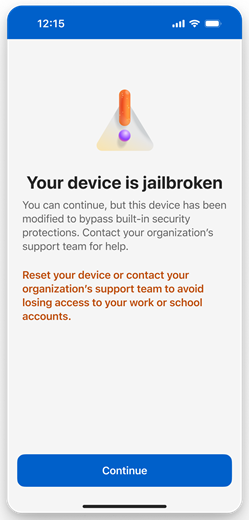
1. Microsoft Authenticator app: Upcoming changes to jailbreak and root detection
How this will affect your organization
Starting February 2026, we will introduce jailbreak and root detection for Entra credentials in the Microsoft Authenticator app on both iOS and Android platforms. This change enhances security by preventing Entra credentials from functioning on jailbroken/rooted devices. All existing Entra credentials on jailbroken or rooted devices will be wiped to protect your organization. This capability is secure by default and does not require any admin configuration or control.
When will this happen:
begins in February 2026 and is expected to complete in April 2026.
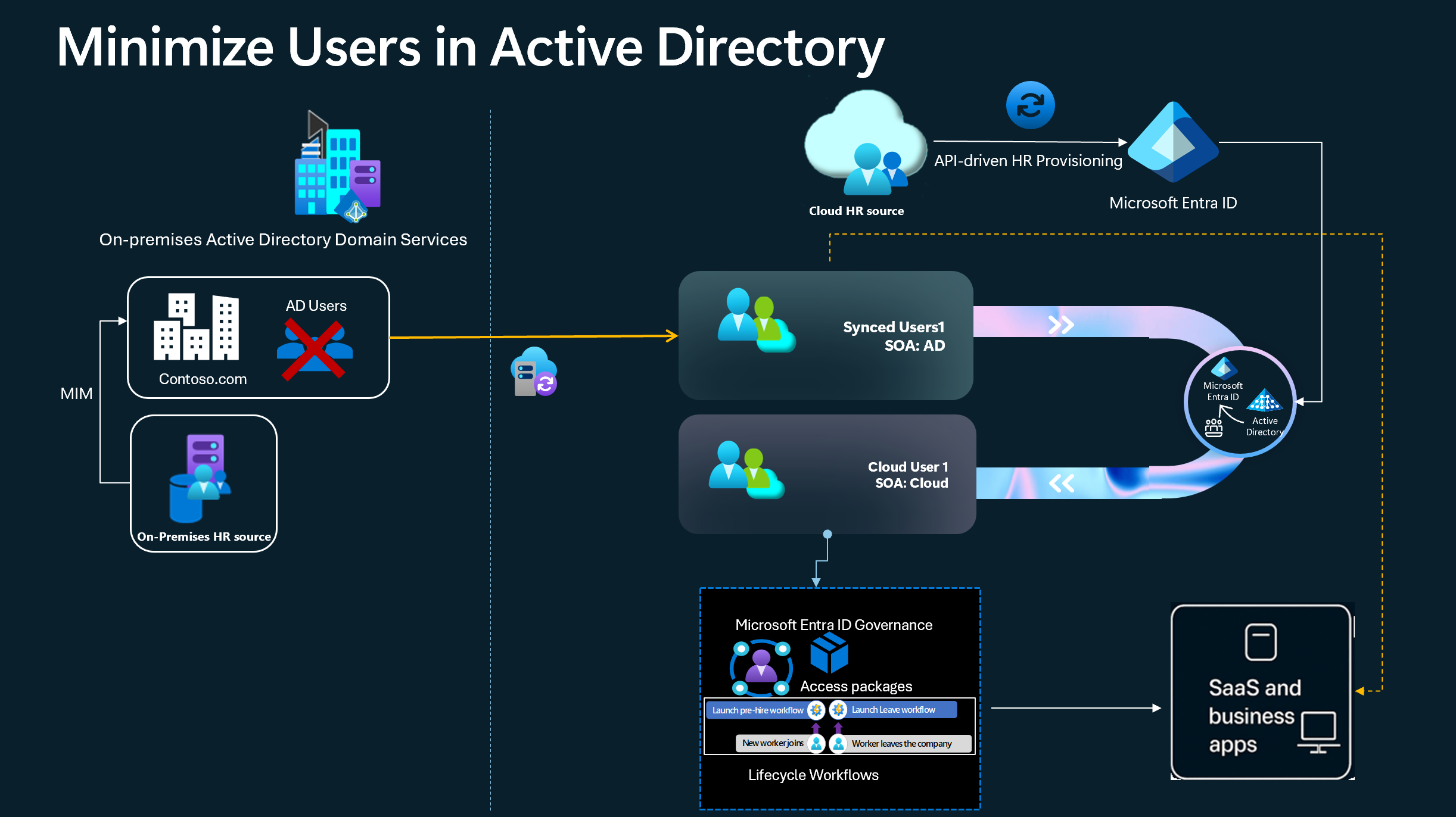
2. Transfer user Source of Authority (SOA) to the cloud
How this will affect your organization
Transitioning the Source of Authority (SOA) for users from on-premises Active Directory Domain Services (AD DS) to the cloud Embrace cloud-first posture and transfer user Source of Authority (SOA) to the cloud (Preview) – Microsoft Entra ID | Microsoft Learn
When will this happen:
Currently in Preview

Microsoft Copilot
1. Copilot+ PCs: Expanded Capabilities
How this will affect your organization
Windows 11 now integrates AI deeply into the operating system (OS), enabling secure, scalable, and agentic work environments. Multiple new features are coming to Windows 11 devices where Copilot is available, starting with Windows Insiders in Copilot Labs. Additionally, Copilot+ PCs deliver native AI experiences with features like Click to Do, Copilot Voice, Copilot Vision, and Copilot Action. Windows 365 further extends this AI-ready environment to the cloud.
More Info: https://blogs.windows.com/windowsexperience/2025/10/16/making-every-windows-11-pc-an-ai-pc/
When will this happen?
Many of the announced AI features are currently available for non-IT-managed devices in Windows Insider Preview. Some features are generally available today and others are expected soon. More information will be available at Microsoft Ignite on November 17-21, 2025.
2. GPT-5 becomes the default Copilot model
How this will affect your organization
We’re updating the default experience for users with the Microsoft 365 Copilot license by introducing GPT-5 as the standard model. GPT-5 is OpenAI’s most advanced language model, designed to deliver faster, more accurate, and more context-aware responses. It features dynamic model routing, which automatically selects the best-performing variant for each prompt—using high-throughput models for quick replies and deeper reasoning models for complex tasks. This change simplifies the user experience and enhances performance across all Copilot endpoints.
When this will happen
late October 2025 and completes by late November 2025.
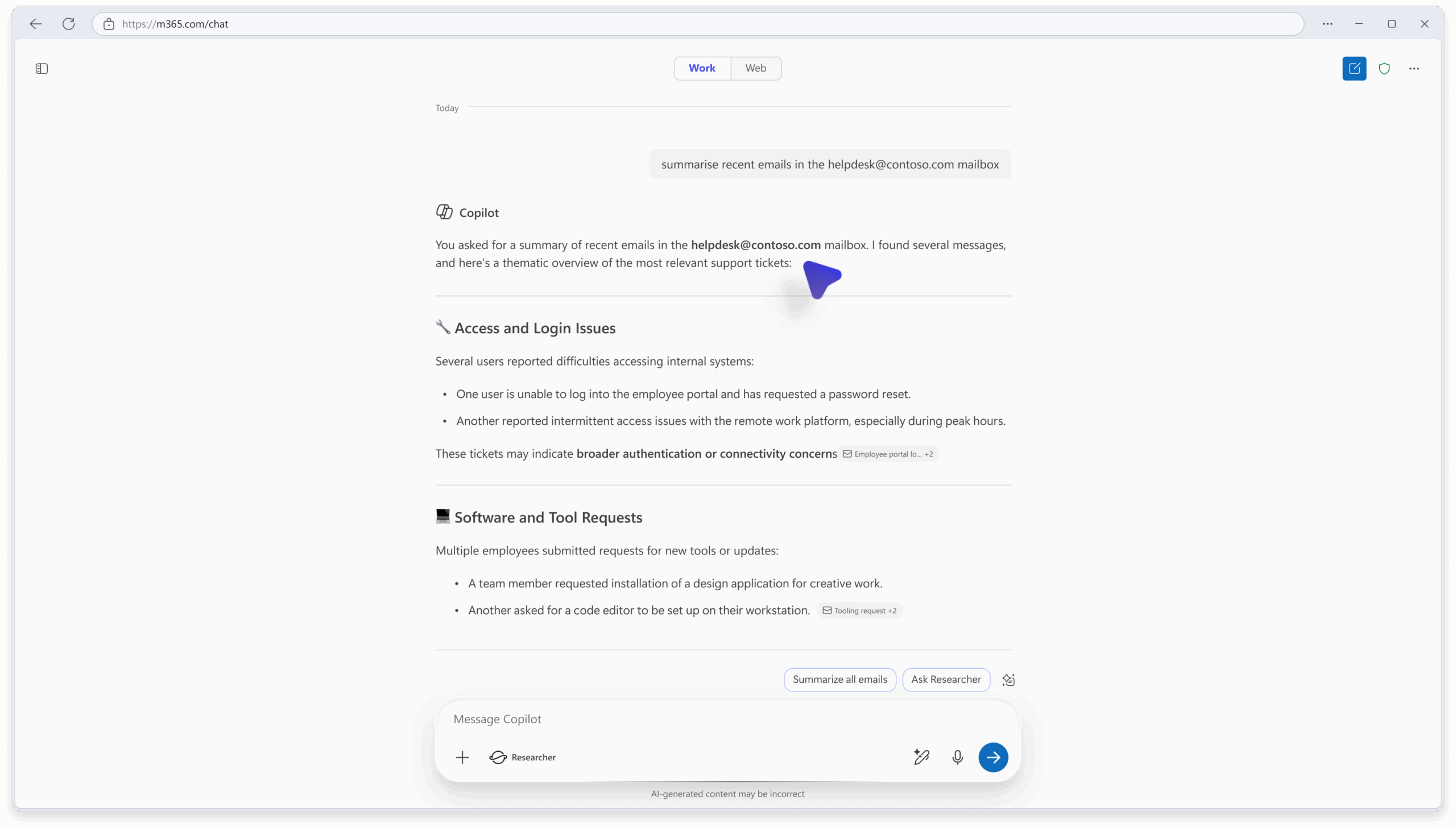
3. Users with shared mailbox access can use Copilot for email
How this will affect your organization
To support broader collaboration scenarios, Microsoft 365 Copilot Chat will now allow users with access to shared mailboxes to ground their conversations in the content of those mailboxes. This update reflects customer feedback requesting more inclusive access to Copilot capabilities across mailbox types.
When will this happen?
late September 2025 and is expected to complete by late September 2025.
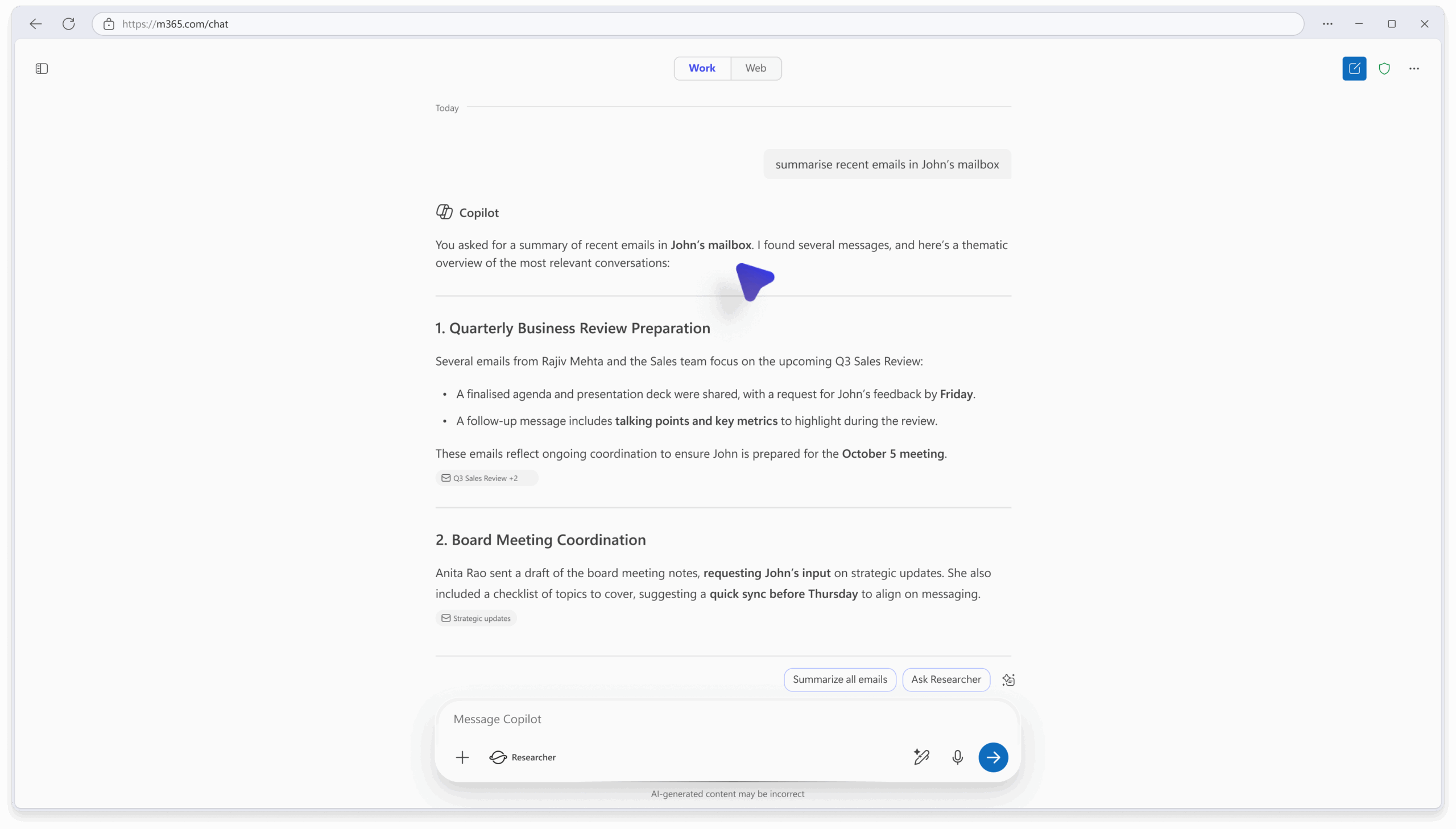
4. Delegate mailbox access for emails in M365 Copilot
How this will affect your organization
This update enables users with delegate access to use M365 Copilot to reason over emails in those mailboxes, improving productivity and collaboration in shared scenarios.
When will this happen:
late September 2025 and is expected to complete by late September 2025.
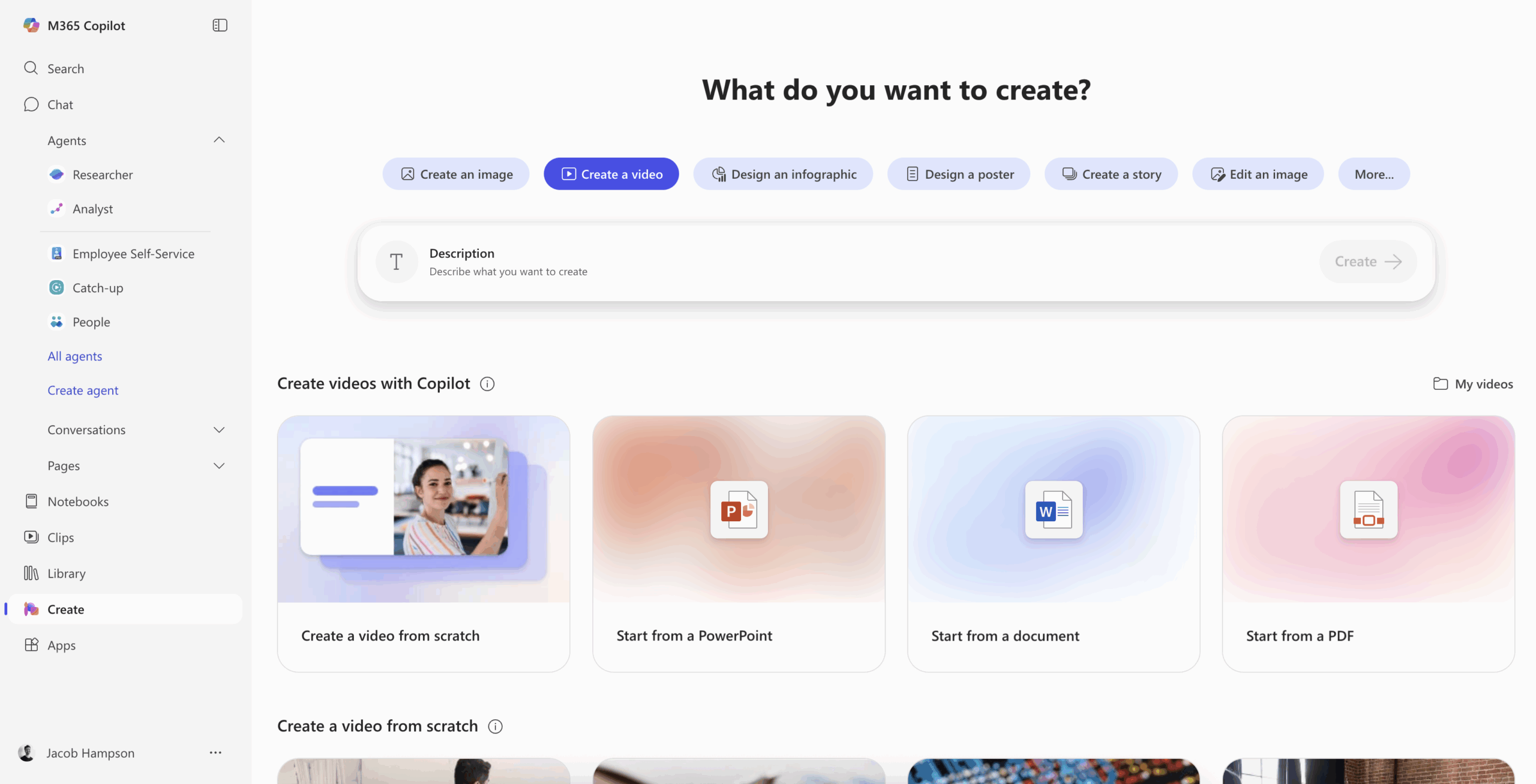
5. AI video generation now available in Create
How this will affect your organization
We’re providing standard access to AI video generation in the Create experience of Microsoft 365 Copilot to users without a Microsoft 365 Copilot license
When will this happen:
mid-November 2025 and is expected to complete by late November 2025.
6. Session persistence enhancement for Copilot chat
How this will affect your organization
We’re improving the reliability of Copilot chat by ensuring that conversations are preserved even when users navigate away from a chat. With this update, a session entry is created in the navigation pane as soon as a prompt is submitted. This allows users to return to the conversation later without losing context or progress.
When will this happen?
October 27, 2025, to October 31, 2025
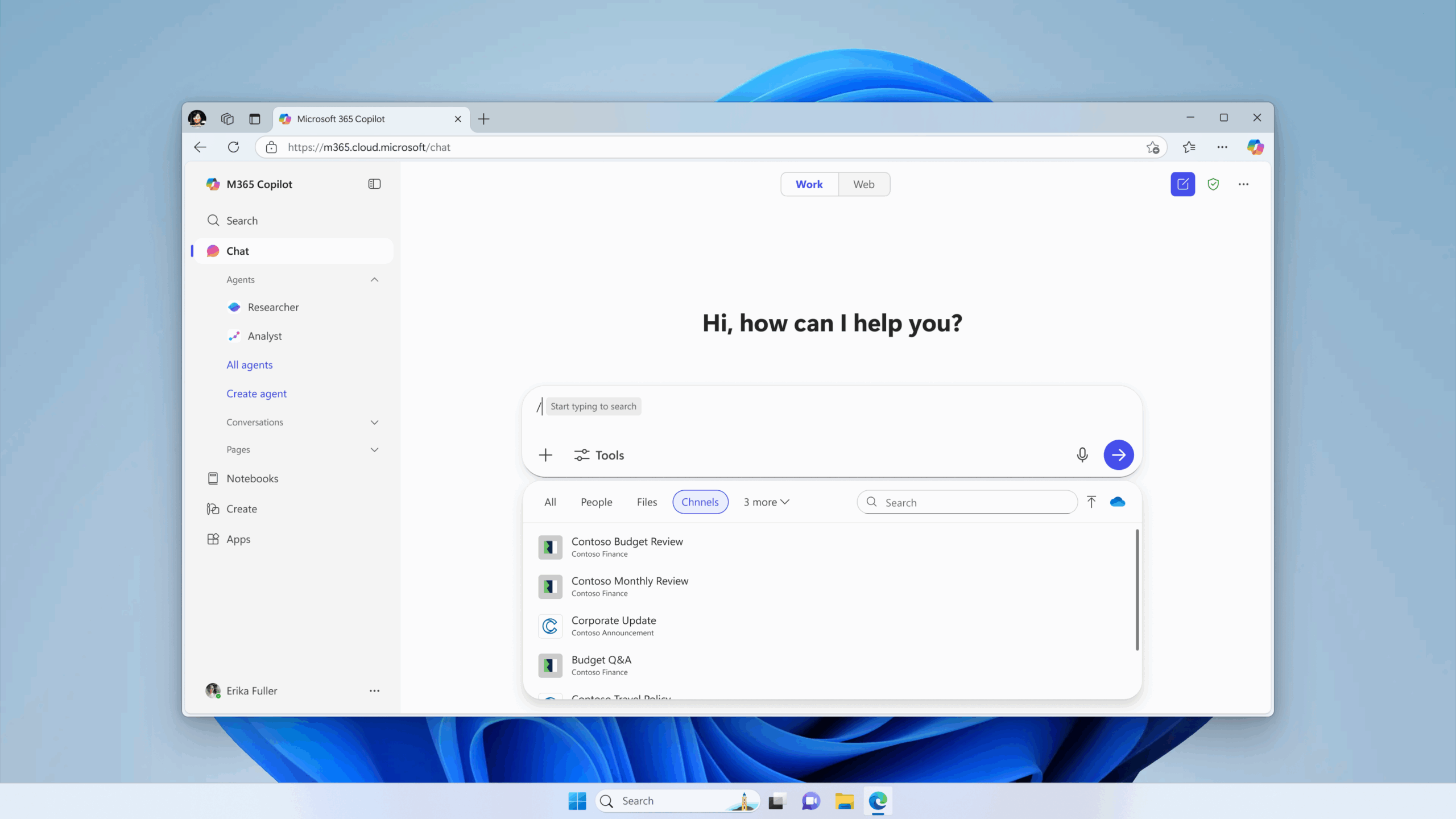
7. Teams channels available in Context IQ prompts
How this will affect your organization
When writing Copilot prompts in the chat box, users will be able to use Context IQ to search for and select Teams channels.
When will this happen?
Rollout begins early November 2025 (previously mid-October 2025) and is expected to complete by late November 2025 (previously late October 2025).

Microsoft Admin
1. Windows 10 has reached end of support
How this will affect your organization
The October 2025 monthly security update is the final update available for the last supported versions: Windows 10, version 22H2 (Home, Pro, Enterprise, Education, and IoT Enterprise editions), Windows 10 2015 LTSB, and Windows 10 IoT Enterprise LTSB 2015. Devices running these versions will no longer receive monthly security and preview updates containing protections from the latest security threats.
Organizations relying on Windows 10 should plan for migration to Windows 11. Organizations with devices running Windows 10, version 22H2 have the option to enroll in the Extended Security Updates (ESU) program to maintain security coverage.
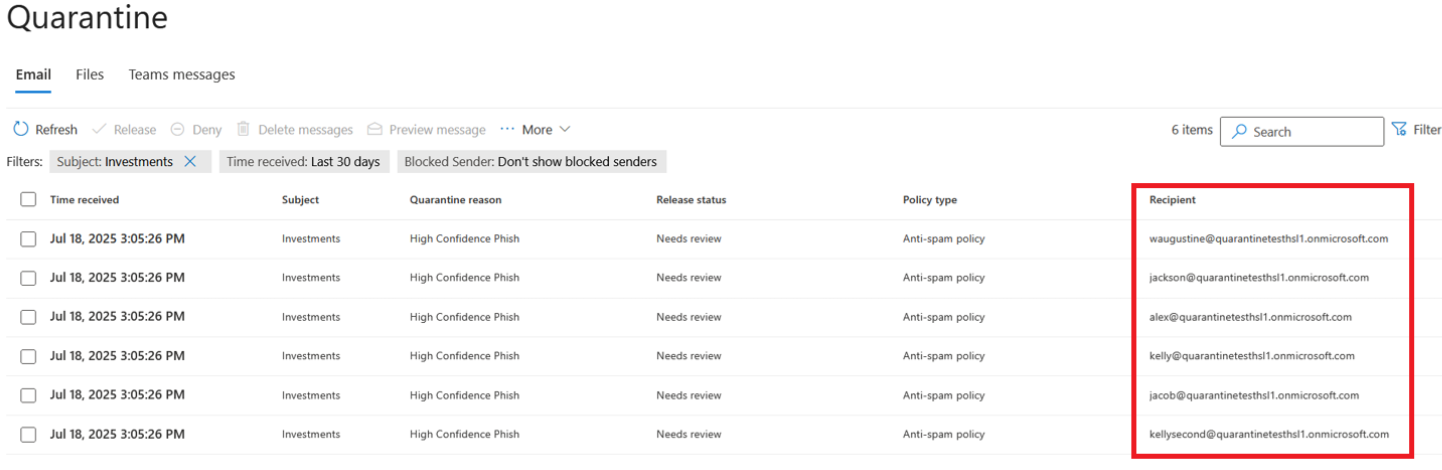
2. Microsoft Defender for Office 365: Enhancing the quarantine experience for administrators
How this will affect your organization
What will happen:
- Quarantined messages will now be listed by individual recipient instead of grouped by multiple recipients.
- Backend enhancements will improve durability and consistency.
- Existing quarantine release cmdlets will all remain functional. Administrators should be cognizant that `ReleaseToAll` now applies to a single user as aggregation has been removed. Admins must release messages for each intended mailbox individually.
- No changes to end-user experience.