

Below are all of the latest feature updates coming to Microsoft 365
Automated Security Assessments mapped to the CIS Controls
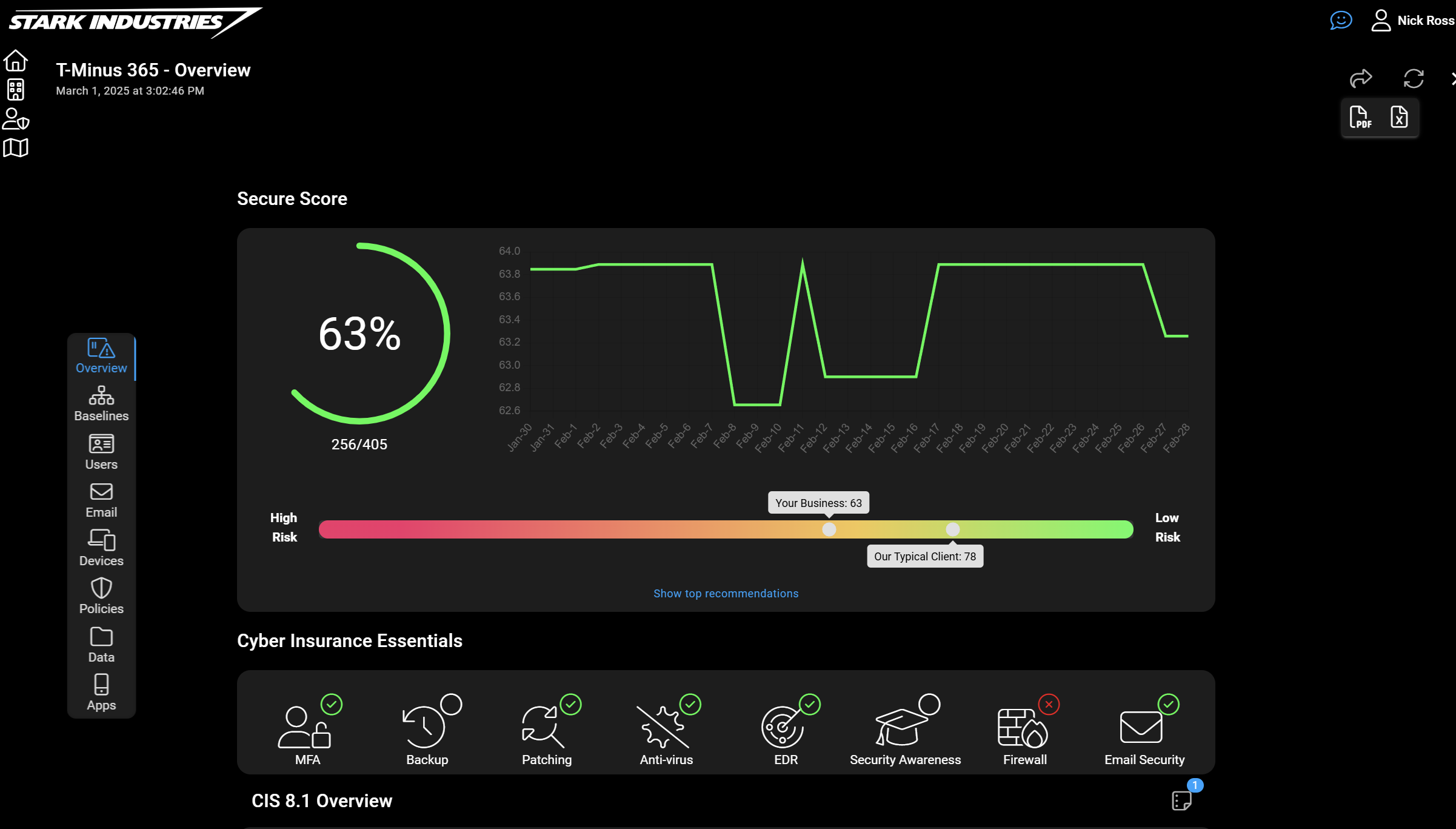
CloudCapsule is a tool I’ve been working on over the past year that automates your M365 security assessments against the CIS Controls. I started CloudCapsule because I saw the need to streamline the assessments of Microsoft 365 tenants to a trusted standard like the CIS Controls.

Microsoft Teams
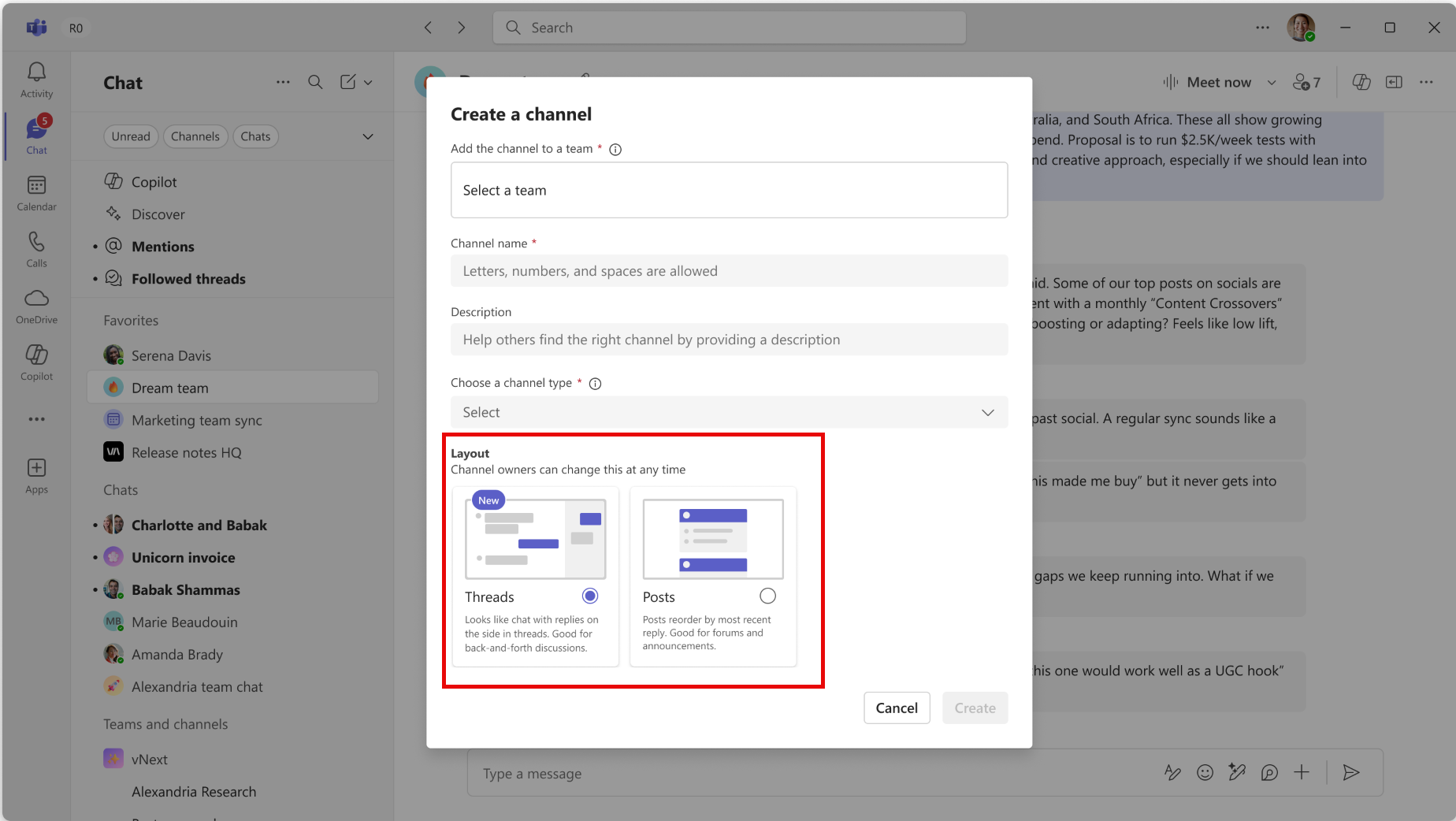
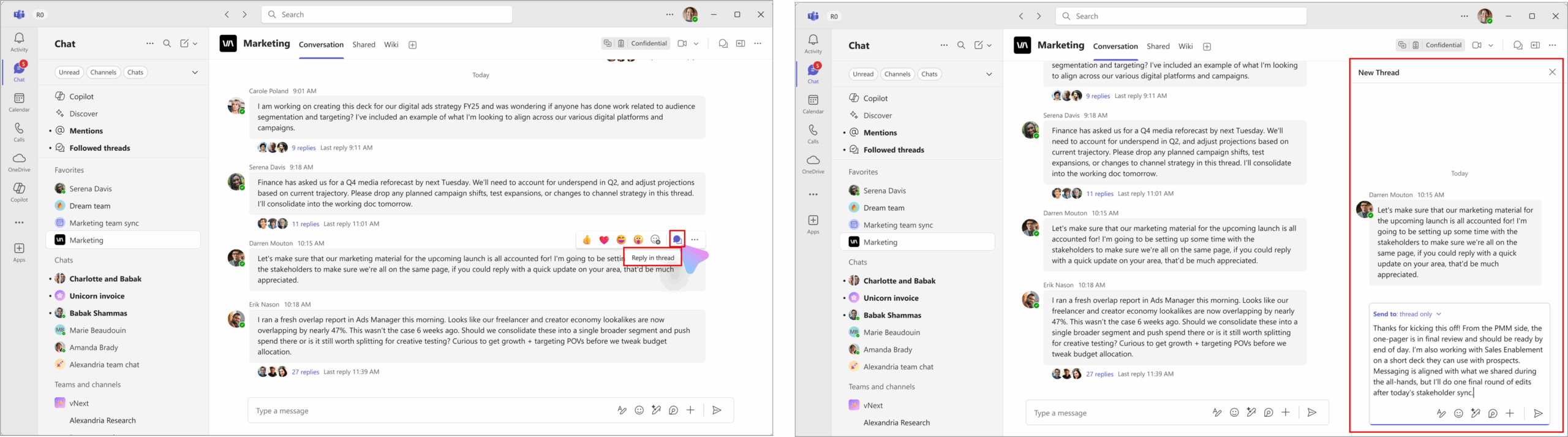
1. New threaded conversation layout option for channels
How this will affect your organization
After this rollout, to use threaded channels, users can either create a new channel and select Layout > Threads, or channel owners can use Edit channel to convert an existing posts channel to a threads layout.
When will this happen:
mid-August 2025 and expect to complete by late August 2025.
2. Pop out your core apps into a new window.
How this will affect your organization
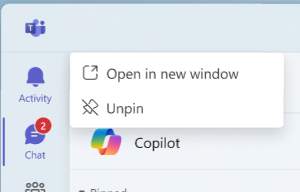
Users will have the capability to open their core applications, such as Chat, Teams, and other essential apps, in separate windows by selecting Open in new window from the app’s context menu.
When will this happen:
mid-September 2025 and expect to complete by early October 2025.
3. Remote log collection in Teams admin center
How this will affect your organization
We’re introducing a new capability in the Teams Admin Center that allows Teams administrators to remotely collect diagnostic logs from users’ Teams clients on Windows and Mac devices.
To collect logs, navigate to the Manage users page in the Teams Admin Center, select a user, and choose Request client logs from the Client health tab or the user’s profile card. Admins can then download, view, share, or delete the collected logs as needed.
When will this happen:
late June 2025 and expect to complete by late July 2025.

Microsoft Outlook
1. New setting to enable two-click view for encrypted emails
How this will affect your organization
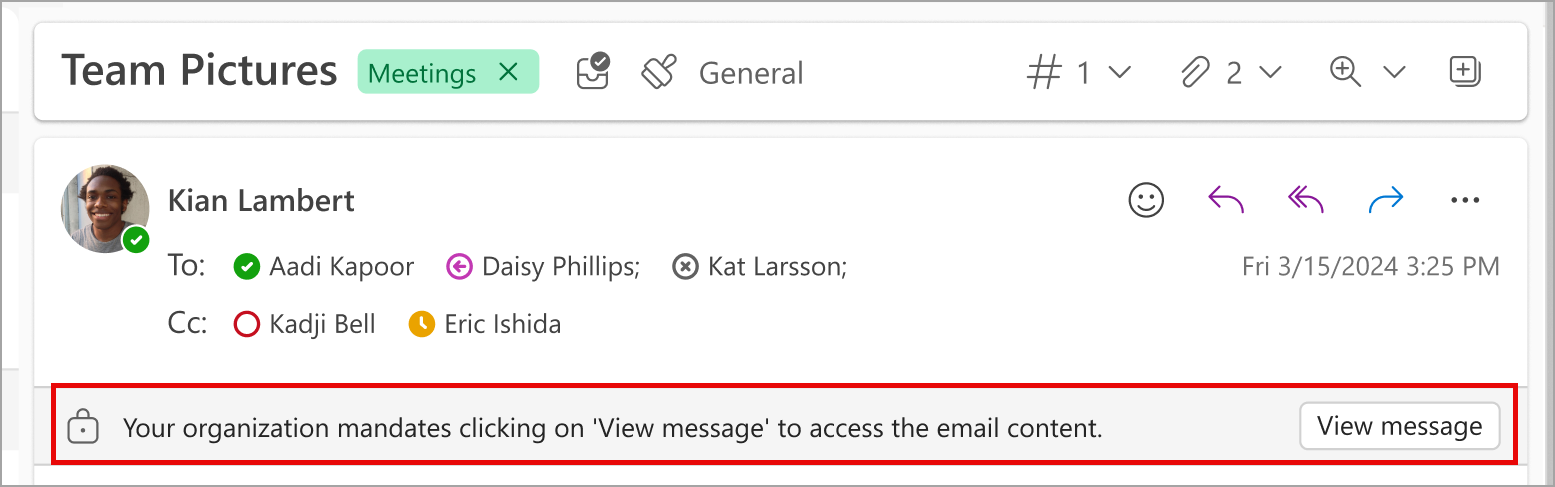
New Outlook for Windows desktop, Outlook for the web, Outlook iOS and Outlook Android will soon support a two-click view for encrypted emails, which requires user confirmation before allowing access to encrypted emails. As an admin, you can enable the two-click feature for your users.
Admins can find the TwoClickMailPreviewEnabled setting in the Microsoft Azure directory. This setting is a Boolean type with default = 0, which means the experience is disabled by default. To enable the feature for all users in your tenant, set value = 1.
Alternatively, you can access and set the value for this setting using the Microsoft PowerShell cmdlet -Set-OrganizationConfiguration in the Microsoft Exchange Online PowerShell. Learn more: Exchange Online PowerShell | Microsoft Learn
When will this happen:
GA Commercial, mid-June 2025 and expect to complete by late June 2025. (ios/Android)

Microsoft Intune
1. Updates to Hotpatch Setting in Windows Autopatch
How this will affect your organization
Starting June 23, 2025, the Hotpatch setting will be enabled by default in Quality Update policies. This update applies to devices that meet the Hotpatch prerequisites. Specifically, the “When available, apply without restarting the device (Hotpatch)” option will be set to “Allow.” To learn more about the Hotpatch setting, visit Hotpatch updates | Microsoft Learn.

Microsoft Copilot
1. Realtime voice is now available in M365 Copilot Chat and M365 Copilot
How this will affect your organization
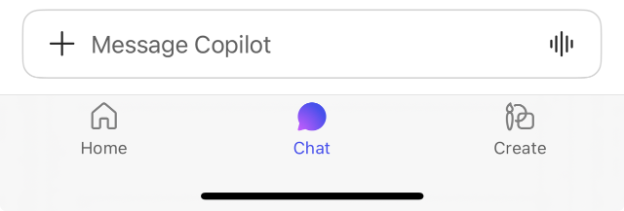
Users of the Microsoft 365 Copilot app on iOS will see a voice input icon in the bottom-right corner of the input box when using the Copilot Chat web tab. Tapping this icon will start a voice conversation with Copilot, enabling a more natural and flexible way to interact with AI.
When will this happen?
early July 2025 and is expected to complete by early September 2025.
2. People Skills general availability and new Skills agent
How this will affect your organization
People Skills infers individuals’ skillsets derived from user profile and activity mapped to a customizable built-in skill taxonomy. This data layer fuels the Skills agent, and enhances Copilot Chat, Microsoft 365, and Viva services with contextualized information about the people in your organization.
3. Admins can upload custom dictionaries for Microsoft Teams meeting transcripts
How this will affect your organization
We’re introducing the ability for tenant admins to upload a custom dictionary on the Copilot Settings page in the Microsoft 365 admin center. This feature enhances meeting transcripts for Microsoft Teams users by improving recognition of tenant-specific terminology, benefiting both Copilot and Intelligent Recap experiences.

When will this happen?
early July 2025 and expect to complete by mid-July 2025.
4. Microsoft PowerPoint: Stay on-brand when creating a presentation with Microsoft 365 Copilot
How this will affect your organization
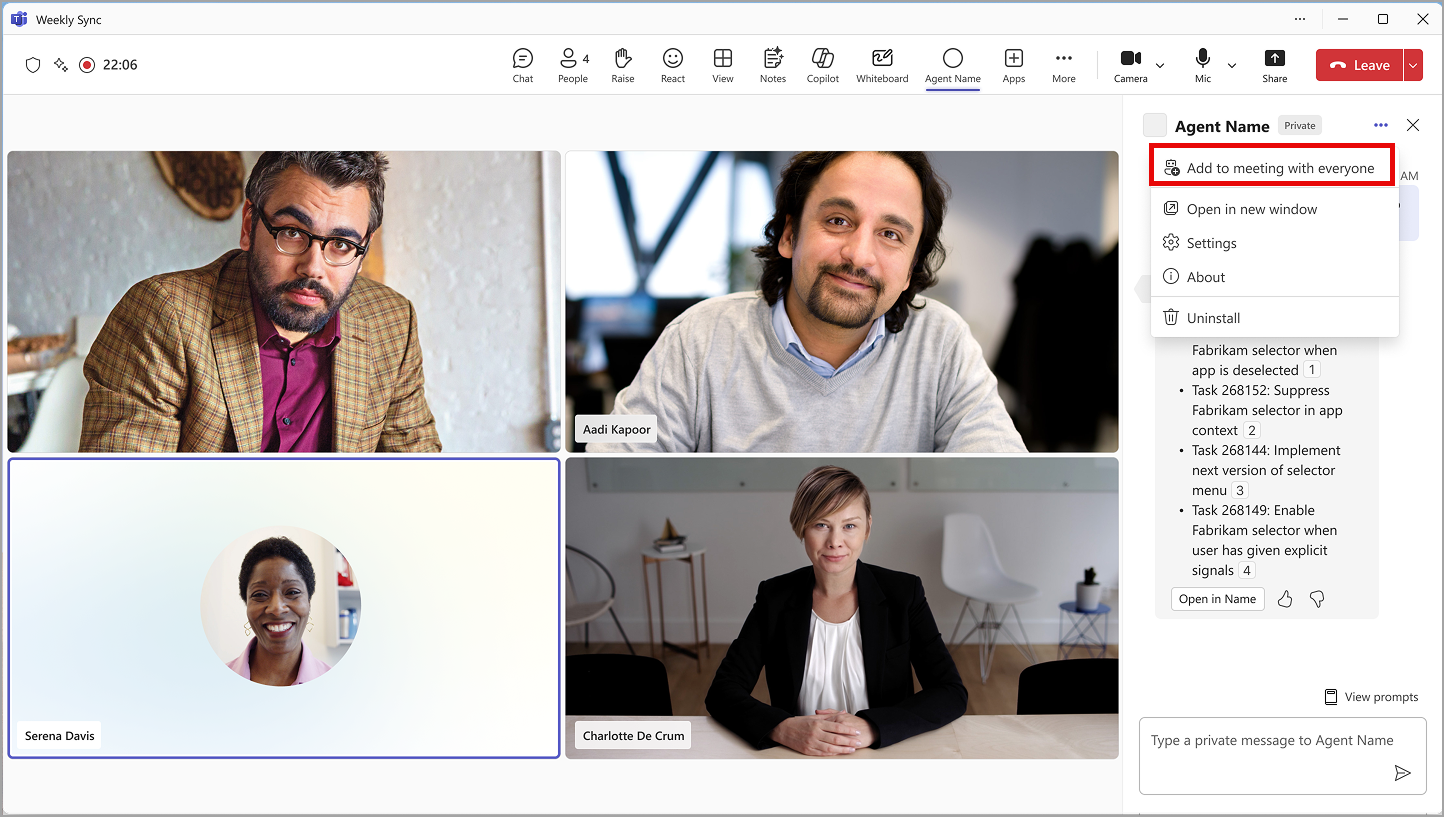
Introducing a new feature that will bring interactive agents into Microsoft Teams meetings and 1-on-1 calls. Users will be able to engage with agents as a group or privately, with zero-state prompts and history support for seamless interactions. Before this rollout, only agents built on Microsoft Copilot can support sessions, which means they can remember the context of previous interactions in the same session, for more relevant responses. Custom agents do not yet have session support.
After this rollout, all agents from Microsoft 365 Copilot Chat and Microsoft Copilot Studio will be available for users in their meetings and calls. This feature will allow developers to invite colleagues to give feedback and securely test agents, without affecting sensitive data or production channels.
When will this happen:
mid-June 2025 and expect to complete by late June 2025.
5. Prepare for your on-the-go meeting with Copilot
How this will affect your organization
Copilot is expanding its capabilities to mobile, helping users prepare for meetings while on the move. With this update, Copilot can quickly summarize key meeting-related content—such as emails, documents, action items, and previous meeting recaps—so users arrive informed and ready.

When will this happen?
early July 2025 and expect to complete by late July 2025.
6. Create a meeting from an email thread with Copilot
How this will affect your organization
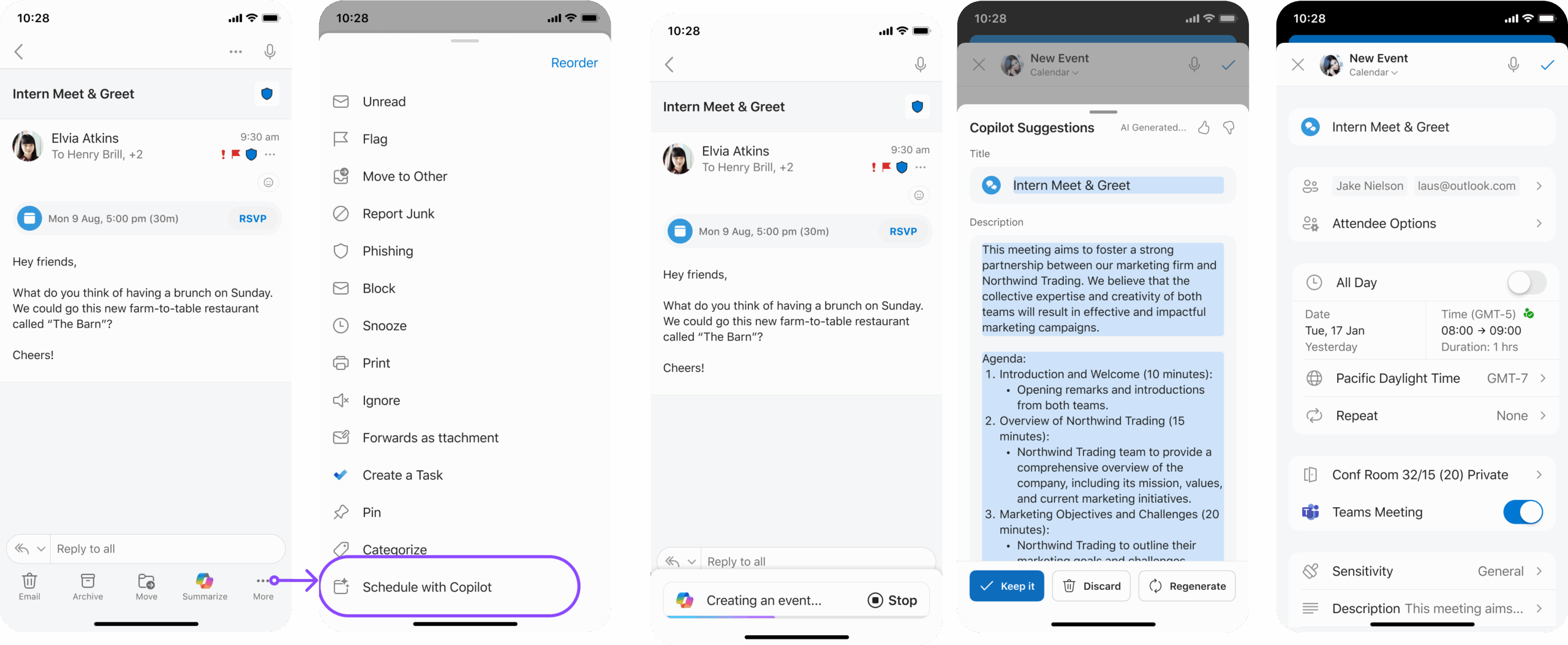
Copilot now makes it easier to schedule meetings directly from email conversations. With the new Schedule with Copilot option, Copilot analyzes the email thread and automatically creates a meeting invitation—pre-filling the title, agenda, and attaching the email thread. Attendees from the email are added to the invite, and you can quickly review, edit, and send.
When will this happen?
early July 2025 and expect to complete by late August 2025.
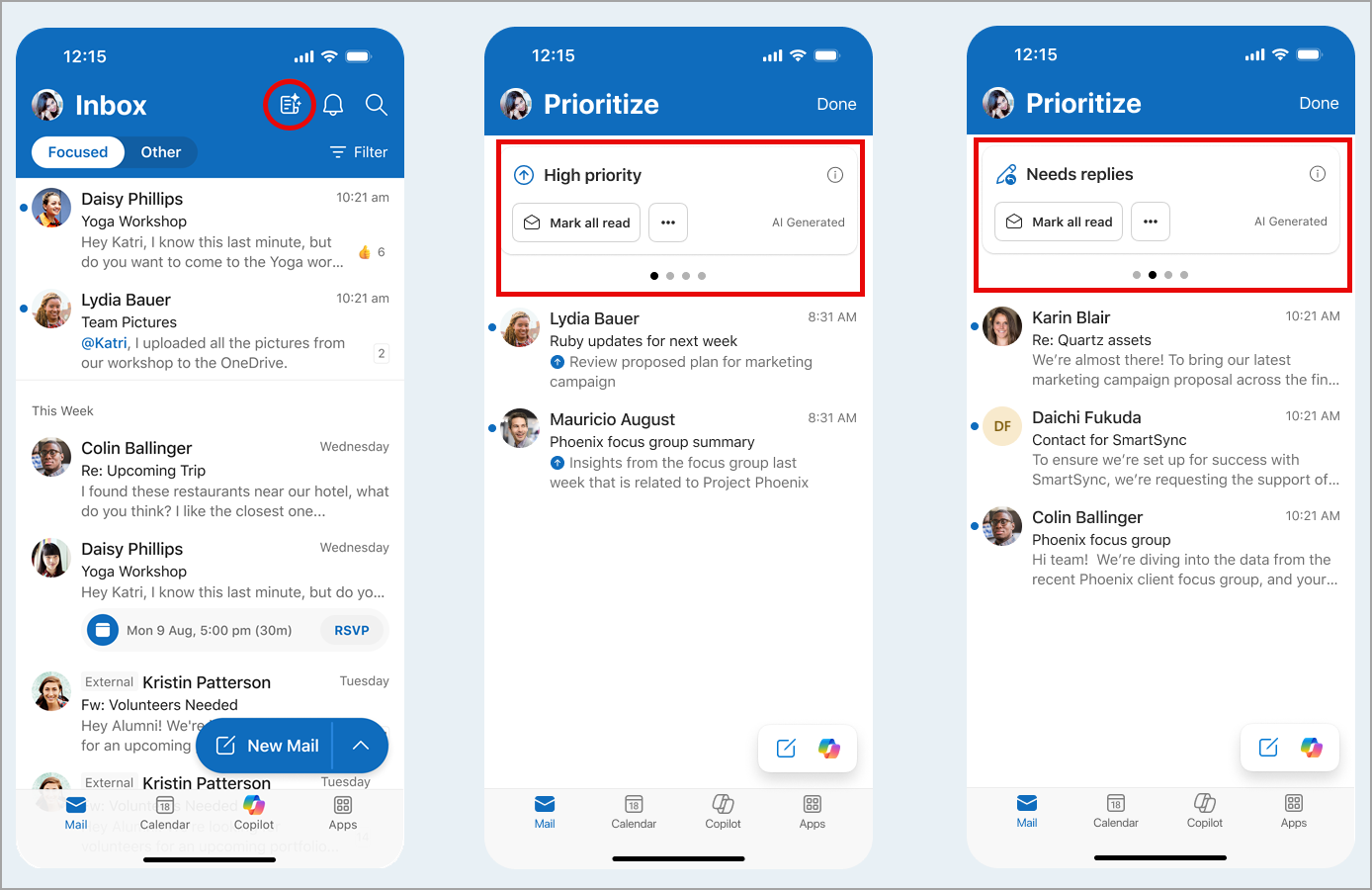
7. Microsoft Outlook for iOS/Android: Copilot shows users important emails in new priority view
How this will affect your organization
After this rollout, users can enable this feature in Outlook Settings > Copilot > Prioritize > Priority view. Users can choose the number of days of email to be included in this view (from one to three days) and choose if they want to see all emails or just unread emails.
When will this happen?
late June 2025 and expect to complete by late December 2025.
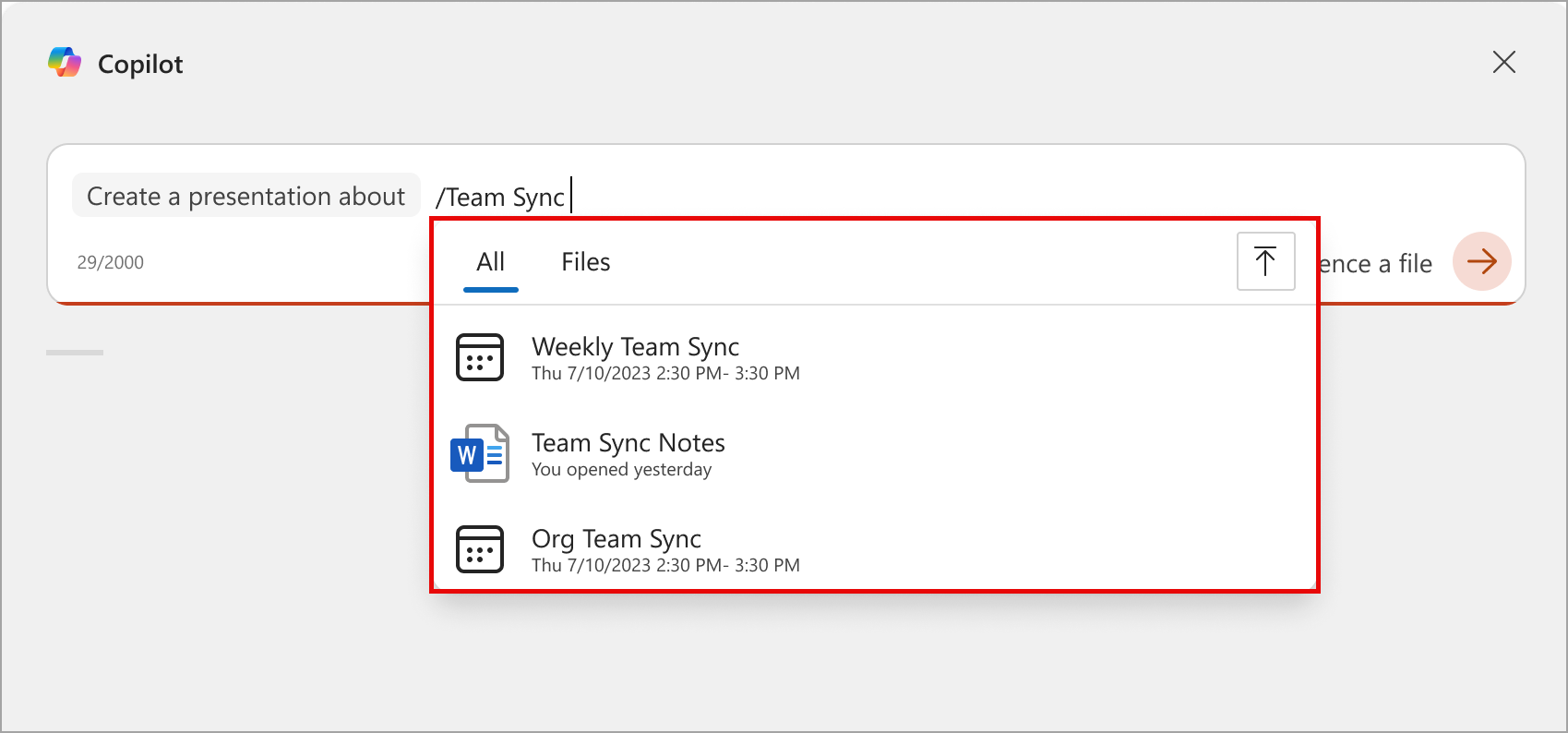
8. Microsoft Copilot in PowerPoint: Reference a Microsoft Teams meeting when creating a presentation with Copilot
How this will affect your organization
After this rollout, users will be able to reference Teams meetings when searching for files that Copilot can use to create a presentation.
When will this happen?
late July 2025 and expect to complete the rollout by mid-August 2025.

Microsoft Admin
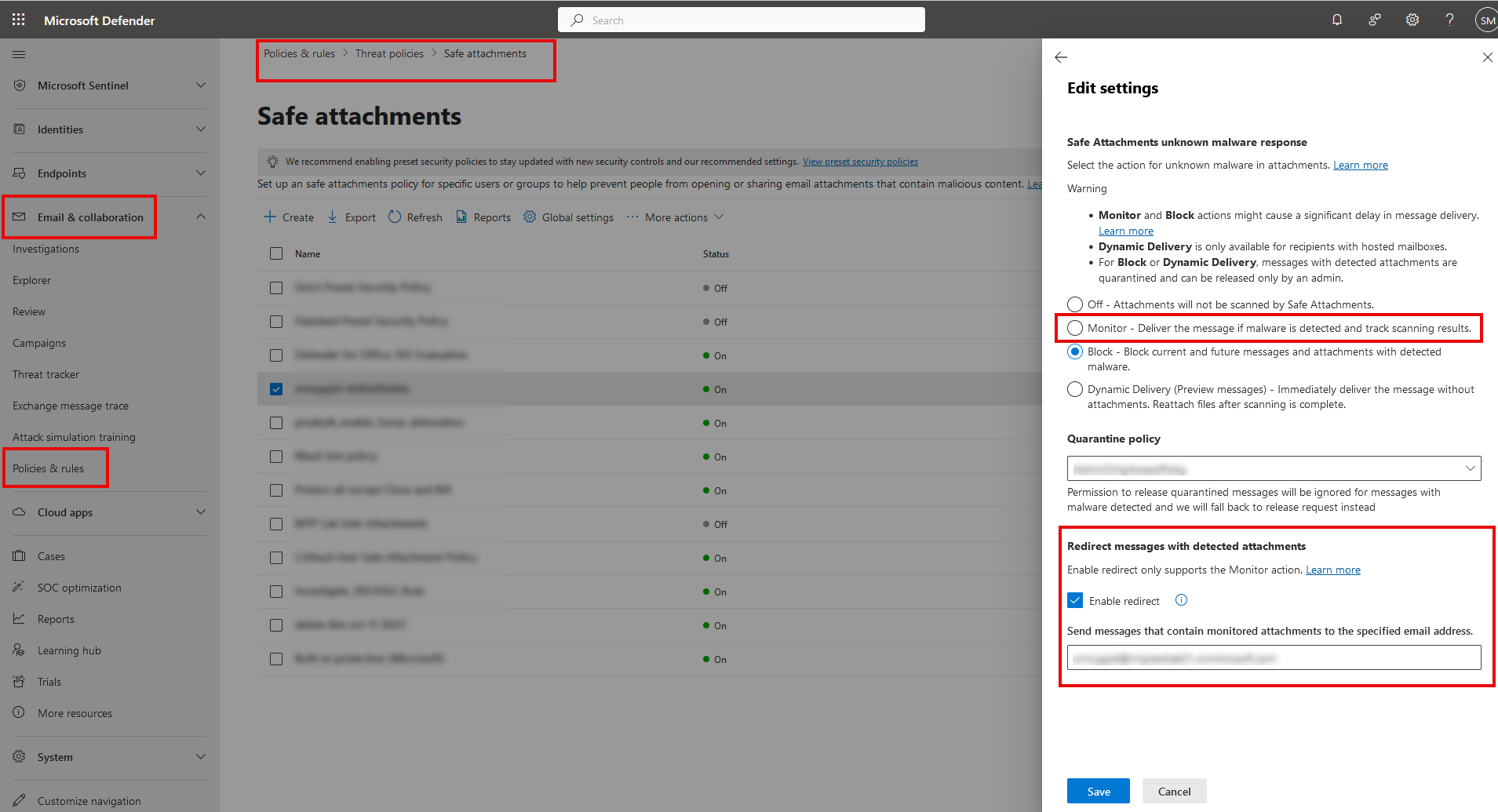
1. Microsoft Exchange Online Protection (Defender for Office 365): Monitor action in Safe attachments policy will retire
How this will affect your organization
We will retire the Monitor action in the Safe attachments policy in Microsoft Exchange Online Protection (Microsoft Defender for Office 365) starting early July 2025 (previously late March) and ending by late August 2025 (previously late May). As part of this retirement, if your organization has Safe attachments policies set to the Monitor action, we will automatically change the action in from Monitor to Block
2. Microsoft Entra ID: Upcoming changes to support passkey profiles in the authentication methods policy (preview)
How this will affect your organization
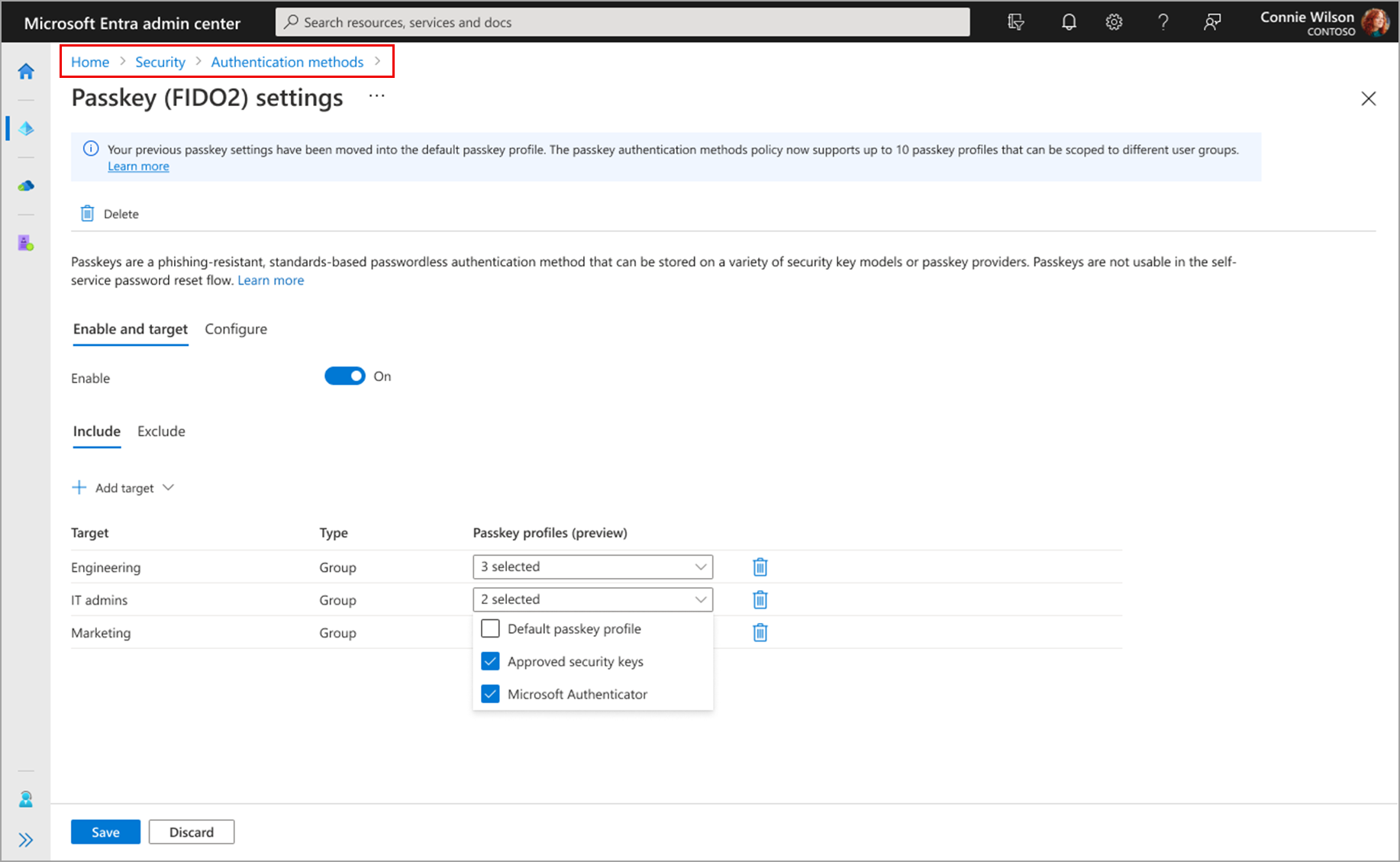
After this rollout, you’ll be able to apply different passkey configurations per user group. For example, you will be able to:
- Allow the use of specific FIDO2 security key models for user group A
- Allow the use of passkeys in Microsoft Authenticator for user group B
These new settings will be available at Microsoft 365 admin center > Home > Security > Authentication methods > Passkey (FIDO2) settings:
When will this happen:
November 2025
3. Microsoft 365 Upcoming Secure by Default Settings Changes
How this will affect your organization
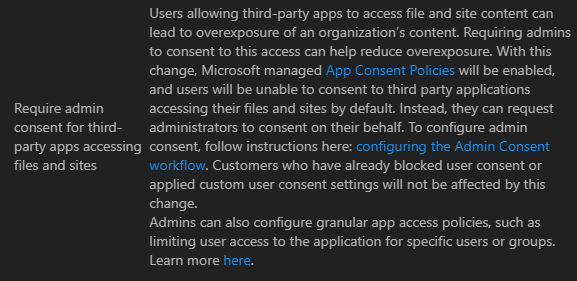
Microsoft 365 will update default settings to enhance security by blocking legacy browser authentication and requiring admin consent for third-party app access.
When will this happen:
mid-July 2025 and are expected to complete by August 2025.