
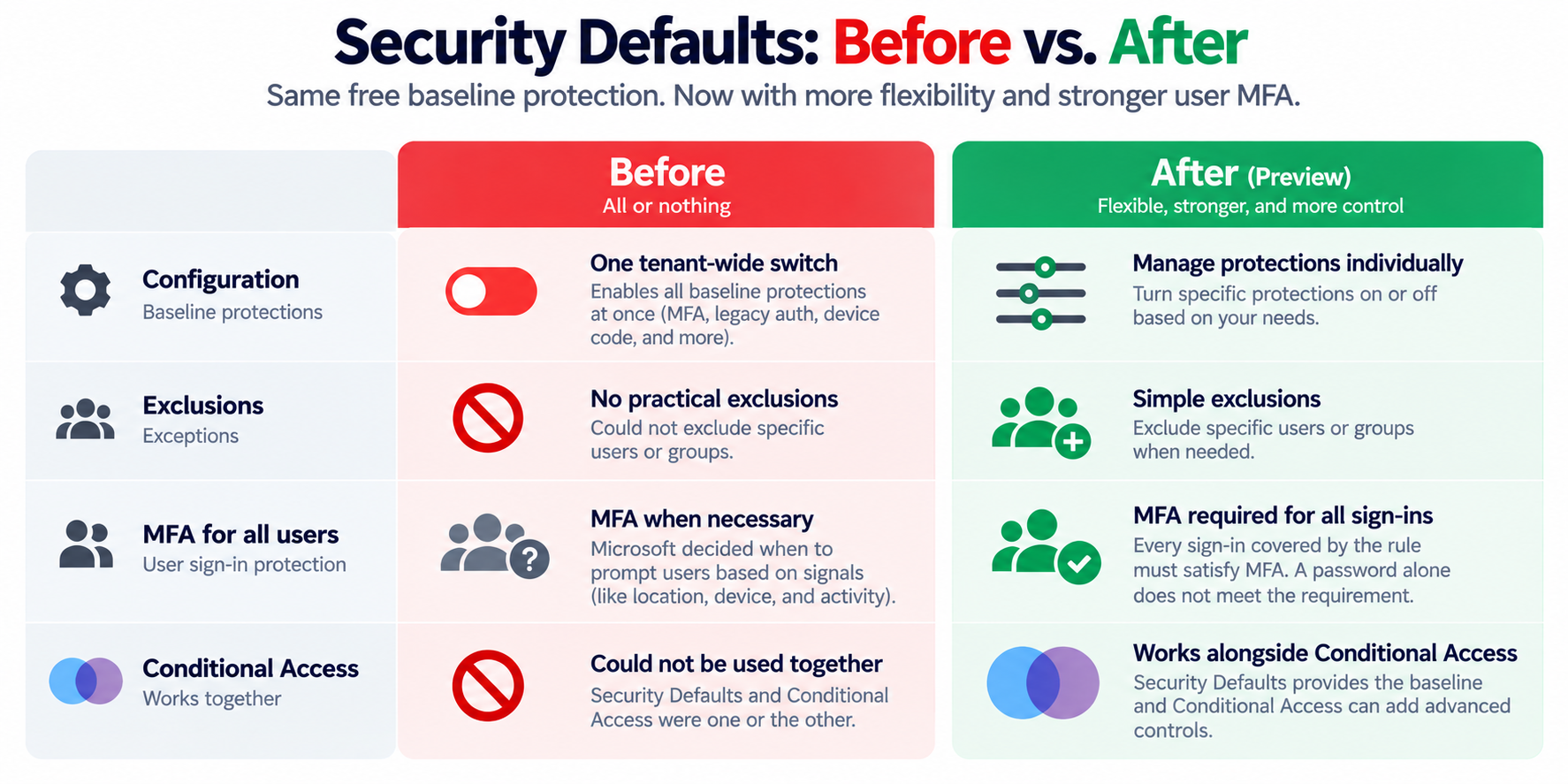
Microsoft is finally addressing one of the biggest limitations of Security Defaults in Microsoft 365: the all-or-nothing configuration.
For years, Security Defaults has provided businesses with a free baseline of identity security protections, including MFA and blocking legacy authentication. The problem? There was almost no flexibility.
Now Microsoft is introducing individually managed Security Defaults protections, stronger MFA enforcement, and the ability to use Security Defaults alongside Conditional Access.
For MSPs managing customers on Microsoft 365 Business Basic or Business Standard, this is a pretty significant update.
What's Changing?
1. Individually Managed Security Protections
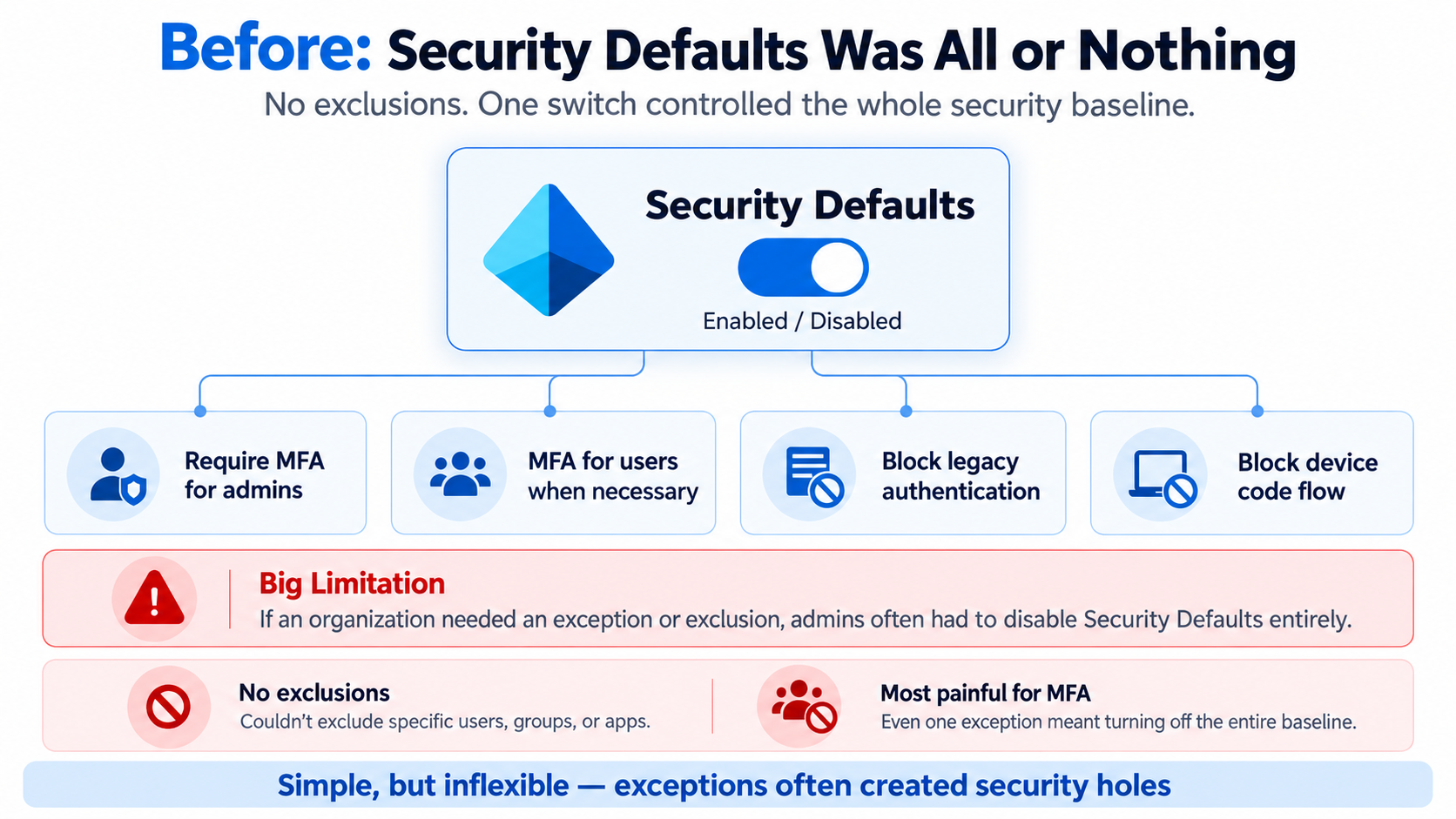
Previously, Security Defaults was a single on/off switch.
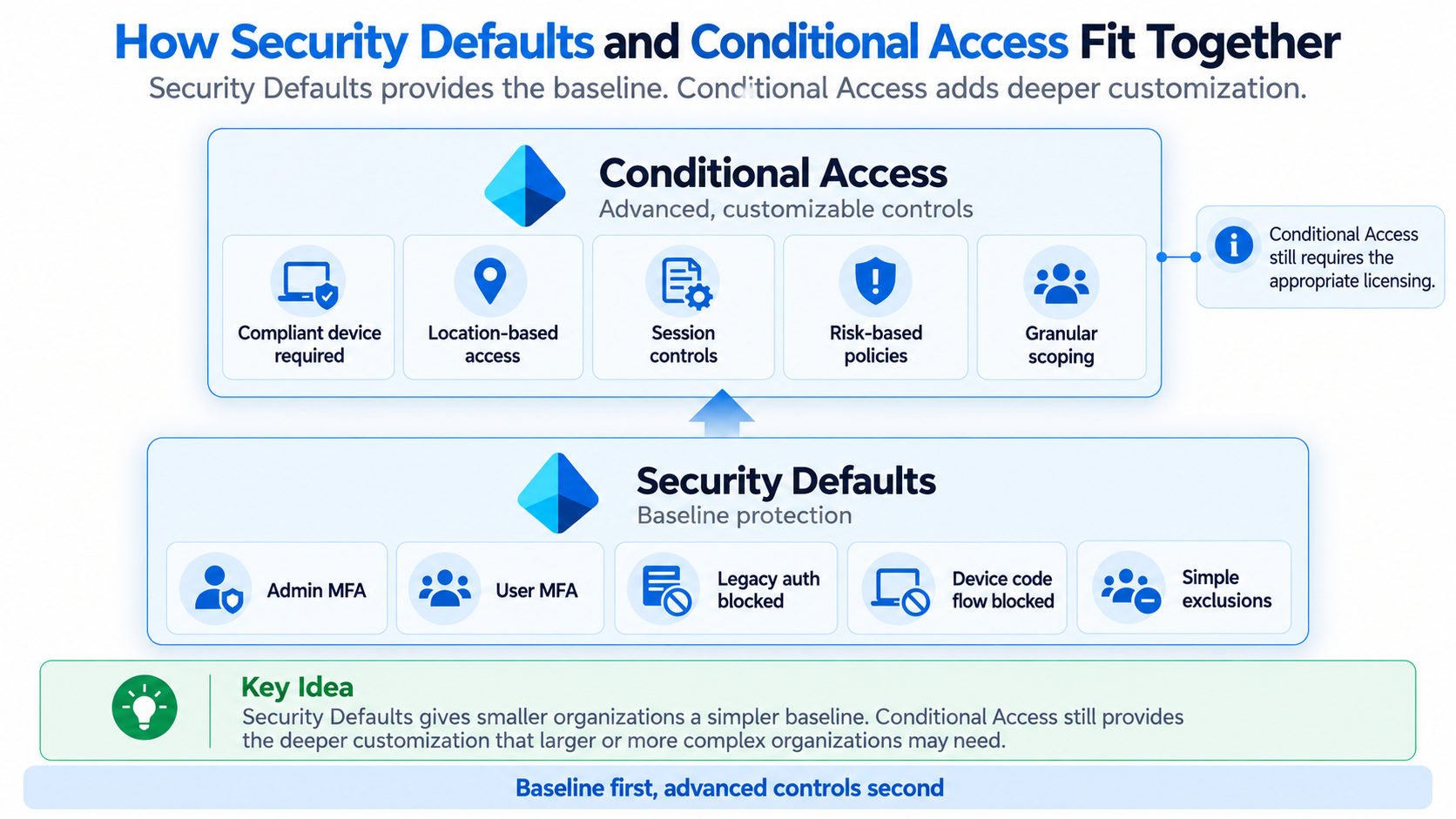
Now administrators can independently manage four protections: administrator MFA, user MFA, legacy authentication blocking, and device code flow blocking.
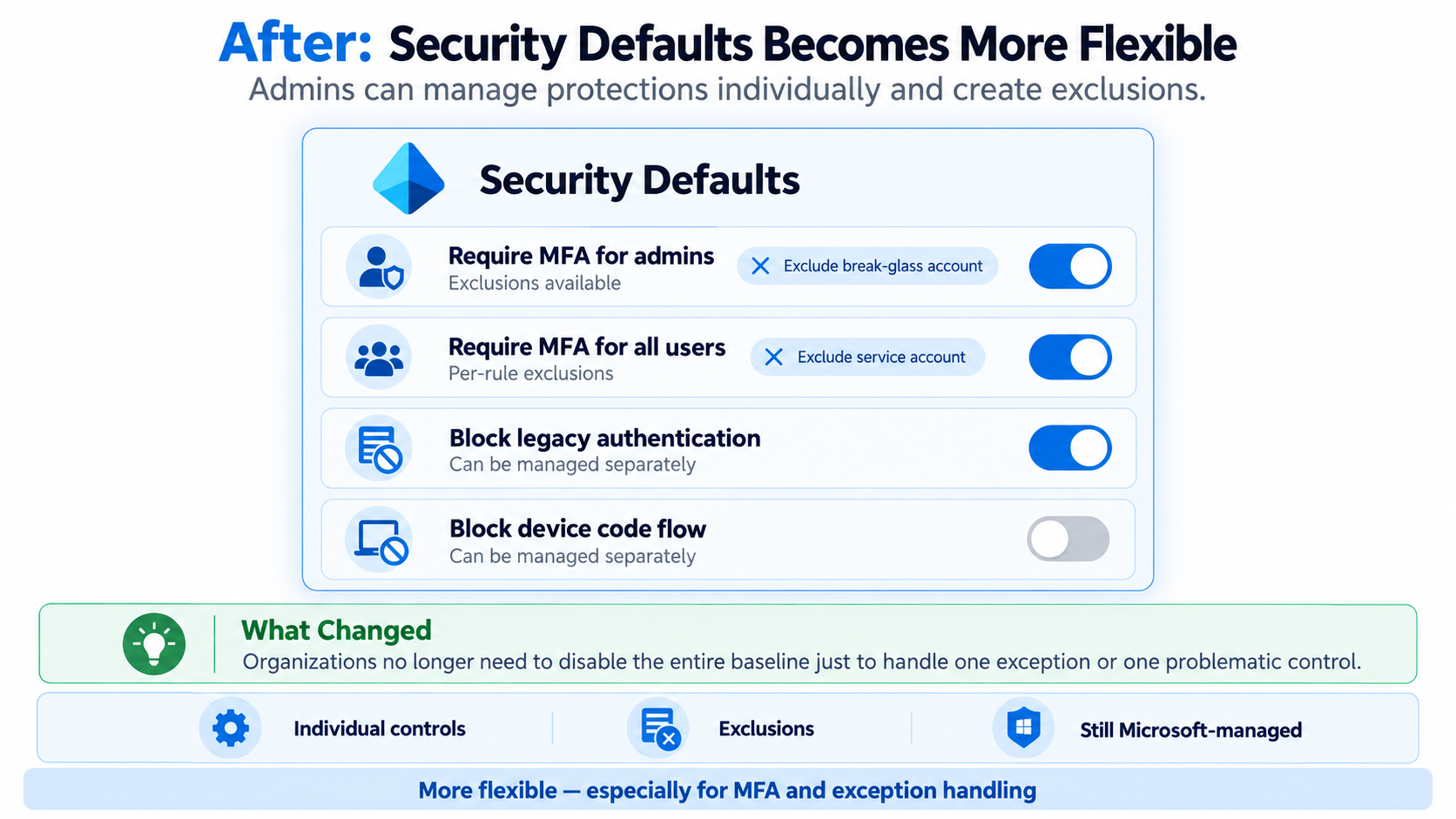
This means you can adjust one protection without disabling the entire baseline.
2. Better Exception Handling
Previously, organizations had to disable Security Defaults entirely when a particular application or authentication requirement created problems.
Now, administrators can manage individual protections without turning off the entire security baseline.
Microsoft is also moving toward a Microsoft-managed policy model, similar to Conditional Access, where administrators can control policy states and potentially manage exclusions without modifying the underlying security requirements.
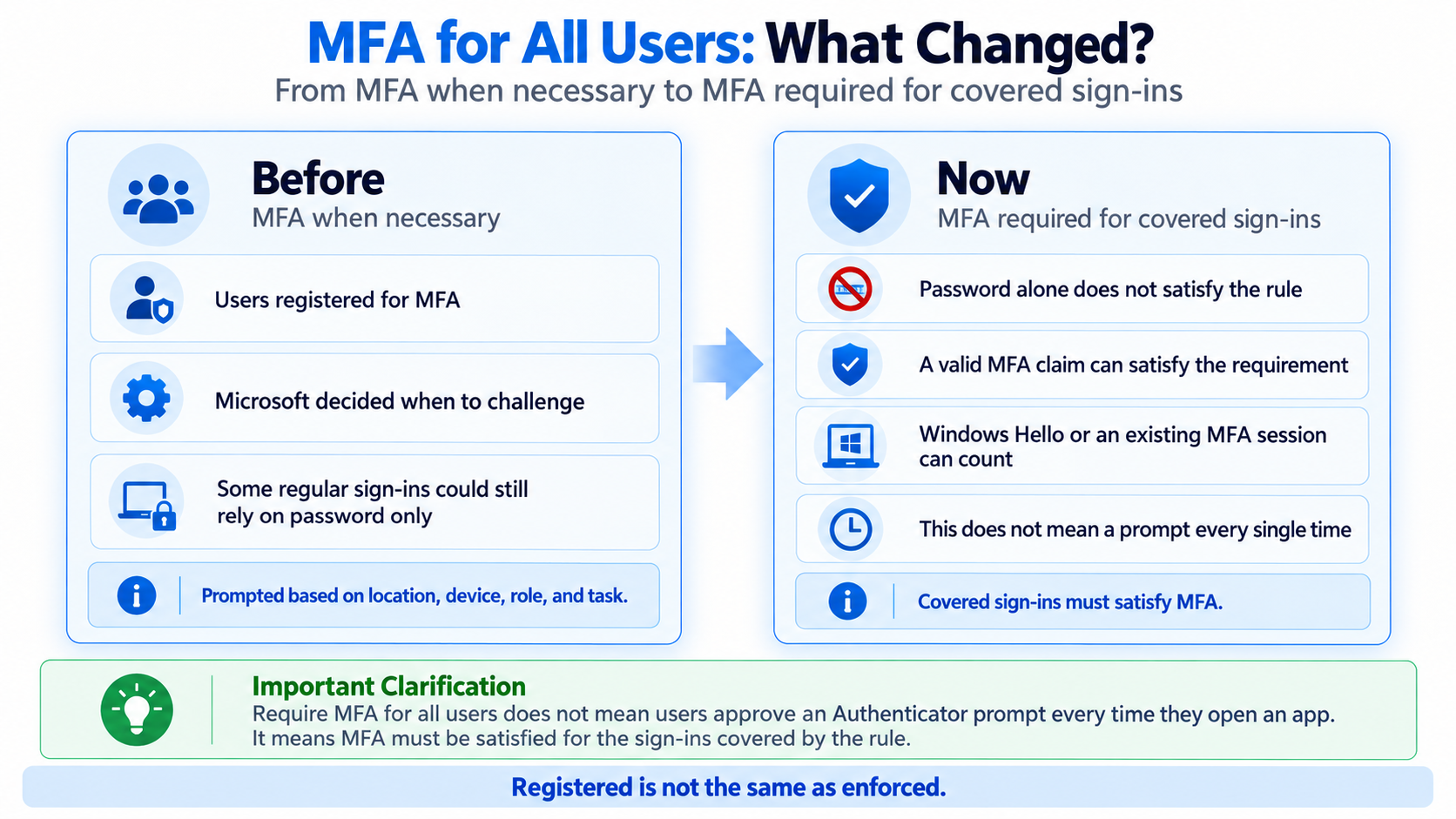
3. Stronger MFA Enforcement for All Users
Previously, Security Defaults required users to register for MFA, but Microsoft determined when an MFA challenge was necessary based on factors like location, device, and activity.
The new rule requires MFA for every sign-in within its scope.
This doesn’t mean users will be prompted every time they open an application. Existing valid MFA sessions or methods like Windows Hello for Business can satisfy the requirement.
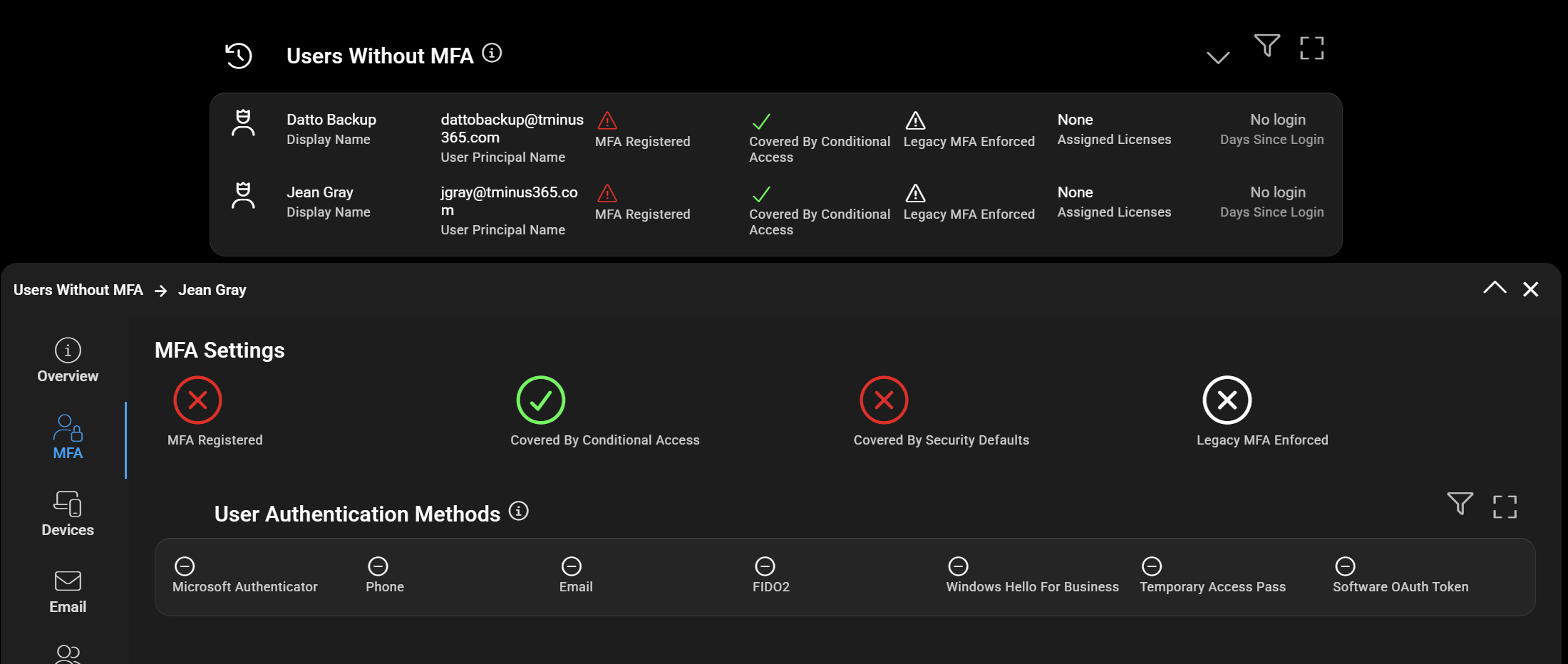
The important distinction is that being registered for MFA isn’t the same as having MFA enforced.
4. Security Defaults Now Works Alongside Conditional Access
Previously, organizations had to choose between Security Defaults and Conditional Access.
With the updated experience, they can work together.
Security Defaults provides the foundational protections, while Conditional Access adds more advanced controls, such as device compliance requirements, location restrictions, and granular exclusions.
Custom Conditional Access policies still require the appropriate Entra ID licensing. (P1 or P2). Policies also stack meaning if you run them in parallel, all of them need to be satisified based on the scope.
Timelines
Currently as of October 15, 2026, this in an invite only preview for selected Microsoft Entra ID Free tenants. No official GA timelines have been announced.
What this means for MSPs
This is a welcome change for smaller businesses that need stronger security without the complexity or cost of additional licensing.
At CloudCapsule, we’re planning to expand our security assessments to evaluate these individual protections as Microsoft makes the necessary information available through supported APIs.
This will help MSPs better understand which protections are enabled, identify missing controls, and detect security configuration changes across customer tenants. Currently we do evaluate MFA enforcement across CA policies, Security Defaults, and Legacy Per user settings to provide a true gap analysis on MFA in the organization.