

Below are all of the latest feature updates coming to Microsoft 365.
Automated Security Assessments and Policy Management
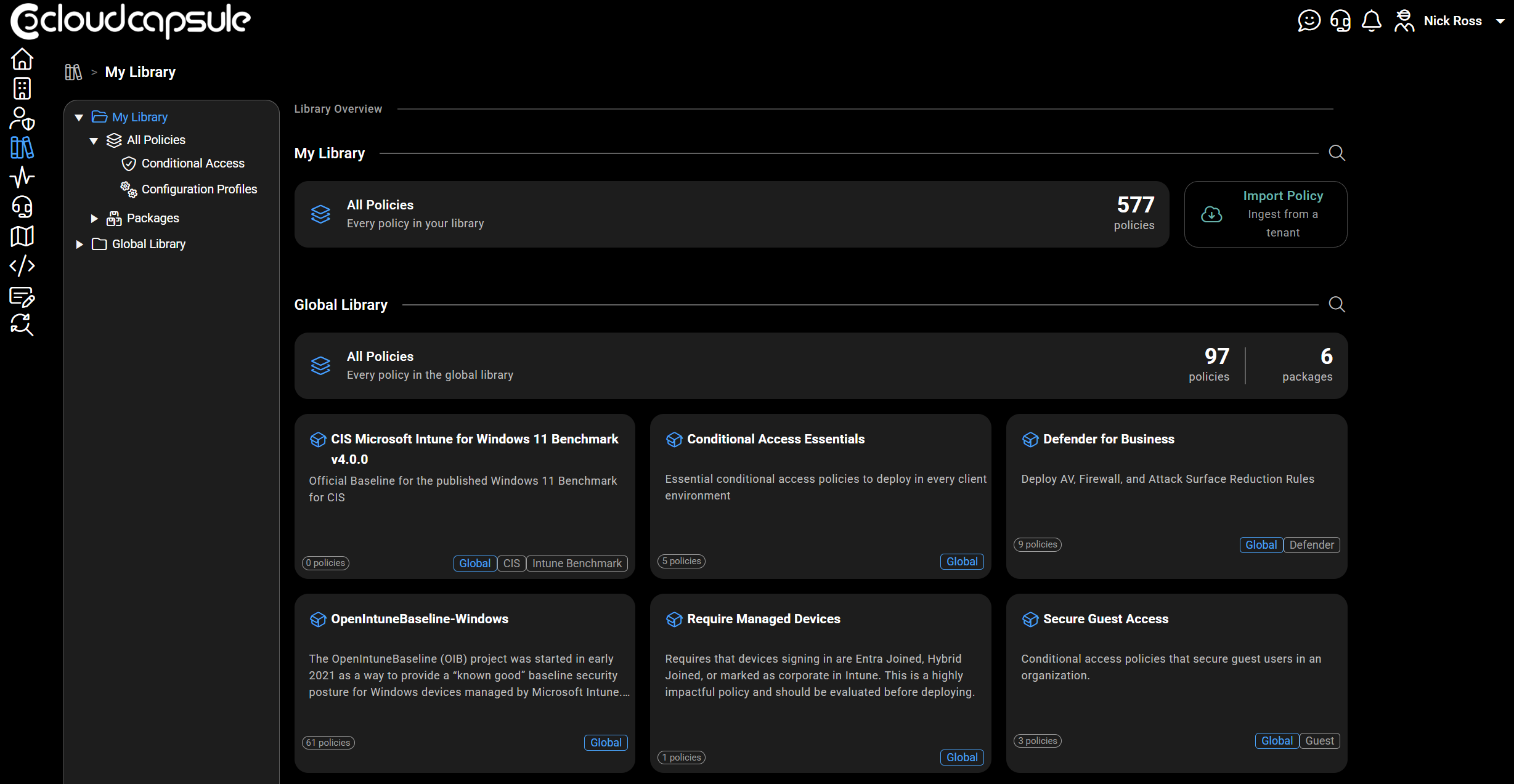
CloudCapsule is a tool I built purpose built for MSPs looking to scale their security practice on Microsoft 365. Scans of tenants take on average 60 seconds where we collect over 200 data points. We now provide remediation and policy management capabilities, allowing you to deploy fixes right from within our portal.

Microsoft Teams
1. Quick Share for images
How this will affect your organization
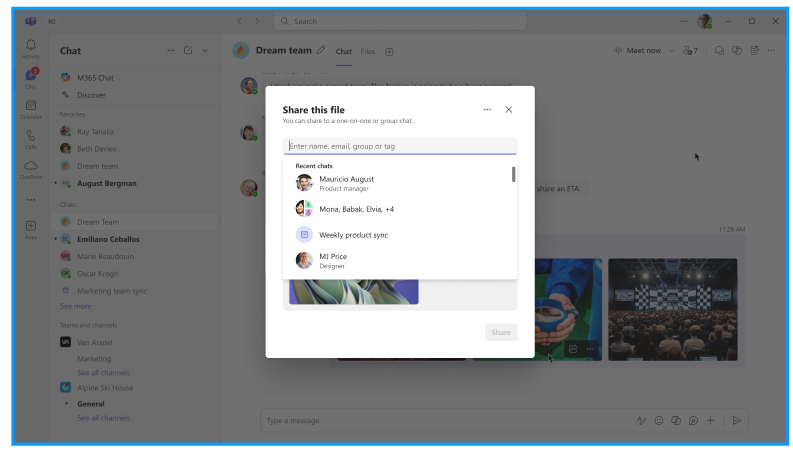
This update extends Quick Share to images in Teams, allowing users to quickly share or copy image links directly from familiar interaction points, while preserving existing permissions.
When will this happen:
mid‑June 2026 and is expected to complete by late June 2026.
2. New search experience for cloud files in the file attach picker
How this will affect your organization
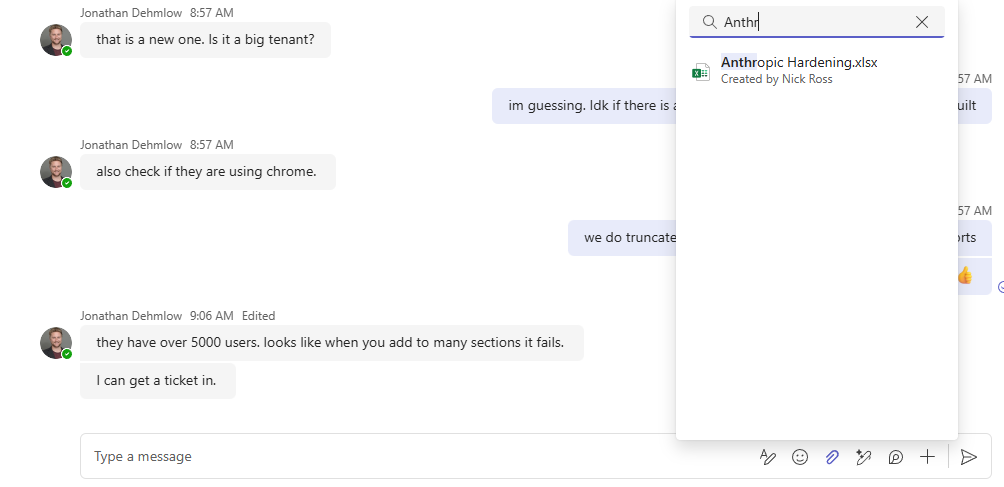
Microsoft Teams is improving the quick sharing experience by enabling search for cloud files directly within the attach file picker. This helps users find and attach the right files more quickly when sharing in chats and channels.
When will this happen:
mid-June 2026 and is expected to complete late June 2026.
3. A refreshed in-meeting experience with simpler controls and a smarter share panel
How this will affect your organization
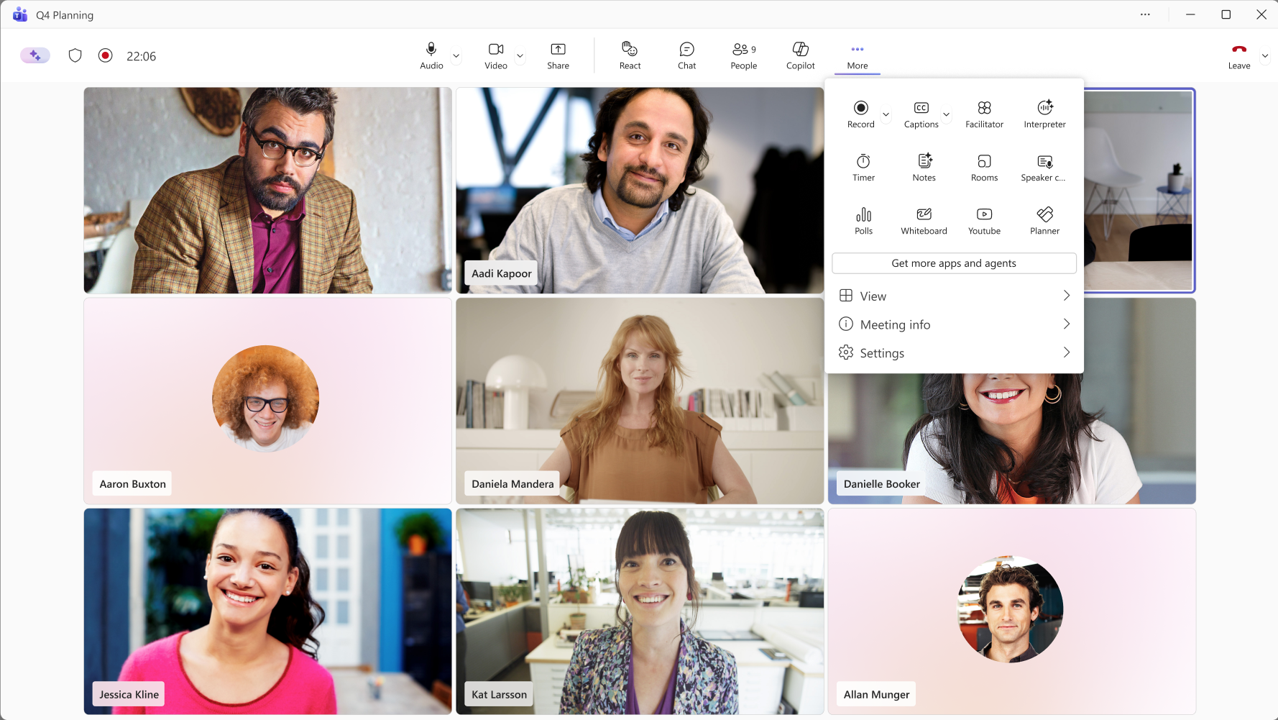
Microsoft Teams is updating its meeting experience with simplified, center-aligned controls, a redesigned share panel featuring live previews and two-step share confirmation, and user customization options.
When will this happen:
early October 2026 and expect to complete by late November 2026.
4. New file download manager in Teams
How this will affect your organization
This update simplifies download notifications while still making it easy for users to find downloaded files after the download completes. File download notifications in Teams will automatically dismiss after approximately 4 seconds. Users will have an option to open or locate downloaded files after the download completes.
When will this happen:
mid-June 2026 and expect to complete by late June 2026.
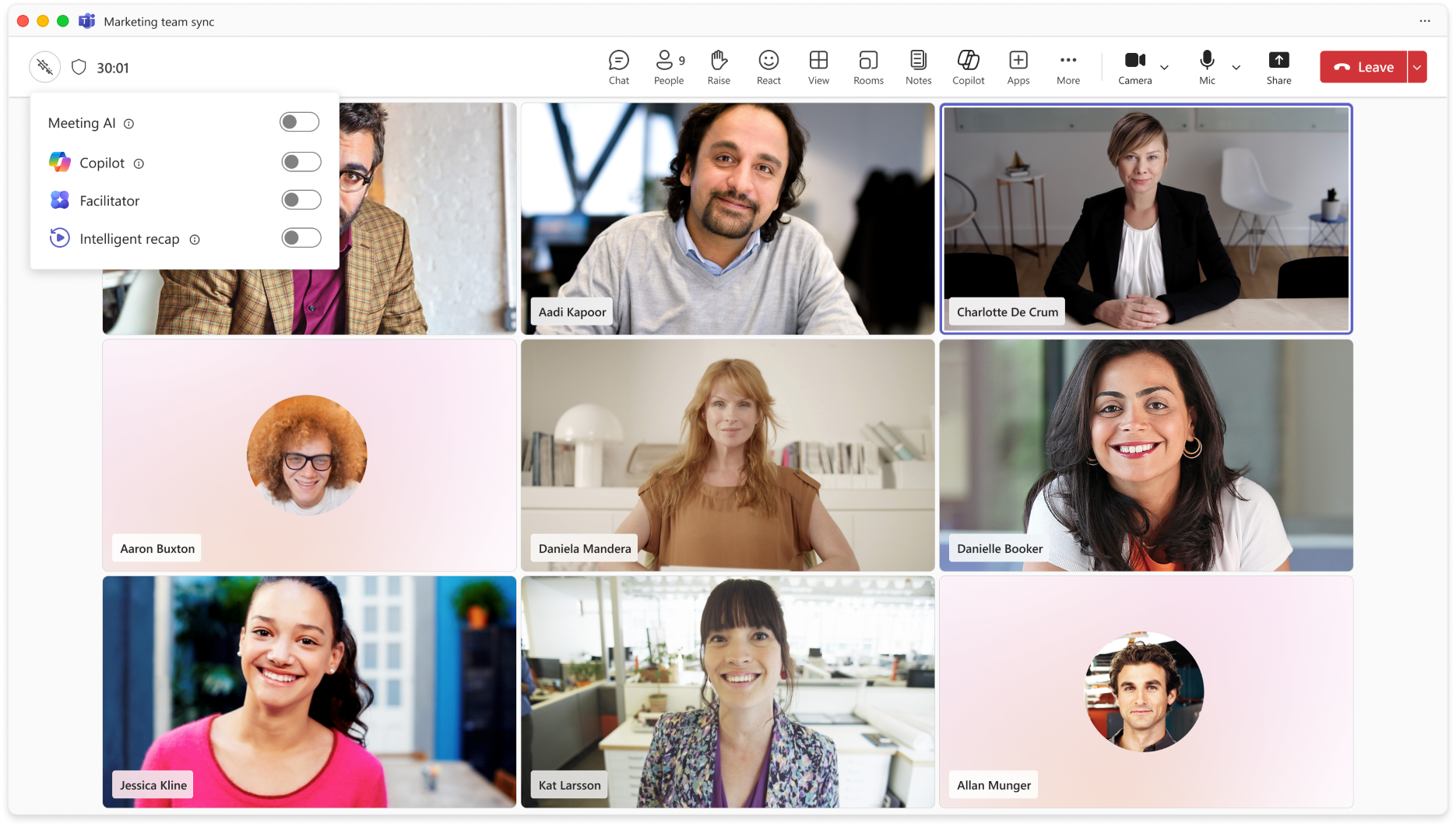
5. In‑meeting toggle to turn Meeting AI on or off
How this will affect your organization
Microsoft Teams will introduce a new in-meeting toggle that allows licensed meeting organizers and presenters to turn Meeting AI (including Copilot, Facilitator, and meeting recap) on or off during a live meeting.
When will this happen:
Mid-June 2026 – End of June 2026
6. Unblock users to send message while file is uploading in the background
How this will affect your organization
Users are currently blocked from sending messages in Microsoft Teams while a file upload is in progress, which can disrupt real-time collaboration. With this update, file uploads will occur asynchronously in the background, allowing users to continue sending messages without interruption.
When will this happen:
late June 2026 and is expected to complete by late June 2026.
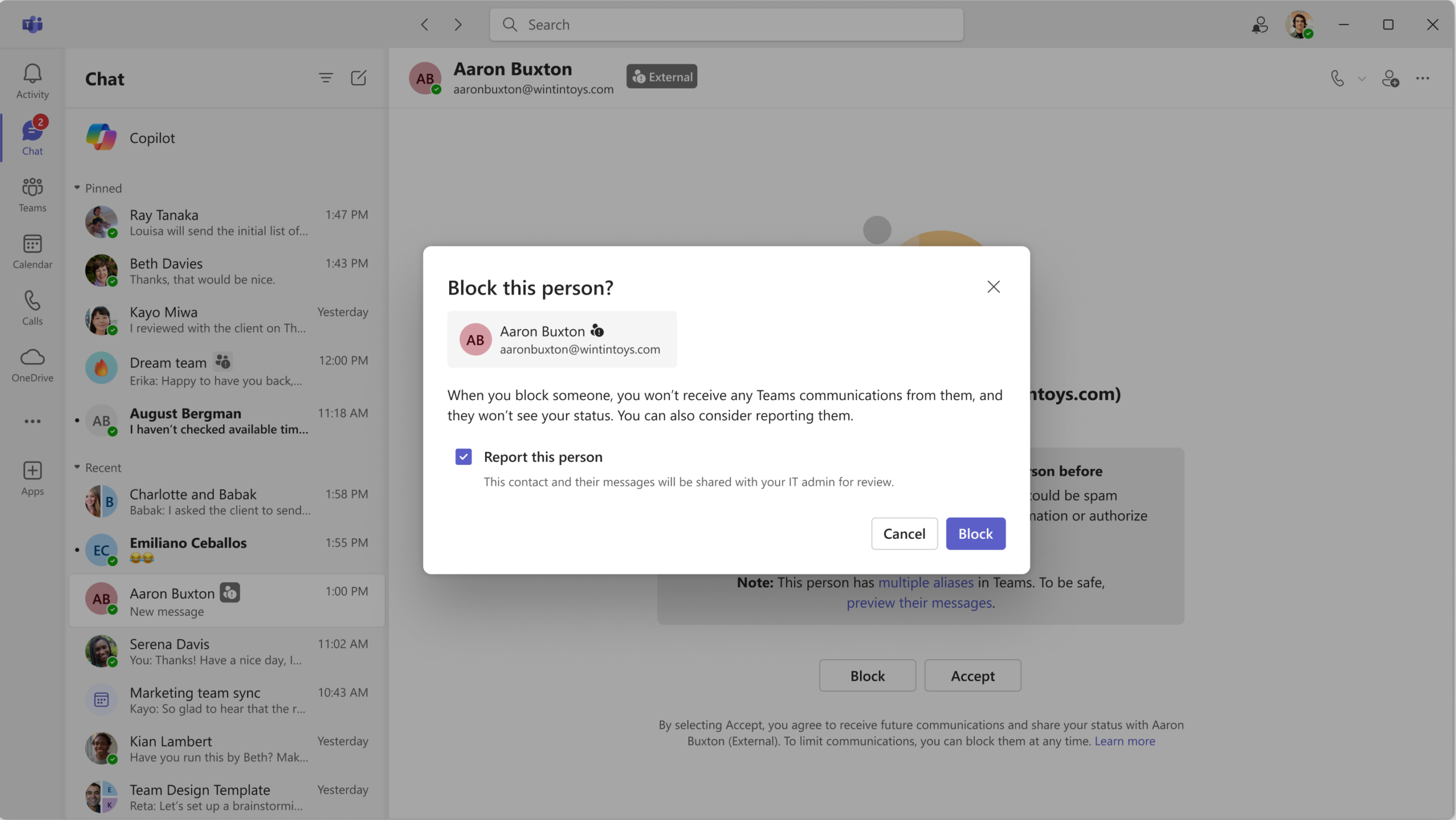
7. Report external users for security concerns
How this will affect your organization
To help organizations respond more quickly to external security threats, Microsoft Teams will allow users to report suspicious external users directly from Teams. These reports will surface in the Teams admin center
When will this happen:
mid-June 2026 and expect to complete by late June 2026.
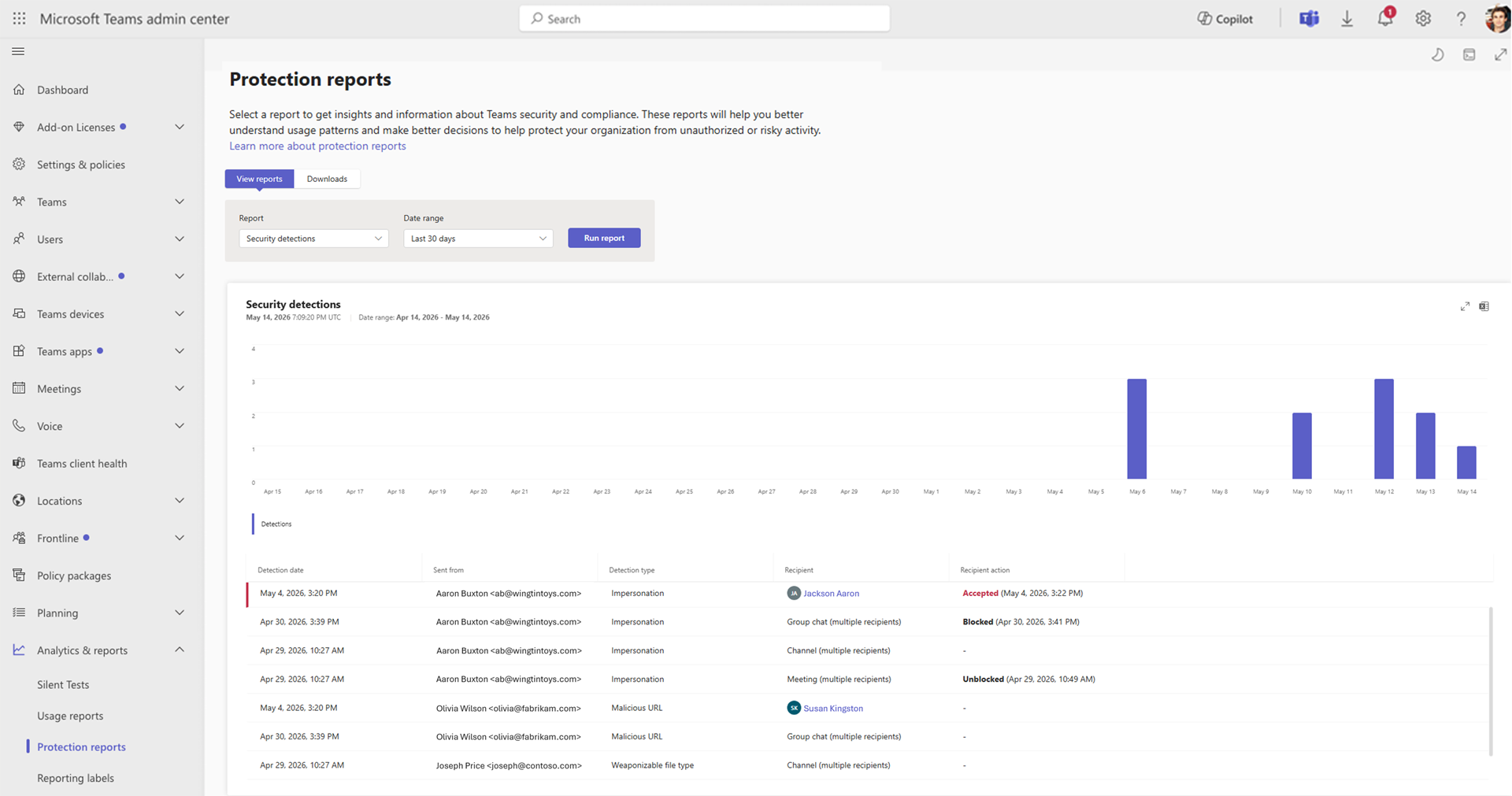
8. Security Detection Report in Teams Admin Center
How this will affect your organization
A new Security Detection Report in the Teams admin center provides a unified view of messaging security detections across signals such as impersonation, malicious URLs, and weaponizable file types.
When will this happen:
late June 2026 and is expected to complete by late June 2026.

Microsoft Outlook
1. External email tag now supported in Inbox Rules
How this will affect your organization
We’re enhancing Outlook Inbox Rules by allowing the External email tag to be used as a rule condition. This tag is applied by the ExternalInOutlook feature and helps identify messages that originate outside your organization.
When will this happen:
early June 2026 and expect to complete by late June 2026.

Microsoft 365 Apps
1. SharePoint Online: Storage quota enforcement updated to align with license limits
How this will affect your organization
We’re updating the way SharePoint Online enforces user storage quotas to ensure they are consistently aligned with license entitlements.
Who is affected
- Microsoft 365 tenants using SharePoint Online
- Users who are currently over the OneDrive for Business storage quota allowed by their assigned license
- Admins who have set user-specific storage limits above licensed entitlements
What will happen
- User storage quotas will be re-evaluated against license limits during the refresh process.
- Users whose OneDrive for Business storage usage exceeds their licensed quota will be placed into a read-only state, which temporarily restricts write access to existing SharePoint content until storage usage is remediated.
- This includes scenarios where:
- An admin-set user quota exceeds the license allowance, or
- A user with an EDU license exceeds their licensed storage limit.
- No changes are made for users who are within their licensed storage limits.
What you can do to prepare
- Identify users exceeding licensed storage limits
- Review OneDrive storage usage across your organization to identify users whose usage exceeds their licensed quota.
- Take corrective action for affected users. For users exceeding their licensed storage limits:
- Upgrade the user’s license to increase available storage, or
- Work with the user to reduce storage usage to within licensed limits.
When will this happen:
late May 2026 and expect to complete in June 2026.
2. Lock-free coauthoring in Microsoft Word
How this will affect your organization
Lock-free coauthoring improves real-time collaboration in Microsoft Word by allowing multiple users to edit the same paragraph simultaneously. This enhancement reduces edit conflicts and interruptions, helping teams collaborate more efficiently.
When will this happen:
mid-May 2026 and expect to complete by early June 2026.
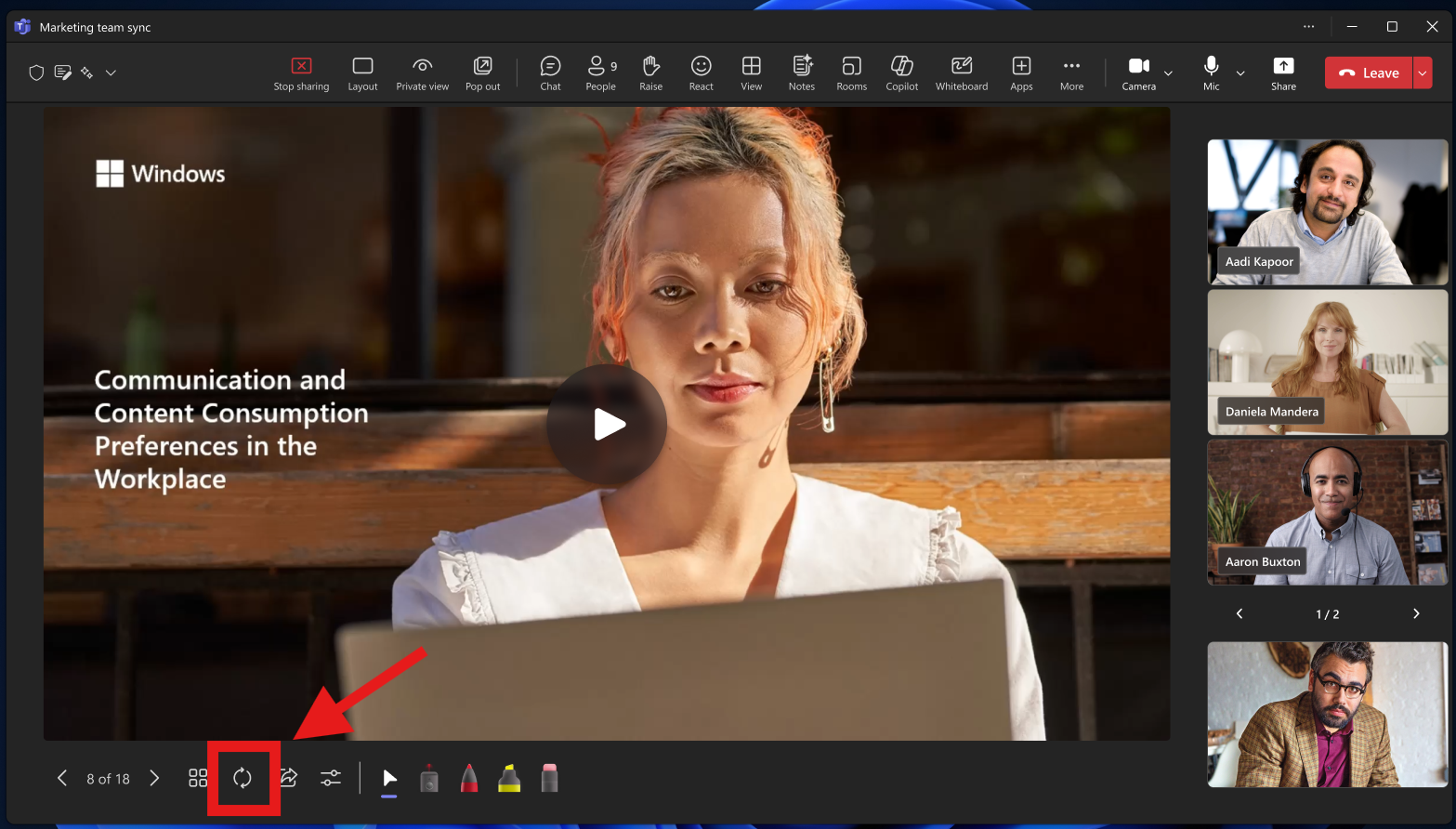
3. PowerPoint Live adds the ability to reload updated presentations during meetings
How this will affect your organization
PowerPoint Live presenters will soon be able to refresh their presentation during a live meeting to load the latest version of the deck without restarting the presentation
When will this happen:
early June 2026 and expect to complete by mid-June 2026.

Microsoft Entra
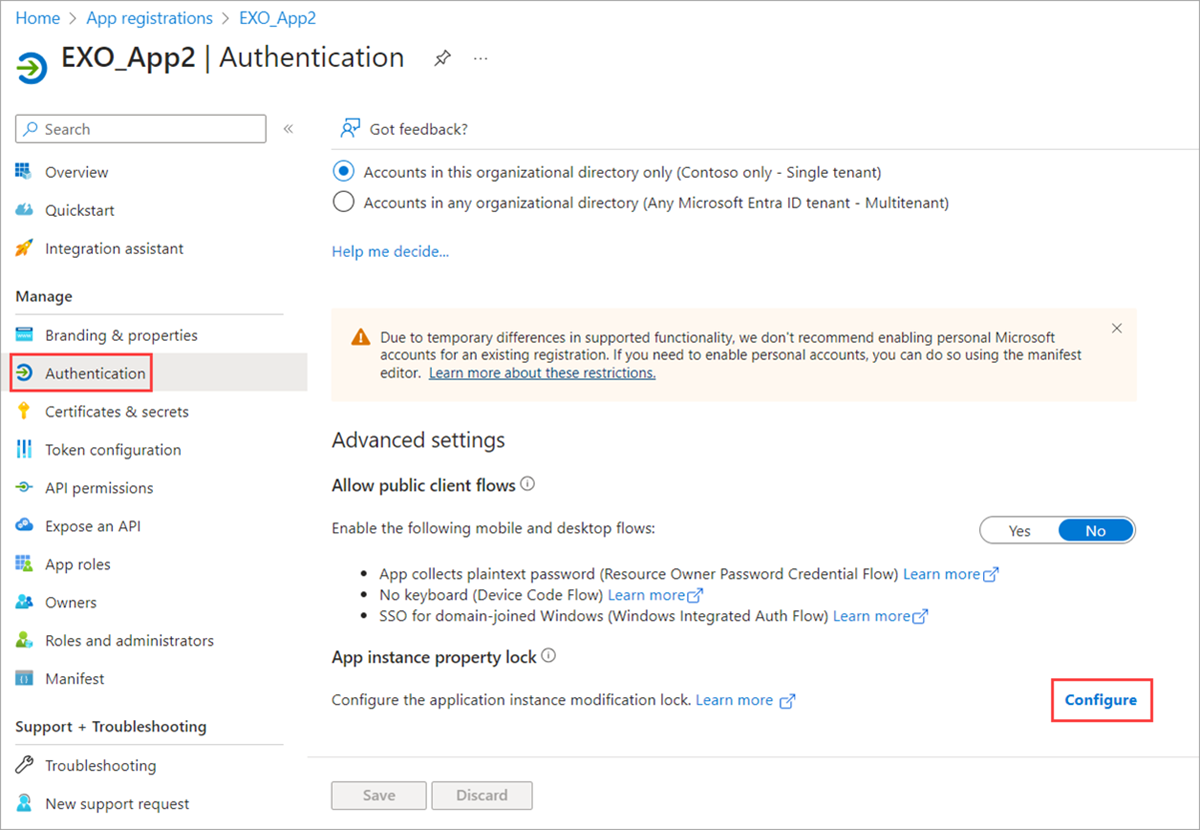
1. App Instance Lock enabled by default for new applications
How this will affect your organization
To improve application security, Microsoft Entra ID will enable App Instance Lock by default for newly created applications. This change prevents sensitive application properties from being modified outside the application’s home tenant, reducing the risk of unauthorized changes that can lead to application compromise.
When will this happen:
early June 2026 and expect to complete by late June 2026.

Microsoft Copilot
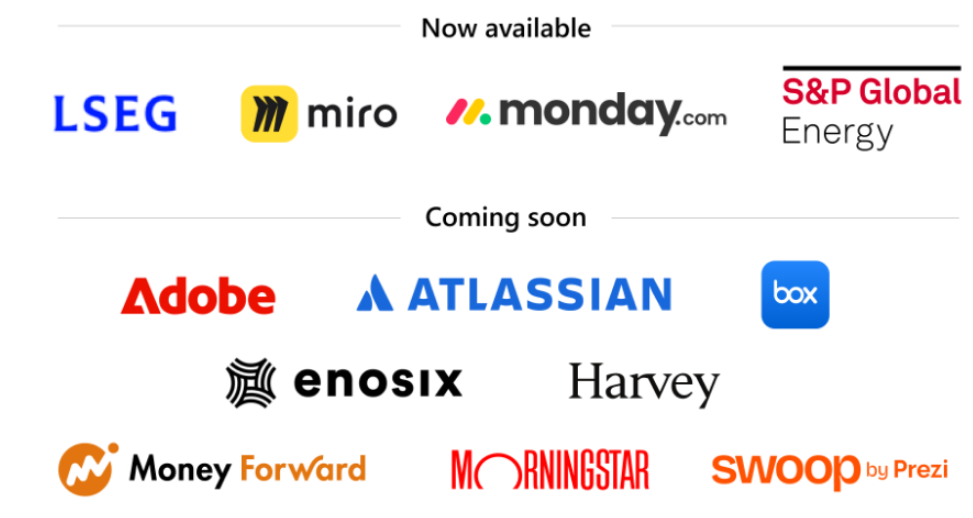
1. Copilot Cowork: Plugins, connectors, and partner integrations (Frontier)
How this will affect your organization
This change enables Copilot Cowork to securely access additional Microsoft and third‑party services using existing permissions, helping users complete tasks across systems without changing current security or compliance controls.
Full Article: https://techcommunity.microsoft.com/blog/microsoft365copilotblog/cowork-in-progress/4511672
When this will happen
Public Preview: Rollout begins in early May 2026 and is expected to complete in early May 2026.
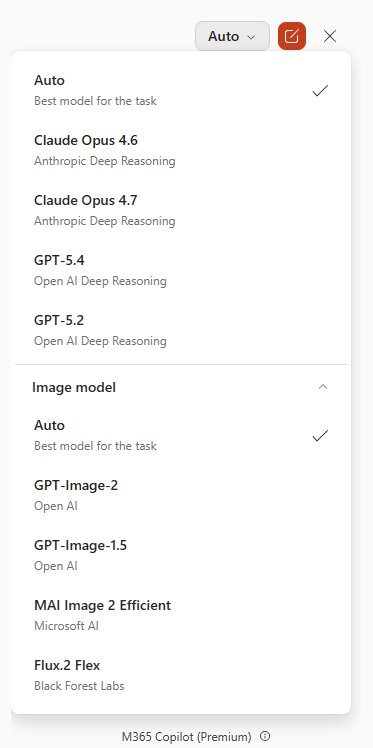
2. Flux.2 Flex model availability in PowerPoint for Microsoft 365 Copilot
How this will affect your organization
Microsoft 365 Copilot in PowerPoint now supports the Flux.2 Flex image generation model, offering higher-quality visuals and layout.
When this will happen
late April 2026 and is expected to complete by early May 2026.
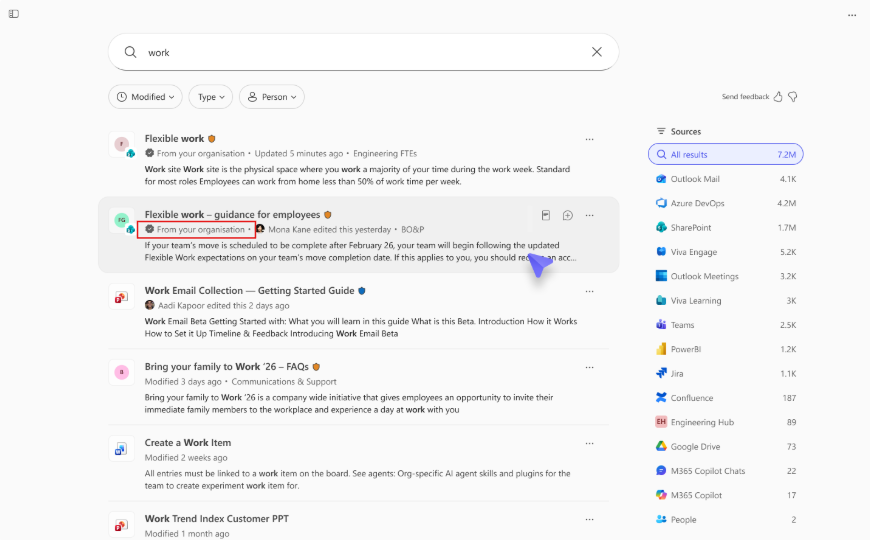
3. Authoritative Sites for SharePoint in Microsoft Copilot
How this will affect your organization
Authoritative Sites enables administrators to designate specific SharePoint sites as trusted sources of organizational information. By prioritizing content from these sites in Copilot Chat and Copilot Search, this feature improves content reliability, enhances search relevance, and helps users quickly find accurate company information.
Admins can designate SharePoint sites as authoritative using PowerShell.
When will this happen?
mid-June 2026 and expect to complete by late June 2026.
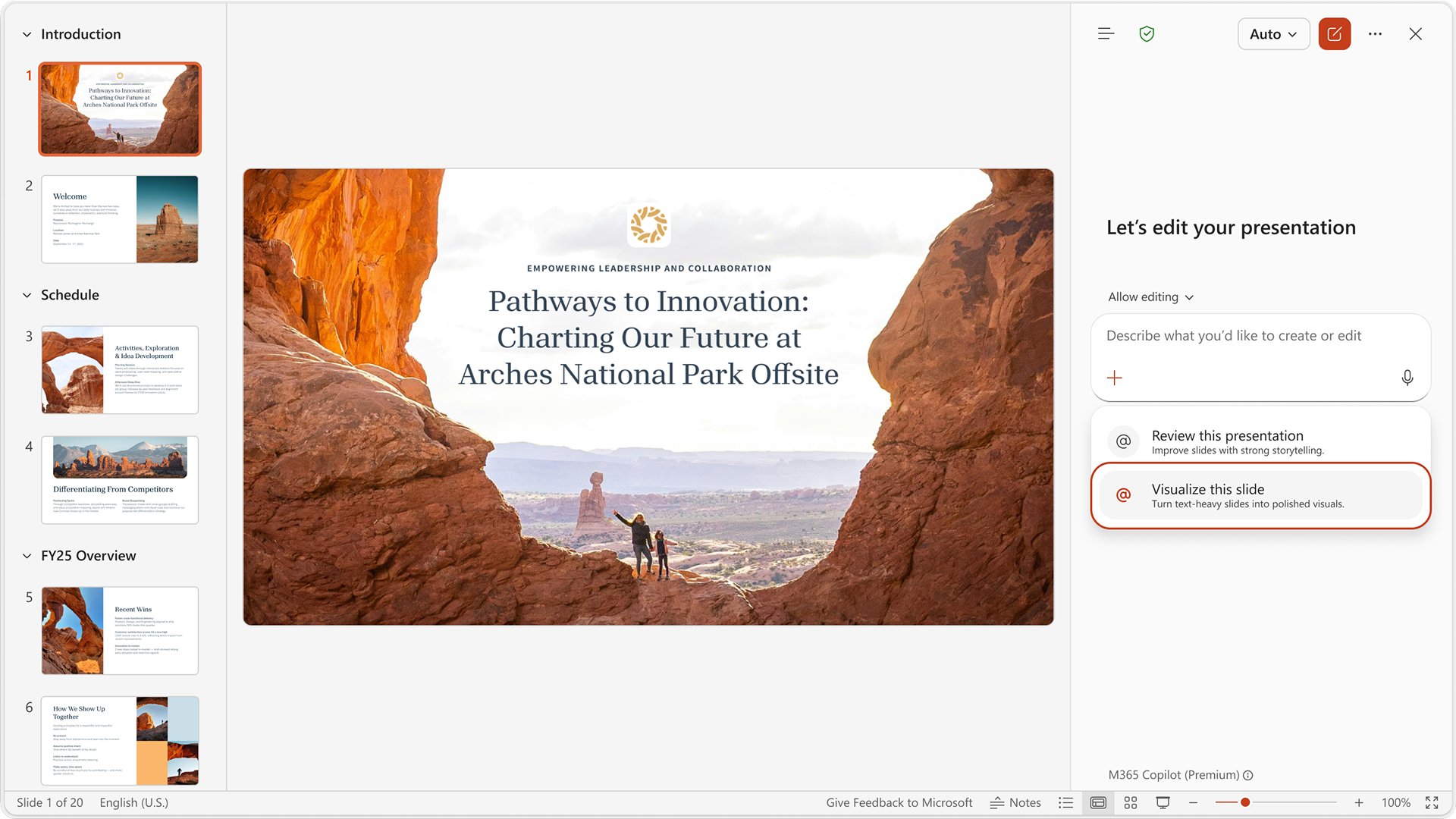
4. PowerPoint for Windows desktop: “Visualize this slide” skill in Copilot
How this will affect your organization
This new capability helps users quickly transform both simple text into a visually stunning image and text-heavy slides into polished, professional visuals.
When will this happen:
mid-May 2026 and completes by mid-May 2026.
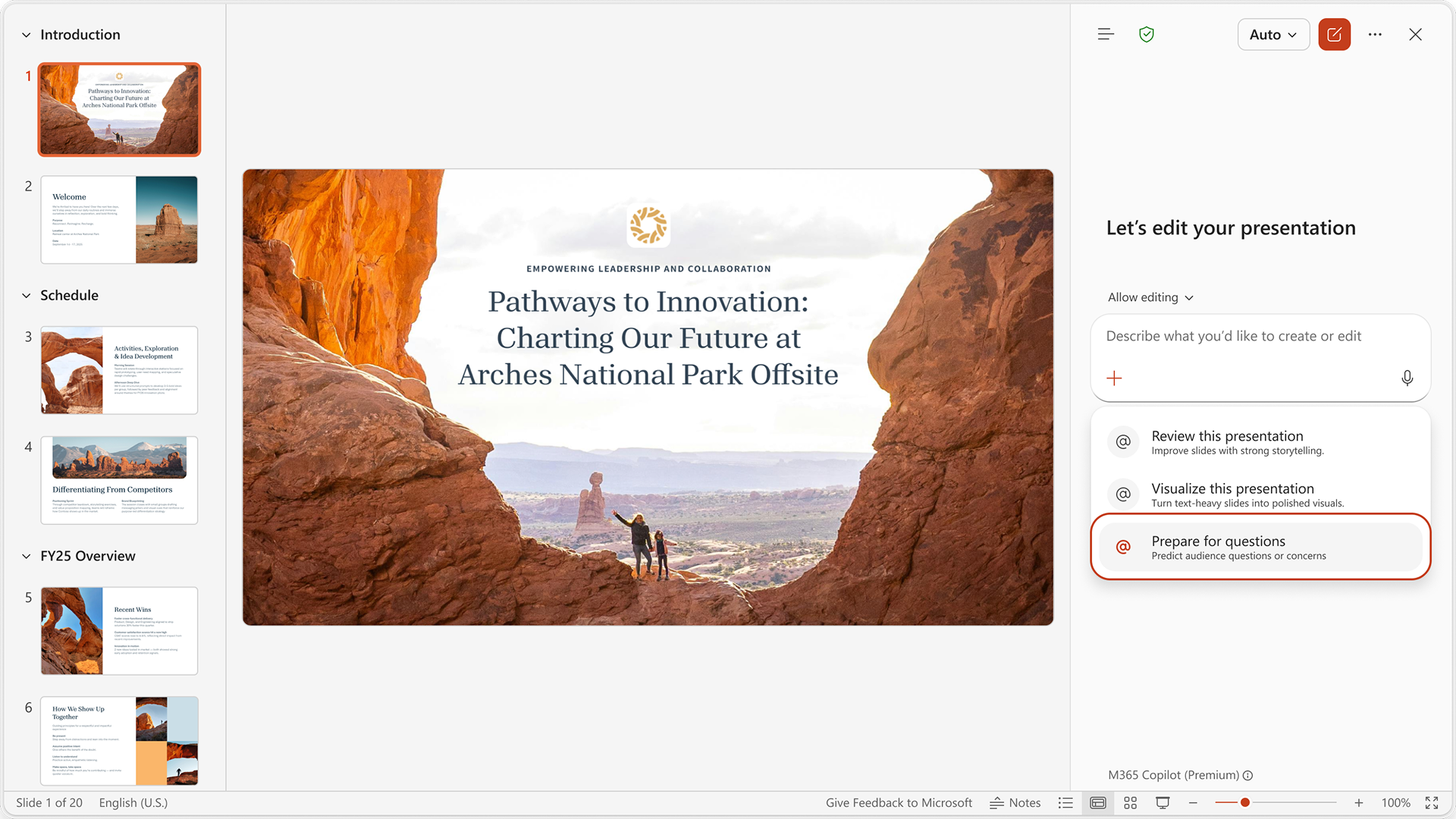
5. PowerPoint for Windows Desktop: ‘Prepare for Questions’ skill in Copilot
How this will affect your organization
This feature analyzes presentations to identify potential weak points and anticipate audience questions, helping users improve storytelling and deliver presentations more effectively.
When will this happen:
late May 2026 and expect to complete by late May 2026.

Microsoft Admin
1. Microsoft Defender for Office 365: ZAP expands cleanup to Deleted Items
How this will affect your organization
Zero-hour Auto Purge (ZAP) in Microsoft Defender for Office 365 will now scan and remediate malicious emails in users’ Deleted Items folders, enhancing post-delivery protection without new policies.
When will this happen:
early June 2026 and expect to complete by late July 2026.