

Below are all of the latest feature updates coming to Microsoft 365 and highlights from Microsoft ignite.
Automated Security Assessments mapped to the CIS Controls
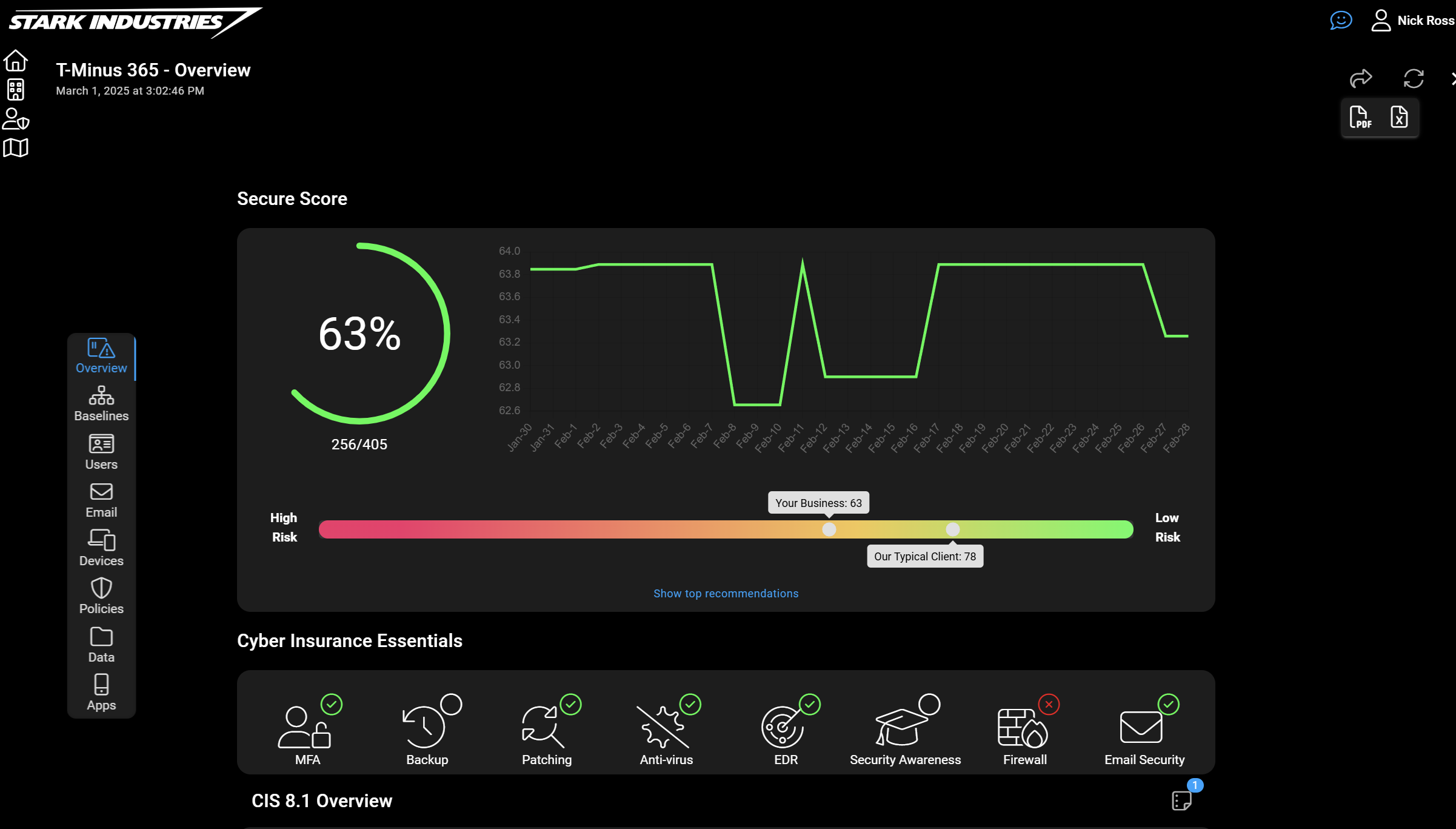
CloudCapsule is a tool I’ve been working on over the past year that automates your M365 security assessments against the CIS Controls. I started CloudCapsule because I saw the need to streamline the assessments of Microsoft 365 tenants to a trusted standard like the CIS Controls.

Microsoft Teams
1. Automatic synchronization with device time zone, no client restart required
How this will affect your organization
With this update, Teams will automatically apply the new device time zone when a time zone change is detected, without requiring a client restart.
When will this happen:
mid-February 2026 and complete in late February 2026.
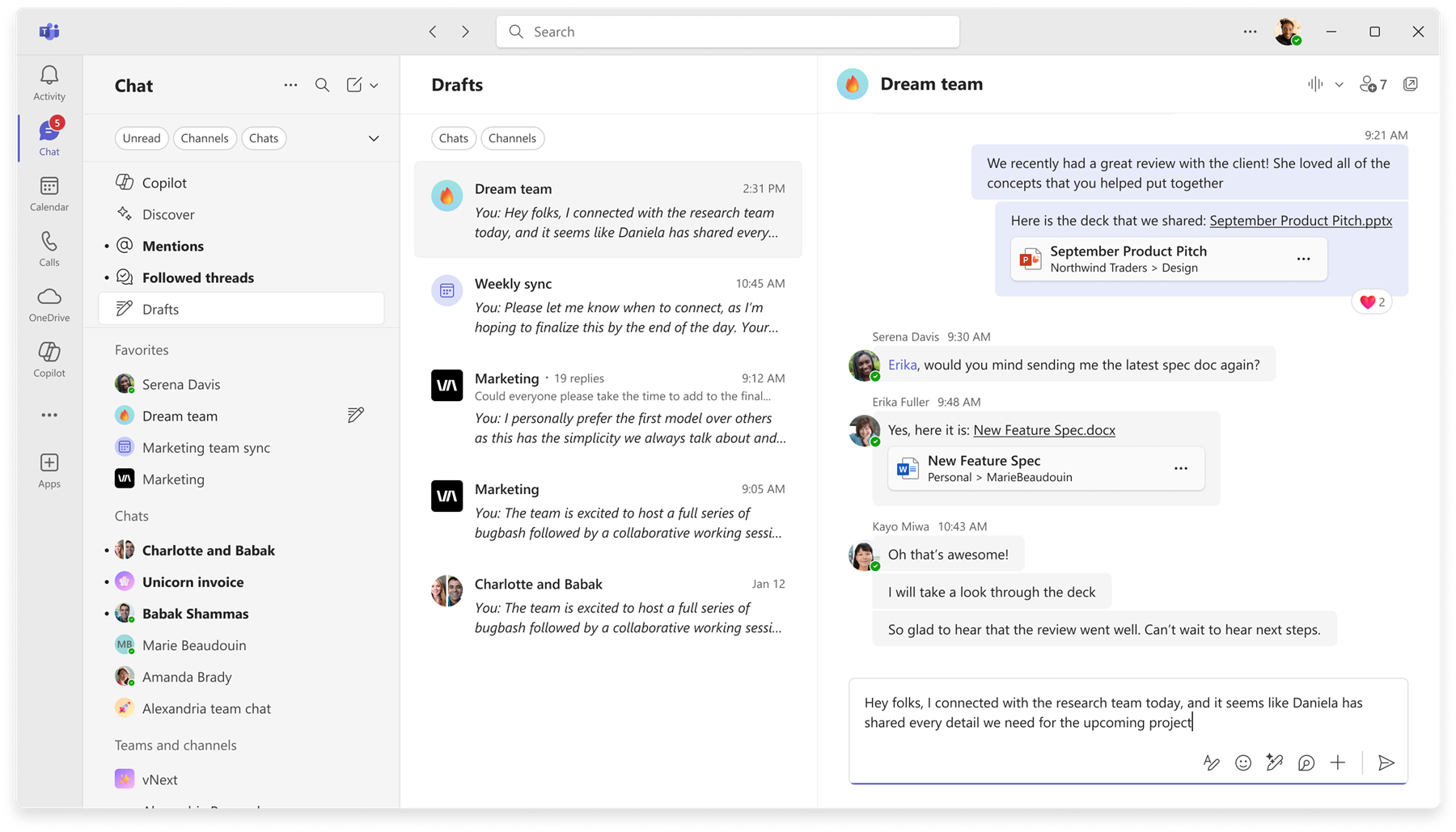
2. New Drafts quick view
How this will affect your organization
Microsoft Teams is introducing a new Drafts quick view feature to help users easily find, edit, and send draft messages. This enhancement improves productivity by making unsent drafts more accessible.
When will this happen:
mid-March 2026 and is expected to complete by late March 2026.
3. Choose your “Enter” key behavior in Teams Chat Settings
How this will affect your organization
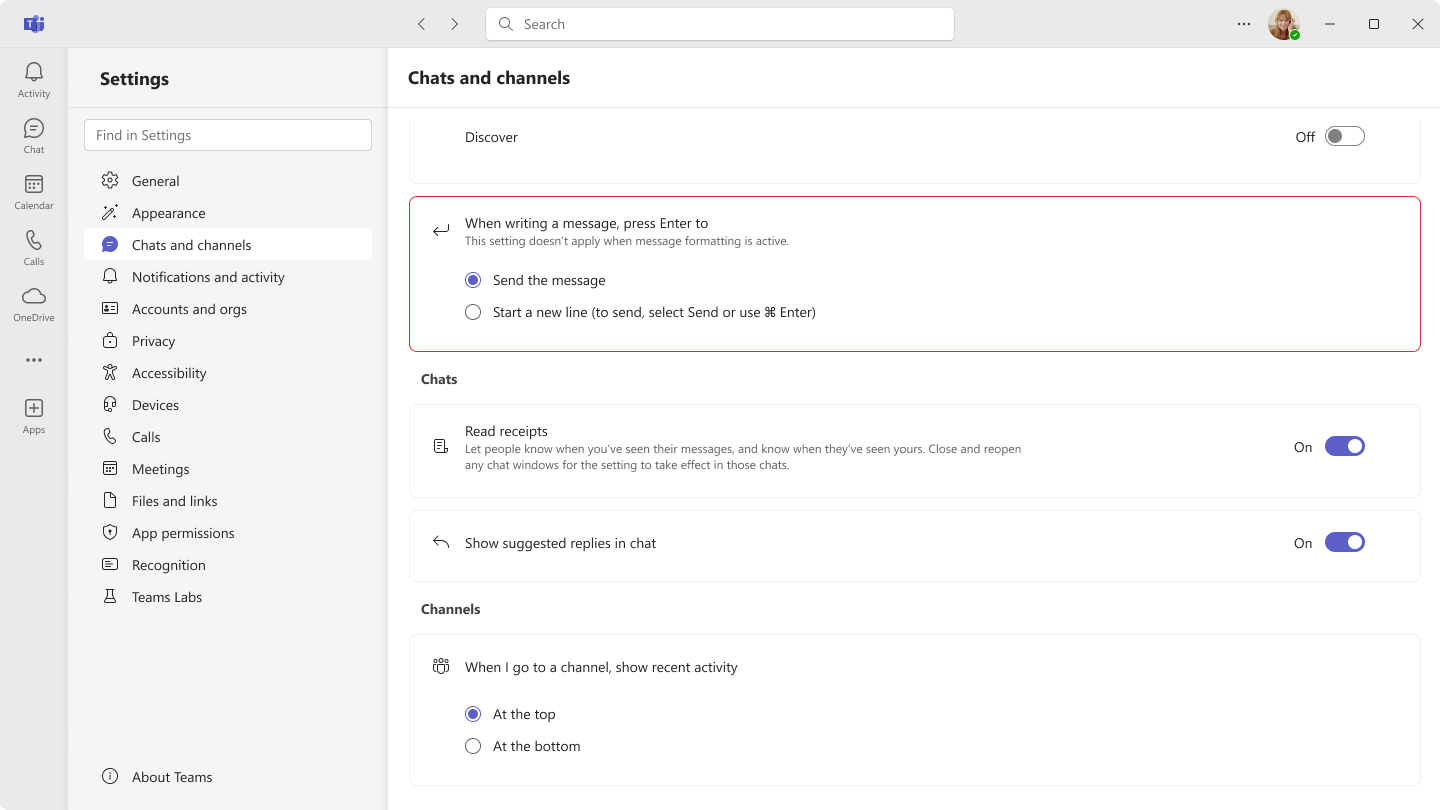
We’re adding a new setting in Microsoft Teams for Desktop and Web that lets users select what happens when they press Enter while composing a message. (Send Message OR Start New Line)
A new setting will appear under Settings > Chats and channels: “When writing a message, press Enter to…”
When will this happen:
mid-February 2026 and complete by late February 2026.
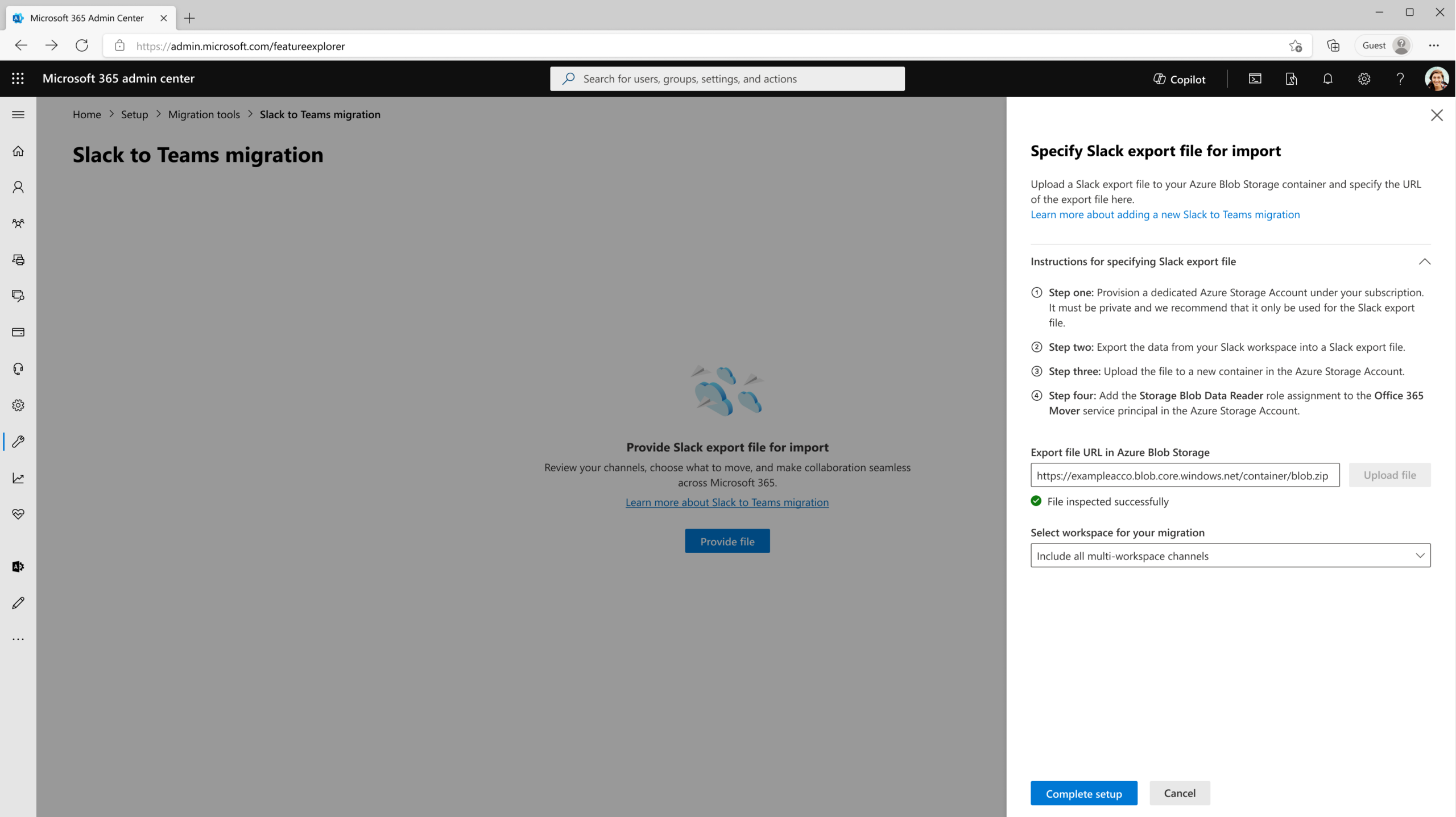
4. Introducing new tool to migrate content from Slack to Microsoft Teams
How this will affect your organization
Tool to help organizations seamlessly transition collaboration from Slack to Teams. This tool enables administrators to migrate content from Slack public and private channels into Teams shared, public, and private channels, reducing complexity and improving continuity.
Learn more: Migrating from Slack to Microsoft Teams – Microsoft Teams | Microsoft Learn
When will this happen:
mid-February 2026 and is expected to complete by end of February 2026.
5. Meeting notes now available for instant meetings
How this will affect your organization
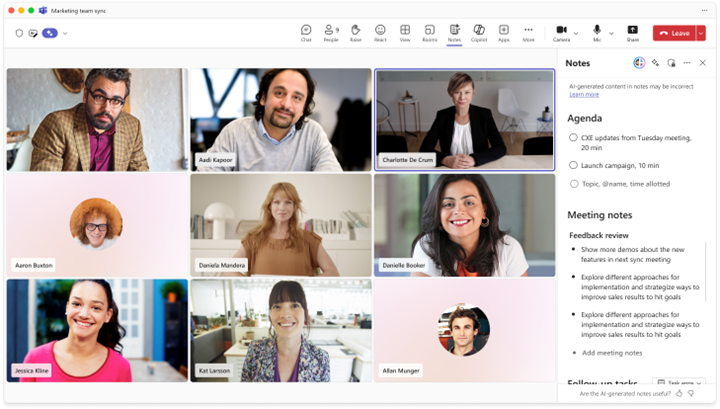
Teams meeting Notes, powered by Loop, are now available for instant calls and meetings, like those started from Meet now and calls started from chat. Meeting notes are Loop components in Teams meetings and chats that allow users to collaboratively build agendas, capture notes, and create action items.
When will this happen:
early April 2026 (previously late February) and expect to complete late April 2026 (previously late March).
6. Microsoft Defender for Office 365: Enable users to report suspicious Teams messages in Plan 1
How this will affect your organization
We’re expanding the ability for users to report suspicious Microsoft Teams messages to customers with Microsoft Defender for Office 365 Plan 1. Previously available only to Plan 2, this update helps security teams identify and investigate potential phishing, malware, and spam across internal and external Teams chats, channels, and meeting chats.
When will this happen:
mid-February 2026 and is expected to complete in mid-February 2026.
7. Brand impersonation protection for Teams Calling
How this will affect your organization
Brand Impersonation Protection for Teams Calling adds proactive safeguards against fraudulent or deceptive external callers who attempt to appear as trusted organizations. This helps reduce social-engineering risks and improves tenant security when users receive first-contact external calls.
- Teams will evaluate inbound calls for signs of brand impersonation.
- Users will see high-risk call warnings before answering suspicious calls.
- Warnings may continue during the call if risk signals persist.
- Users can accept, block, or end the call.
- The feature will be enabled by default.
When will this happen:
mid-March 2026 (previously mid-February) and is expected to complete by late March 2026 (Targeted Release).
8. Report a suspicious call
How this will affect your organization
With this feature, users can flag suspicious or unwanted one-to-one calls directly in Teams, giving your security team actionable intelligence and helping build organization-wide protection against bad actors.
What will happen:
- A new Report a Call option will appear in Teams call history for one-to-one calls only (ON by default on the Teams client).
- Users will be able to click more options next to any call and select Report a Call.
- Relevant call metadata and limited contextual information will be securely shared with your organization and Microsoft.
- Security teams will view detailed reported instances in the Microsoft Defender portal, which will require Defender for Office 365 (Plan 1 or Plan 2) or Defender XDR.
- Information about user-submitted reports will be available in Teams Admin Center under Protection reports > User-reported security submissions.
When will this happen:
mid-April 2026 and is expected to be completed in late April 2026.
9. External domains anomalies report
How this will affect your organization
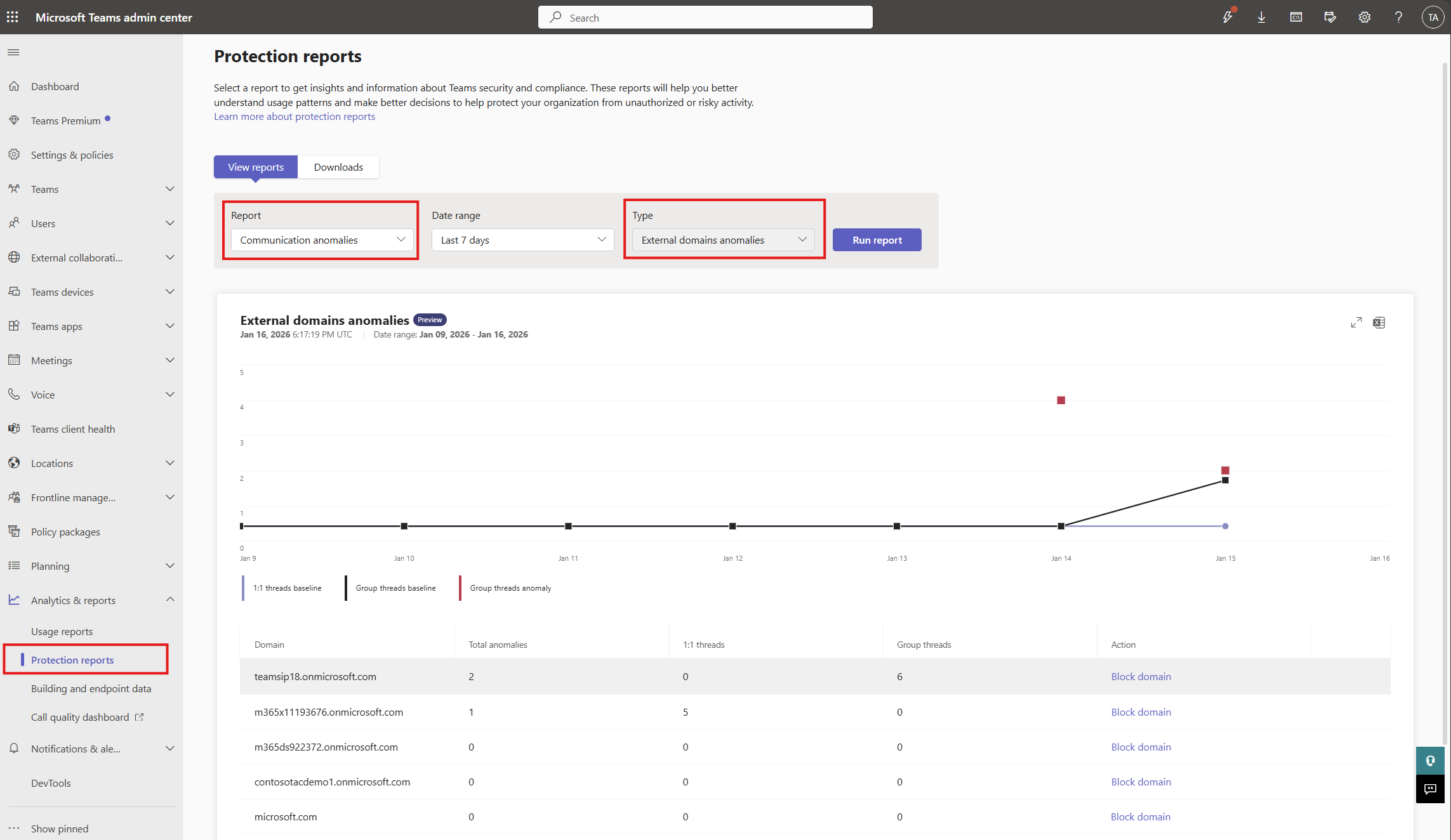
This report analyzes cross-tenant communication patterns for your tenant and highlights sudden spikes or abnormal engagement activity. These insights support proactive investigation and help protect your organization while enabling secure external collaboration.
What will happen:
- A new External domains anomalies report will be available in the Microsoft Teams admin center under Protection reports.
- Admins can select Communication anomalies, choose a date range, and run the report to view results:
When will this happen:
early March 2026 (previously late February) and expected to complete in mid-March 2026.
10. View code blocks on mobile
How this will affect your organization
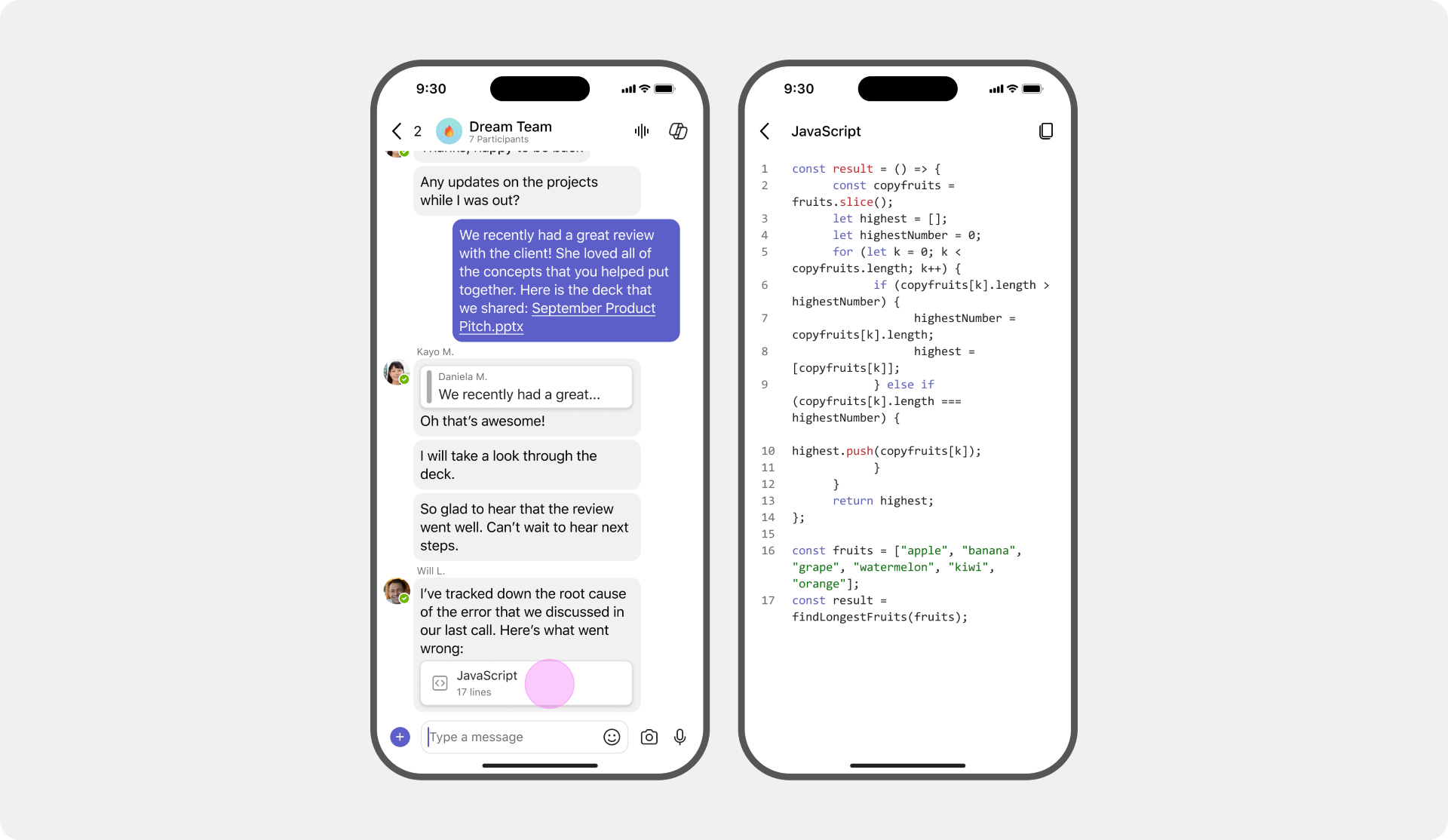
We’re introducing improved support for viewing code blocks in the Microsoft Teams mobile app for iOS and Android.
When will this happen:
mid-February 2026 and expect to complete by late February 2026.

Microsoft Outlook
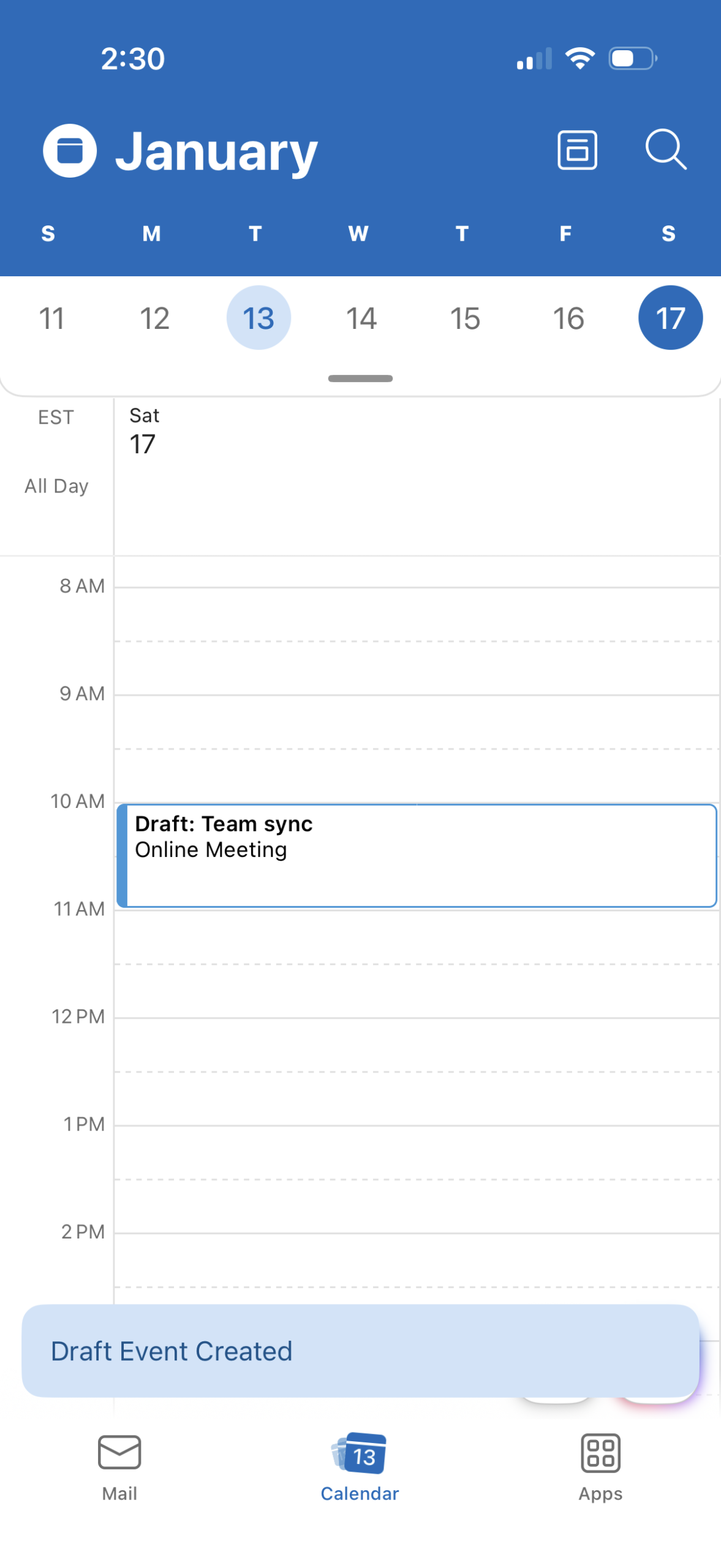
1. Save a meeting event as a draft in Outlook on iOS
How this will affect your organization
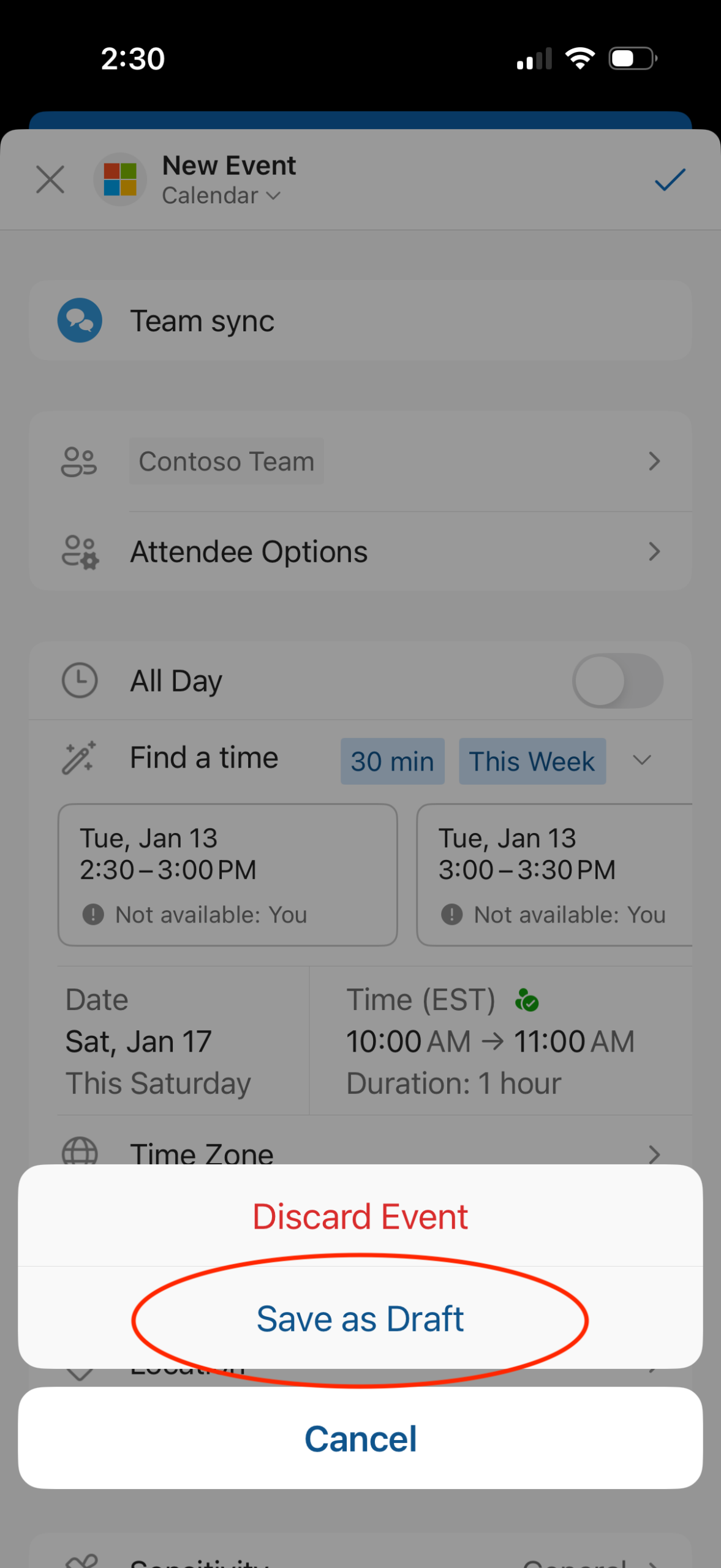
This update helps users start a meeting invitation, pause, and return to it later, providing more flexibility when scheduling on mobile devices.
When will this happen:
late January 2026 and is expected to complete by late February 2026.

Microsoft 365 Apps
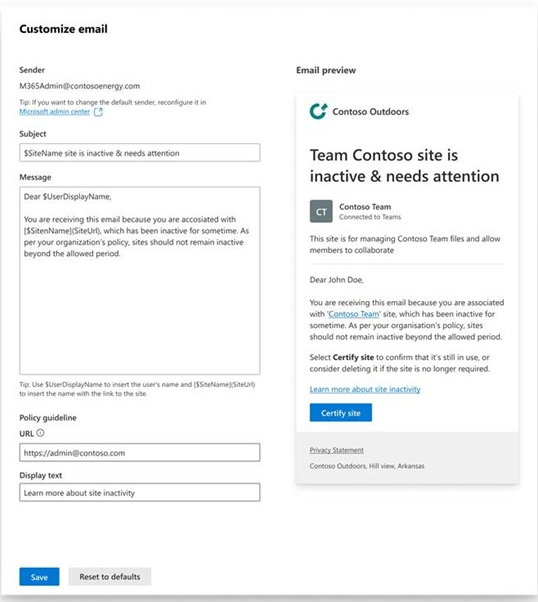
1. Email customization is now available in Site Lifecycle Management Policies
How this will affect your organization
This update allows SharePoint admins to tailor notification emails sent to site owners during policy execution.
Learn more: Customize email notifications
When will this happen:
GA

Microsoft Edge
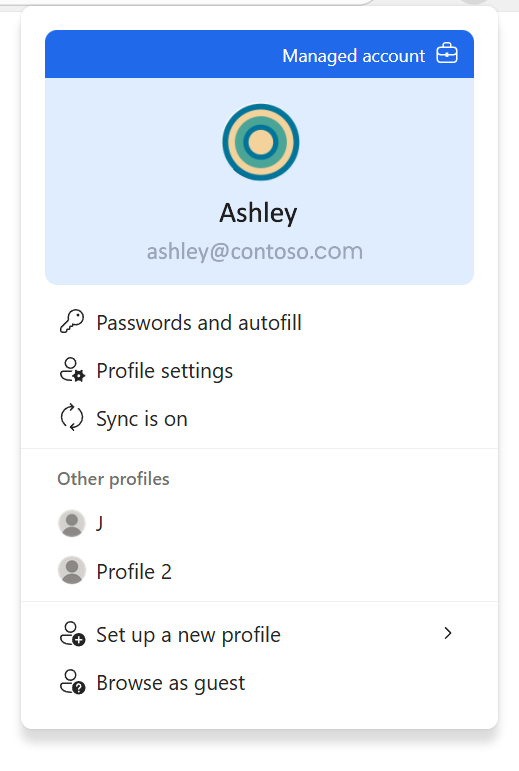
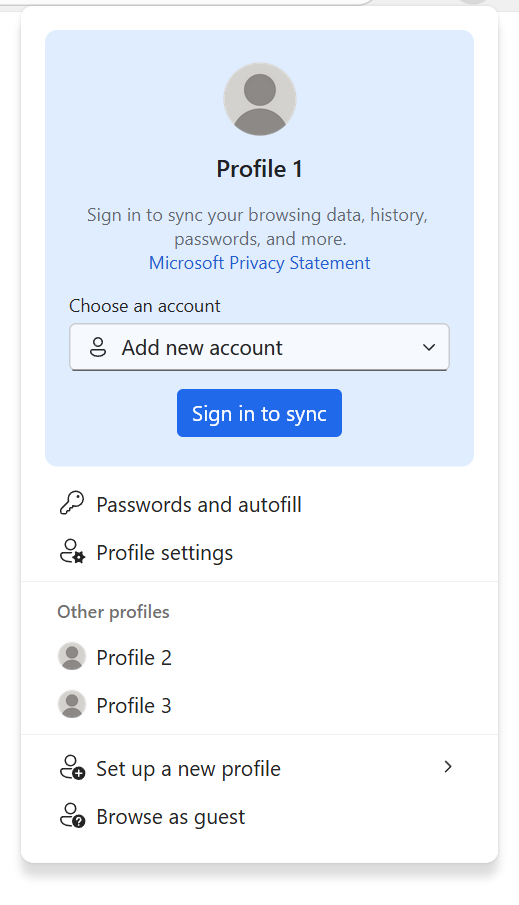
1.A refreshed profile flyout experience for better clarity and actionability
How this will affect your organization
The refreshed design makes it easier to distinguish between work and personal profiles, manage credentials, and quickly access key settings
When will this happen:
mid‑February 2026 and is expected to complete by late February 2026.

Microsoft Entra
1. Auto-enabling passkey profiles
How this will affect your organization
Introducing passkey profiles and synced passkeys to General Availability (GA). This update allows administrators to opt in to a new passkey profiles experience that supports group-based passkey configurations and introduces a new passkeyType property.
What will happen:
If you have not opted in to passkey profiles by your automatic enablement period, your tenant will be migrated to passkey profiles.
- Your existing Passkey (FIDO2) configurations will be migrated into a Default passkey profile
- New passkeyType property will be auto-populated
- If enforce attestation is enabled, then device-bound allowed
- If enforce attestation is disabled, then device-bound and synced allowed
- Any existing key restrictions will remain intact
- Any existing user targets will be assigned to the Default passkey profile
Registration Campaign behavior (Microsoft-managed campaigns only)
- For tenants where synced passkeys are enabled, if your registration campaign is set to Microsoft-managed:
- The targeted authentication method will be updated from Microsoft Authenticator to passkeys.
- The default user targeting will be updated from voice call or text message users to all multifactor authentication (MFA) capable users.
- The settings Limited number of snoozes and Days allowed to snooze will no longer be configurable. These will be set to allow unlimited snoozes with a one-day reminder cadence.
Learn more:
When will this happen:
March 2026.

Microsoft Copilot
1. Create and view Outlook rules
How this will affect your organization
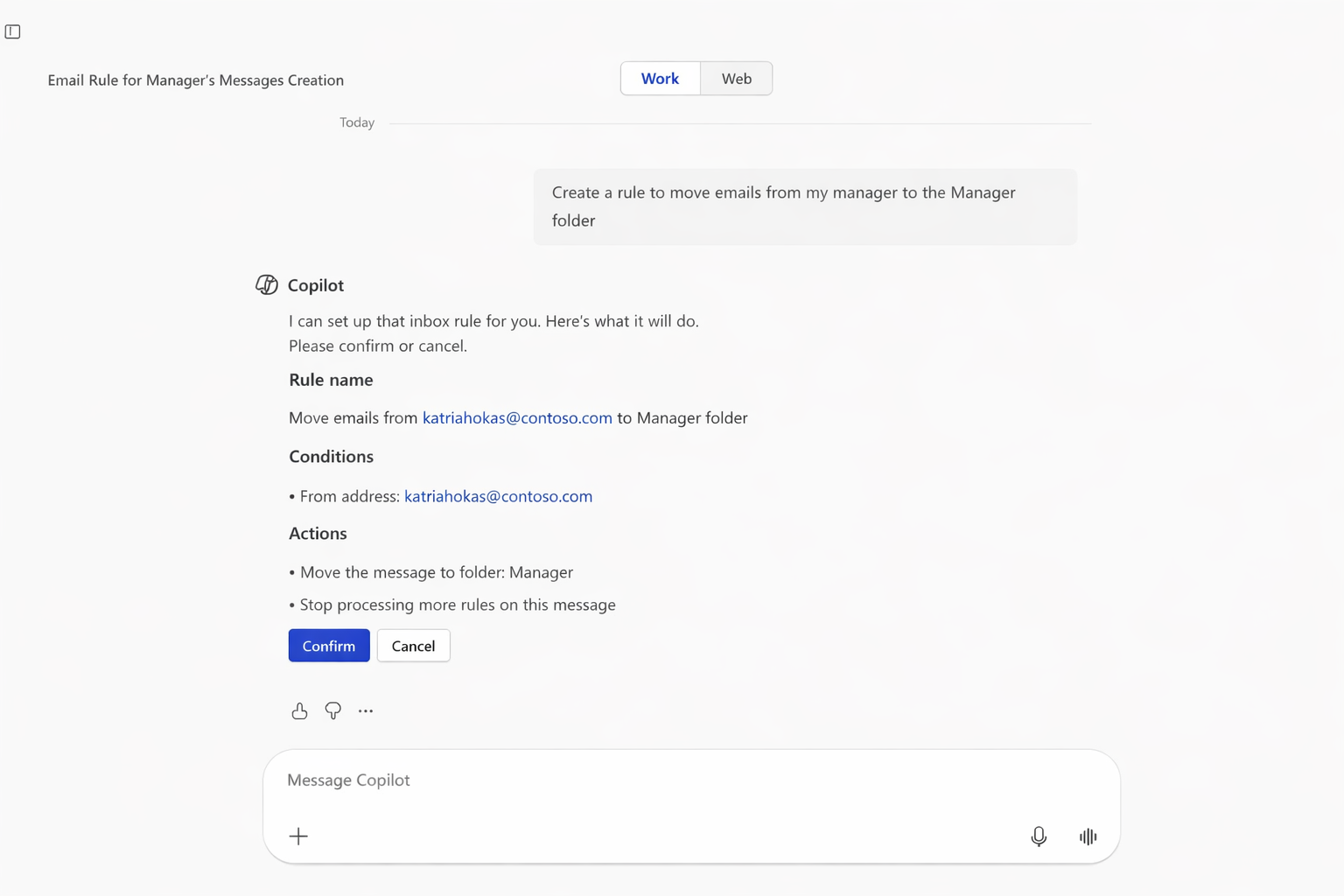
Outlook is adding new Microsoft 365 Copilot capabilities that let users create and view Inbox rules using natural language.
When will this happen?
late January 2026 and expect to complete by early March 2026.
2. Open Outlook emails directly in Copilot chat
How this will affect your organization
We’re introducing a new capability that enables users to open Outlook emails directly within any full‑app Microsoft 365 Copilot experience, including Copilot chat. This enhancement helps reduce context switching by allowing users to view referenced emails alongside their Copilot interaction.
When this will happen
mid-February 2026 and is expected to complete by late February 2026.
3. Proactively RSVP to meetings and remove canceled meetings in Outlook
How this will affect your organization
With this release, users with a Microsoft 365 Copilot license will be able to set up custom calendar instructions so that Copilot will proactively RSVP to new meeting requests and remove canceled meetings on their behalf.
When will this happen?
late January 2026 and expect to complete by early March 2026.
4. Structured document generation with Forms
How this will affect your organization
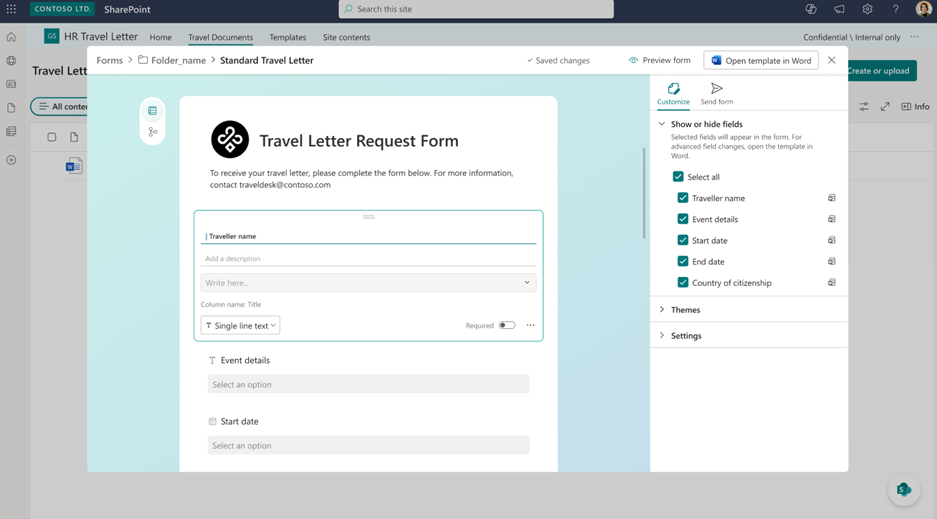
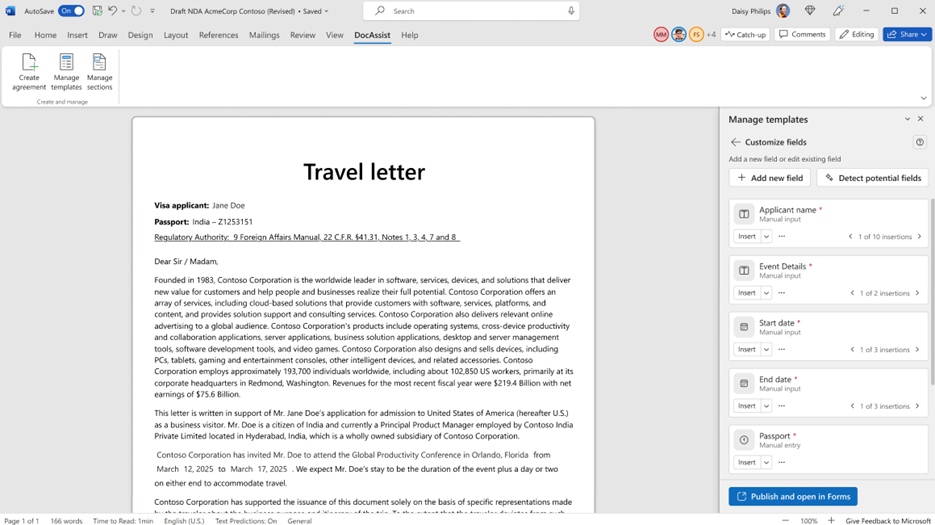
We are introducing structured document generation with Microsoft Forms in SharePoint. This capability will help organizations generate standardized, compliant documents through simple form-driven experiences.
What will happen:
- Users with a Microsoft 365 Copilot license will be able to create structured document forms linked to approved SharePoint templates.
- Business teams will be able to maintain and enforce template governance while enabling document generation across the organization.
When will this happen:
early February 2026 and will complete by late February 2026.
5. Data Security Posture Agent is now available in preview
How this will affect your organization
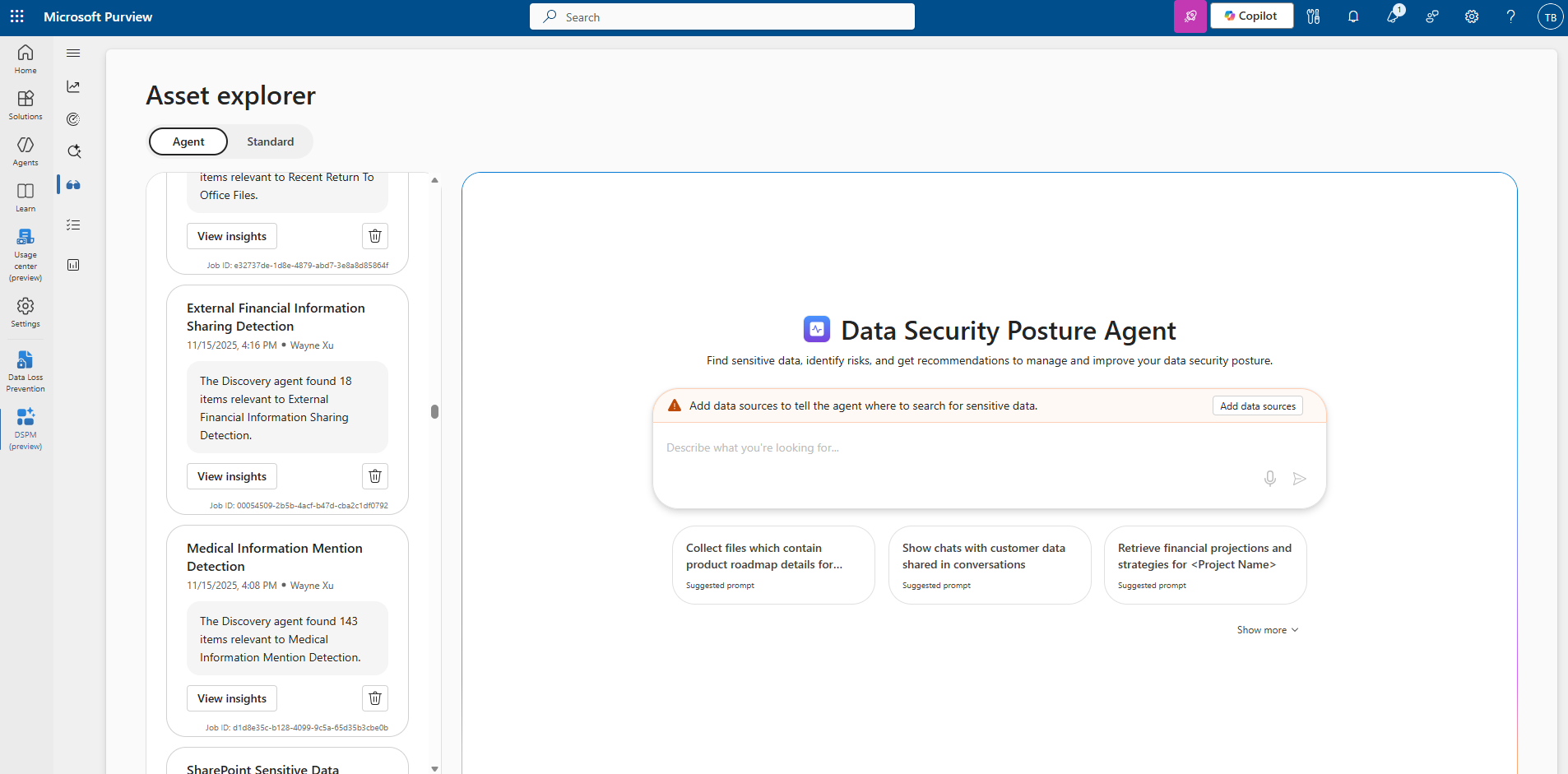
This agent helps data security admins proactively discover sensitive data across your organization’s data estate and assess associated risks. By leveraging large language models (LLMs), it goes beyond traditional keyword-based analysis to understand the purpose and context of content, enabling more accurate risk identification and actionable insights.
When will this happen:
mid-March 2026 and completes by late March 2026.
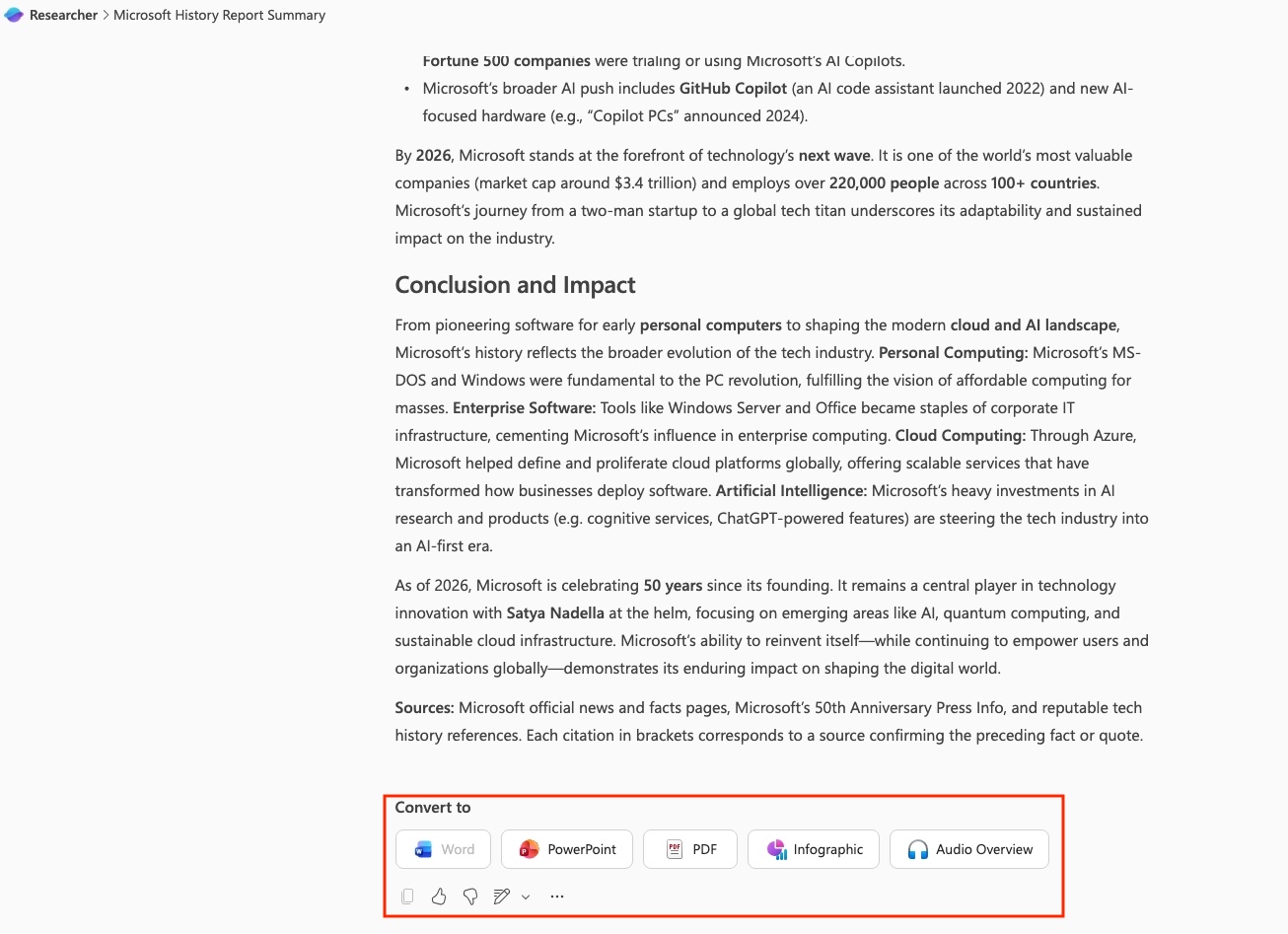
6. Researcher agent output formats
How this will affect your organization
We’re adding new output formats to the Researcher agent in Microsoft 365 Copilot to give users more flexibility in how they create, share, and use AI‑generated research reports.
When will this happen:
early February 2026 and is expected to complete by late December 2027.
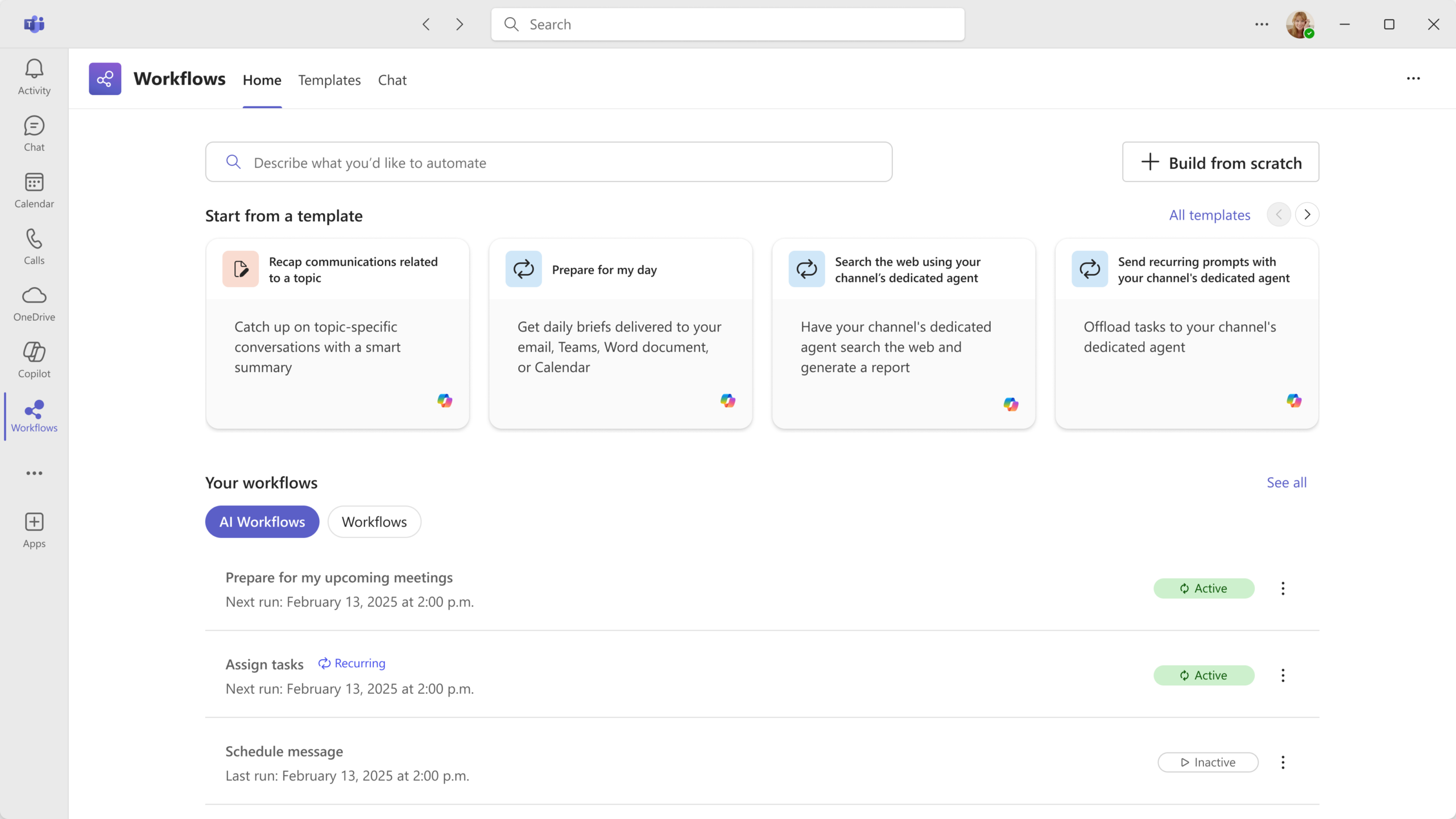
7. AI workflows powered by Microsoft 365 Copilot
How this will affect your organization
These workflow templates use scheduled Copilot prompts to automate routine or complex tasks with guided setup. This update is designed to help users streamline daily operations and improve productivity through intelligent automation.
When will this happen:
late January 2026 and expected to complete by mid‑February 2026.

Microsoft Admin
1. Retirement of standalone SharePoint Online and OneDrive for Business plans (plan 1 and plan 2)
How this will affect your organization
Microsoft is evolving its cloud storage and collaboration offerings and is retiring the standalone SharePoint Online (SPO) plan 1 and plan 2 and OneDrive for Business (ODB) plan 1 and plan 2 SKUs.
Key timelines
- Retirement announcement: this change is communicated to customers in late January 2026.
- End of sale: June 2026 (no new tenants/customers after May 31, 2026; renewals for existing customers only).
- End of life: January 2027 (no renewals; existing contracts continue until expiration).
- End of service: December 2029 (all standalone plans fully retired; customers must transition to Microsoft 365 suites, capacity packs, or pay-as-you-go storage options).
When will this happen:
Public Preview (Worldwide): Begins early December 2025.