

Below are all of the latest feature updates coming to Microsoft 365 and highlights from Microsoft ignite.
Automated Security Assessments mapped to the CIS Controls
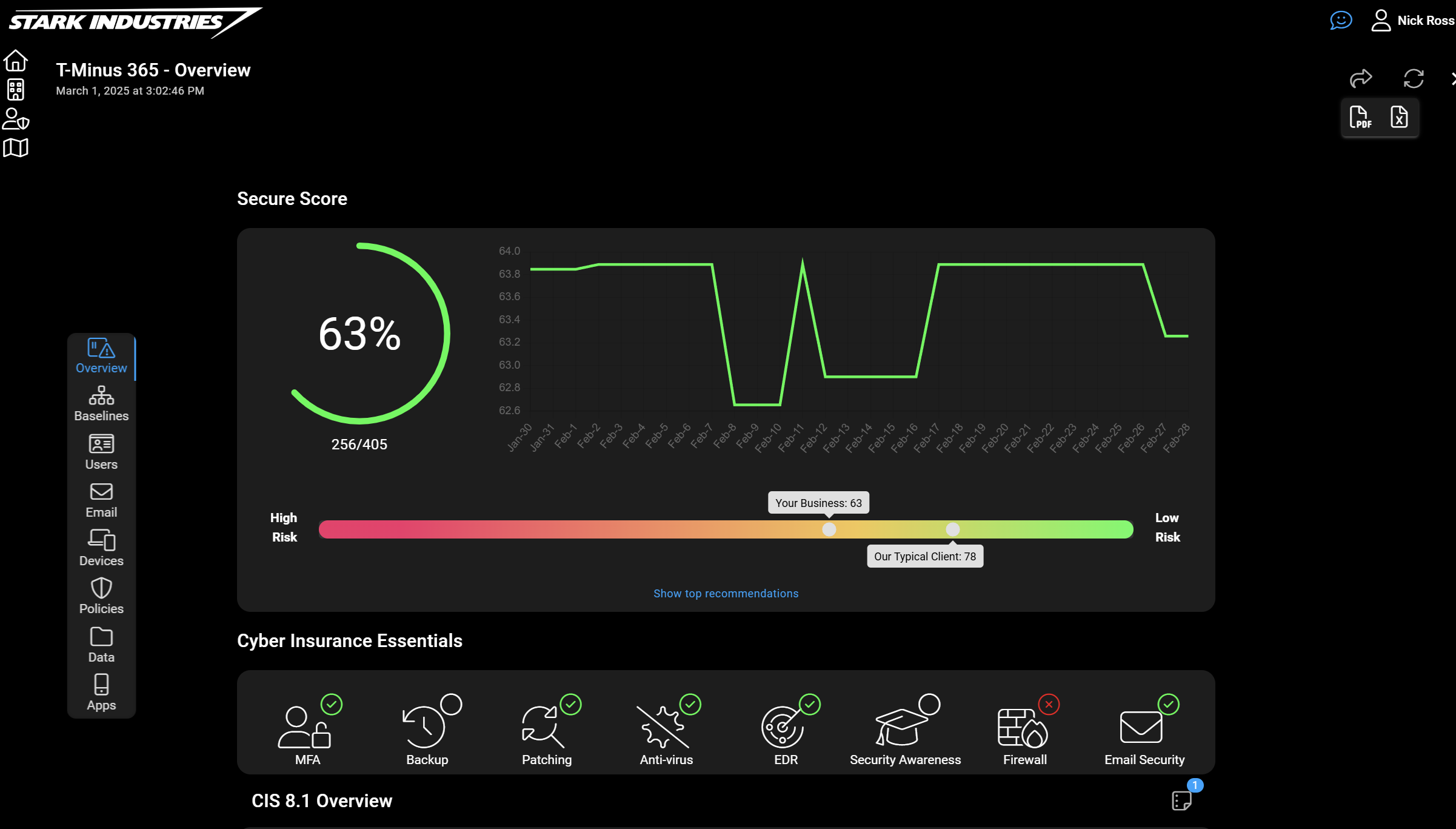
CloudCapsule is a tool I’ve been working on over the past year that automates your M365 security assessments against the CIS Controls. I started CloudCapsule because I saw the need to streamline the assessments of Microsoft 365 tenants to a trusted standard like the CIS Controls.

Microsoft Teams
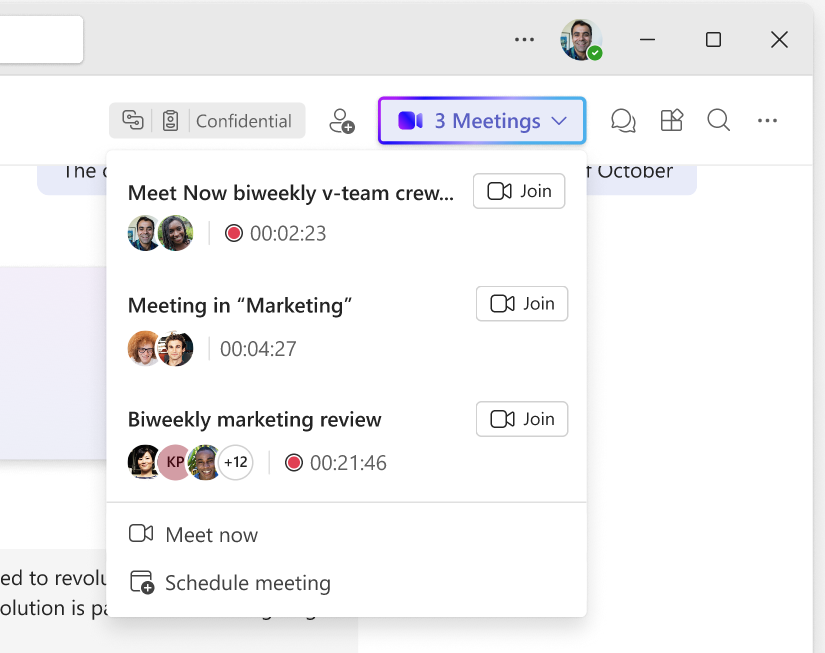
1.Ongoing meetings indicator for Teams channels with a threads layout
How this will affect your organization
Today, Teams does not provide an efficient way for channel members to discover all ongoing meetings and choose the one they want to join. This new indicator will help fill that gap by making it easier for users to see active meetings at a glance and quickly join the meeting that best fits their needs.
When will this happen:
early March 2026 and expect to complete by mid-March 2026.
2. Microsoft Teams on Windows: Annotate content while sharing a single window
How this will affect your organization
Introducing Annotations on Single Window Sharing for Windows in Microsoft Teams meetings, based on customer feedback requesting more focused and privacy‑preserving collaboration. Presenters can now annotate directly on a shared application window without sharing their entire desktop.
When will this happen:
mid-March 2026 and is expected to complete by late March 2026.
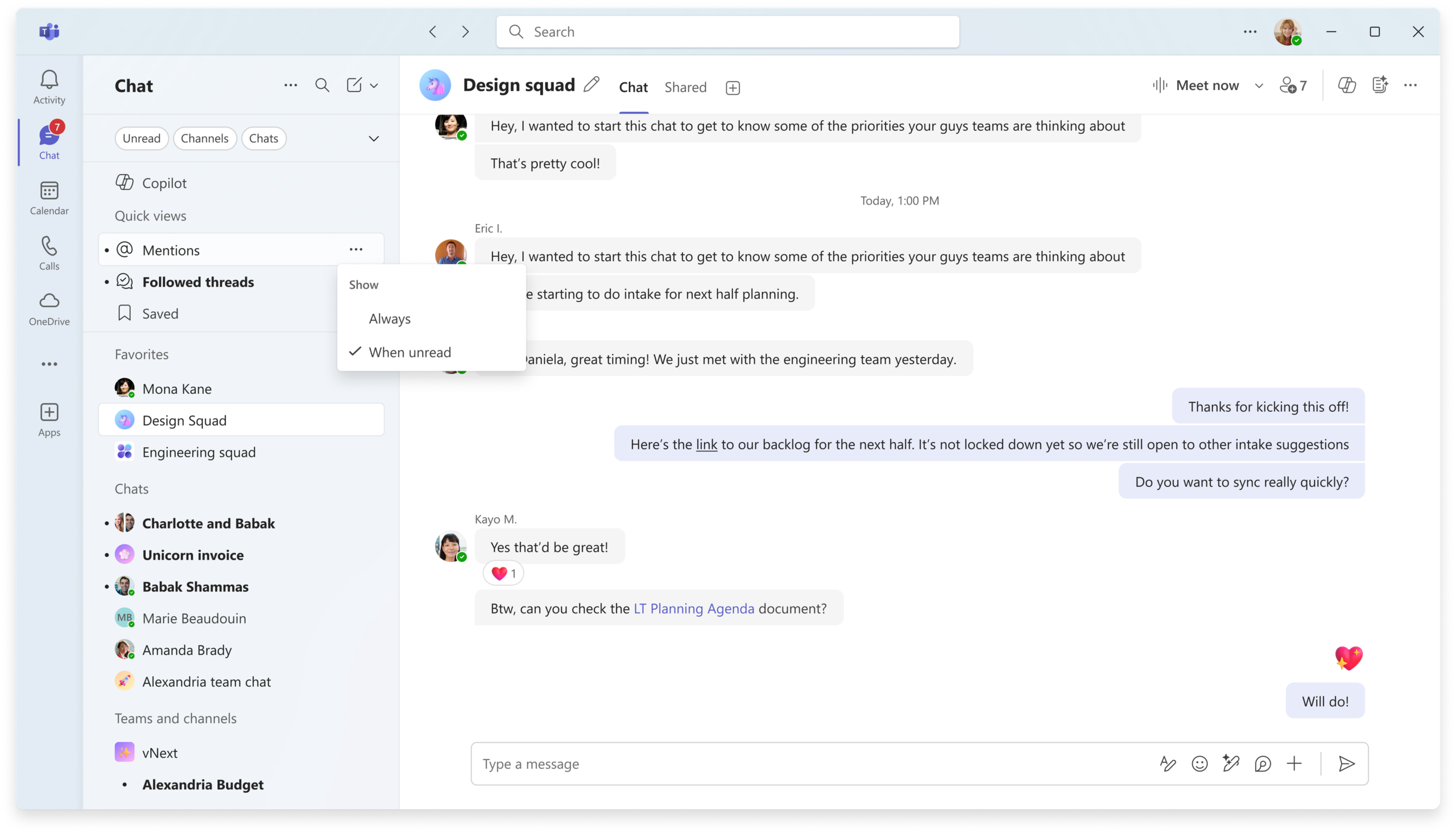
3. New controls for quick views in the chat list
How this will affect your organization
We will introduce new controls that allow users to customize how quick views appear at the top of their chat and channels lists in Microsoft Teams. This update aligns with customer feedback requesting a cleaner and more focused experience. These controls will help users see only the quick views that are relevant to them and manage when those views appear.
When will this happen:
late March 2026 and expect to complete by mid‑April 2026.

Microsoft Intune
1. Improving Intune reporting accuracy
How this will affect your organization
Starting late February 2026, Intune will exclude devices inactive for 12+ months from reports to improve accuracy.
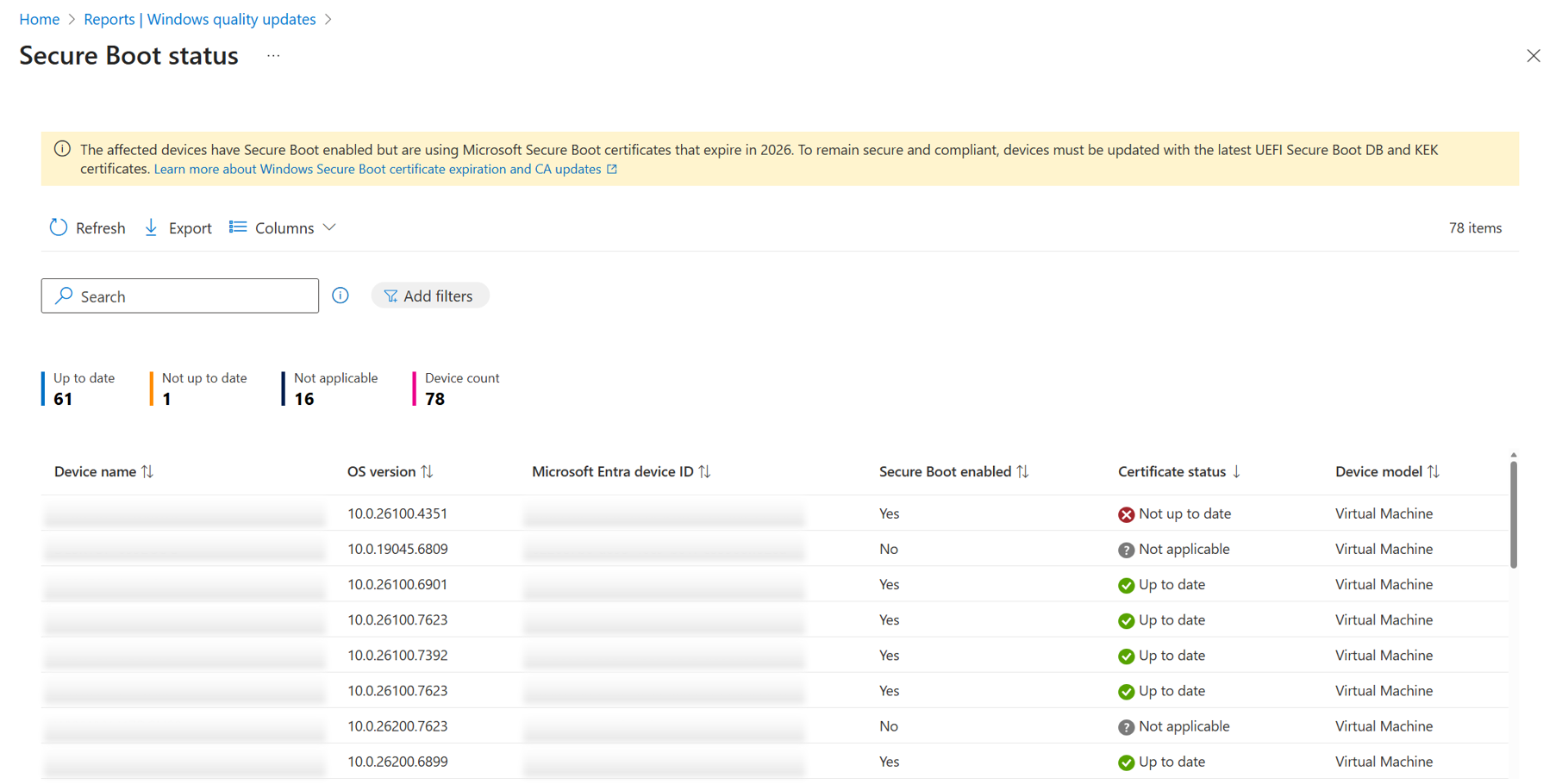
2. Secure Boot status report in Windows Autopatch
How this will affect your organization
If you’re an IT admin using Windows Autopatch, a new report is now available to monitor the status of Secure Boot across your organization. As the 2011 Secure Boot certificates start expiring in June 2026, this report helps you start by identifying devices that have Secure Boot enabled.
Learn More: https://learn.microsoft.com/en-us/windows/deployment/windows-autopatch/monitor/secure-boot-status-report
When will this happen:
GA
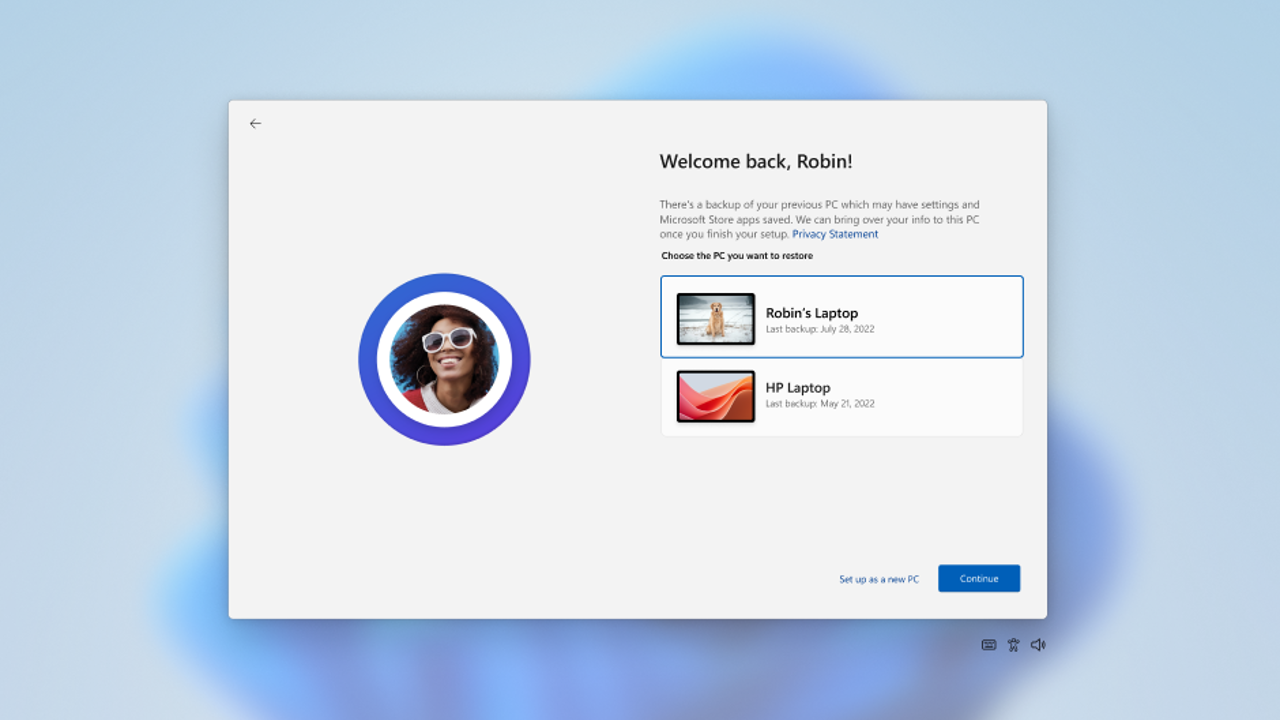
3. Windows first sign-in restore experience now available
How this will affect your organization
Extending beyond the Windows out-of-box experience (OOBE), the first sign-in restore experience delivers a streamlined, admin-controlled restore experience across more device types and deployment scenarios. For the first time, users who sign in with a Microsoft Entra ID on eligible devices will be able to restore their environment if they missed the option during OOBE.
When will this happen:
GA

Microsoft Entra
1. Microsoft Entra hybrid join using Microsoft Entra Kerberos
How this will affect your organization
You can use Microsoft Entra Kerberos to perform Microsoft Entra hybrid join for a device without requiring Active Directory Federation Services (AD FS) or Microsoft Entra Connect sync. You get the Microsoft Entra hybrid join behavior instantly without the AD FS setup.
Learn more:
When will this happen:
Preview
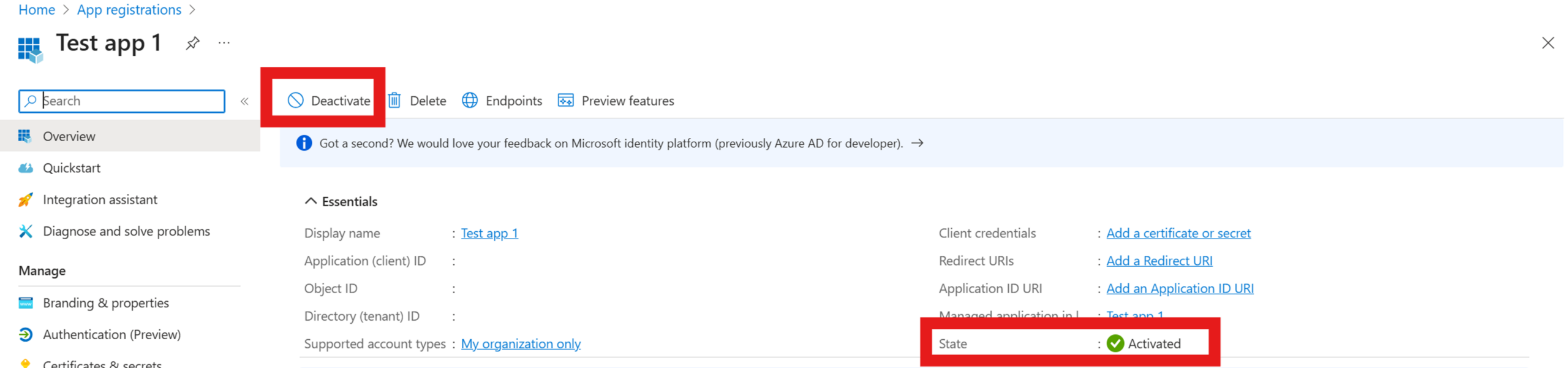
2. Deactivate an App Registration
How this will affect your organization
Deactivating an app registration provides a reversible way to prevent the application from accessing protected resources without permanently removing it from your tenant. When you deactivate an application, it immediately stops receiving new access tokens, but existing tokens remain valid until they expire. This approach is useful for security investigations, temporary suspension of suspicious applications, or when you need to maintain application configuration data.
Learn more:
When will this happen:
GA
3. Microsoft Entra ID Governance: Azure subscription required to continue using guest governance features
How this will affect your organization
Beginning January 30, 2026, Microsoft Entra ID Governance will require all tenants to have a linked Azure subscription to continue using Identity Governance features for guest users.
Learn more:
When will this happen:
GA

Microsoft Purview
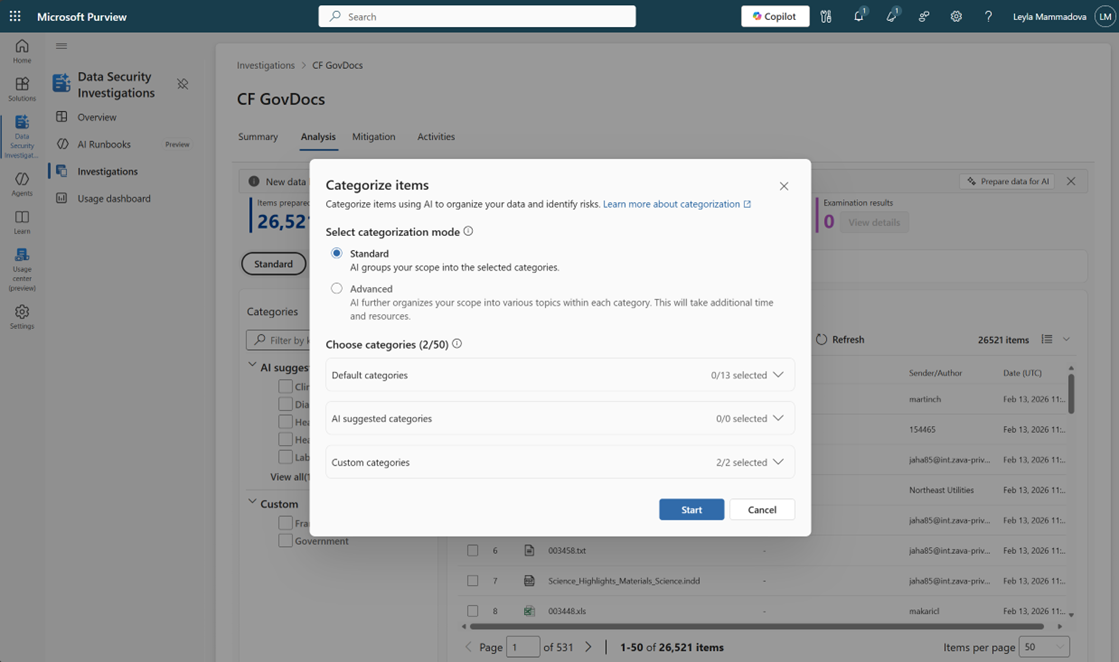
1. Data Security Investigations – AI analysis enhancements
How this will affect your organization
We’re enhancing AI analysis in Data Security Investigations (DSI) to help analysts evaluate risky content more efficiently. These updates streamline the workflow by automatically preparing items for AI analysis as they’re added to an investigation and by introducing a new standard categorization option.
Learn More:
When will this happen:
mid‑April 2026 through mid‑May 2026.
2. Data Lifecycle Management – Separate Retention policies for Copilots and AI Apps
How this will affect your organization
We’re introducing the ability for admins to configure separate retention policies for Copilots and AI apps. This enhancement gives organizations more flexibility to manage retention and deletion timelines for Copilot and generative AI interactions.
Learn More: https://learn.microsoft.com/en-us/purview/retention?tabs=table-overriden
When will this happen:
mid-March 2026 and will complete by May 2026.
3. Removing support for relaxed proximity matching in out-of-box sensitive information types
How this will affect your organization
We are updating Microsoft Purview’s out-of-box (OOB) sensitive information type (SIT) detection logic to improve accuracy and reduce false positives. As part of this update, the relaxed proximity matching behavior previously used in some OOB SITs will be removed. After this change, all OOB SITs will consistently use stricter proximity rules for more consistent and precise detections.
When will this happen:
GA
4. Posture Reports are now generally available
How this will affect your organization
We’re announcing the General Availability (GA) of Microsoft Purview Posture Reports, which provide out-of-the-box, executive-ready visibility into your organization’s data protection posture across Information Protection and Data Loss Prevention (DLP). This release gives admins unified, near-real-time insights into label usage, DLP activity, posture trends, and risk areas without custom reporting or manual refreshes.
Learn More: https://learn.microsoft.com/en-us/purview/purview-reports
When will this happen:
early February 2026 and expect to complete by mid-February 2026.

Microsoft Copilot
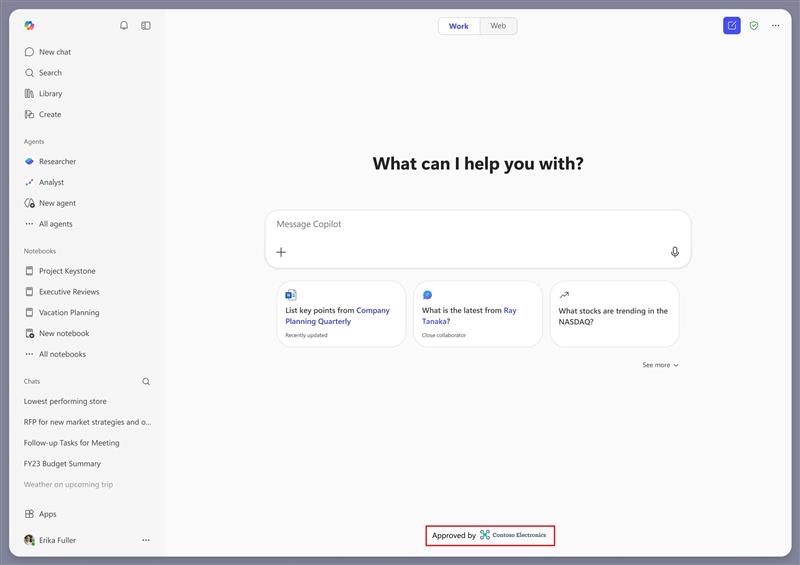
1. Branded footer customization
How this will affect your organization
Introducing a new co-branding capability that will allow organizations to display a branded footer at the bottom of the Chat screen in the Microsoft 365 Copilot app. This update helps users confirm they are using their trusted, work-managed Copilot experience.
When will this happen?
March 2026 and is expected to complete by late April 2026.
2. Copy tables from Chat
How this will affect your organization
We’re introducing the ability for users to copy tables created when using Chat in Microsoft 365 Copilot. This enhancement makes it easier for users to take AI‑generated structured content—such as comparison tables, checklists, and summaries—and reuse it directly in documents, emails, spreadsheets, and other Microsoft 365 apps
When this will happen
early March 2026 and complete by early March 2026.
3. Audio recap language expansion in Microsoft Teams
How this will affect your organization
Microsoft Teams Audio Recap that will expand support to eight additional languages:
- Chinese
- English
- French
- German
- Italian
- Japanese
- Portuguese
- Spanish
When will this happen?
late March 2026 and complete by mid‑April 2026.
4. Microsoft Copilot Studio – Create Inputs from Existing Conversations
How this will affect your organization
This feature enables users to generate evaluation inputs directly from real production conversations by converting past customer interactions into reusable structure inputs. By using actual customer interactions, users can create evaluations that reflect real usage patterns, uncover quality gaps, validate fixes, and improve agent behavior.
When will this happen:
general availability on March 31, 2026.

Microsoft Admin
1.Exchange Web Services (EWS) retirement update
How this will affect your organization
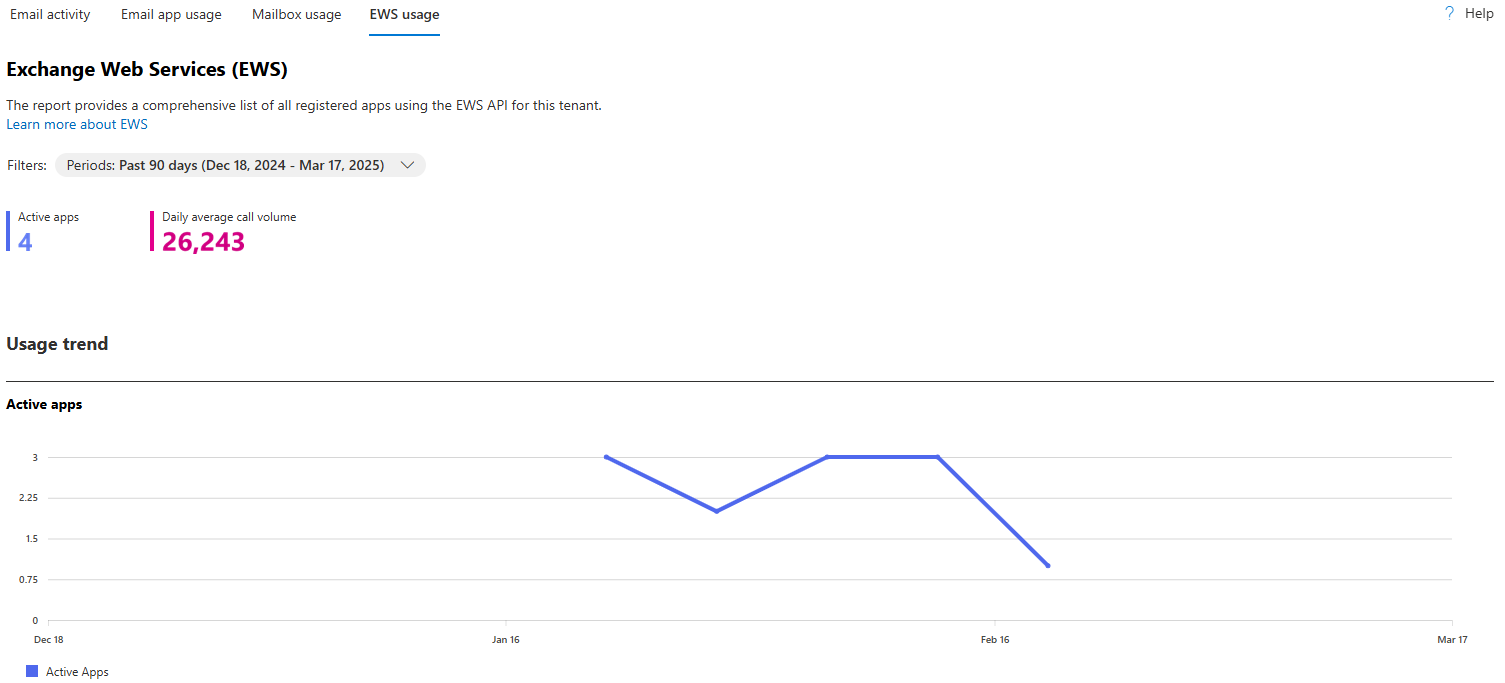
We’re updating the timeline and process for the retirement of Exchange Web Services (EWS) in Exchange Online. As previously announced, EWS will be retired in favor of Microsoft Graph, which offers improved security, modern authentication, and broader capability support. A phased disablement begins October 1, 2026, with permanent shutdown starting April 1, 2027.
EWS usage report available in the admin center. Learn More: https://techcommunity.microsoft.com/blog/exchange/notes-from-the-field-finding-and-remediating-ews-app-usage-before-retirement/4496469
2. Extended Service Terms in CSP
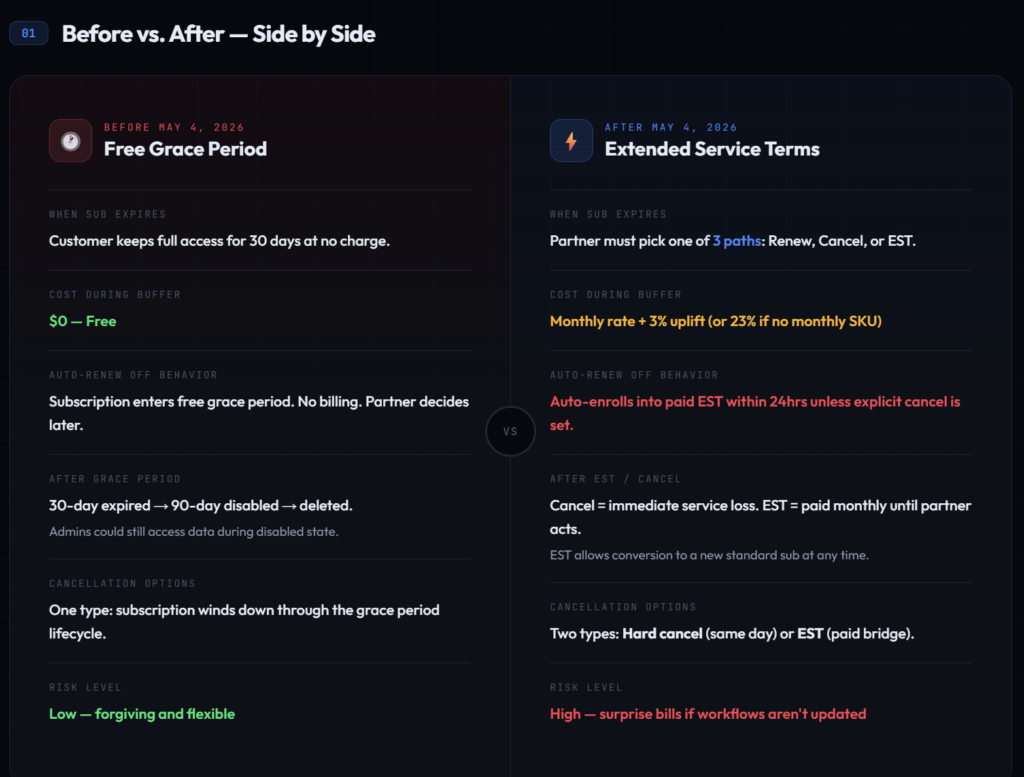
Microsoft announced the free grace period for accessing services on nonrenewed subscriptions will be discontinued. Customers and partners will have three clear choices after expiration: renew, cancel, or move to a paid EST to maintain service while next steps are decided.
I will be coming out with a dedicated blog/video on this soon.
When will this happen:
May 4, 2026