

Below are all of the latest feature updates coming to Microsoft 365
Automated Security Assessments mapped to the CIS Controls
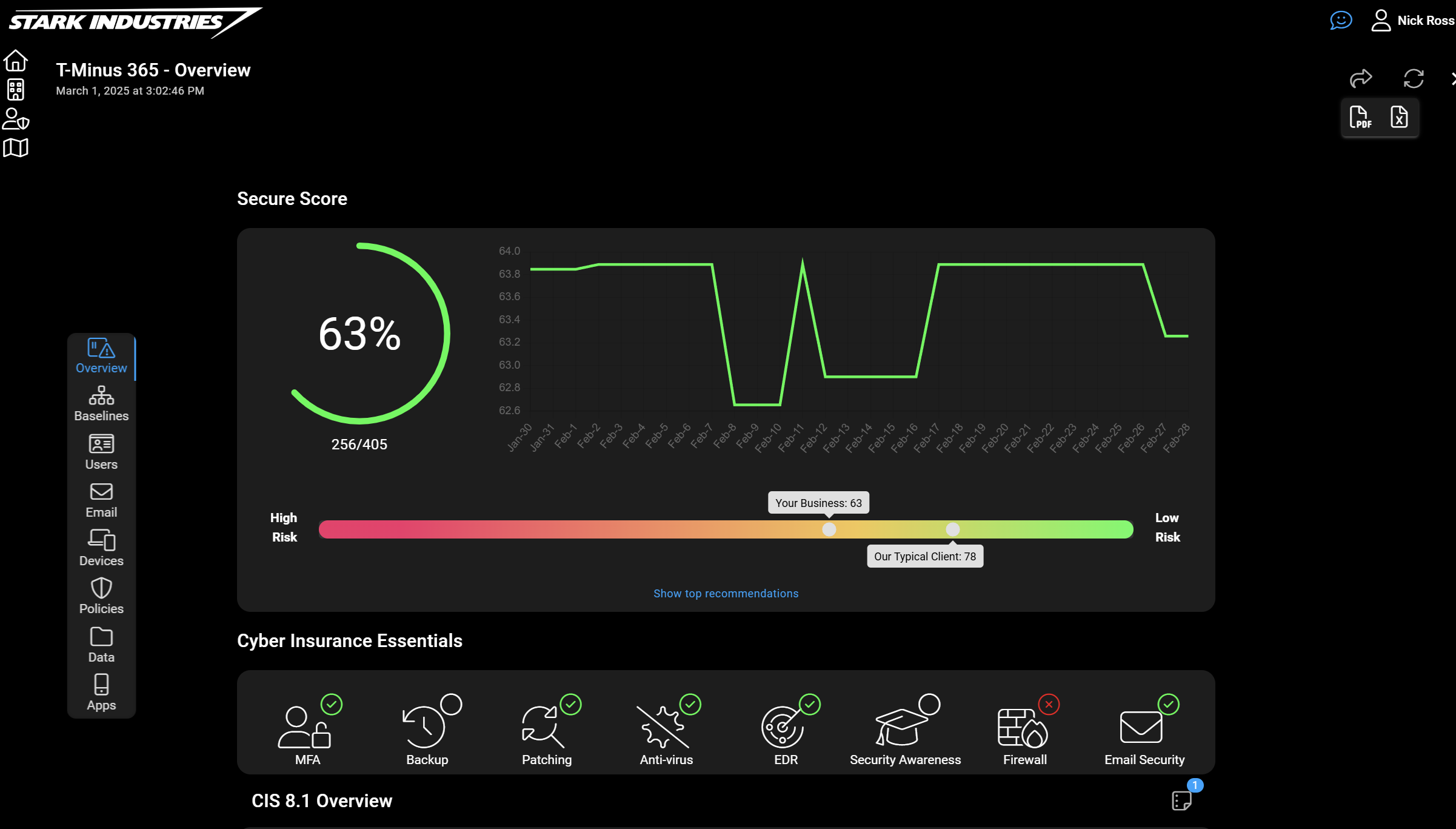
CloudCapsule is a tool I’ve been working on over the past year that automates your M365 security assessments against the CIS Controls. I started CloudCapsule because I saw the need to streamline the assessments of Microsoft 365 tenants to a trusted standard like the CIS Controls.

Microsoft Teams
1. Countdown timer for Teams Meetings
How this will affect your organization
Keep meetings efficient and on schedule with the new countdown timer in Microsoft Teams. This feature allows any meeting participant to add a visual timer (up to 100 minutes) directly within the meeting window, helping teams manage time effectively without external tools.

When will this happen:
late September 2025 (previously early July) and expect to complete by late October 2025 (previously late July).
2. New organizer controls for in-meeting management
How this will affect your organization
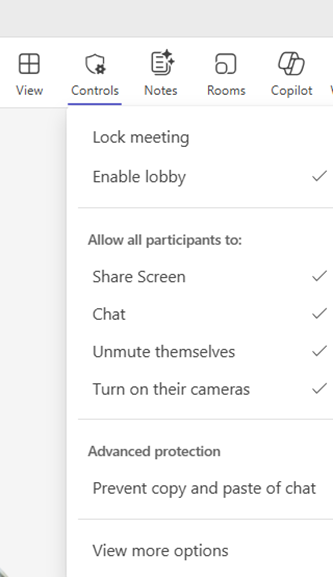
Microsoft Teams is introducing Organizer Controls in the meeting toolbar to streamline access to key meeting management features. These controls consolidate existing capabilities into a single fly-out menu, improving usability and security for meeting organizers and co-organizers. For Teams Premium users, the Prevent Copy of Chat option will also be accessible under Advanced Protection.
When will this happen:
September 15, 2025, and expect to complete by September 30, 2025.

Microsoft Outlook
1. iOS and Android: Send button relocated to reduce accidental sends
How this will affect your organization
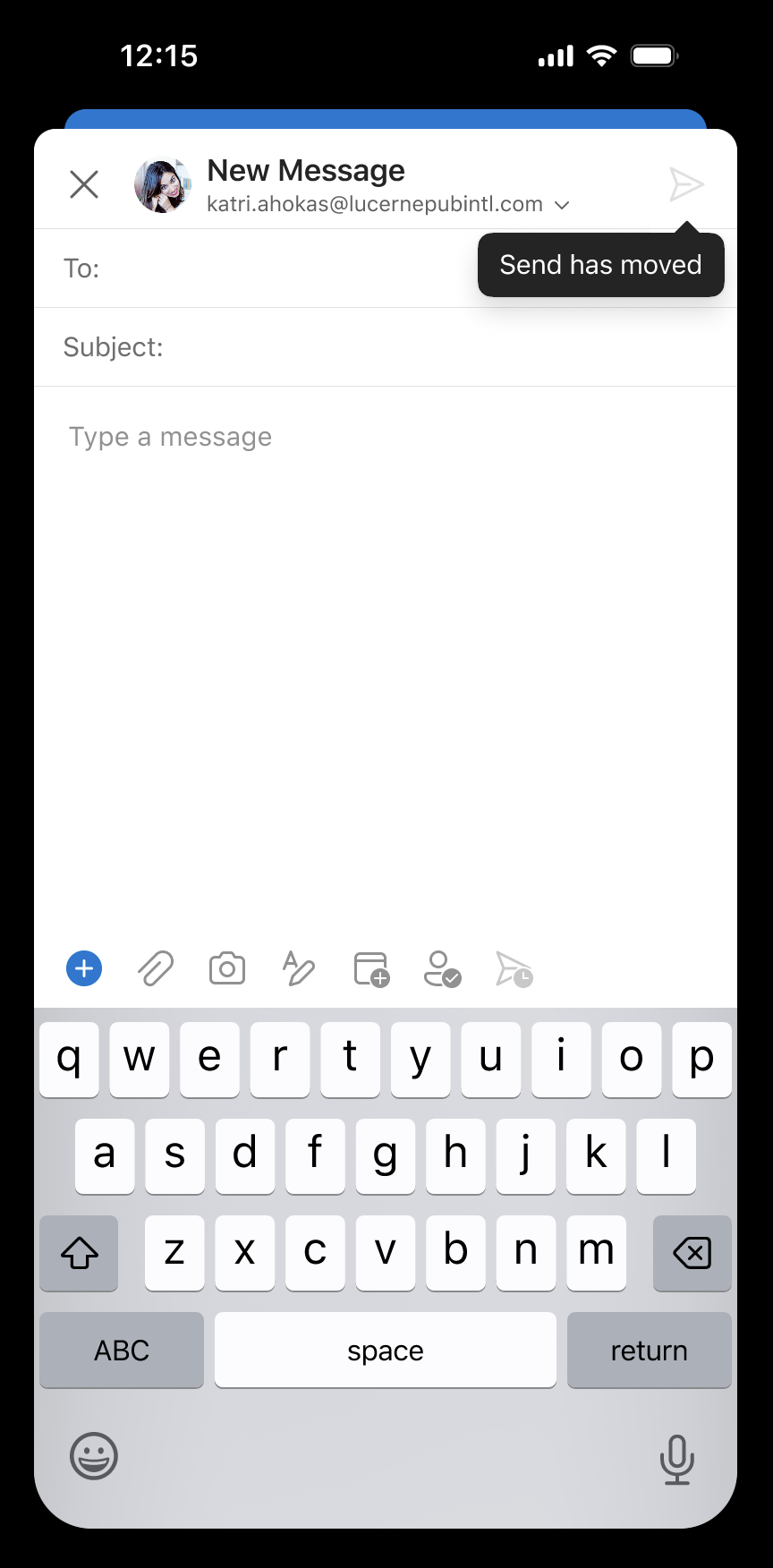
The Send button in Outlook mobile (iOS and Android) will move from the bottom toolbar to the top header in the compose view to reduce accidental sends.
When will this happen:
September 2025 and expect to complete by early March 2026.
2. Outlook Mobile adds support for DLP policy tips and enforcement
How this will affect your organization
Outlook Mobile for iOS and Android will soon support Data Loss Prevention (DLP) policy tips and enforcement. This update helps users avoid accidental data leaks by providing inline alerts or pop-ups when sensitive content is detected—based on admin-configured DLP rules. This enhancement brings DLP behavior in Outlook Mobile in line with Outlook for desktop and web, ensuring consistent compliance enforcement across platforms.
When will this happen:
early August 2025 (previously mid-August) and is expected to complete by early September 2025.
3. Create and save email templates in the new Outlook for Windows
How this will affect your organization
The new Outlook for Windows and Outlook for the Web now support email templates, enabling users to create, save, and reuse templates for faster, more consistent communication. This update also supports importing existing templates saved as .oft files, streamlining the transition from classic Outlook experiences.
When will this happen:
early-October 2025 and is expected to complete by late-November 2025.

Microsoft Intune
1. App Control with new targeting capabilities across every Windows device
How this will affect your organization
App Control for Business is now generally available with new targeting capabilities that make Managed Installer enterprise ready. Previously available in preview with tenant-wide Managed Installer settings, organizations can now assign App Control policies with granular targeting to specific groups instead of applying them across the entire organization.
Full Announcement: https://techcommunity.microsoft.com/blog/microsoftintuneblog/what%E2%80%99s-new-in-microsoft-intune-august-2025/4445612
When will this happen:
GA
2. Windows Autopilot now patches devices during setup
How this will affect your organization
When enabled, devices automatically download and install critical Windows updates during the initial setup process. This means employees receive devices that are already current with security patches, eliminating any restart interruptions during their first week.
Full Announcement: http://techcommunity.microsoft.com/blog/microsoftintuneblog/what%E2%80%99s-new-in-microsoft-intune-august-2025/4445612
3. Multiple administrator approval prevents accidental device management mistakes
How this will affect your organization
We’ve all heard the horror stories. A single click wipes a critical device, or a role permission change affects an entire team. These single-administrator workflows create unnecessary risk when dealing with changes that can disrupt business operations. Multiple administrator approval now covers Intune RBAC roles and critical device actions. Updates to roles, assignments, scope tags, and critical device actions (e.g., wipe, retire, delete) can now choose to have the approval from a second administrator.
Full Article: https://techcommunity.microsoft.com/blog/microsoftintuneblog/what%E2%80%99s-new-in-microsoft-intune-august-2025/4445612


Microsoft Copilot
1. GPT-5 in Microsoft 365 Copilot
How this will affect your organization
We are excited to announce that starting today, GPT-5—OpenAI’s AI system— begins rolling out to Copilot Chat across Microsoft 365 Copilot app endpoints. Powered by GPT-5’s real-time router, Copilot selects the right model for each prompt—using a high-throughput model for quick responses and a deeper reasoning model for complex, multi-step tasks. Users with a Microsoft 365 Copilot license will have access today to GPT-5 in Copilot Chat work and web tabs, while a phased rollout for users without a Microsoft 365 Copilot license will follow over the coming weeks, starting today. GPT-5 is also available in Copilot Studio, enabling makers to build with the latest model in Early release cycle environments.
Full Announcement: https://www.microsoft.com/en-us/microsoft-365/blog/2025/08/07/available-today-gpt-5-in-microsoft-365-copilot/
When will this happen?
GA (rolling out to tenants)
2. View recent activity in Word with Dynamic Document Snapshot
How this will affect your organization
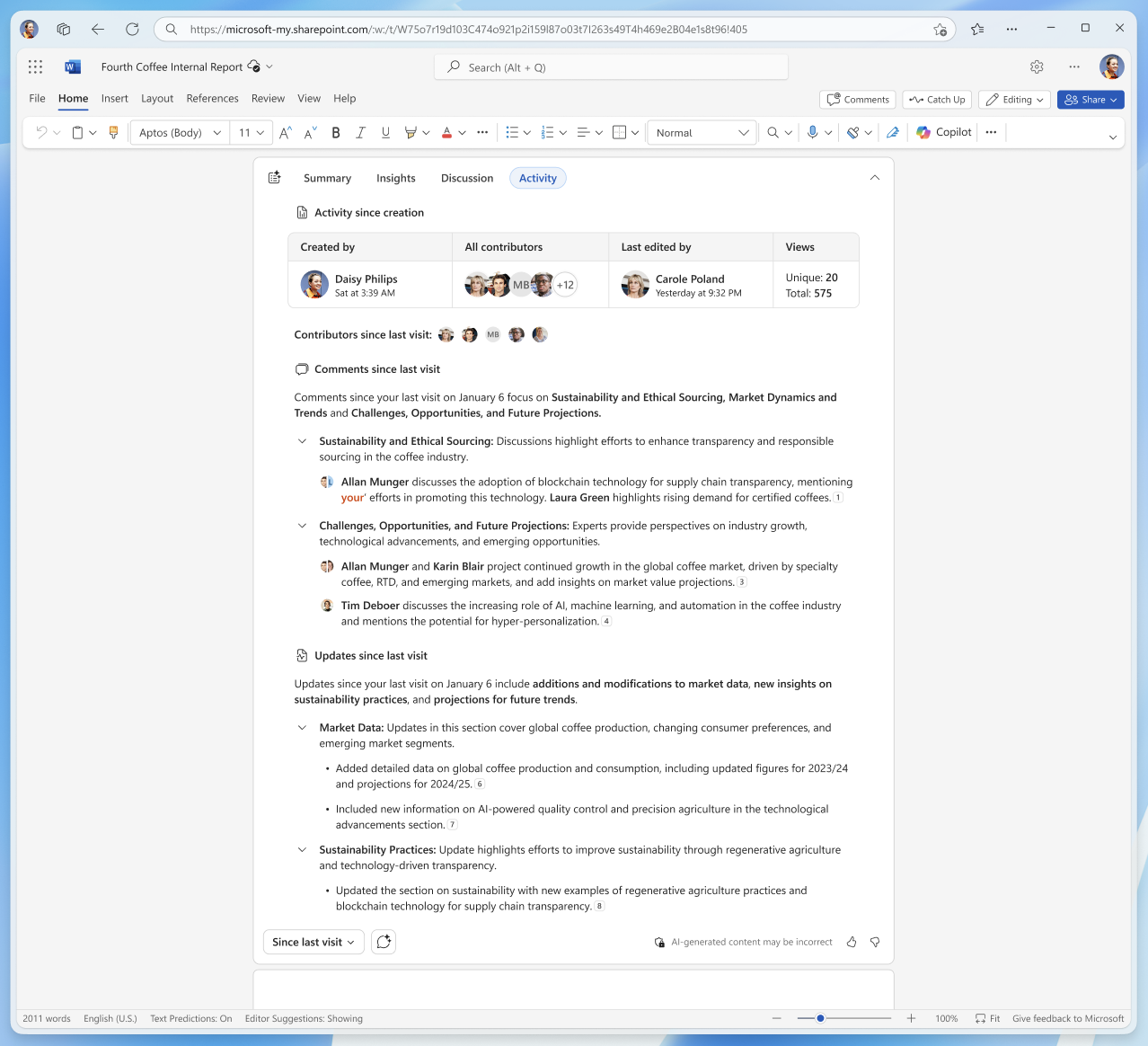
The Activity tab in the Copilot summary now provides a dynamic snapshot of recent comments and edits, helping users quickly catch up on what’s changed.
When this will happen
late July 2025 and expect to complete by late August 2025.
3. Microsoft Outlook: Enhanced search experience with Copilot across Web, Mac, and Mobile
How this will affect your organization
We’re introducing Immersive Search, a new experience across Outlook for Web, Mac, iOS, Android, and the new Outlook for Windows. After performing a search, users will see an entry point to the Microsoft Copilot side pane, which presents a highly relevant, AI-generated summary based on their query. This summary includes content from emails, Teams messages, and documents—helping users quickly understand and act on their information.
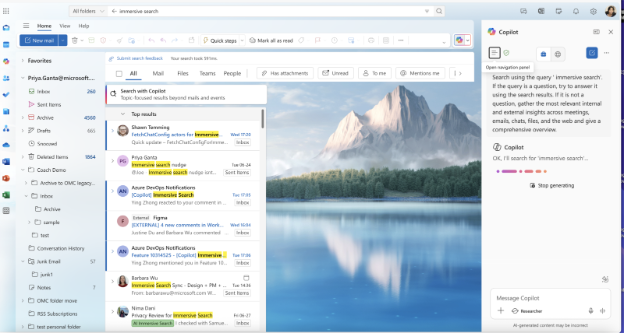
When will this happen?
early September and expect to complete by late September 2025.
4. Gen AI capabilities in the Create module of Microsoft 365 Copilot app coming to all Copilot Chat users
How this will affect your organization
We’re providing standard access to the generative AI features of Create in Microsoft 365 Copilot to users without a Microsoft 365 Copilot license, enabling all Copilot Chat users in your organization to generate images and edit visual content—such as posters, banners, infographics, and images—using AI-powered tools.
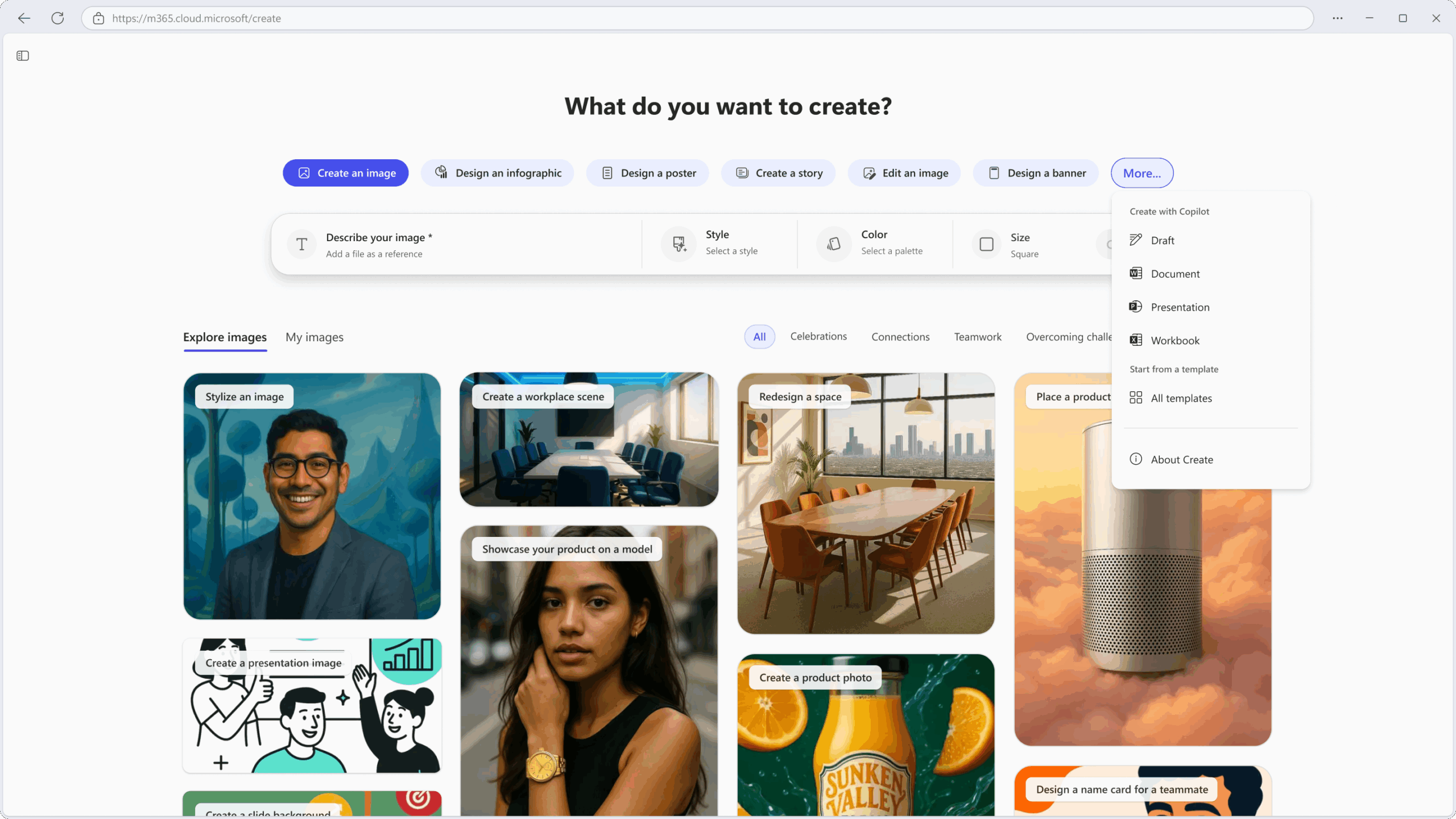
When will this happen:
mid-August and is expected to complete in the coming weeks.
5. Interact with SharePoint content in Teams channels using agents
How this will affect your organization
To enhance collaborative access to SharePoint-based knowledge, we’re introducing SharePoint agents in Microsoft Teams Channels. These agents allow users to interact with SharePoint-based knowledge through simple @mentions, allowing quick access to summaries, answers, and file discovery—without leaving the Teams environment. This builds on existing functionality in group chats and meetings, now with the added benefit of persistent visibility and accessibility in channels.
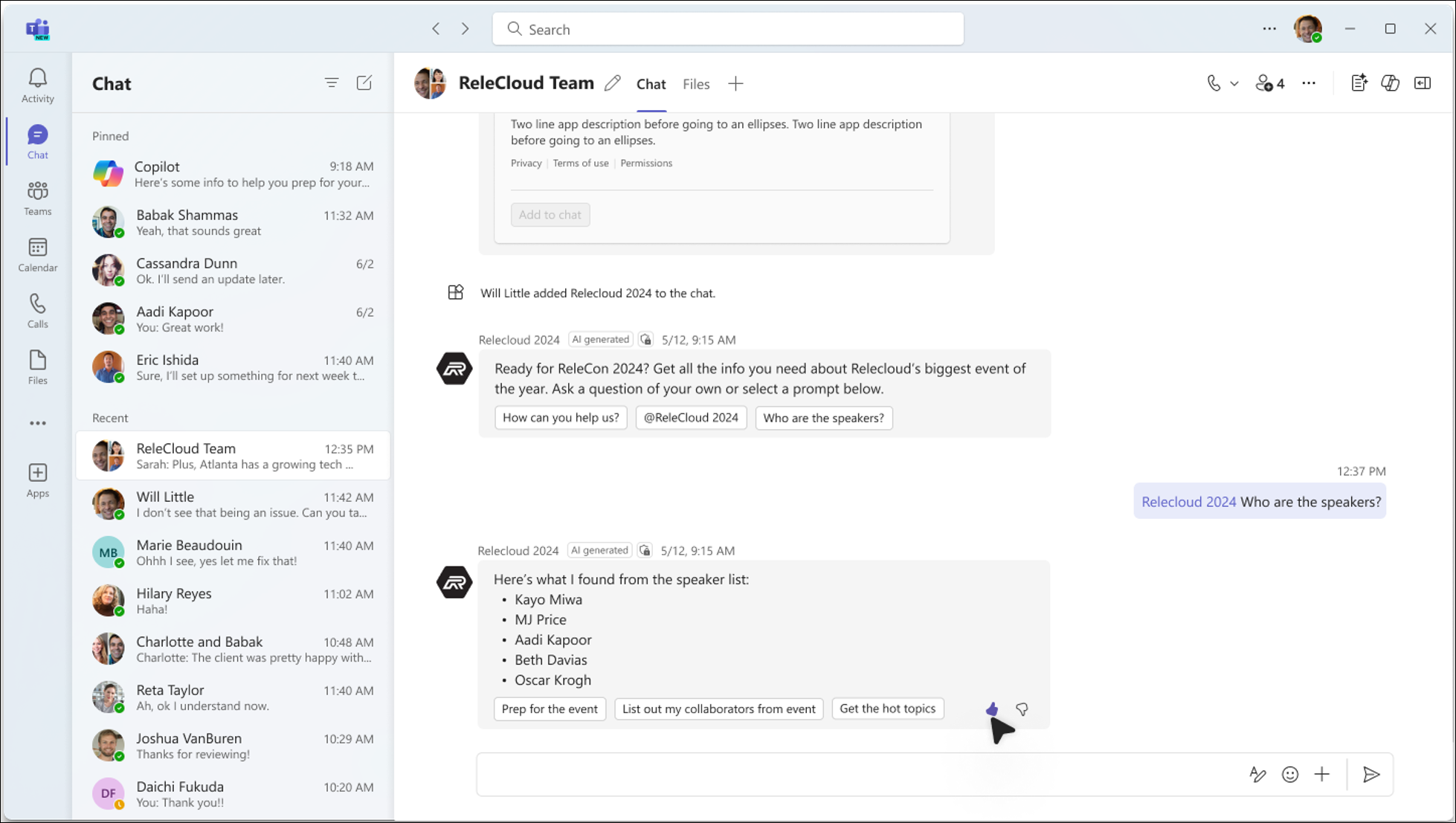
When will this happen:
late August 2025 and expect to complete by mid-September 2025
6. Microsoft Teams Copilot without transcription becomes default for meetings – conversation history now persists
How this will affect your organization
We’re updating the default behavior of Microsoft Teams Copilot in meetings. Copilot without transcription will become the default mode for newly scheduled Teams meetings where Copilot is allowed. Additionally, conversation history will now persist during meetings, improving multitasking and continuity of insights.
When will this happen?
mid-September 2025 and expect to complete by late September 2025.

Microsoft Admin
1. Defender for Identity: New recommendations added to Microsoft Secure Score
How this will affect your organization
- New posture recommendations will appear in Microsoft Secure Score as improvement actions. These include:
- Remove inactive service accounts
- Remove discovered passwords in Active Directory account attributes
When will this happen:
mid-September 2025 and completes by late October 2025
2. Microsoft Teams Integration with Microsoft Defender for Office Tenant Allow/Block List for blocking domains
How this will affect your organization
Introducing a new integration between Microsoft Teams and Microsoft Defender for Office 365 that enables security admins to manage blocked external domains in Teams using the Tenant Allow/Block List (TABL) in the Microsoft Defender portal.
Security admins, with permission from Teams admins, will be able to:
- Add, delete, and view blocked external domains in Microsoft Teams using the Microsoft Defender portal.
- Prevent incoming communications (chats, channels, meetings, and calls) from blocked domains.
- Automatically delete existing communications from users in blocked domains.
- Track actions taken to block domains in audit logs, supporting compliance monitoring and reporting.
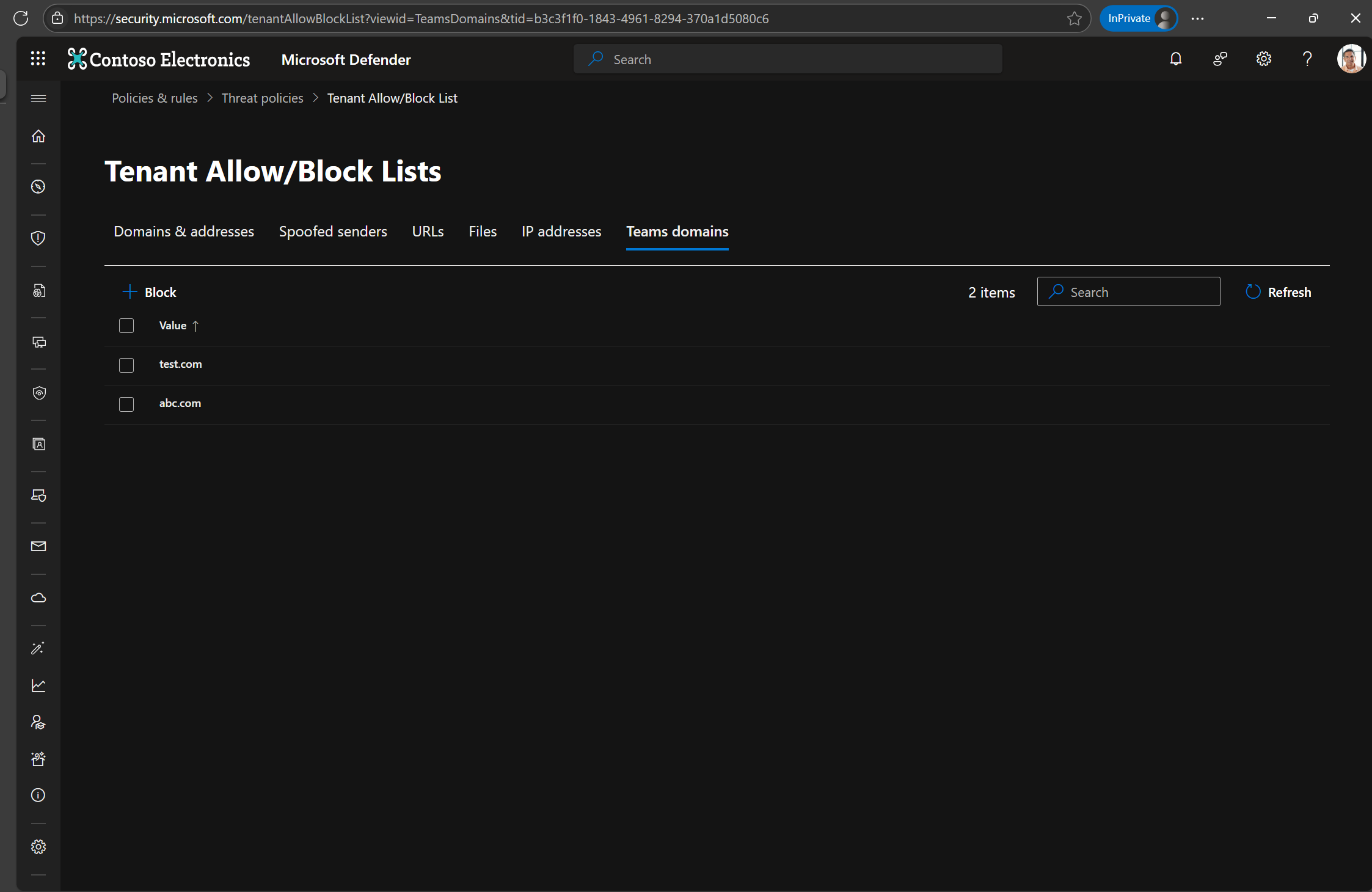
When will this happen:
mid-September 2025 and expect to complete by late September 2025.
3. Restrict new file creation in Office desktop apps to Cloud Locations
How this will affect your organization
This policy setting controls whether Word, Excel, and PowerPoint users can use non-Cloud locations (local and network) to create new files. If you enable this policy setting, users will only have Cloud Locations available to perform Save As and Save new files. If you disable or don’t configure this policy setting, users can use any location (Cloud, Local, and Network) to perform Save As and Save new files. Note: This policy setting only applies to subscription versions of Office, such as Microsoft 365 Apps for Enterprise.
When will this happen:
mid-September 2025 and expect to complete by late September 2025.
4. Quarantine experience update in Microsoft Defender and Exchange Online: Restore temporarily deleted items
How this will affect your organization
We’re enhancing the quarantine experience in Microsoft Defender and Exchange Online to improve visibility and control over items that have been temporarily deleted. With this update, users will be able to view and restore messages that were previously removed from the quarantine view but still exist in the system.
When will this happen:
mid-August 2025 and is expected to complete by mid-September 2025.
5. Windows 10 Extended Security Updates available in CSP starting September 1, 2025
How this will affect your organization
Beginning September 1, 2025, Windows 10 ESU will be available for Cloud Solution Provider (CSP) partners, offering protection for one, two, or three years. This helps Windows 10 devices remain secure during the transition to Windows 11.
To simplify the experience for partners, ESU shifts from a software subscription to a perpetual offer type. With this change, partners can purchase all three years of ESU at once, with separate SKUs for each year. The SKUs will be available on the CSP price list in Partner Center and purchasable in the Partner Center catalog on September 1, 2025. Coverage for ESU will commence after October 14, 2025, to align with End of Support dates.