







In this post, we’ll explore how the Australian Cyber Security Centre’s Essential Eight framework maps directly to Microsoft 365 security controls—and how you can automate evidence collection and policy checks across your tenant.
Today, we’ll:
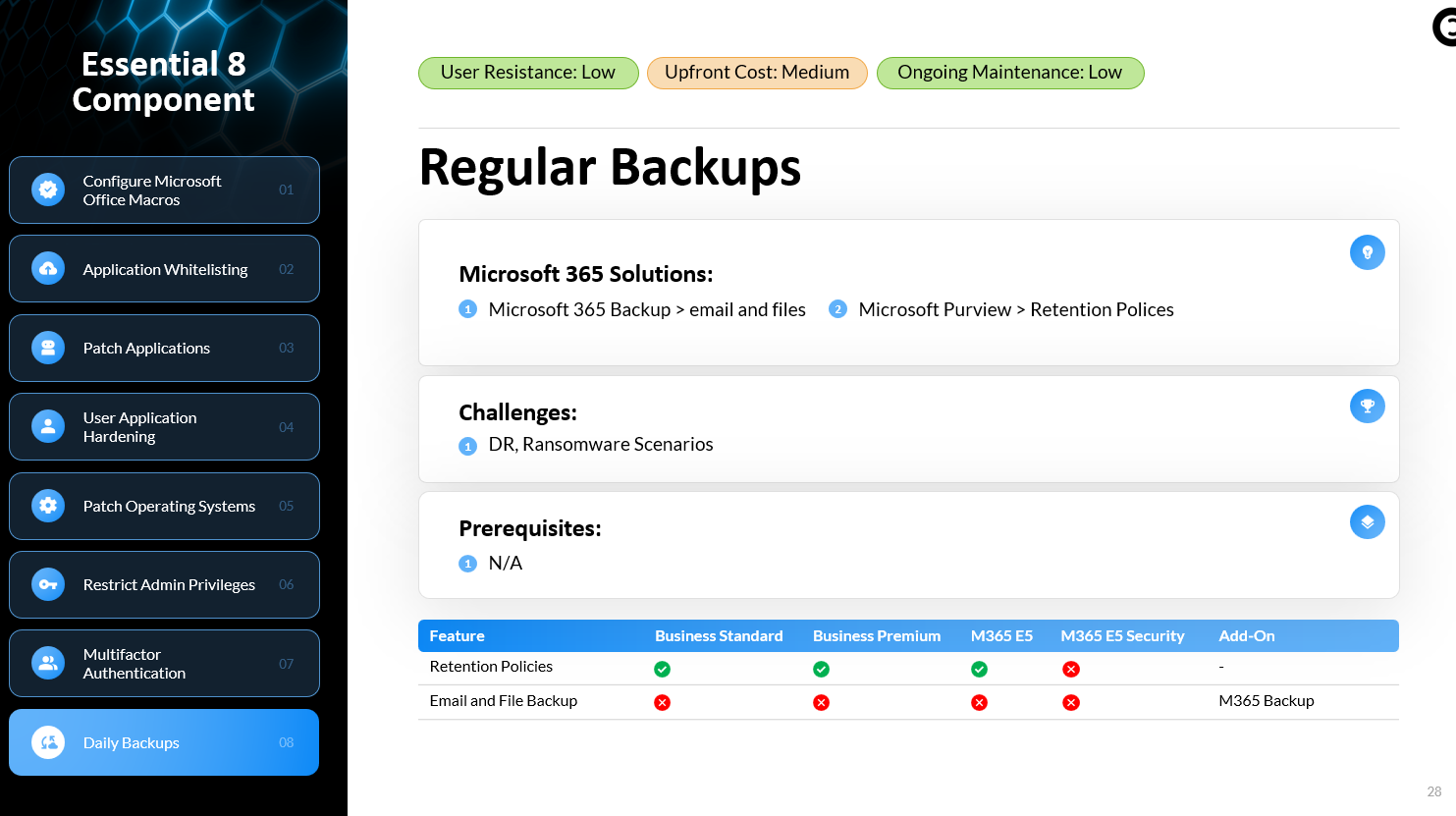
Walk through each of the eight mitigation strategies
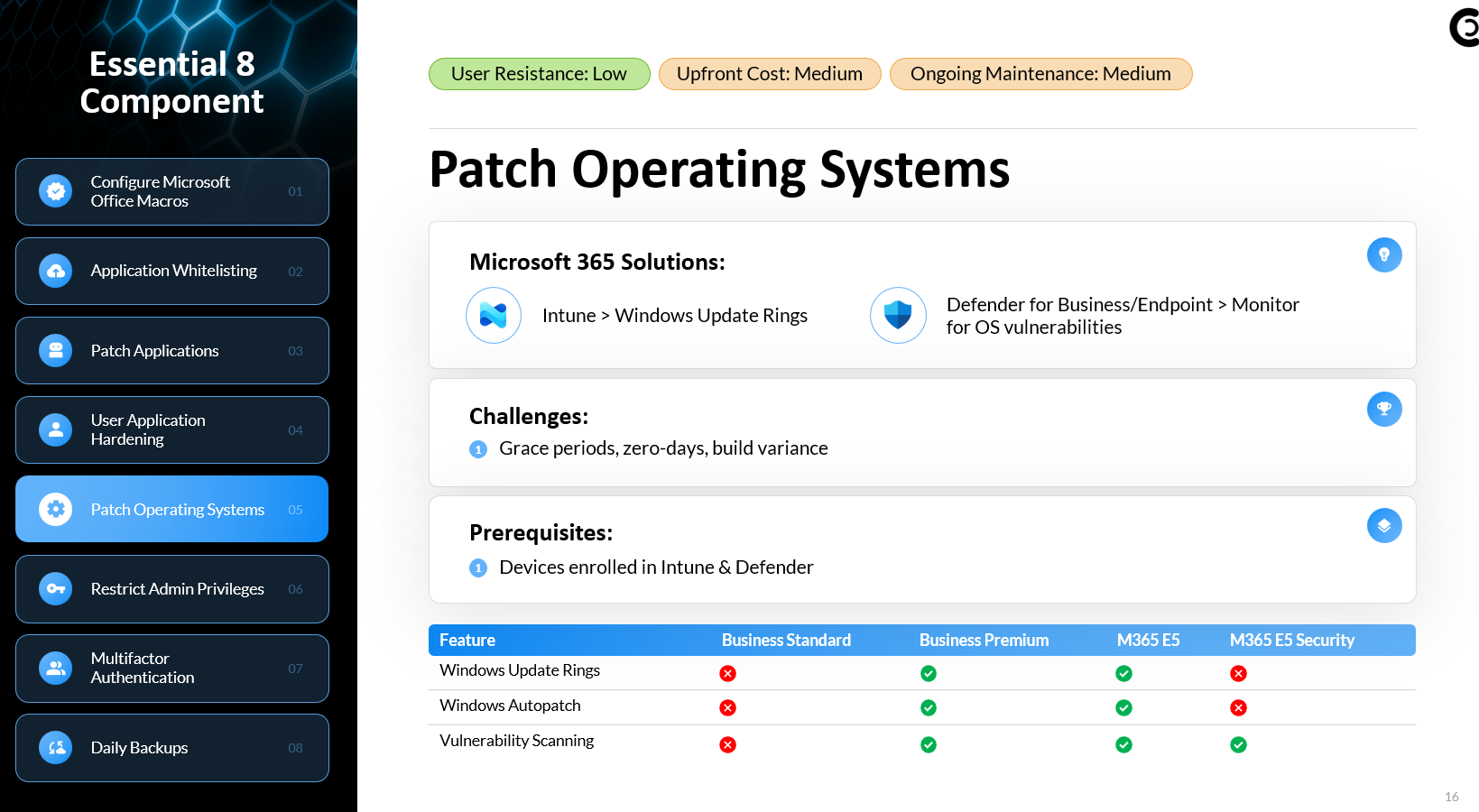
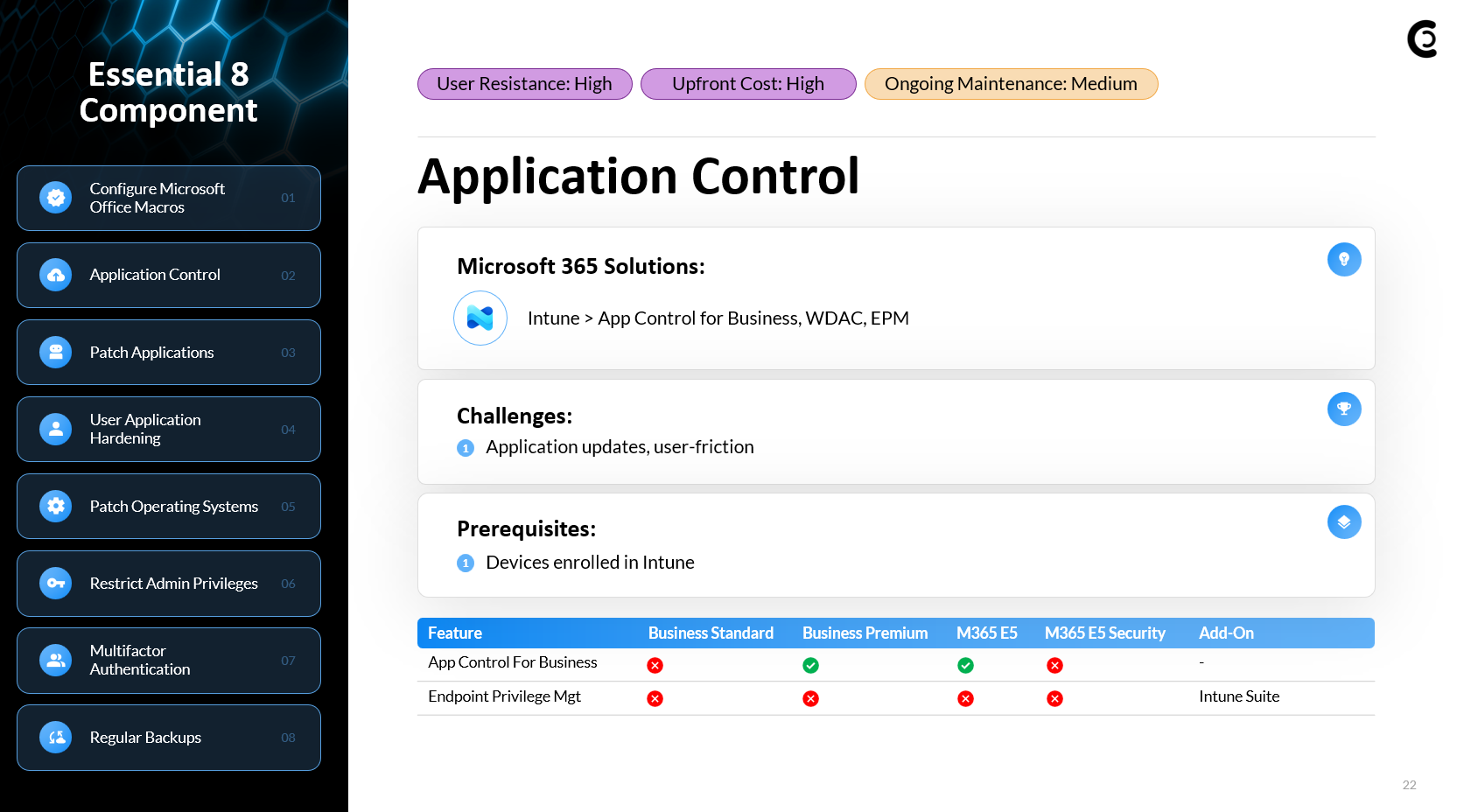
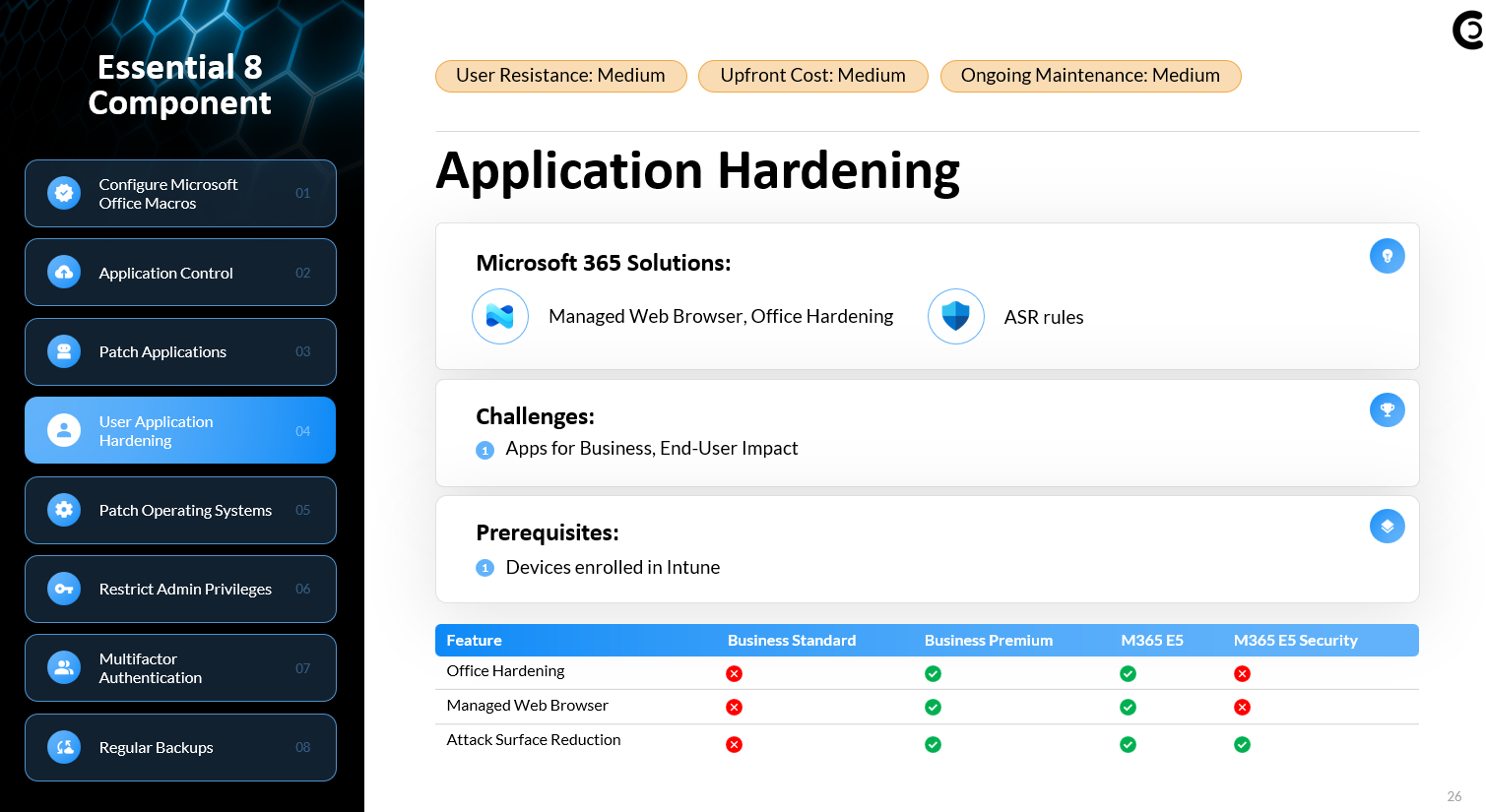
Show the Microsoft 365 tools and licensing needed to implement them
Highlight user impact, cost considerations, and maintenance overhead
Introduce CloudCapsule’s automated assessment that handles over 70% of these technical checks in a single scan
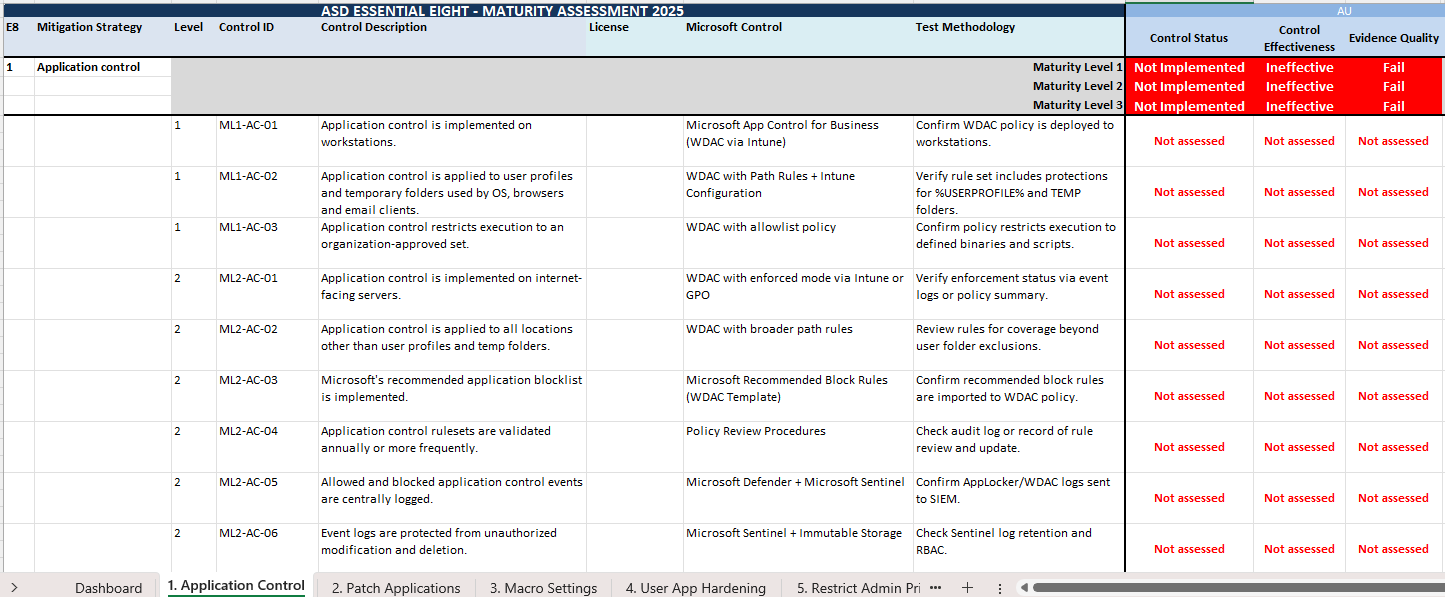
I built a self-assessment workbook you can leverage that covers all of the mappings between the Essential 8 and Microsoft 365 policies. You can leverage this to perform manual checks within the tenant.
The Essential Eight is a prioritized set of mitigation strategies developed by the Australian Cyber Security Centre. By adopting these controls at increasing maturity levels, you can systematically harden your environment:
Maturity Level 1 – Basic cybersecurity hygiene
Maturity Level 2 – Intermediate resilience with configurable policies
Maturity Level 3 – High resilience, hard to compromise
At each level, you balance friction, upfront costs, and ongoing maintenance against the risk reduction achieved.
Microsoft has their own published documentation which outlines the mapping between Essential 8 and M365 which is what I am following: ACSC Essential Eight – Essential Eight | Microsoft Learn
Emersed within this documentation, you will also see a github repository that host Intune ACSC Windows Hardening Guidelines. This has a bunch of the policies you could upload into a tenant as JSON files that are already preconfigured. I’ve linked this library below:
We’ve automated about 70% of the technical controls for the Essential 8 as it relates to your configurations/policies in Microsoft.
Each Policy has automated evidence collection that represents the pass fail values
